

TL;DR:
- PicDrop’s recent retirement of its budget Lite plan forced photographers onto higher price tiers without adding modern tools like print stores, face search, or connected editing.
- Pixieset, Pic-Time, ShootProof, and CloudSpot remain viable standalone alternatives, each offering distinct strengths across website building, automated print marketing, studio management, and client mobile apps.
- Aftershoot Galleries bridges proofing, native video hosting, and zero-commission print sales directly with AI culling, editing, and retouching to eliminate fragmented export workflows.
- Real switching costs like migrating live client archives and onboarding non-technical clients can be minimized through automated migration tools and friction-free, login-free gallery links.
Every professional photographer knows the feeling: the shoot was a complete success, your cards are backed up, and the real work begins. But once you wrap up culling and editing, delivering the final images to your client often turns into another fragmented, multi-step chore.
For years, PicDrop was the go-to tool for photographers who wanted a clean, no-fuss way to handle client proofing, color flags, and RAW file selections.
However, PicDrop’s recent pricing overhaul retired its popular Lite plan, pushing photographers onto restructured tiers starting at $15.99/month (billed annually) and climbing up to $117.99/month (billed annually) for studio teams. For photographers already balancing subscriptions for culling, raw processing, portrait retouching, and cloud storage, that sudden jump added real overhead without addressing the biggest bottleneck in modern photography: disconnected workflows.
If you’re evaluating your options, this guide breaks down the best PicDrop alternatives for professional photographers in 2026, comparing standalone gallery services and integrated workflow platforms to help you find the right fit for your studio.
Best PicDrop Alternatives: Quick Pricing & Feature Comparison
| Platform | Starting Price | Free Tier | Proofing & Selection | Integrated Print Store | Video Support |
| Aftershoot Galleries | Pro: $15/month (billed annually) | Free: 10 GB photo + 1 GB video storage | Face Search, Face Gating, real-time approvals, markers, comments | Yes (0% commission on WHCC, Bay Photo, Atkins) | Native photo & dedicated video storage |
| Pixieset | Basic: $8/month (billed annually) | Free: 3 GB storage (15% store fee) | Standard favorites & proofing | Yes (0% on paid tiers) | Add-on video storage tiers |
| Pic-Time | Beginner: $8/month (billed annually) | 30-day free trial | Album proofing & visual favorites | Yes (automated sales sequences) | Integrated video delivery |
| ShootProof | 100 Photos: $13/month (billed annually) | Free: 100 photos | Standard favorites & proofing | Yes (integrated lab partner fulfillment) | Limited video delivery |
| CloudSpot | Lite: $7/month (billed annually) | Free: 5 GB storage | Basic selections & client app | Yes (2.5% commission on basic) | Limited video delivery |
Pricing note: Prices reflect annual-plan rates where available. Providers may bill annually upfront or monthly under an annual commitment.
Why Are Photographers Looking Beyond PicDrop?
PicDrop earned its reputation by focusing on a single task: fast file proofing. You upload a gallery, send a link, and clients flag their selections using green/yellow/red color tags and comments.
While that works well for basic image reviews, customer feedback across photography communities, Reddit discussions, and support channels points to four key limitations:
- Unplanned Price Hikes: The removal of PicDrop’s entry-level Lite tier forced solo photographers and seasonal shooters onto more expensive Pro plans, significantly increasing yearly software expenses.
- The Disconnected Export Loop: PicDrop is strictly a delivery tool. It sits completely separate from where you cull, edit, and retouch your images, requiring manual exports and tedious file re-uploads for every shoot.
- Zero Native Print Monetization: PicDrop doesn’t include an integrated print store. Photographers who want to sell prints, canvases, or albums are forced to use third-party platforms or manage manual invoices, missing out on passive revenue.
- Restricted Video Delivery: With modern clients expecting hybrid photo and video coverage, PicDrop’s strict video conversion limits on lower tiers force photographers to split deliveries across multiple services.
The Reality of Switching Gallery Providers
Leaving any gallery platform involves real switching costs that extend beyond comparing monthly subscription fees. Before migrating your work, consider these three operational challenges:
1. Active Client Galleries and Archival Storage
If you have delivered galleries that clients still access for print orders or seasonal downloads, moving platforms requires a transition plan. Downloading hundreds of gigabytes of high-resolution files from your current host and manually reorganizing them into a new system can easily consume days of non-billable studio time. Look for platforms that offer automated library migrations to transfer your existing collections without disrupting client access.
2. The Administrative Learning Curve
Every new software platform demands time to learn backend dashboard controls, set up lab integrations, configure tax rules, and customize email notification templates. If a tool feels bloated or complicated during a trial period, that friction will follow you into your weekly delivery workflow.
3. Client Onboarding and Friction
Clients do not want to register for accounts, remember extra passwords, or figure out confusing download processes just to see their wedding or portrait photos. A seamless proofing alternative must provide an intuitive, login-free client experience that functions effortlessly on mobile devices and desktop browsers alike.
Top PicDrop Alternatives for Professional Photographers
1. Aftershoot Galleries

Aftershoot Galleries takes a fundamentally different architectural approach than traditional cloud-only delivery platforms. Instead of functioning as an isolated destination that requires manual exports and re-uploads, Galleries is built as the delivery layer of an integrated post-production ecosystem. It bridges client proofing, video hosting, and zero-commission print fulfillment directly with AI culling, editing, and portrait retouching.
For photographers looking for an alternative to PicDrop’s core proofing workflow, Aftershoot Galleries delivers familiar color ratings, client selection lists, and comments, while adding modern discovery tools. Clients and event guests can use Face-Based Search to find their photos instantly by uploading a selfie, or photographers can utilize Face Gating to ensure individuals only see photos containing their own face, a critical capability for high-volume school, sports, and corporate events.
Pros of Aftershoot Galleries
- Direct integration with Aftershoot AI Culling, AI Editing, and AI Retouching eliminates export-and-reupload bottlenecks.
- Advanced AI face-based search and Face Gating provide instant client discovery and granular privacy control.
- Free, automated migration service moves existing client galleries from Pixieset, Pic-Time, and ShootProof without downtime.
- Strict 0% commission on print sales across all plans, including the free Starter tier.
- Dedicated native video storage included across every tier.
Cons of Aftershoot Galleries
- The integrated post-production engine runs as a desktop application, making it less suited for photographers who exclusively manage their studios on tablets.
- Does not offer built-in website hosting, client questionnaires, or CRM contracts (focuses strictly on workflow, proofing, and delivery).
What Photographers Are Saying
Lori Granquist Day, a professional photographer, experienced the immediate benefits during a client shoot:
“I needed to quickly deliver photos to a client while my regular gallery platform was having issues, and Aftershoot Galleries made it incredibly easy. My favorite part? Clients can search for their own face instantly.”
Best for:
Portrait, wedding, event, and high-volume photographers who want to eliminate manual export steps and unify culling, editing, retouching, proofing, and print delivery in one connected workflow.
Aftershoot Pricing:
- Starter Plan: Free forever with 10 GB photo storage, 1 GB video storage, and unlimited active galleries.
- Pro Tier: $15/month (billed annually) with 500 GB photo storage, 20 GB video storage, zero-commission store, and custom branding.
- Unlimited Tier: $30/month (billed annually) with unlimited photo storage, 6 hours of video hosting, and priority support.
Not for:
Photographers looking for an all-in-one CRM that replaces their client booking contracts and website builders.
2. Pixieset
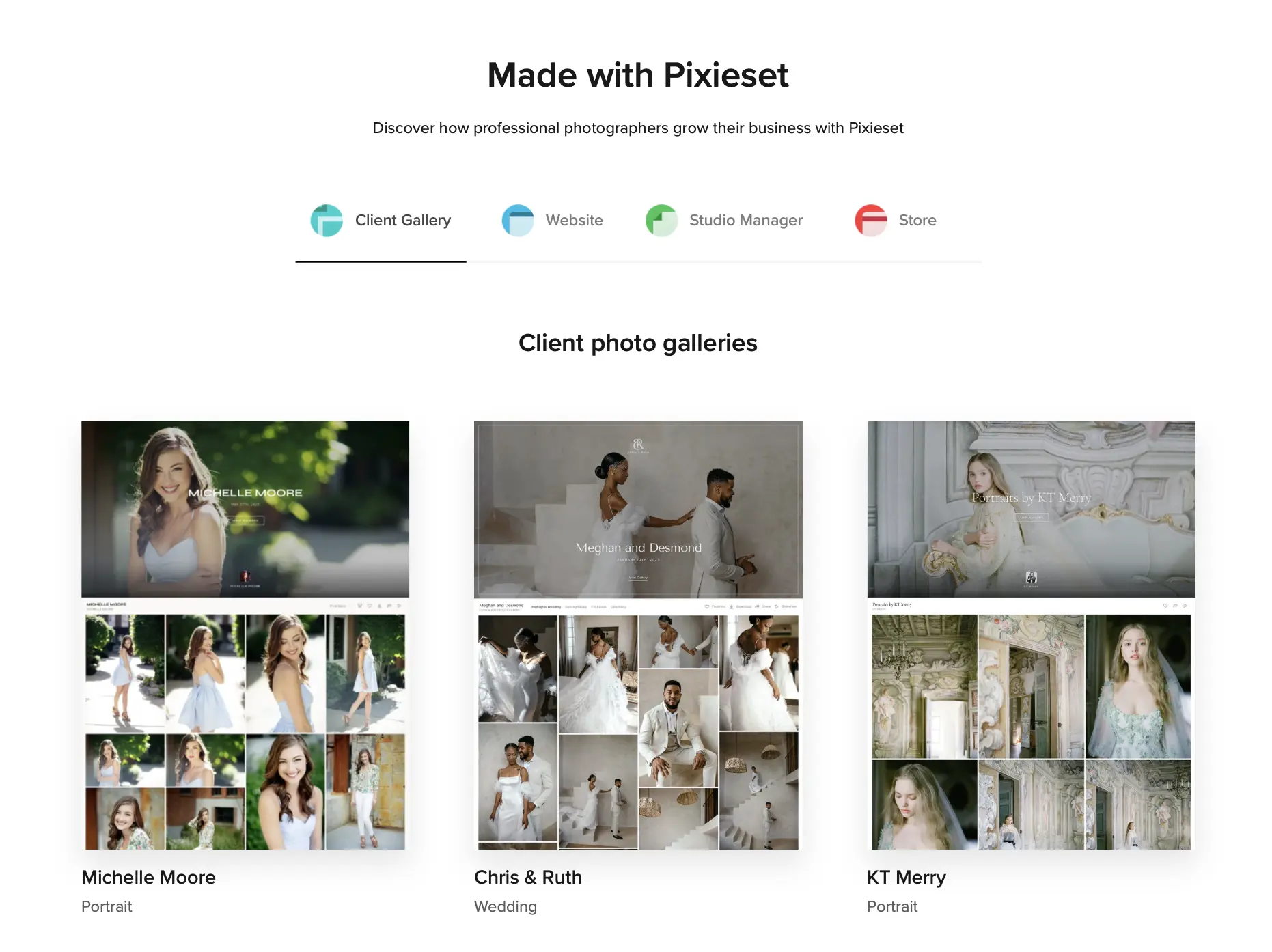
Pixieset is one of the most widely recognized gallery and client delivery platforms in the photography industry. Beyond image hosting, the company has expanded into a broader studio management ecosystem called the “Suite,” which combines client galleries, website building, online appointment booking, and studio invoicing under one roof. For photographers who want a single login to handle their outward-facing brand presence, Pixieset offers a clean, reliable, and approachable interface that clients find easy to navigate.
When it comes to proofing and image delivery, Pixieset provides customizable cover templates, client favorite lists, pin-protected digital downloads, and an integrated print storefront connecting to labs like WHCC and ProDPI. However, because it operates as a cloud-first delivery layer, it remains disconnected from your local desktop editing setup. You still have to complete all your culling, color grading, and portrait retouching in separate programs before exporting full-resolution files and uploading them to Pixieset’s servers.
Pros of Pixieset
- Clean, highly responsive client gallery presentation that works reliably across mobile devices and desktop screens.
- Comprehensive all-in-one studio ecosystem bundling gallery hosting, website creation, client contracts, and invoicing.
- Fast gallery load times and dependable cloud infrastructure.
Cons of Pixieset
- High 15% commission fee on print store sales for users on the free plan.
- Disconnected from desktop post-production, requiring manual file exports and separate re-uploads for every shoot.
- Tiered storage pricing increases significantly as your client archive grows.
Best for:
Photographers who want an all-in-one studio suite that bundles website building, digital contracts, client invoicing, and client galleries in a single system.
Pixieset Pricing:
A free tier is available with 3 GB of storage but carries a 15% commission fee on print store sales. Paid standalone gallery plans range from $8/month, billed annually (10 GB) to $40/month, billed annually (unlimited storage) when billed annually, with 0% commission on paid tiers. The full Studio Suite bundle starts at $28/month (billed annually).
Not for:
High-volume shooters who want a tight connection between desktop editing and client delivery, or photographers looking to avoid managing separate export folders before publishing galleries.
3. Pic-Time
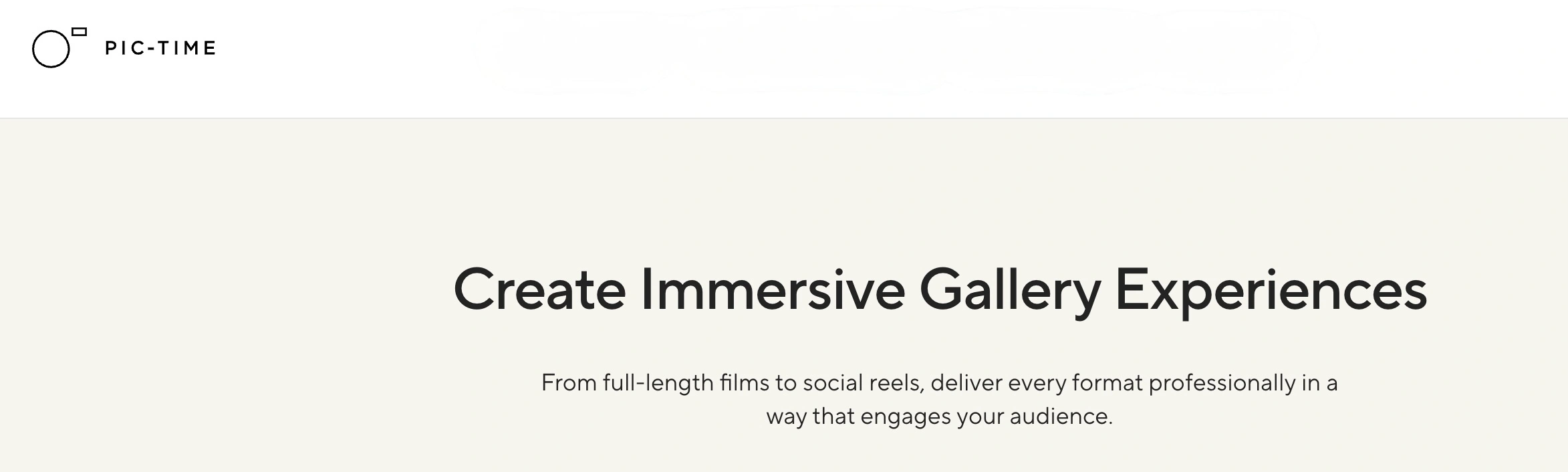
Pic-Time has built a dedicated following among luxury wedding, editorial, and portrait photographers by prioritizing visual elegance and automated print sales marketing. The platform is best known for its magazine-style gallery layouts, custom grid aesthetics, and advanced visual design options that elevate the perceived value of delivered imagery. It also features built-in album proofing tools that allow clients to view, comment on, and approve album spreads directly in the browser.
Where Pic-Time truly stands apart is its automated marketing engine. The system allows photographers to set up pre-built email sequences, early-bird sales coupons, holiday sales banners, and abandoned-cart reminders that run automatically once a gallery goes live. While this automation can drive substantial print and album revenue, the interface comes with a steeper learning curve than simpler proofing tools. It also relies on standard manual file exports from your local editing applications.
Pros of Pic-Time
- Advanced automated sales funnels, coupon campaigns, and abandoned-cart automations that drive passive print and album revenue.
- Sophisticated, editorial-style gallery layouts with dedicated interactive album proofing spreads.
- Direct integrations with a vast selection of premium international and domestic print labs.
Cons of Pic-Time
- Complex backend interface with a steeper learning curve compared to straightforward proofing tools.
- Galleries can occasionally experience slower initial image rendering and thumbnail loading on mobile connections.
- Requires separate exports and uploads from your culling and editing software.
Best for:
Wedding and portrait photographers who rely heavily on high-end album design, visual storytelling, and automated print marketing campaigns to generate backend revenue.
Pricing:
A 30-day free trial is available. Paid plans range from the Beginner tier at $8/month, billed annually (20 GB storage) to the Professional plan at $42/month, billed annually (unlimited storage) when billed annually. Print store commission varies from 15% on entry tiers down to 0% on higher-tier plans.
Not for:
Photographers seeking a lightweight, straightforward proofing link, or those who want an integrated workflow that handles AI culling and retouching alongside client delivery.
4. ShootProof
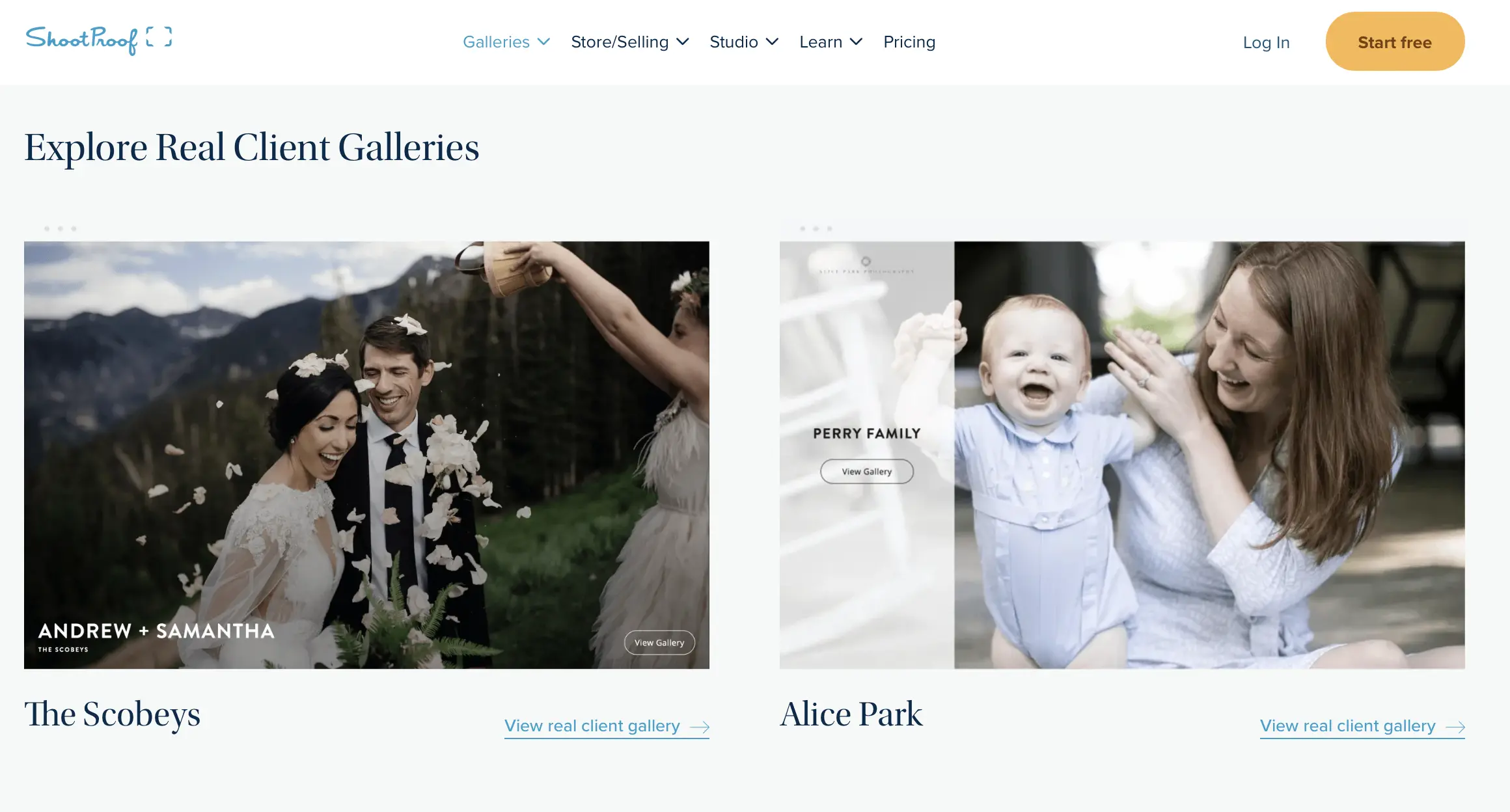
ShootProof was one of the early pioneers of online client proofing and print sales, and it remains a popular fixture for portrait studios, family photographers, and small commercial teams. The platform combines image delivery with foundational business management tools, including digital contracts, legally binding electronic signatures, client questionnaires, and basic invoicing. This integrated business approach allows solo photographers to manage client bookings and deliver final selections without juggling separate CRM software.
From a gallery perspective, ShootProof allows clients to star their favorite images, create custom selection lists for retouching, and purchase lab prints fulfilled directly by partner labs such as Bay Photo, WHCC, and Miller’s. However, ShootProof structures its pricing around the total number of photos hosted rather than storage capacity in gigabytes. For high-volume shooters who deliver multiple multi-thousand-image galleries each season, managing photo limits can require constant archiving or regular tier upgrades.
Pros of ShootProof
- Combines client proofing with built-in legal contracts, digital signatures, and invoicing capabilities.
- Zero commission on print sales across all paid tiers when fulfilling through partnered labs.
- Robust sub-gallery organization and password protection options for event shoots.
Cons of ShootProof
- Photo-count pricing model penalizes high-volume photographers and requires active archiving to stay under tier limits.
- The user interface and client gallery templates feel dated compared to modern alternatives.
- The desktop Lightroom upload plugin has a history of stability issues and crashes during large batch syncs.
Best for:
Portrait, family, and event photographers who want client contracts, digital signatures, invoicing, and image proofing combined in a single dashboard.
Pricing:
A free plan allows hosting for up to 100 photos. Paid plans start at $13/month (billed annually) for 1,500 photos and scale up to $40/month (billed annually) for unlimited photos when billed annually, all with 0% commission on lab print sales.
Not for:
Hybrid shooters who require robust, native video hosting, or high-volume photographers looking for AI-powered face detection and automated retouching integrations.
5. CloudSpot
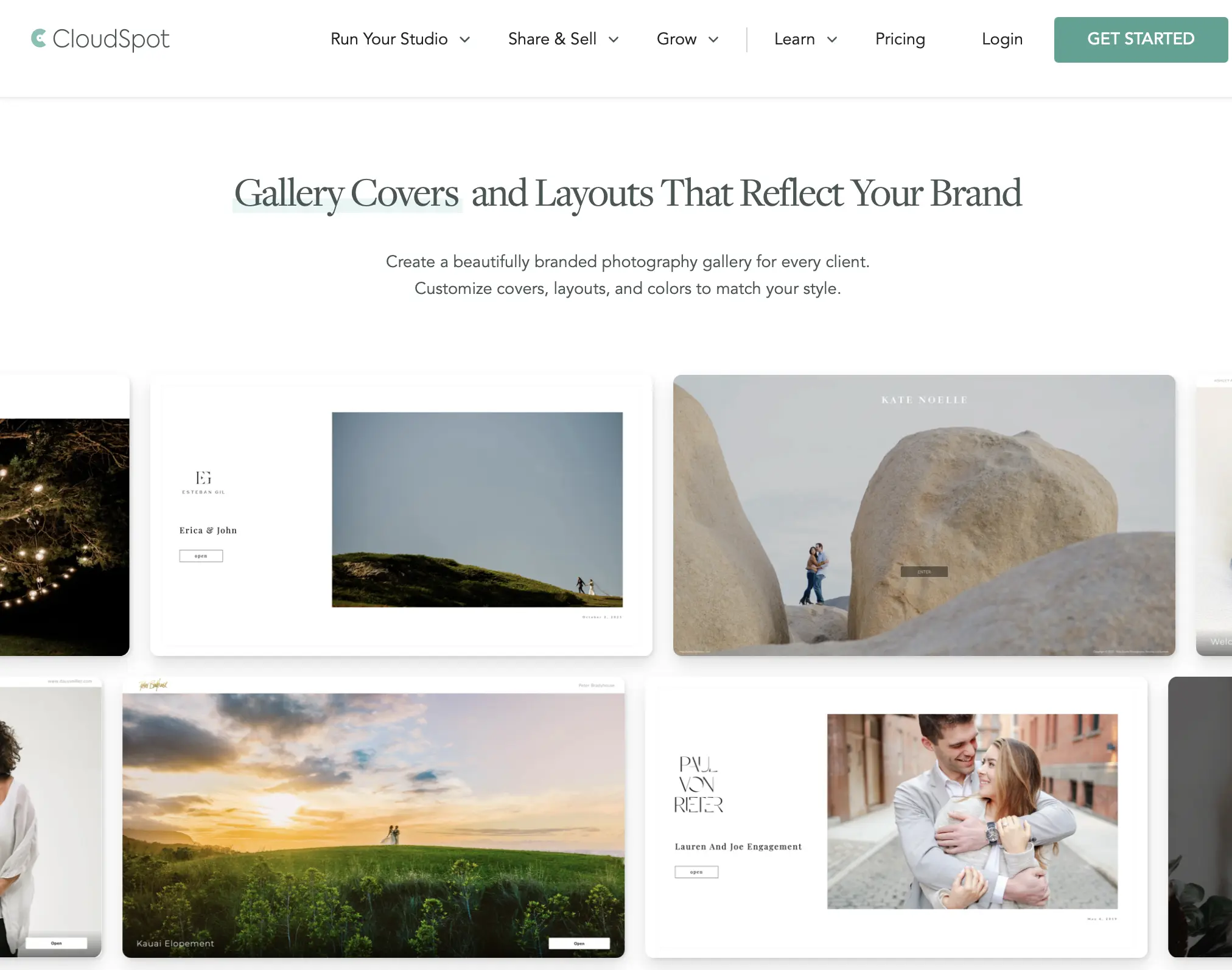
CloudSpot was built around the principle of speed and ease of delivery for modern photographers. Its standout feature is the ability to generate customized, installable mobile apps for clients with a single click, allowing couples, families, and commercial clients to save an app icon directly to their smartphone home screens. CloudSpot also features a dedicated Lightroom export plugin that allows photographers to publish finished images to the cloud directly from their Lightroom catalog.
The platform provides a simple client selection and proofing interface, clean direct-download options, and a built-in storefront connecting to professional labs like WHCC. It also includes basic portfolio and landing page builders. While CloudSpot offers a reliable and polished client experience, it remains focused on gallery delivery and lacks advanced AI-driven discovery tools like face recognition and face-gated gallery views.
Pros of CloudSpot
- 1-click custom mobile app creation that lets clients install their gallery on their smartphone home screen.
- Clean, customizable client galleries with easy section dividers for different locations or shoot segments.
- Direct Lightroom plugin for publishing images directly from your catalog.
Cons of CloudSpot
- Invoicing and CRM studio features are geographically restricted and not fully functional outside the US.
- Print fulfillment options outside the US and Europe are limited.
- Lacks automated AI facial recognition or face-gating tools for large event navigation.
Best for:
Photographers who want to provide clients with custom-branded mobile gallery apps and prefer exporting directly from Lightroom into the cloud.
Pricing:
A free tier includes 5 GB of storage. Paid plans range from Lite at $7/month (10 GB storage) to Unlimited at $34/month when billed annually. Print store sales carry a 2.5% commission fee on basic tiers, which drops to 0% on higher plans.
Not for:
Event, school, and wedding photographers who need AI face search for rapid image discovery, or studios seeking an end-to-end platform covering AI culling, raw editing, and portrait retouching.
How AI Retouching Unifies Your Entire Workflow
The biggest advantage of Aftershoot over standalone proofing tools like PicDrop is that it isn’t an isolated island. It connects directly with Aftershoot AI Retouching, AI Culling, and AI Editing.
In a typical PicDrop workflow, finishing a portrait session or wedding requires jumping across multiple tools: culling in one program, raw processing in Lightroom, opening Photoshop or PortraitPro for skin cleanup, exporting JPEGs to your drive, and finally uploading to PicDrop.
Aftershoot brings that entire process into a single desktop ecosystem:
- Natural Skin Smoothing & Blemish Removal: AI removes temporary blemishes, evens out skin tones across face and body, and softens wrinkles while keeping authentic skin textures intact.
- Stray Hair Cleanup: Clean up flyaways and loose strands against complex backgrounds without blurring hair edges.
- Eyeglass Glare & Hotspot Fixes: Automatically reduce harsh specular flash reflections and reconstruct eyes behind glass glare.
- Clothing Dewrinkle & AI Object Removal: Smooth creases on garments and use the AI Patch Tool to eliminate background distractions like photobombers and exit signs.
- Batch Retouching Presets: Sync custom retouching adjustments across hundreds of photos in a session simultaneously, guaranteeing visual consistency across the entire gallery.
Once you’ve culled, edited, and retouched your images in Aftershoot, you can publish them directly to Aftershoot Galleries with a single click – no export folders, double uploads, and no wasted time.
You can use Galleries as a standalone product starting for free, or unlock the entire post-shoot pipeline with Aftershoot Complete for $45/month billed annually.
Which PicDrop Alternative Should You Choose?
Selecting the right replacement for PicDrop comes down to your studio’s operational model and where you lose the most time:
- If you shoot weddings and rely on automated print sales: Choose Pic-Time. Its sophisticated email campaigns, holiday sales automations, and interactive album proofing spreads make it the premier choice for driving passive album and print revenue.
- If you are starting out and need a complete studio presence: Choose Pixieset. If you don’t yet have a standalone website, booking system, or contract software, the Pixieset Suite offers a clean, bundled platform to run your client-facing operations.
- If you manage a portrait studio and need client contracts & invoicing: Choose ShootProof. Combining digital signatures, legal contracts, and lab-fulfilled print proofing in one place eliminates the need for separate CRM tools.
- If you prioritize client mobile apps and quick Lightroom exports: Choose CloudSpot. Its 1-click mobile apps give couples and families a dedicated home-screen icon for their galleries, paired with an easy Lightroom publishing plugin.
- If you shoot high-volume events, portraits, or weddings and want a connected post-production workflow: Choose Aftershoot Galleries. If your biggest daily bottleneck is spending hours culling, editing, retouching, exporting, and re-uploading files across multiple apps, Aftershoot unifies the entire post-shoot pipeline while offering face-based client search, native video hosting, and zero-commission print sales.
The Bottom Line
If all your photography business requires is a standalone file-proofing folder and its updated pricing tiers fit your budget, PicDrop remains a functional choice.
However, professional photographers looking to eliminate repetitive exports, sell lab prints with zero commissions, protect client privacy with Face Gating, and bridge the gap between AI retouching and client delivery will find Aftershoot Galleries to be the most comprehensive, cost-effective alternative available.
FAQs for Best PicDrop Alternatives
Q1. Why are photographers switching from PicDrop?
Many photographers are looking for alternatives following PicDrop’s recent pricing restructuring, which retired the affordable Lite plan and increased entry costs. Furthermore, photographers increasingly need modern features that PicDrop lacks, such as a built-in print store, dedicated video hosting, and direct integration with their culling and editing workflow.
Q2. Can I use multiple gallery platforms at the same time during a transition?
Yes. Many photographers run dual platforms during a transition period. You can keep existing client galleries active on your current host while delivering new client sessions on your new platform, avoiding the need to migrate active projects in the middle of a busy season.
Q3. How do clients access proofing galleries without creating an account?
Modern gallery alternatives prioritize frictionless client access. Platforms like Aftershoot Galleries, Pixieset, and CloudSpot allow clients to open a link, favorite images, leave comments, and download authorized files directly in their desktop or mobile browsers without requiring an account registration or password setup unless you enable privacy restrictions.
Q4. What makes Aftershoot Galleries different from PicDrop?
While PicDrop functions solely as a standalone proofing tool, Aftershoot Galleries connects proofing and delivery directly with AI Culling, AI Editing, and AI Retouching. It also includes a zero-commission print storefront, native video storage, and AI-driven face search for clients.
Q5. Can I migrate my existing client galleries to Aftershoot Galleries?
Yes. Aftershoot provides free, automated platform migrations for photographers moving from Pixieset, Pic-Time, and ShootProof, allowing you to transfer your client archives without rebuilding galleries by hand.
Q6. Does Aftershoot charge a commission fee on print store sales?
No. Aftershoot Galleries has a strict 0% commission policy across all plans, including the free Starter tier. You keep 100% of your print markups when fulfilling orders through professional labs like WHCC, Bay Photo, and Atkins Pro Labs.
Q7. Can I use Aftershoot Galleries as a standalone gallery tool?
Yes. Aftershoot Galleries works as a standalone client delivery and proofing platform. You don’t need to use Aftershoot AI Culling or Editing to use Galleries, and you can start on the free 10 GB plan before deciding whether to upgrade.
Q8. Can clients select and approve photos on mobile devices?
Yes. Aftershoot Galleries is built with a responsive, mobile-first design. Clients can view high-resolution images, use face search, leave comments, and finalize their favorite selections directly from their smartphones or tablets without needing to create an account.




