What’s New in Aftershoot
Explore the latest Aftershoot product updates, new features and improvements designed to help photographers cull, edit, retouch and deliver photos faster.
 v.2.23.3
Decide how many photos you want before culling starts, and Aftershoot returns exactly that number. Instead of just ranking photos and stopping once it hits your number, it builds the set by weighing quality, coverage, and variety across the shoot.
This means fewer rounds of manually trimming a broad cull down to your delivery count. You get the exact number you need, and you still control the final review and adjustments.

No more scrolling through hundreds of photos to find that one subject you’re looking for. Once your AI cull is done, Aftershoot detects faces automatically, so you can pull up anyone’s photos instantly, check their coverage, or keep editing and retouching their shots, all without leaving your workflow.
Select multiple subjects, then choose At least one to see photos with any of them, or Everyone to find the shots where they all appear together.

Highlights now does a better job at picking your strongest images from the selected set, so sneak peeks have a stronger starting point when you’re on a tight deadline.
The improved results show up automatically in your existing workflow, so you can skip another full pass and get to a share-ready preview sooner. Highlights is now available with the Few, Standard, and More culling preferences.
v.2.22.0

Softens unflattering angles by adding a shadow effect for a natural-looking, defined appearance that isn’t airbrushed. Just move the slider to adjust the intensity of the effect. This is currently in beta and available for frontal angles only. The result stays subtle enough that clients won’t notice anything was done at all. This leaves photos ready for delivery straight out of Aftershoot.


Brings life back to tired-looking eyes, especially after long shoots where fatigue can show through in photos. It works with the existing skin tones instead of masking over them, for a smooth, natural-looking result. It’s especially useful for shoots that run long, when fatigue starts to show by day’s end, so eyes simply look rested, but not obviously retouched.


Evens out the transition from face to neck so it never pulls focus. A subtle fix that quietly makes every portrait look more finished by making the subject look more polished and balanced. It’s especially handy when lighting treats the face and neck differently, creating a distracting line right where viewers look first. It matches the same understated approach as the other fixes.


Adds a real shadow under your subject, so nothing looks pasted on. The kind of detail you only notice when it’s missing, but that makes the final image feel grounded, natural, and complete. It’s built to work seamlessly with background replacement, so subjects still cast the shadow you’d expect if shot there originally, even when a shot includes multiple people in the frame.
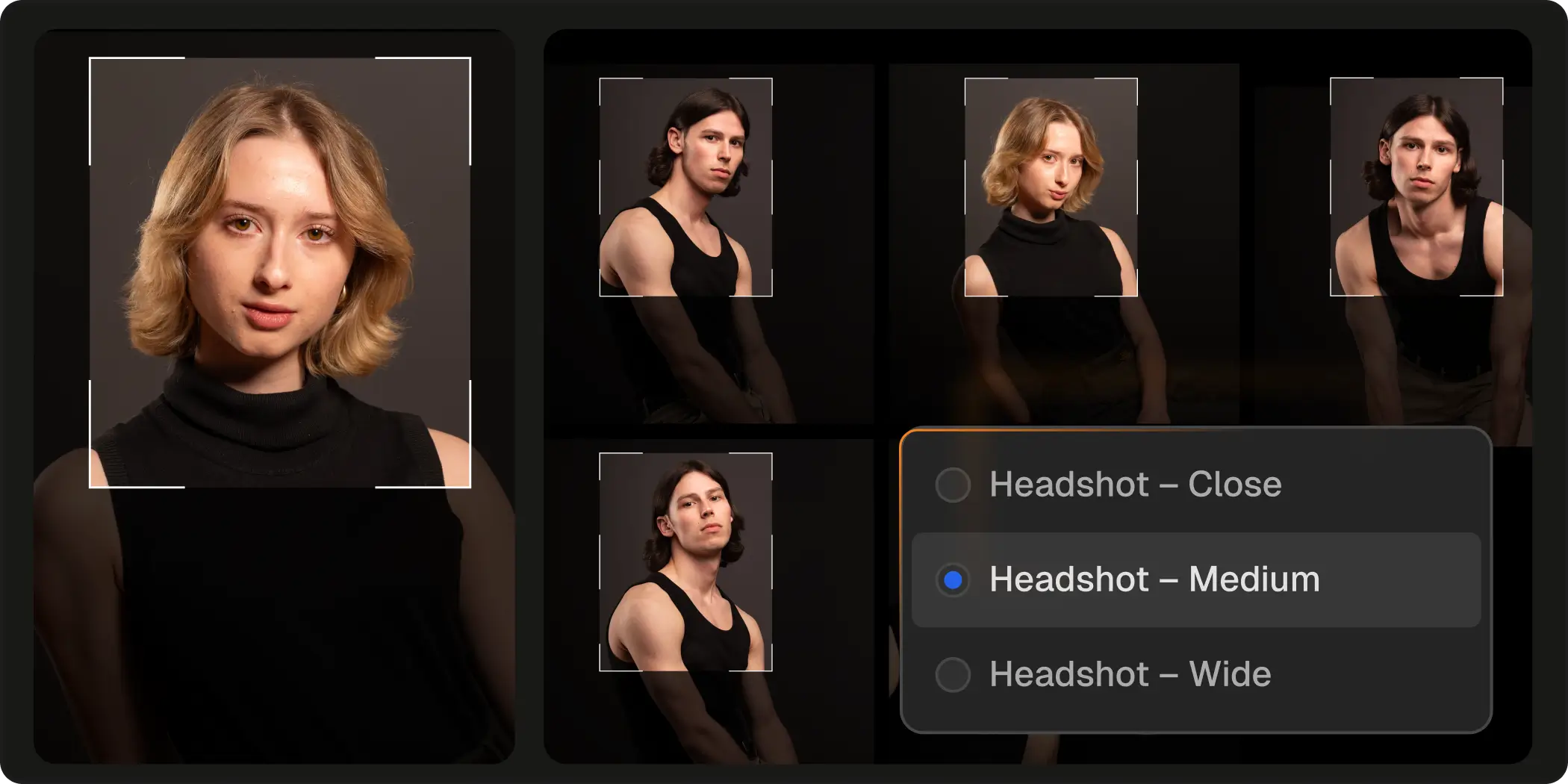
Batch-crop your entire set with “close,” “medium,” or “wide” crop modes in one pass to get the framing and composition you envisioned. No more adjusting each image by hand to ensure a cohesive album. It’s built specifically for portrait and headshot sessions, ideal for albums where every subject needs the same framing, across dozens or hundreds of images in one go.
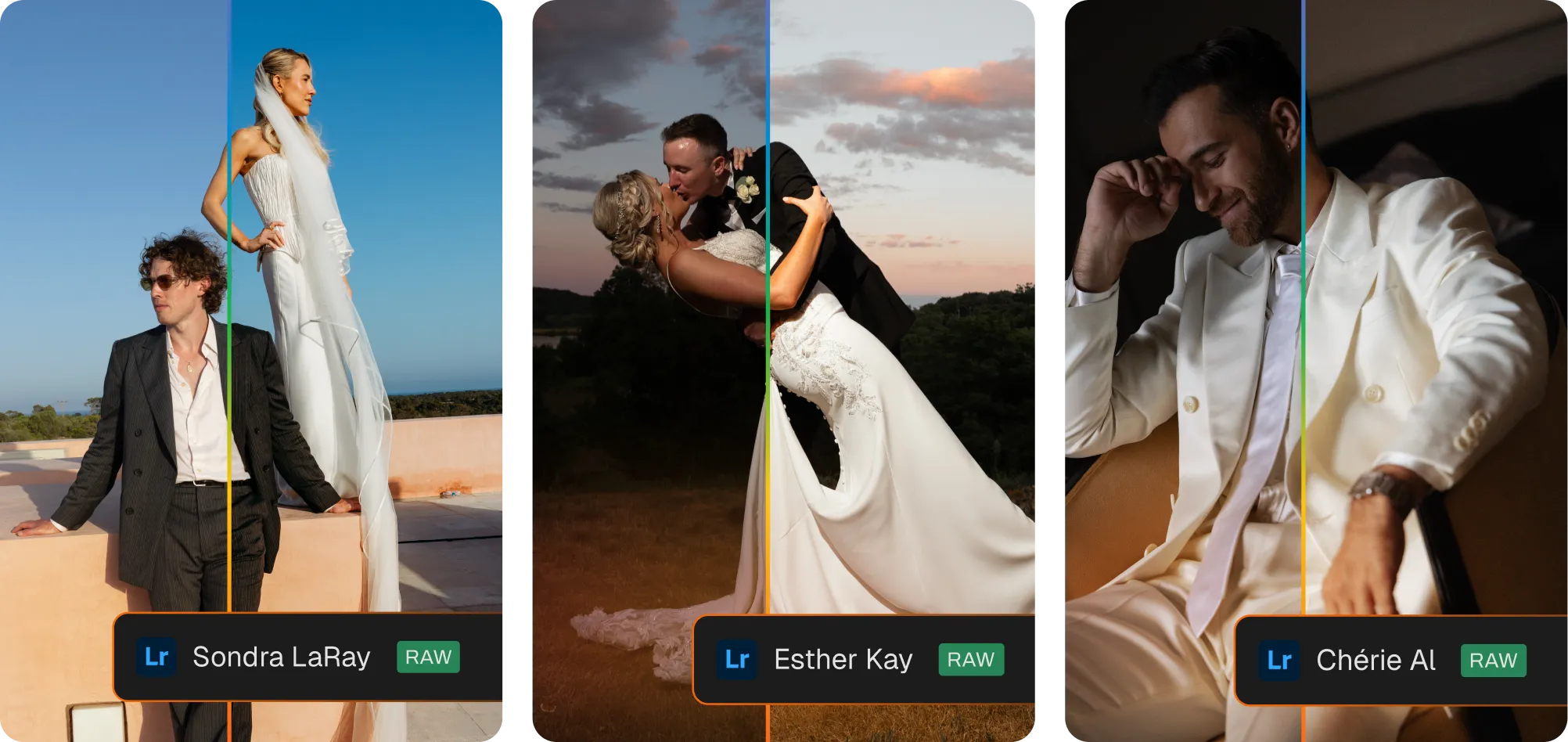
Our latest AI Profiles, curated by renowned creators in the industry, are now live on our marketplace. Get their signature look across your entire album, consistently.
Sondra LaRay’s wedding & sports profile: rich color and dramatic light to turn everyday moments into unforgettable shots.
Esther Kay’s wedding profile: a beautiful foundation for timeless, painterly images for her iconic look.
See exactly how shadows and highlights are distributed as you edit, with live indicators to flag clipping. Useful for confirming exposure objectively, rather than relying on how the image reads on your screen — catch exposure problems before they become a reshoot.