

TL;DR
- Aftershoot Galleries publishes straight from your Aftershoot edit; it adds face search, Face Gating, and a 0% commission print store, and starts free with 10 GB photo storage.
- Pic-Time has the most editorial galleries and the strongest sales automation. Client face and selfie search is on its Advanced plan.
- Pixieset has a usable free plan and commission-free paid tiers from $8/month billed annually.
- ShootProof includes both on every paid plan and takes 0% commission on every tier.
- SmugMug stores unlimited photos on every plan, but takes 15% of your markup on sales.
- Pixieset, CloudSpot, and Lightfolio charge 15% on sales made on their free tiers.
You just wrapped a wedding. Twelve hundred images are culled, edited, and ready to go, and now you’re staring at the least creative decision of the entire job: which platform gets to deliver them.
Pick wrong and you’re stuck explaining a clunky download process to a bride who just wants her photos. Pick right and the gallery becomes part of the experience, the moment clients scroll through their day and remember why they hired you in the first place.
Below, we compare nine client gallery platforms on what they cost, what they take from your print sales, how clients experience them, and how each one fits the editing workflow you already have. Every price was checked against the platform’s own pricing page in September 2026.
Quick Comparison: Best Client Galleries for Photographers at a Glance
| Platform | Best For | Free Plan | Paid From (Billed Annually) | Sales Commission |
|---|---|---|---|---|
| Aftershoot Galleries | Editing and delivery in one app; big guest lists | Yes, 10 GB photo + 1 GB video storage | $15/mo (billed annually) | 0% |
| Pixieset | Polished all-round delivery | Yes, 3 GB | $8/mo | 15% on free, 0% on paid |
| Pic-Time | Design, albums, print sales | Yes, 10 GB (drops to 3 GB) | $7/mo | On markup if Pic-Time collects; 0% self-collected (Professional+) |
| ShootProof | Galleries + contracts + invoices | Yes, 3 GB | $8.33/mo | 0% on all plans |
| CloudSpot | US studios wanting a studio manager | Yes, 5 GB (3 galleries) | $7/mo (list price) | 15% on Free/Entry, 0% from Lite |
| SmugMug | Unlimited storage and archives | No (14-day trial) | $20/mo | 15% of markup |
| Zenfolio | School, sports, volume work | No (14-day trial) | $9/mo (list price) | Commerce fee applies |
| Picflow | Commercial review and approvals | Yes, 2 GB | From $12/mo | No print store |
| Lightfolio | Low-cost commission-free galleries | Yes, 3 GB (3 galleries) | $7/mo | 15% on free, 0% on paid |
Face search is still the exception, not the standard. Aftershoot Galleries offers it on every plan, and Pic-Time offers it on Advanced. The rest of this list relies on folders, favorites, and keyword search.
What this means: Face-based search is still a differentiator, not a category standard, only Aftershoot Galleries, and Pic-Time offer it in any form, which matters most if you’re delivering to large guest lists rather than individual clients. Video support varies more than it looks on the surface: SmugMug caps at 1080p regardless of plan, while Zenfolio and Aftershoot Galleries scale video quality and length with the tier you’re on.
Client Gallery Feature Comparison
| Platform | Client Face Search | Video Delivery | Print Store | Contracts & Invoicing | Editing Integration |
|---|---|---|---|---|---|
| Aftershoot Galleries | Yes, plus Face Gating | Yes | WHCC, Bay Photo, Atkins + self-fulfill | No | Publishes from Aftershoot |
| Pixieset | No | HD, by plan | Yes | Studio Manager (separate) | Photo Editor (beta), LR plugin |
| Pic-Time | Advanced plan | Up to 4K | 30+ labs | Via integrations | Two-way LR sync, Imagen |
| ShootProof | No | Up to 4K (paid) | Yes | Yes (paid plans) | LR plugin |
| CloudSpot | No | Video links | Yes, AR previews | Full Suite (invoicing US only) | LR export |
| SmugMug | No | Up to 1080p | Yes (Portfolio+) | No | LR integration |
| Zenfolio | AI tagging only | HD; 4K on Advanced | Yes (Professional+) | Booking add-on; included on Advanced | LR plugin, PhotoRefine |
| Picflow | No | Full HD; 4K HDR paid | No | No | LR Classic, Capture One |
| Lightfolio | No | Yes | Yes | Studio Manager (separate) | Check with Lightfolio |
How We Evaluated These Client Galleries
We checked every platform’s pricing page, plan documentation, and help center in September 2026. We then cross-checked features against recent photographer reviews. Where a pricing page shows promotional rates, we list the standard price.
Here’s what we weighed for each platform:
- Client experience: how easy the gallery is to browse, favorite, and download from, especially on a phone.
- Branding: how much of the platform disappears behind your own logo and style.
- Print and sales tools: whether you can sell without leaving the gallery, and what it costs you.
- Storage and pricing: what a working photographer actually pays once real shoots start piling up.
- Workflow fit: how the gallery connects (or doesn’t) to the culling and editing you already do.
7 Best Client Galleries for Photographers
1. Aftershoot Galleries
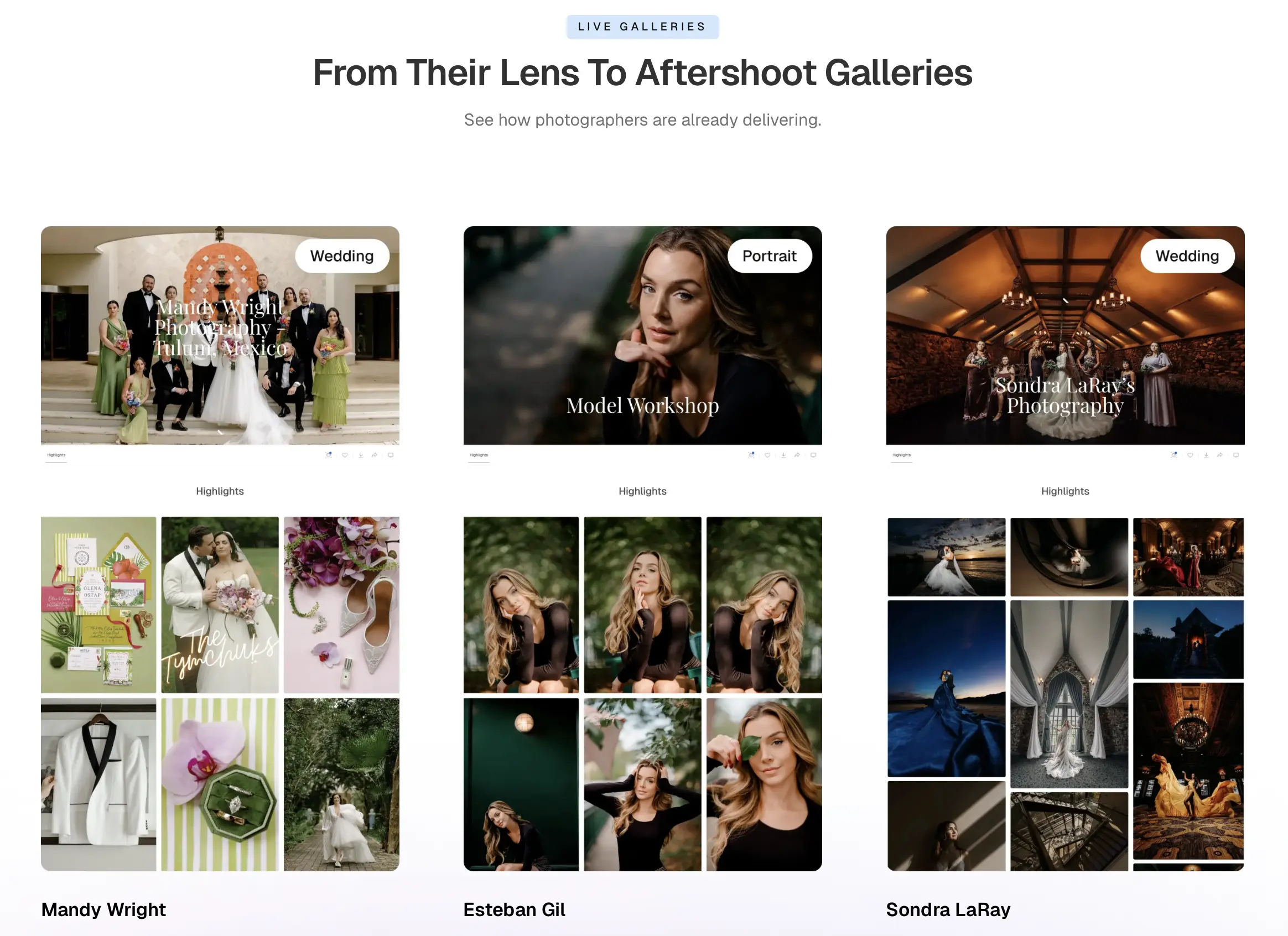
Aftershoot Galleries features and offerings:
Aftershoot Galleries is the delivery layer of Aftershoot’s post-processing workflow. Once you’ve culled, edited, and retouched a shoot inside Aftershoot, your finished images go straight into a branded client gallery. And here’s what it doesn’t do: No export upload to a separate platform, and no second login for you or your client.
What’s the workflow for Aftershoot Galleries?
You finish your edit inside Aftershoot, then push the selects directly to Galleries. Clients open a link, browse the gallery, favorite what they love, leave comments, and download or order prints. Face-based search and keyword filtering mean guests at an event or a wedding can find their own photos without scrolling through everyone else’s.
What does Aftershoot Galleries do well?
The biggest advantage is the missing step. If you’re already culling, editing, or retouching in Aftershoot, delivery happens without touching another app. The print store connects to WHCC, Bay Photo, and Atkins Pro Labs with zero commission, so a sale doesn’t lose you a cut. Analytics show you when a client opens their gallery and what they’re favoriting, which is useful for timing a follow-up or a print upsell. Migration from Pixieset, Pic-Time, or ShootProof is free if you want to move your existing library over.
Beyond delivery, the platform gives you valuable insights into how clients interact with their galleries. From views and downloads to overall engagement, the centralized dashboard helps you understand client behavior and follow up at the right time, instead of relying on guesswork.
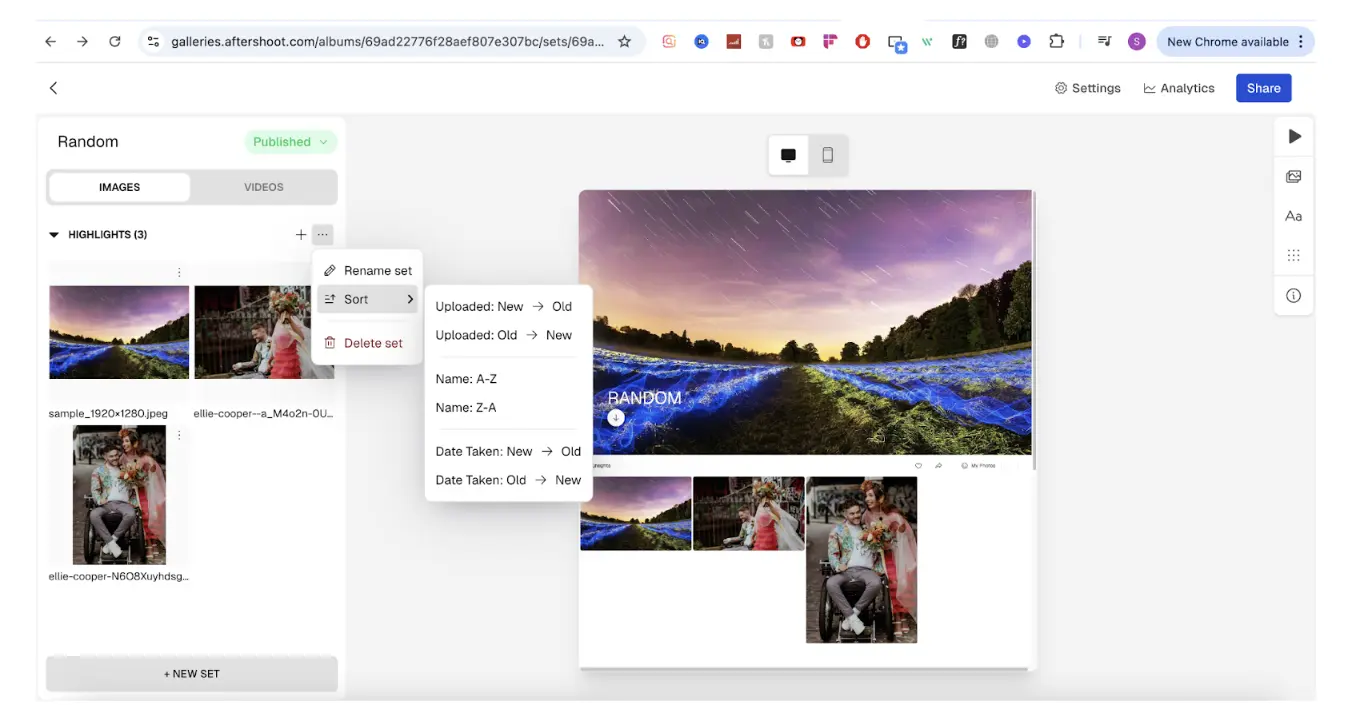
Where Aftershoot Galleries may fall short:
Aftershoot Galleries is a newer addition to the platform, so it’s still evolving compared to dedicated gallery platforms. If you’re evaluating Galleries as a standalone product, those differences may be more noticeable than if you’re already using the broader Aftershoot ecosystem.
Pricing
The free Starter plan includes 10 GB of photo storage, 1 GB of video storage, with no credit card required. Paid plans include a Premium plan billed at $15/mo (500 GB) and Unlimited at $30/mo, billed annually.
Who is Aftershoot Galleries best for?
Photographers looking for an all-in-one post-production workflow, especially those who already cull, edit, or retouch in Aftershoot and want gallery delivery to be the natural final step instead of a separate project. Aftershoot Galleries is a great free online photo gallery for clients, with the starter plan offering 10 GB free photo storage and 1 GB free video storage.
2. Pixieset
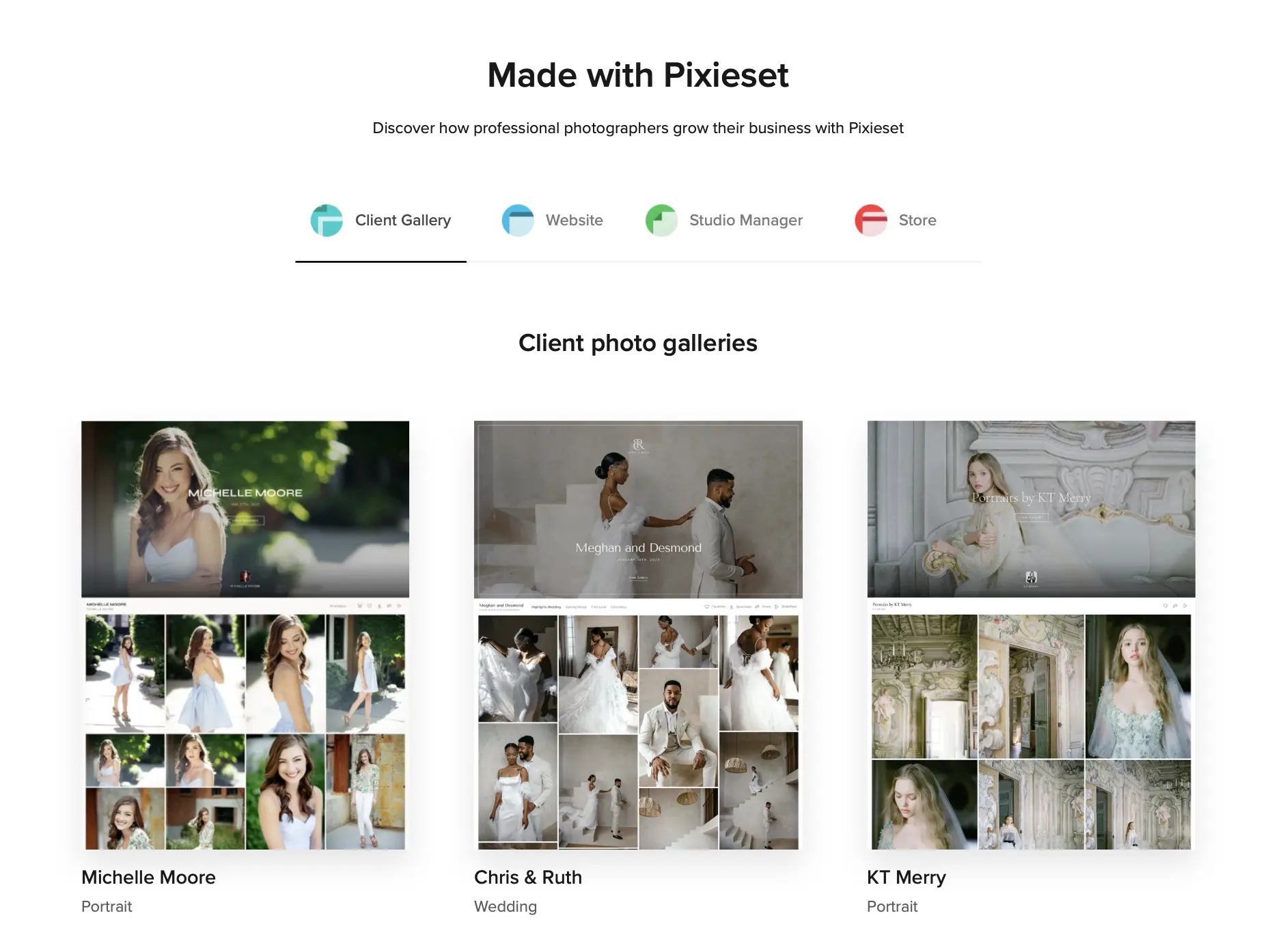
Pixieset is the platform most photographers compare everything else against. It offers client galleries, a website builder, a store, and a Studio Manager for contracts and invoices, sold separately or bundled as the Pixieset Suite.
What It Does Well
The free plan is genuinely usable, with unlimited galleries, 3 GB of storage, and a working store. Paid plans drop the store commission from the first tier, and any gallery can become a branded Mobile Gallery App. Pixieset’s newer Photo Editor ($12/month billed annually, currently in beta) adds AI culling, RAW editing, and delivery into Pixieset galleries. That makes Pixieset one of the few platforms covering editing and delivery in one account.
Where It Falls Short
Clients can’t search a gallery by face, so large weddings rely on sets and scrolling. Contracts, invoicing, and booking live in Studio Manager, which is a separate subscription unless you buy the Suite. RAW uploads start on the Pro plan. If you’re outgrowing it, our Pixieset alternatives roundup covers the switch.
Pricing
The free plan includes 3 GB and takes a 15% store commission. Paid plans are commission-free:
- Basic: $8/month (10 GB, 30 minutes of HD video)
- Plus: $16/month (100 GB)
- Pro: $24/month (1 TB, RAW uploads)
- Ultimate: $40/month (unlimited)
These prices are billed annually. Monthly billing is $10, $20, $30, and $50.
Best For
Portrait, family, and wedding photographers who want a polished gallery with almost no learning curve. And photographers who want one familiar, dependable platform for delivery and print sales without much of a learning curve.
3. Pic-Time
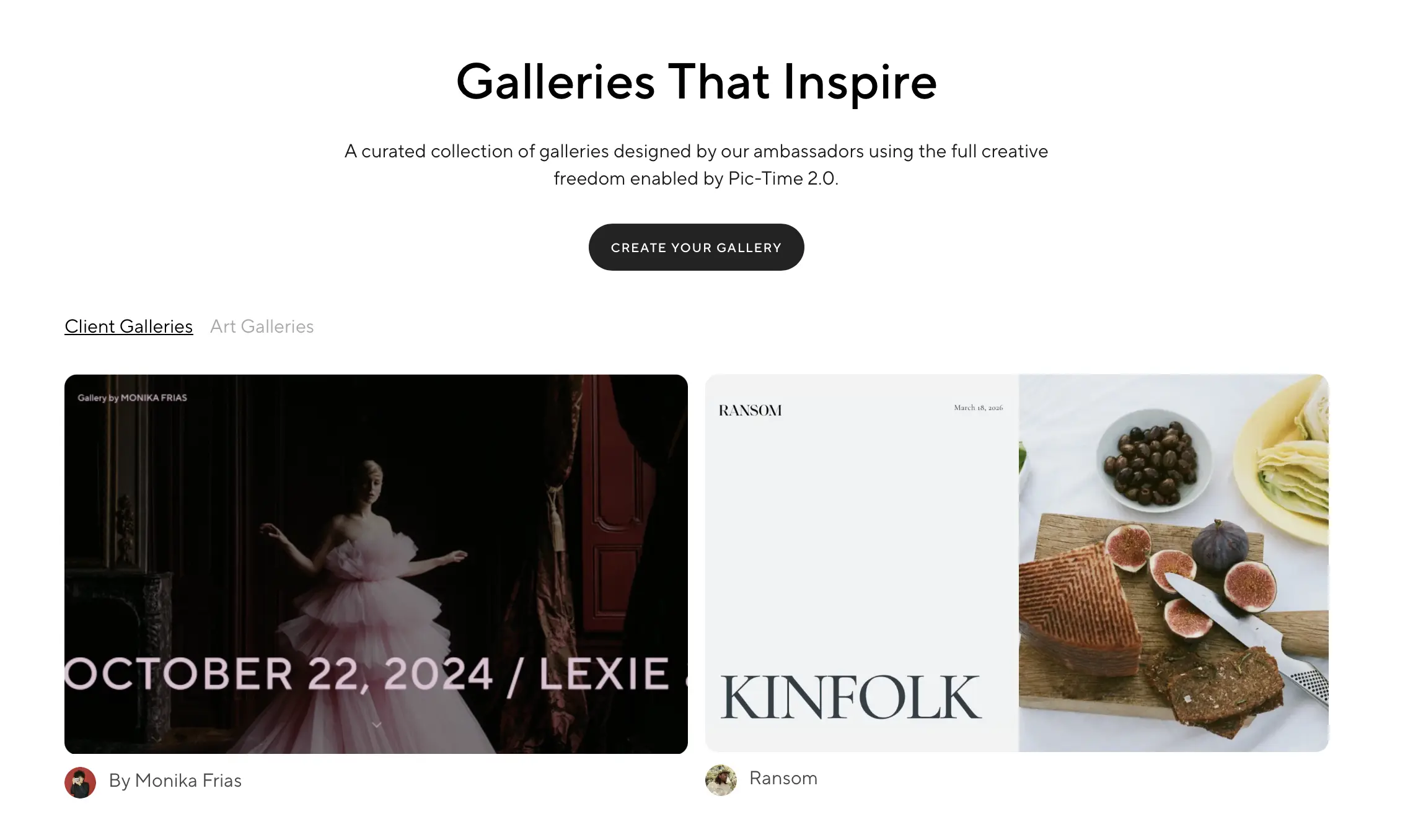
Pic-Time is built around what happens after delivery: gallery design, a print store with 30+ labs, and automated sales campaigns. Its 2.0 update rebuilt the gallery, shop, and album designer.
What It Does Well
Its galleries are the most editorial-looking in this category, and the sales automations keep selling long after delivery.
- From Professional: client selections, album proofing, and a Lightroom integration that syncs client favorites back into Lightroom and republishes your edits.
- On Advanced: face recognition, selfie search, and keyword search for clients, plus an AI album designer.
If you edit in Imagen, you can publish straight into a Pic-Time gallery.
Where It Falls Short
The standout features are gated to Professional and Advanced. The free plan’s 10 GB drops to 3 GB after the first few months. Pic-Time also charges commission on your markup when it collects payment. You pay 0% only on self-collected payments, and only on Professional or Advanced.
Pricing
The free plan includes 10 GB (later 3 GB) and 1 GB of video. Paid plans:
- Beginner: $7/month (20 GB)
- Professional: $21/month (100 GB, 30 GB video)
- Advanced: $42/month (unlimited, 60 GB video)
These prices are billed annually. Monthly billing is $8, $25, and $50. A 30-day trial unlocks all Advanced features.
Best For
Wedding and fine-art photographers who sell albums and prints, and large-guest weddings on the Advanced plan.
4. ShootProof
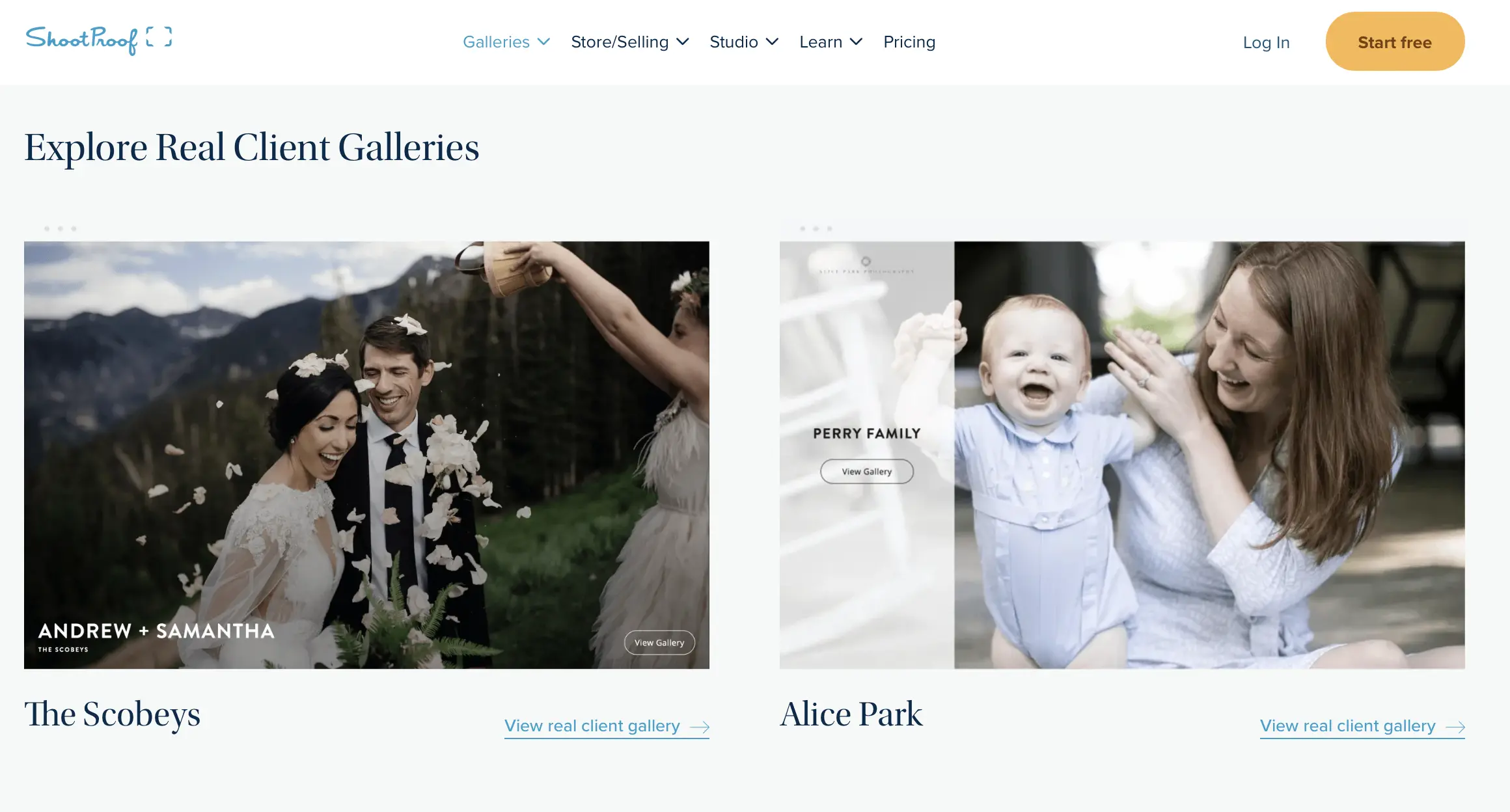
ShootProof bundles client galleries, a commission-free store, e-sign contracts, and invoicing into every paid plan. Its plans are now priced by storage. Older photo-count plans still appear on its pricing page at the same prices.
What It Does Well
ShootProof takes 0% commission on sales on every plan, including free. Contracts and invoices are included on all paid plans, so some photographers can drop a separate business tool. Every plan includes multiple user access, branded mobile gallery apps, and 1-on-1 phone support. Paid plans deliver video up to 4K.
Where It Falls Short
Reviewers generally rate its gallery design a step behind Pixieset and Pic-Time, and there’s no client face search. Online booking is a $4.99/month add-on. Photos beyond your plan’s limit need a paid archive, starting at $2.99/month, except on Premium. See our ShootProof alternatives if those trade-offs matter.
Pricing
The free plan includes 3 GB, photos only. Paid plans:
- Starter: $8.33/month (20 GB photo and video)
- Standard: $16.67/month (100 GB)
- Professional: $26.67/month (1 TB photo + 50 GB video)
- Premium: $50/month (unlimited photo + 150 GB video)
These prices are billed annually. Monthly billing is $9.99, $19.99, $31.99, and $60. There’s a 14-day free trial.
Best For
Photographers who want galleries, contracts, and invoices in one subscription.
5. CloudSpot
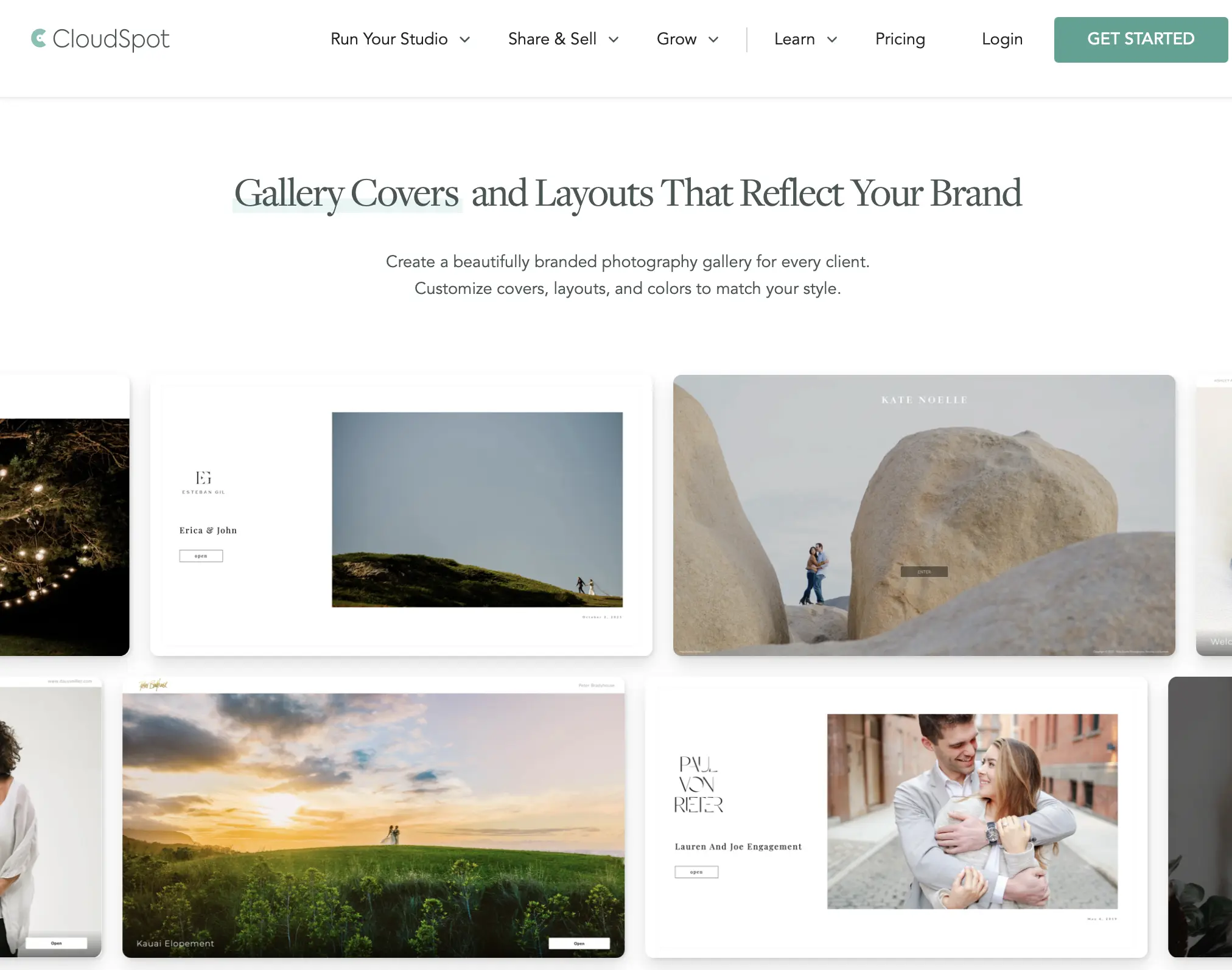
CloudSpot splits its plans into gallery-only tiers and Full Suite tiers, which add a studio manager.
What It Does Well
From the Lite plan up, you get:
- a commission-free store
- contracts, e-signatures, questionnaires, scheduling, and mini-sessions
- invoicing with 2.5% processing fees (US only)
Clients can preview prints on their own wall with AR previews. Galleries can also become branded mobile apps, and you can export straight from Lightroom.
Where It Falls Short
The Free and Entry plans cap you at 3 and 15 galleries, accept JPEGs only, and take 15% of store sales. Free-plan downloads are also capped at 2048px. Some users report that downloading on a phone is confusing for clients.
Pricing
Standard list prices:
- Free: 5 GB
- Entry: $7/month (15 GB)
- Lite: $17/month (100 GB)
- Pro: $34/month (500 GB)
- Unlimited: $50/month
CloudSpot is currently running $3/month for the first three months as a limited-time offer.
Best For
US portrait and family studios that want galleries and a studio manager in one login.
6. SmugMug
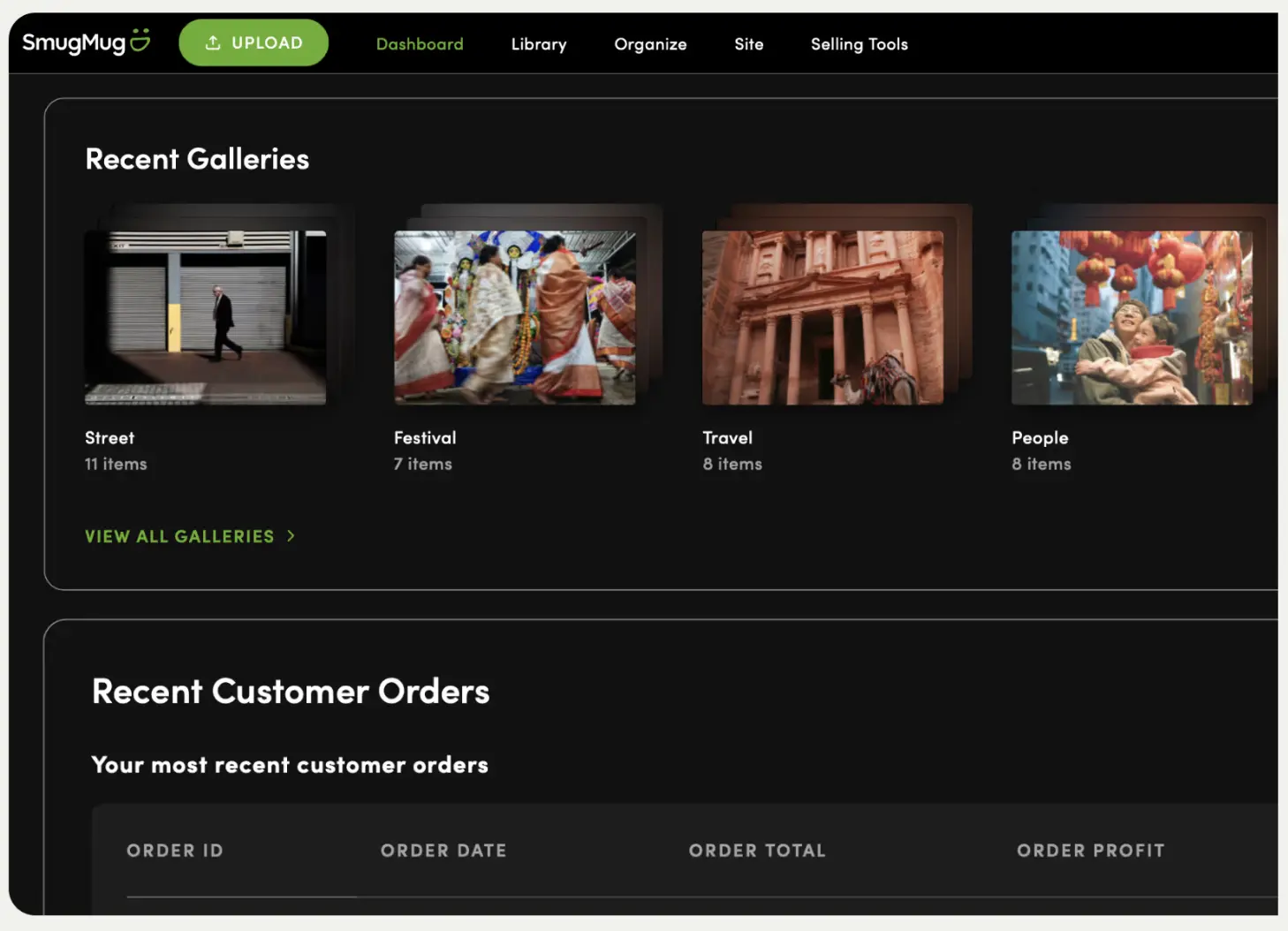
SmugMug is a portfolio website and photo archive first and a client gallery second. Every plan includes unlimited photo and video storage.
What It Does Well
You never have to do storage math again, which suits sports, event, and school photographers with enormous libraries. Privacy controls are among the most granular here, lab fulfillment is handled for you, and a Lightroom integration keeps uploads simple.
Where It Falls Short
There’s no free plan, and the entry Direct plan can’t sell at all. On plans that can, SmugMug keeps 15% of your markup. Video tops out at 1080p, and RAW storage costs extra ($10/month for the first TB).
Pricing
- Direct: $20/month ($240/year)
- Portfolio: $23.50/month ($282/year)
- Pro: $37/month ($444/year)
These prices are billed annually. Monthly billing is $29, $35.50, and $52. There’s a 14-day free trial.
Best For
Volume shooters who want unlimited storage and a full portfolio website, not just a delivery link.
7. Zenfolio
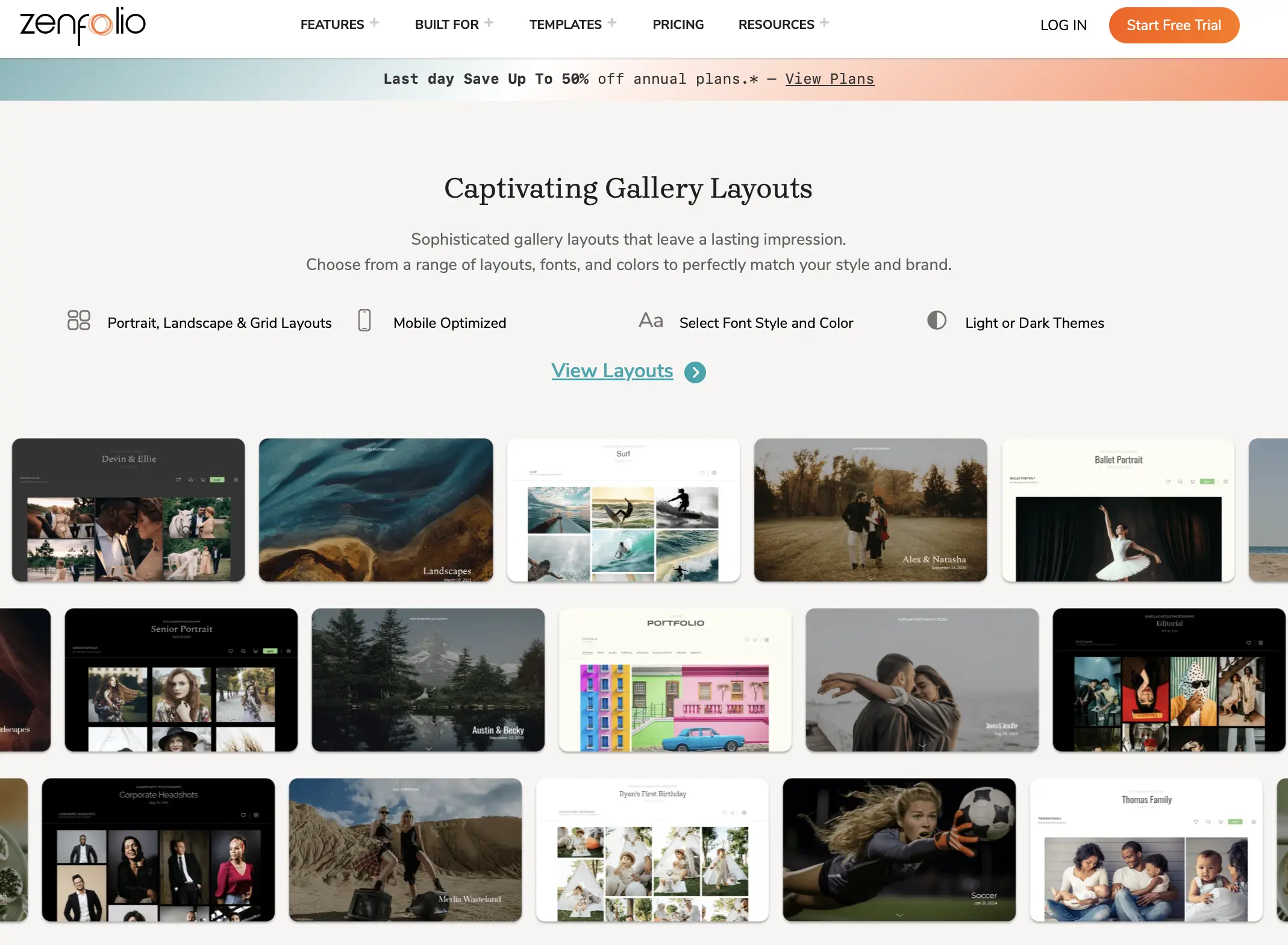
Zenfolio pairs a website builder with client galleries and selling tools. Its higher plans add booking and workflows built for high-volume jobs.
What It Does Well
The QR code workflow and Volume Wizard make it one of the stronger options for school, sports, and event sessions. Advanced includes booking and scheduling, 15 team members, 4K video, and Zenfolio’s optional PhotoRefine AI culling. On other plans, PhotoRefine costs $7/month. AI gallery tagging is also included.
Where It Falls Short
There’s no free plan, only a 14-day trial, and the Basic plan can’t sell. A commerce fee applies to sales. Reviewers also describe the gallery design as less modern than Pixieset or Pic-Time.
Pricing
Standard monthly prices:
- Basic: $9/month (15 GB)
- Professional: $23/month (150 GB)
- Advanced: $40/month (unlimited JPEG + 150 GB video)
Annual plans are frequently discounted as first-year promotions.
Best For
School, sports, and volume photographers, and anyone who wants a website and galleries on one bill.
Other client gallery platforms worth knowing about
A few additional platforms show up often in photographer searches and deserve a mention, even if they didn’t make the main comparison:
- Pixpa: a website builder with client galleries and a store on one bill. There’s no free plan, just a trial.
- PhotoShelter: closer to an archive and digital asset manager. It suits sports, editorial, and institutional photographers more than wedding delivery.
- GotPhoto: built for school and sports photography, with barcode and QR workflows and lab ordering.
- TurtlePic: an event tool that uses QR codes and selfie face matching, so guests find their photos without manual tagging.
None of these currently have the market share of the seven platforms above, but they’re worth a look if your work leans commercial, corporate, or high-guest-count events.
8. Picflow
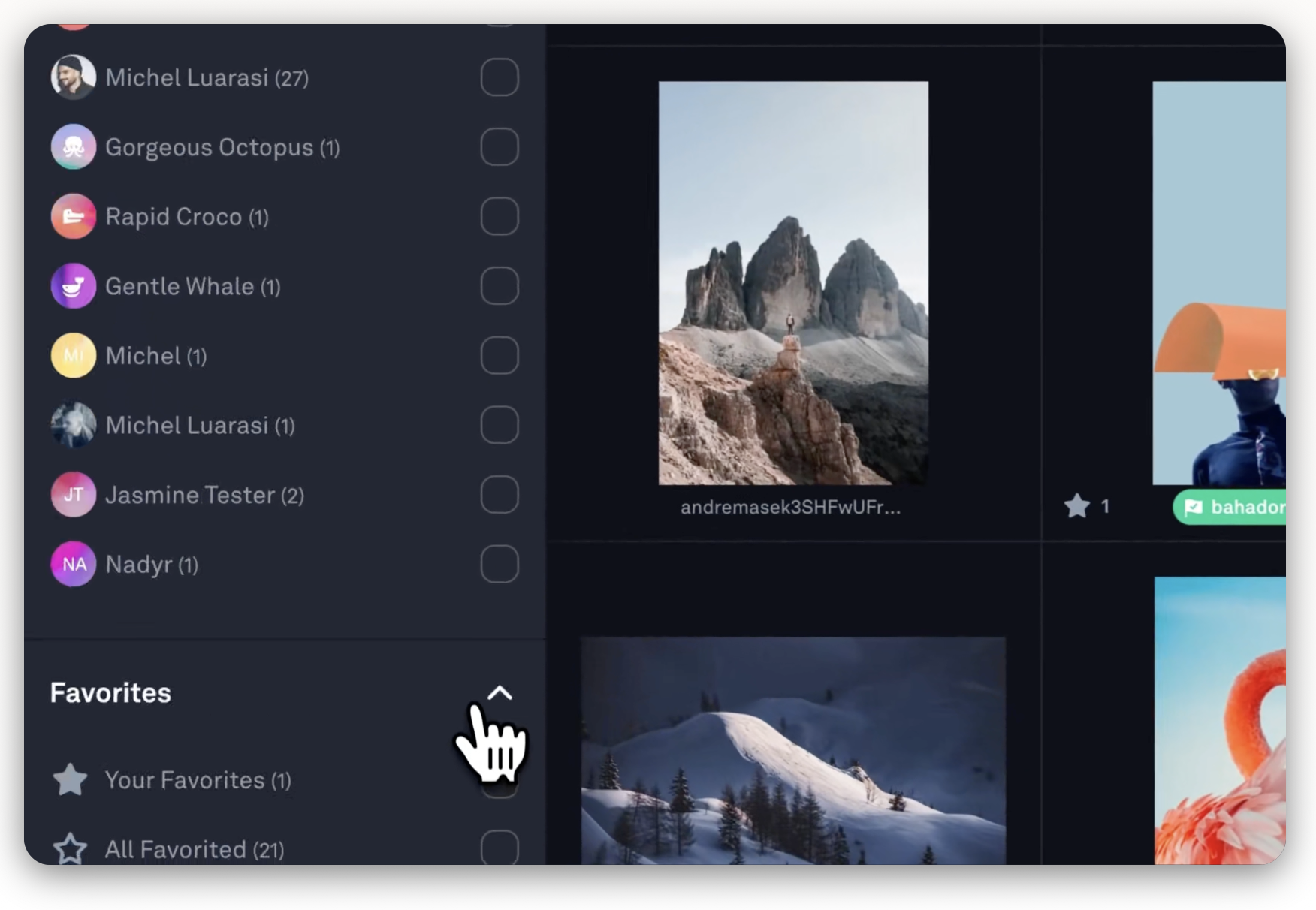
Picflow is built for review and approval more than print sales, which makes it popular with commercial and editorial photographers working with art directors and marketing teams.
What It Does Well
Clients and collaborators can draw annotations on images, leave comments, and set approval statuses. Reviewers are unlimited on every plan. Picflow integrates with Lightroom Classic and Capture One, and paid plans deliver 4K HDR video.
Where It Falls Short
There’s no print store, so it’s the wrong pick if you sell prints. The free plan is small at 2 GB, and there’s no unlimited tier.
Pricing
- Free: 2 GB
- Plus: from $12/month (100 GB)
- Pro: from $24/month (1 TB)
- Biz: 5 TB with 10 seats
- Annual billing saves 25%, and paid plans have a 7-day trial.
Best For
Commercial, editorial, and brand photographers with multiple reviewers per project.
9. Lightfolio
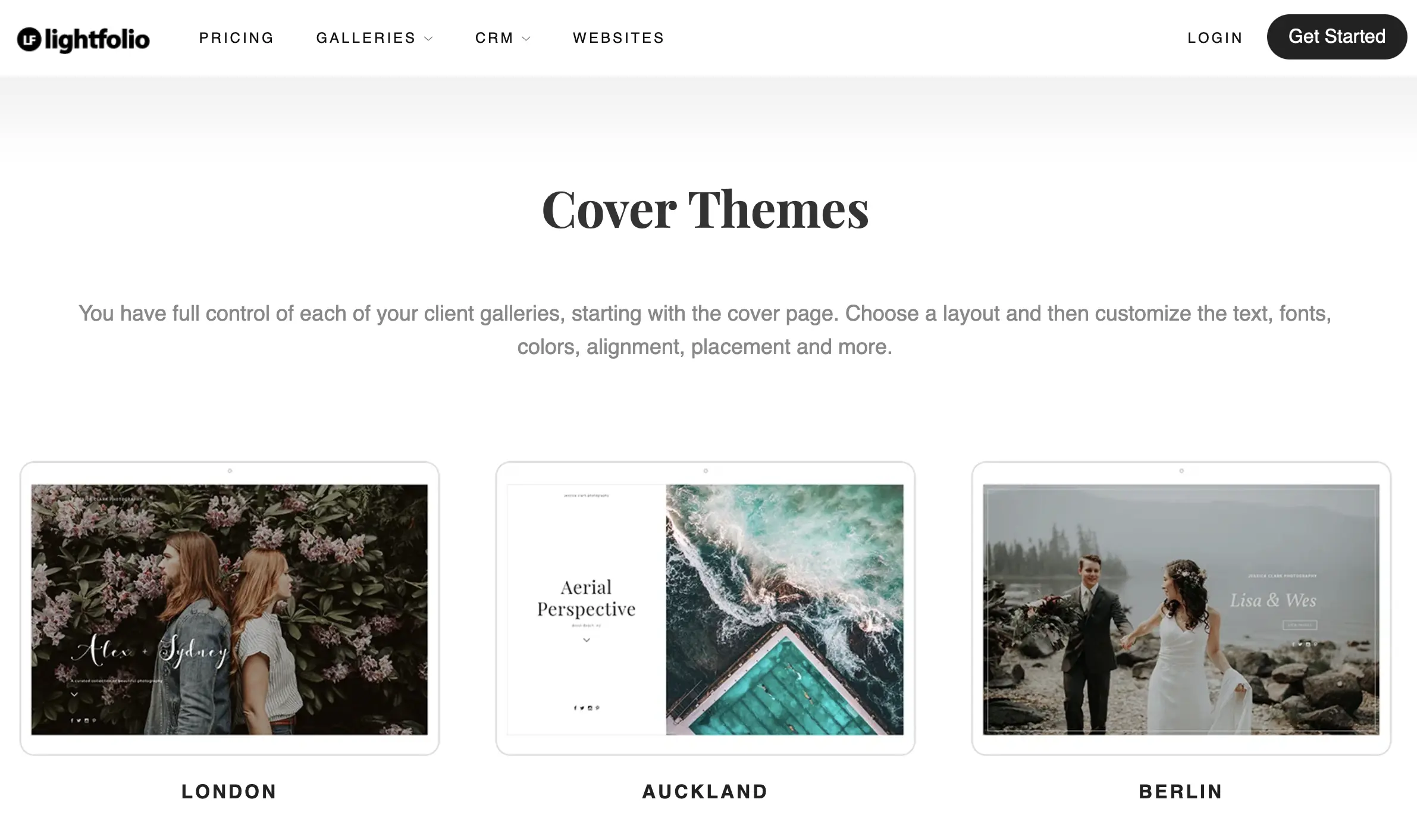
Lightfolio is a lean, low-cost gallery platform. A studio manager, website builder, and contract templates are available as separate plans.
What It Does Well
It has the cheapest commission-free tier on this list: $7/month billed yearly for 30 GB. Per-image analytics show what’s been viewed, downloaded, and favorited. You can lock galleries with a PIN or an email and password, and restrict download sizes per gallery. Every plan includes video storage.
Where It Falls Short
The free plan is limited to 3 galleries and takes 15% of sales. Its CRM and website builder are billed separately, and it has a smaller user community than the big platforms.
Pricing
The free plan includes 3 GB. Paid plans:
- Lite: $7/month (30 GB)
- Starter: $12/month (100 GB)
- Pro: $20/month (1 TB)
- Premium: $40/month (unlimited)
These prices are billed yearly. Monthly billing is $11, $18, $28, and $50.
Best For
Budget-conscious portrait and family photographers.
How do Proofing and Client Experience Compare Across Client Gallery Platforms?
Every platform on this list lets clients favorite images and download their gallery, but the differences often show up in the details. Here’s how they compare once a client actually opens the link:
| Platform | How clients find their photos | Proofing and selection | Mobile and download experience |
|---|---|---|---|
| Aftershoot Galleries | Face search, Face Gating, keyword filtering | Favorites and comments; analytics show what clients open and favorite | Photo and video in one link |
| Pixieset | Sets and scrolling; no face search | Favorites | Branded Mobile Gallery App |
| Pic-Time | Face recognition and selfie search (Advanced) | Client selections and album proofing (Professional+); favorites sync back to Lightroom | Most editorial gallery design in this category |
| ShootProof | Folders; no face search | Favorites and labels | Branded mobile gallery apps on every plan |
| CloudSpot | Folders; no face search | Favorites; AR previews of prints on the client’s wall | Some users report phone downloads confuse clients; free-plan downloads capped at 2048px |
| SmugMug | Folders and keyword search; no face search | Basic favoriting | Granular privacy controls |
| Zenfolio | AI tagging, no client face search | QR code workflow for volume sessions | Design reads less modern than Pixieset or Pic-Time |
| Picflow | Folders | Drawn annotations, comments, approval statuses, unlimited reviewers | No print store |
| Lightfolio | Folders | Per-image analytics on views, downloads, and favorites | PIN or email/password locks; download size limits per gallery |
What this means for you:
- Large weddings and events: Face search changes the guest experience more than any other feature here. Without it, a 1,500-image gallery shared with 200 guests means a lot of scrolling and a lot of “can you send me the ones with me in them?” messages. Aftershoot Galleries and Pic-Time Advanced are the two options that solve this.
- Album-led weddings: If clients choose album spreads from the gallery, Pic-Time’s album proofing keeps that conversation out of your inbox.
- Commercial and brand work: Picflow’s annotations and approval statuses fit a review process with several stakeholders better than favorites do.
- Portrait and family sessions: Clients are browsing a few hundred images. A clean mobile experience and simple downloads matter more than search, so Pixieset, ShootProof, and Lightfolio all work well.
Face-based or AI-assisted search matters most for event and wedding photographers delivering hundreds or thousands of images to a mixed group of guests. If most of your work is single-client portrait or family sessions, this feature matters far less than storage and print sales.
How Much Do Client Galleries Cost in 2026?
Storage decides most of the price. Commission decides what you actually keep. Prices verified September 2026, billed annually unless noted.
| Platform | Free / Entry Plan | Paid Plans | Unlimited Tier | Sales Commission |
|---|---|---|---|---|
| Aftershoot Galleries | Free (Starter): 10 GB photo storage | Premium: $15/mo (500 GB photo storage + premium features) | Unlimited: $30/mo (unlimited photo storage + premium features)** | 0% |
| Pixieset | Free: 3 GB | Basic: $8/mo (10 GB); Plus: $16/mo (100 GB); Pro: $24/mo (1 TB) | Ultimate: $40/mo | 15% on Free, 0% on paid plans |
| Pic-Time | Free: 10 GB (drops to 3 GB) | Beginner: $7/mo (20 GB); Professional: $21/mo (100 GB) | Advanced: $42/mo | On markup; 0% on self-collected payments (Professional+) |
| ShootProof | Free: 3 GB (photos only) | Starter: $8.33/mo (20 GB); Standard: $16.67/mo (100 GB); Professional: $26.67/mo (1 TB) | Premium: $50/mo (unlimited photo + 150 GB video) | 0% on all plans |
| CloudSpot* | Free: 5 GB (3 galleries) | Entry: $7/mo (15 GB); Lite: $17/mo (100 GB); Pro: $34/mo (500 GB) | Unlimited: $50/mo | 15% on Free/Entry, 0% from Lite |
| SmugMug | No free plan (14-day trial) | Direct: $20/mo (can’t sell); Portfolio: $23.50/mo | Unlimited storage on every plan; Pro: $37/mo | 15% of markup |
| Zenfolio* | No free plan (14-day trial) | Basic: $9/mo (15 GB, can’t sell); Professional: $23/mo (150 GB) | Advanced: $40/mo (unlimited JPEG + 150 GB video) | Commerce fee |
| Picflow | Free: 2 GB | Plus: from $12/mo (100 GB); Pro: from $24/mo (1 TB); Biz: 5 TB, 10 seats | No unlimited tier | No print store |
| Lightfolio | Free: 3 GB (3 galleries) | Lite: $7/mo (30 GB); Starter: $12/mo (100 GB); Pro: $20/mo (1 TB) | Premium: $40/mo | 15% on Free, 0% on paid plans |
*Standard monthly list price.
What Does This Mean for Your Budget?
A wedding photographer delivering 20,000–30,000 JPEGs a season uses roughly 60–90 GB, assuming about 3 MB per file. That fits the 100 GB tiers, which cost $12–$21/month billed annually. If you keep every gallery live for years, you’ll outgrow them, and unlimited plans run $40–$50/month.
If you sell prints, the commission line matters more than the subscription. On $2,000 of print profit, a 15% fee costs you $300, more than a year on most mid-tier plans. Annual billing typically saves 15–35%, so pay yearly once you’ve committed.
What Does this Mean for Professional Photographers?
A wedding photographer delivering 20,000 to 30,000 images during peak season needs real storage, which puts Pixieset’s Plus or Pro plan, ShootProof’s 25,000 Photo plan, or CloudSpot’s Pro plan in range.
A portrait or family photographer with smaller sessions can often stay on an entry tier for under $15 a month. If print sales make up a meaningful part of your revenue, the commission matters more than the subscription price. Aftershoot Galleries’ 0% beats SmugMug’s 15% by a wide margin on a $2,000 print season.
Most annual plans save 15% to 25% over monthly billing across this category, so if you’re committing to a platform, paying yearly is usually the better deal.
Best Client Gallery by Photography Type
| Photography Type | Best Pick | Why |
|---|---|---|
| Wedding, large guest lists | Aftershoot Galleries or Pic-Time (Advanced) | Face search and selfie filtering |
| Wedding, album-first | Pic-Time (Professional+) | Album proofing inside the gallery |
| Portrait and family | Pixieset or Lightfolio | Clean galleries, cheap commission-free tiers |
| Galleries + contracts in one tool | ShootProof or CloudSpot (Full Suite) | Contracts and invoicing included |
| School, sports, volume | Zenfolio (Advanced) or SmugMug | QR workflows or unlimited storage |
| Commercial and editorial | Picflow | Annotations, approvals, team seats |
| Already editing in Aftershoot | Aftershoot Galleries | Publishes straight from your edit |
Privacy, Security, and Where Your Files Live
Client galleries hold images clients haven’t seen yet, sometimes with faces, addresses implied by event context, and personal moments they expect to control. A few questions are worth asking before you upload anything.
Every platform in this guide requires images to be uploaded to their servers for gallery hosting, since that’s how a shareable link works. What varies is control over that data afterward: password protection, download limits, expiration dates, and what happens when you delete a gallery or close an account. Pixieset, ShootProof, Pic-Time, CloudSpot, SmugMug, and Zenfolio all publish privacy policies covering data retention and account deletion, worth a read if you’re shooting sensitive sessions like boudoir or family work involving minors.
Aftershoot’s culling, editing, and retouching happen locally on your machine, with files staying off Aftershoot’s servers until you choose to push a finished gallery to Galleries for client delivery. That’s a meaningfully different privacy posture for the editing stage of your workflow, even though the gallery itself, like every platform here, does require an upload for clients to view it.
How Client Galleries Fit Into Your Editing Workflow?
Most galleries still sit at the end of an export: you finish in Lightroom or Capture One, export JPEGs, and upload. The gap has narrowed, though, and it’s worth knowing which kind of handoff you’re paying for.
| Handoff Type | How It Works | Platforms |
|---|---|---|
| Export and upload | Export JPEGs, upload through a browser or uploader | Every platform |
| Lightroom plugin | Publish from a Lightroom collection and re-publish edits | Pixieset, Pic-Time, ShootProof, CloudSpot, SmugMug, Zenfolio, Picflow |
| Two-way Lightroom sync | Client selections flow back into Lightroom | Pic-Time (Professional+) |
| Editor and gallery from one company | Cull, edit, and deliver in one account | Aftershoot Galleries, Pixieset (Photo Editor beta) |
| Third-party editor integration | An AI editor publishes into a partner gallery | Imagen → Pic-Time |
If you edit in Aftershoot, publishing straight from the finished edit means one app, one login, and no export folder. That matters most when you’re shooting 20+ weddings a season and trying to hit a two-week delivery window. If your editing lives in Lightroom, a good plugin closes most of the gap, and you can judge galleries on their own merits. For the rest of the pipeline, see our guide to photography workflow software.
What to Check Before You Switch Platforms
A gallery platform failing during a delivery deadline is a different problem than a feature you’re mildly annoyed by.
A few things worth checking before you commit:
- Response time: Email-only support with a 24-to-48 hour window is fine for a feature question, not for a gallery that won’t load the morning you promised delivery.
- Self-serve resources: Help centers, video tutorials, and community groups matter more than they seem to until you need one at 11 p.m.
- Migration help: Aftershoot Galleries migrates from Pixieset, Pic-Time, and ShootProof for free. Pic-Time runs a migration service on paid plans, and CloudSpot’s team will also move photos over. Everywhere else, plan on re-downloading and re-uploading.
- What happens when you cancel: Check whether galleries stay live, go read-only, or get deleted, and how long you have to export.
Pixieset, ShootProof, and Pic-Time all have large enough user bases that community forums and third-party tutorials fill in gaps official support doesn’t cover. Newer or smaller platforms lean more heavily on direct support and documentation, which can be faster but has less community backup if you hit an edge case.
Where Does Each Platform Fall Short?
- Pixieset’s free tier takes a 15% commission on store sales, and Pic-Time reserves unlimited storage for its higher-priced Advanced plan. In both cases, photographers may need to upgrade sooner than the entry price initially suggests.
- ShootProof’s photo-count pricing can become expensive for high-volume photographers. Wedding, school and sports photographers may move through the 1,500- or 5,000-photo tiers quickly, even when their total storage use is relatively modest.
- CloudSpot users have reported that the UI could be a lot better, and that the photo-downloading experience on phones is often confusing and frustrating.

- SmugMug takes 15% of the profit on print sales, one of the more substantial selling fees in this group. It is also primarily positioned as a photography website and portfolio builder, so photographers looking for a delivery-first gallery experience may find it less focused than dedicated client-gallery platforms.
- Zenfolio’s visual experience does not feel as modern as the category leaders. Reviewers have described its desktop and mobile presentation as outdated and slow, while others report confusing navigation when setting up and managing galleries.
- Aftershoot Galleries is fairly new, and doesn’t have many reviews just yet.
The right platform depends on how you shoot, what you sell, and what you’re already using.
What Each Client Gallery Does Well?
- Pic-Time’s gallery templates are still the most polished in this category, full stop.
- Pixieset’s Studio Manager add-on gives it CRM and invoicing depth that Aftershoot Galleries doesn’t try to match.
- SmugMug’s unlimited storage on every paid tier removes a math problem that photographers on capped plans deal with all season.
- If any of those are your top priority, weigh them against Aftershoot Galleries’ workflow integration before deciding.
Why Aftershoot offers the Best Client Gallery for Professional Photographers
Most client gallery platforms ask you to finish your workflow somewhere else, then start a new one with them. Aftershoot Galleries doesn’t. It’s built to be the last step of a process you’re already running, not a separate destination you export to.
Here’s what makes it the strongest pick for photographers who want delivery connected to the rest of their workflow, (not bolted onto it).
- No export, reupload, and second login. Once you’ve culled, edited, and retouched a shoot in Aftershoot, your selects move straight into a branded gallery. Clients don’t get a link to a different company’s platform. You don’t spend twenty minutes re-uploading files you already finished.
- Zero-commission print sales. Aftershoot Galleries connects to WHCC, Bay Photo, and Atkins Pro Labs, and it doesn’t take a cut of what you sell. Compare that to SmugMug’s 15% or Pixieset’s 15% on its free tier, and a busy print season keeps meaningfully more of its margin in your pocket.
- Clients find their own photos, instantly. Face-based search and keyword filtering mean wedding guests or event attendees don’t scroll through someone else’s day to find their own photos. For high-volume deliveries, that’s the difference between a gallery clients actually enjoy and one they abandon halfway through.
- Your files stay local until you’re ready to deliver. Culling, editing, and retouching all happen on your machine. Nothing leaves your computer until you choose to push a finished gallery live. That’s a different privacy posture than platforms where every image gets uploaded the moment you start working.
- Switching over doesn’t mean starting from scratch. Free migration support from Pixieset, Pic-Time, and ShootProof means photographers already invested in another platform can move their library without rebuilding it gallery by gallery.
- The current offer makes it a low-risk switch. The Starter Plan includes 10 GB of photo storage and 1 GB of video storage, unlimited galleries, 0% print store commission, and free migration.
- Aftershoot Galleries is still new, so it doesn’t carry the years of reviews that Pixieset or Pic-Time have built up. What it does have is a genuinely different approach: gallery delivery that’s part of your editing workflow instead of separate from it. For photographers already culling or editing in Aftershoot, that’s not a small convenience. It’s the export step disappearing entirely.
In a Nutshell…
A client gallery is the last thing your client sees from a shoot, and it shapes whether they remember you as effortless or forgettable. The platforms in this guide all handle the basics: favoriting, downloads, and print sales. What separates them is storage cost, commission structure, and how much of your existing workflow they connect to.
If delivery has always felt like the disconnected last step after culling and editing, that’s worth fixing before it costs you another Sunday. Aftershoot Galleries connects directly to the culling, editing, and retouching you’re likely already doing, and it’s free with 10 GB of photo storage, and 1 GB of video storage, which makes it a low-risk way to see if the connected workflow actually saves you the time it promises.
How to Set Up a Client Gallery?
- Pick a platform based on your volume and sales needs. Storage and commission structure matter more than the interface once you’re shooting regularly.
- Upload or push your finished images. Platforms tied to your editor (like Aftershoot Galleries) skip the export step; others require a manual upload from Lightroom or your desktop.
- Set branding and access controls. Add your logo, set a password if needed, and decide on download permissions before sharing.
- Choose proofing settings. Turn on favoriting, comments, or album-selection tools if your client needs to make choices from the gallery.
- Connect your print store. Link your lab integrations and pricing before the gallery goes live, not after a client tries to order.
- Share the link and set an expiration. Most platforms let you set auto-expiry or archive dates so old galleries don’t sit indefinitely.
For a full walkthrough, see our step-by-step guide to creating an online gallery for clients.
FAQs for Client Gallery for Photographers
Q1. What is a client gallery for professional photographers?
A client gallery is an online space where photographers deliver finished images to clients through a shareable, often password-protected link. Clients can browse, favorite their preferred images, download files, and sometimes order prints directly, replacing email attachments or generic file-sharing links with a branded, professional experience.
Q2. Is there a free client gallery for photographers?
Yes. Aftershoot Galleries (10 GB photo + 1 GB video, 0% commission), Pixieset (3 GB), Pic-Time (10 GB, dropping to 3 GB), ShootProof (3 GB, 0% commission), CloudSpot (5 GB, 3 galleries), Picflow (2 GB), and Lightfolio (3 GB, 3 galleries) all have free plans. Pixieset, CloudSpot, and Lightfolio take 15% of sales on their free tiers.
Q3. Which client photo gallery is best for wedding photographers?
For large guest lists, Aftershoot Galleries or Pic-Time’s Advanced plan, because both let guests find their own photos by face. For album-led studios, Pic-Time’s album proofing. For wedding photographers who want contracts and invoices in the same tool, ShootProof.
Q4. Do client gallery platforms work offline?
No. Client galleries require an internet connection since clients access them through a hosted, shareable link. The editing and culling steps before delivery can happen offline on tools like Aftershoot, but the gallery itself needs to be uploaded and hosted online for clients to view it.
Q5. Do client gallery platforms charge a commission on print sales?
Many do, depending on the plan:
0%: ShootProof (every plan), Aftershoot Galleries, and the paid plans of Pixieset, CloudSpot (Lite and up), and Lightfolio.
15%: the free plans of Pixieset, CloudSpot, and Lightfolio, and CloudSpot’s Entry plan.
15% of your markup: SmugMug.
On markup unless you self-collect payment on Professional or Advanced: Pic-Time.
A commerce fee on sales: Zenfolio.
Q6. Can I switch client gallery platforms without losing my old galleries?
Yes, if your new platform offers migration. Aftershoot Galleries migrates from Pixieset, Pic-Time, and ShootProof for free, and Pic-Time and CloudSpot offer migration help too. Otherwise you’ll need to download and re-upload your library, so avoid switching mid-season.
Q7. Which client gallery platforms have Face Recognition?
Aftershoot Galleries includes face-based filtering and Face Gating. Pic-Time offers face recognition and selfie search for clients on its Advanced plan. Event tools like TurtlePic also use selfie matching. Pixieset, ShootProof, CloudSpot, SmugMug, and Lightfolio don’t offer client-side face search.




