The final step of the workflow, finally connected.
Aftershoot was built to help photographers with everything that comes “after the shoot;” culling, editing, retouching. The gallery is simply the next step in that same mission to give photographers time back.
Because if you’ve ever thought you were done and then spent another hour on:
“can you resend the link,”
“my mom can’t download,”
“where do I pick favorites,”
“can we get the video too,”
you already know this is another of those supposedly small tasks that add up quickly.
So we built Aftershoot Galleries. An online photo and video delivery tool built to sit inside the Aftershoot ecosystem.
Delivery used to mean starting over. The moment you finished editing, you’d leave – exporting files, logging into something else, uploading from scratch, and handing your clients a completely separate experience that had nothing to do with how the work got made. The last step in the workflow was also the most isolated one.
Aftershoot Galleries is where that changes.
How does Aftershoot Galleries work?
Galleries is for
- delivering photos and videos to clients beautifully without any limits,
- getting selections without chaos, and
- selling prints if you want to.
It’s a simple, high-utility tool that simplifies the delivery experience for everybody.
Already using another gallery platform? Aftershoot Galleries includes migration support from Pixieset, Pic-Time, and ShootProof so you don’t have to start from scratch.
From editing to delivery – no detours
The moment you’re done editing in Aftershoot, your images go straight to the gallery. No downloads. No re-uploads. No switching between apps. Gallery creation lives inside Aftershoot itself, so the transition from finishing your edit to delivering to your client takes seconds, not an extra hour.
And if you’re not using Aftershoot for culling or editing, Galleries works as a standalone platform too. Bring in work from any editing tool, deliver it the same way, and give your clients the same experience regardless of how the photos were made.
Curate what matters, preview, publish
Create an album and upload photos and videos you’ve decided to deliver from your last shoot. You see this simple screen to pick the photos and videos you want to showcase, reorder them to tell the story you want, and set a cover image.
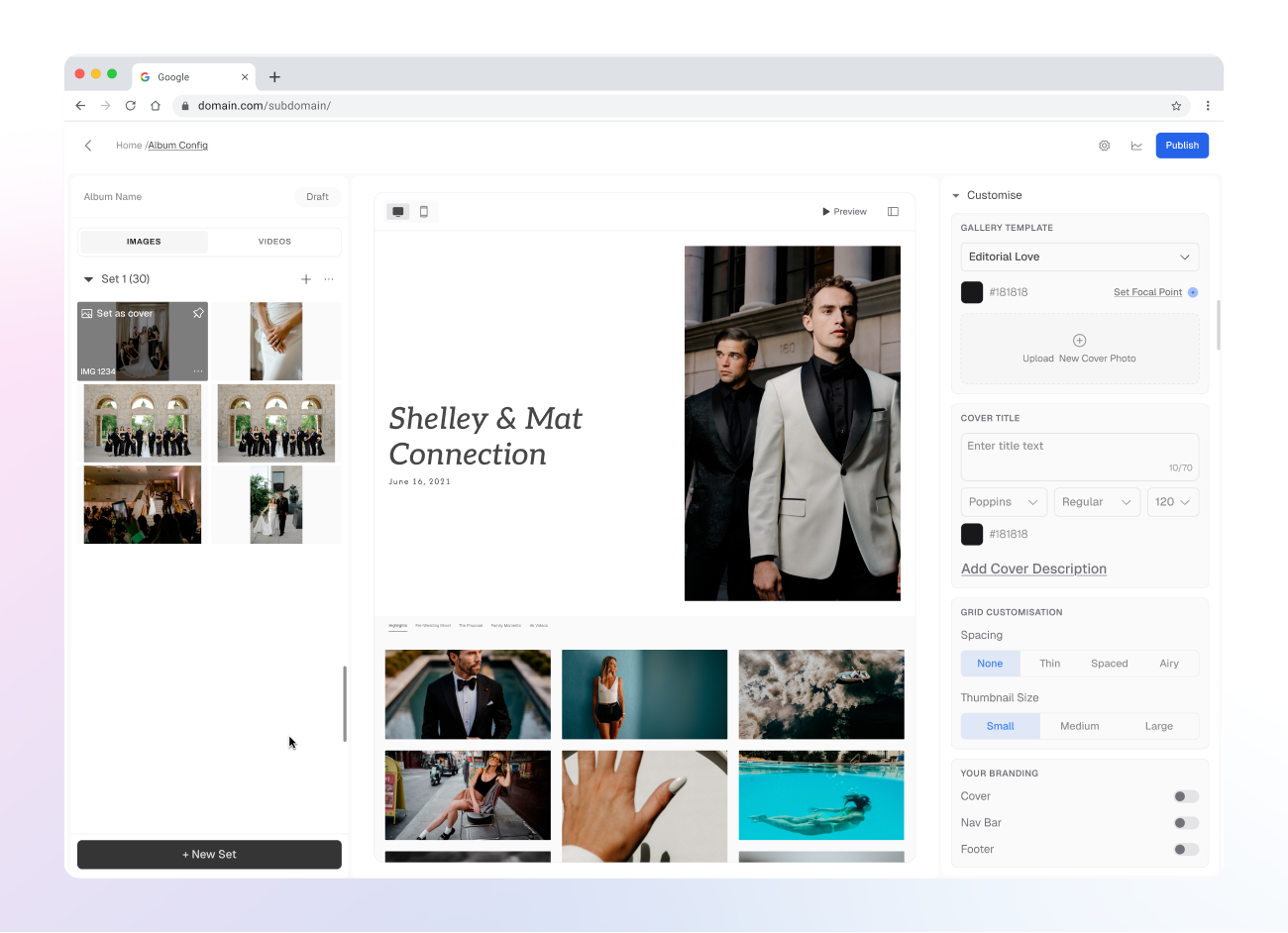
For videos, you can upload 4K/long form videos too, or embed YouTube links when that makes sense.
Your brand, not a generic platform
Aftershoot Galleries are built to look and feel like your business. Add your logo, set your aesthetic, and adjust layout and grid to create a first impression that’s yours – not a generic platform your clients have seen a dozen times before. Password protection and watermarking give you the security controls to go with it.
Clients see all highlights, or find just their photos
Curated Highlights help clients start in the right place. And if they’re sharing the gallery with friends and family (they will), those people can filter down to just the photos they’re in.
We said “no shiny features.” We may have lied. 😛
My Photos is built for the most common client request: “can I just see the ones with me?”
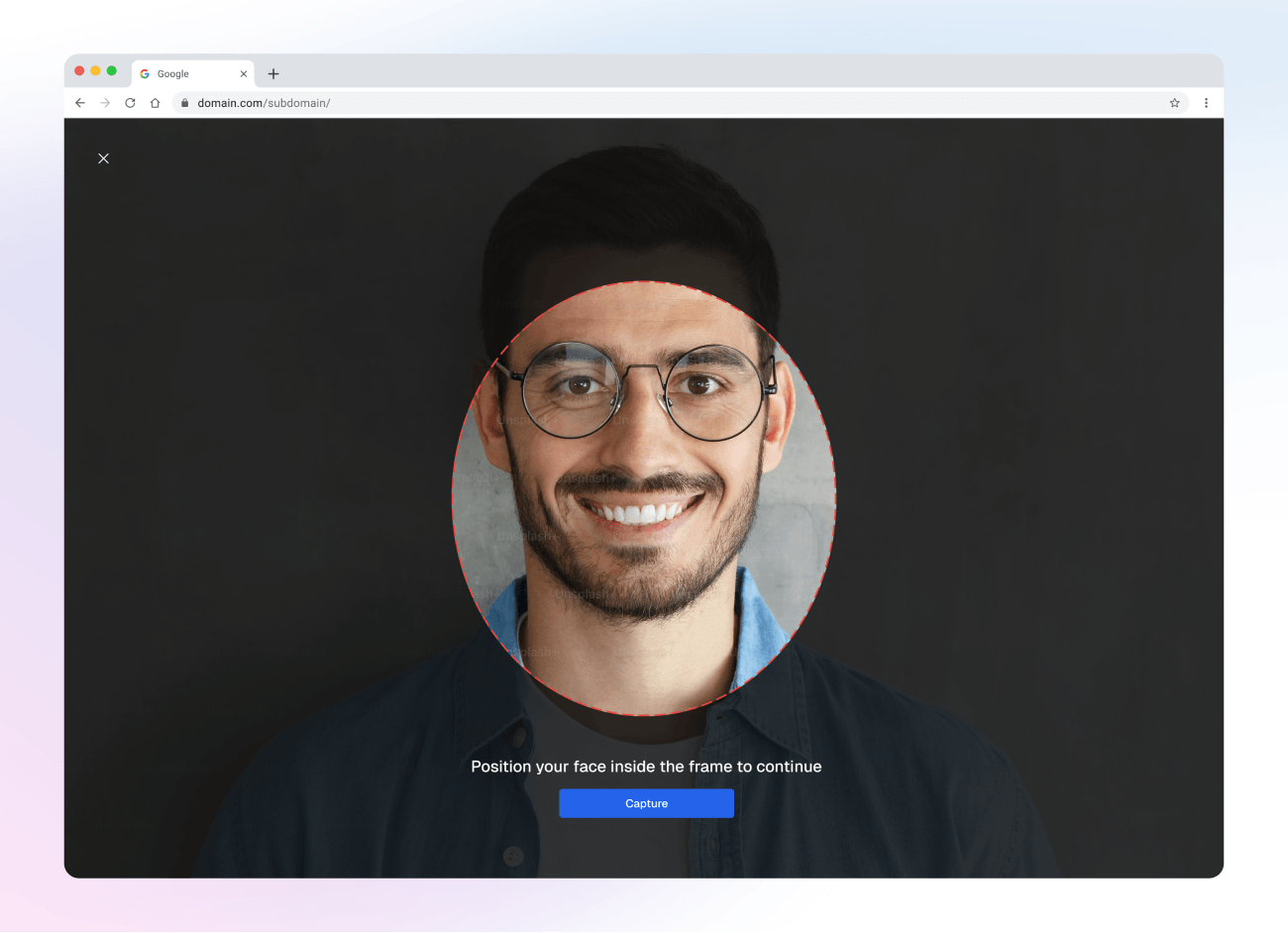
Additionally, there’s also Face Gating which enables you to share only photos in which that particular client is present as a curated gallery using unique links!
Clients (or their friends) take a quick photo of themselves, and Galleries filters down to their photos. Less treasure hunting for them. Less back-and-forth for you.
Clients can also comment on photos, which means feedback and approvals happen right inside the gallery instead of across a chain of emails.
And the basics are where clients expect them: slideshow, downloads, share, and ♥️ favorites.
Get insights into your gallery and store interactions
The Analytics tab offers a clean activity log with image name, email ID, action performed (view / download / favorite), and when it happened. You can search it, filter it, and export it.
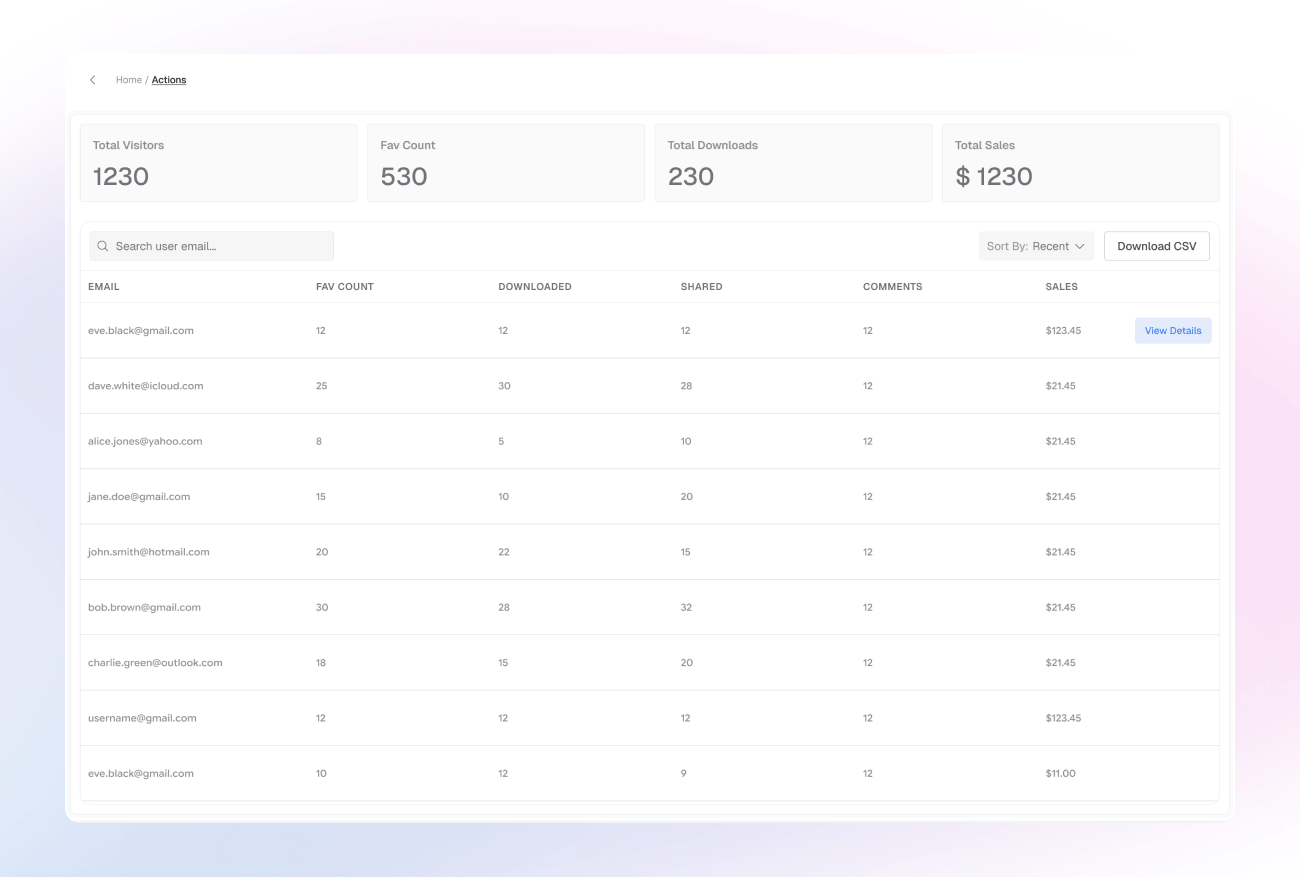
If someone hasn’t opened the gallery, you don’t need to send “just checking in 🙂” every two days. If they have opened it, you can follow up with a simple “Did you find everything / want any swaps?” and close the loop cleanly.
And if a client favorites a set of images, you know what they care about immediately. Over time you’ll see patterns in what clients in a genre actually love. You could use that information to enhance your portfolio, or marketing assets.
If you sell prints, the activity log helps you spot which images get attention early, and which ones might actually convert, without stalking your clients or guessing. We’ll talk more about print in a minute.
And if you ever need to pull it out of Galleries, export is right there.
Let them pick favorites to print, right from the gallery
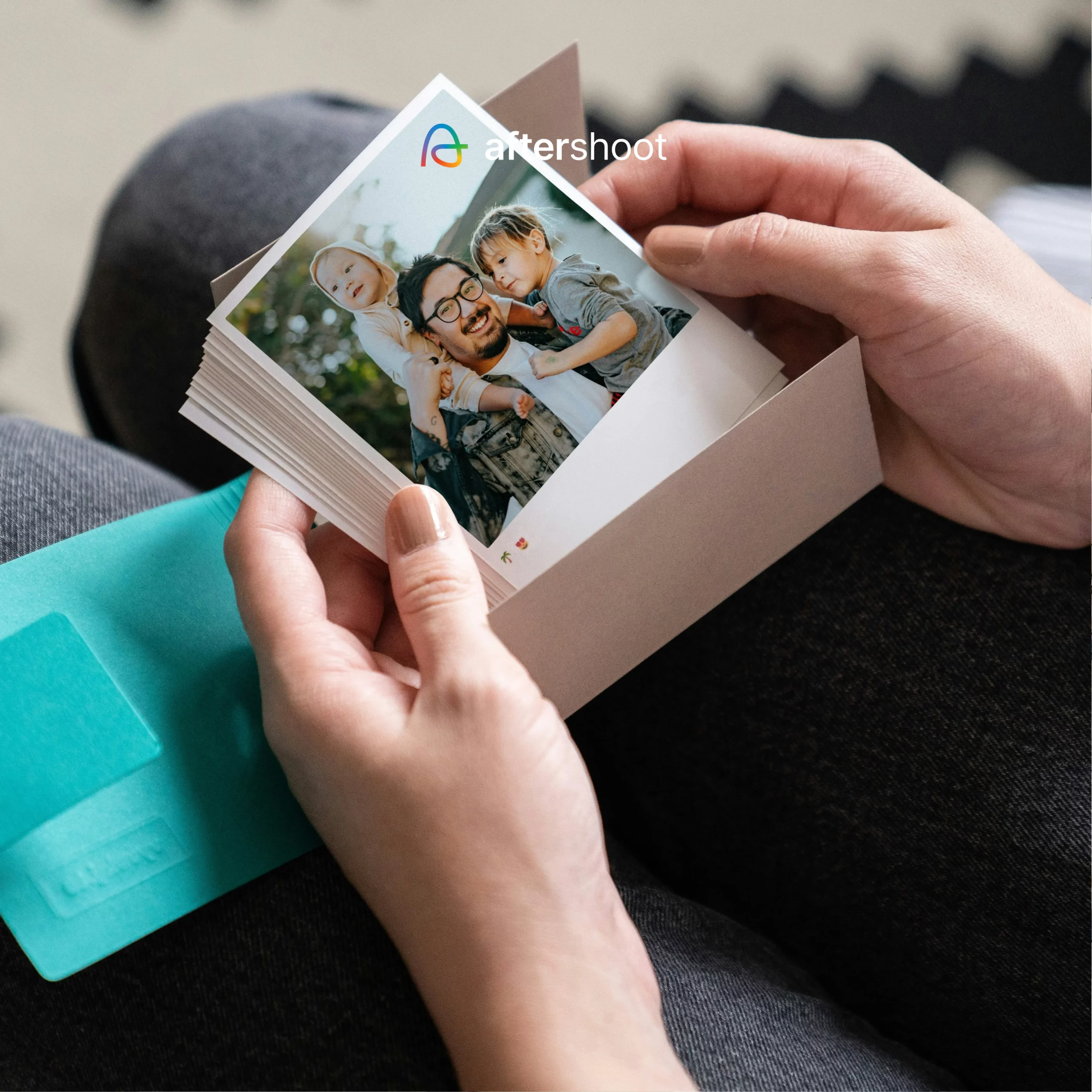
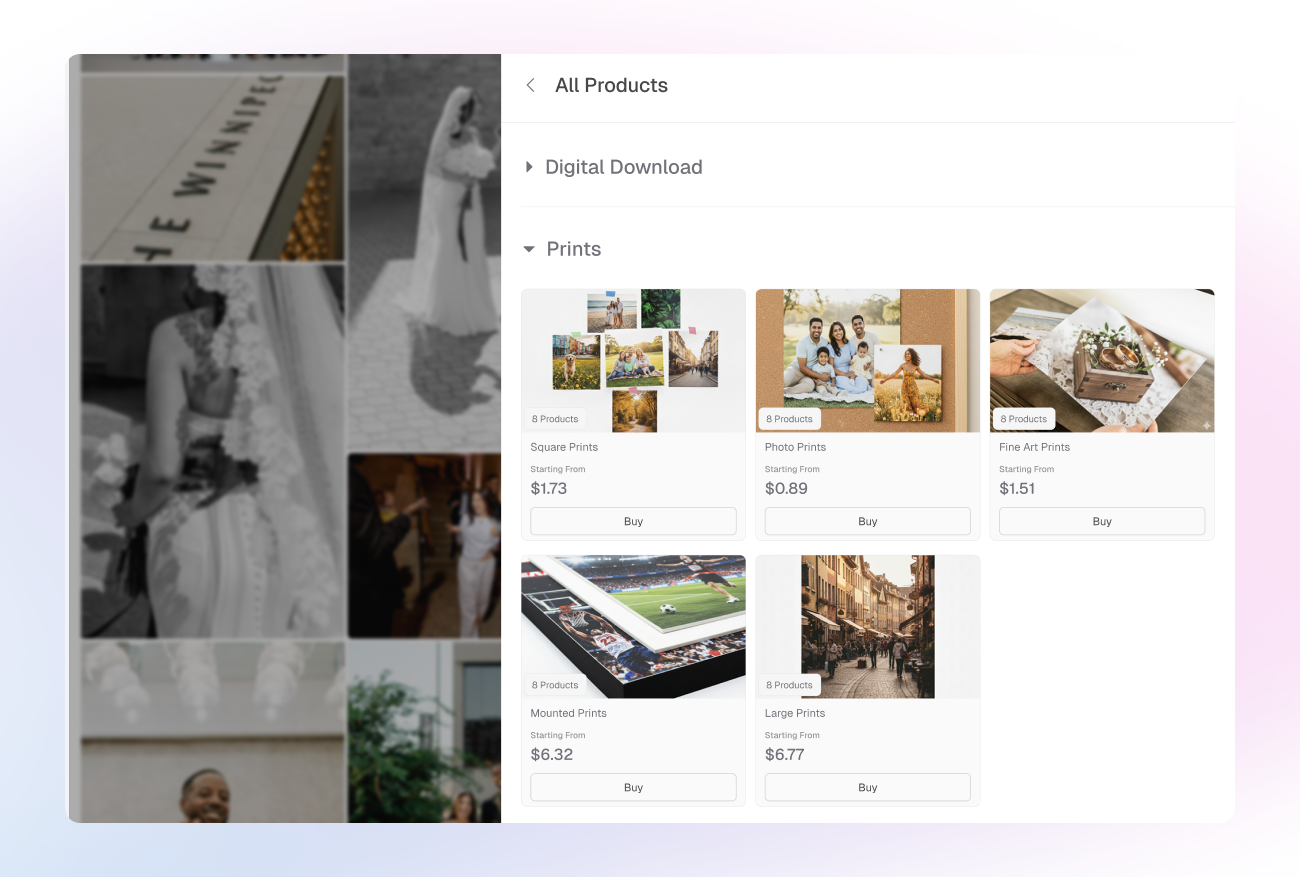
There’s a built-in Print Store too. If you sell prints, there’s a built-in Print Store right inside the delivery flow. Clients can order prints without you sending them anywhere else. Integrated labs include WHCC, Bay Photo, and Atkins Pro Labs – covering a wide range of print products right out of the box.
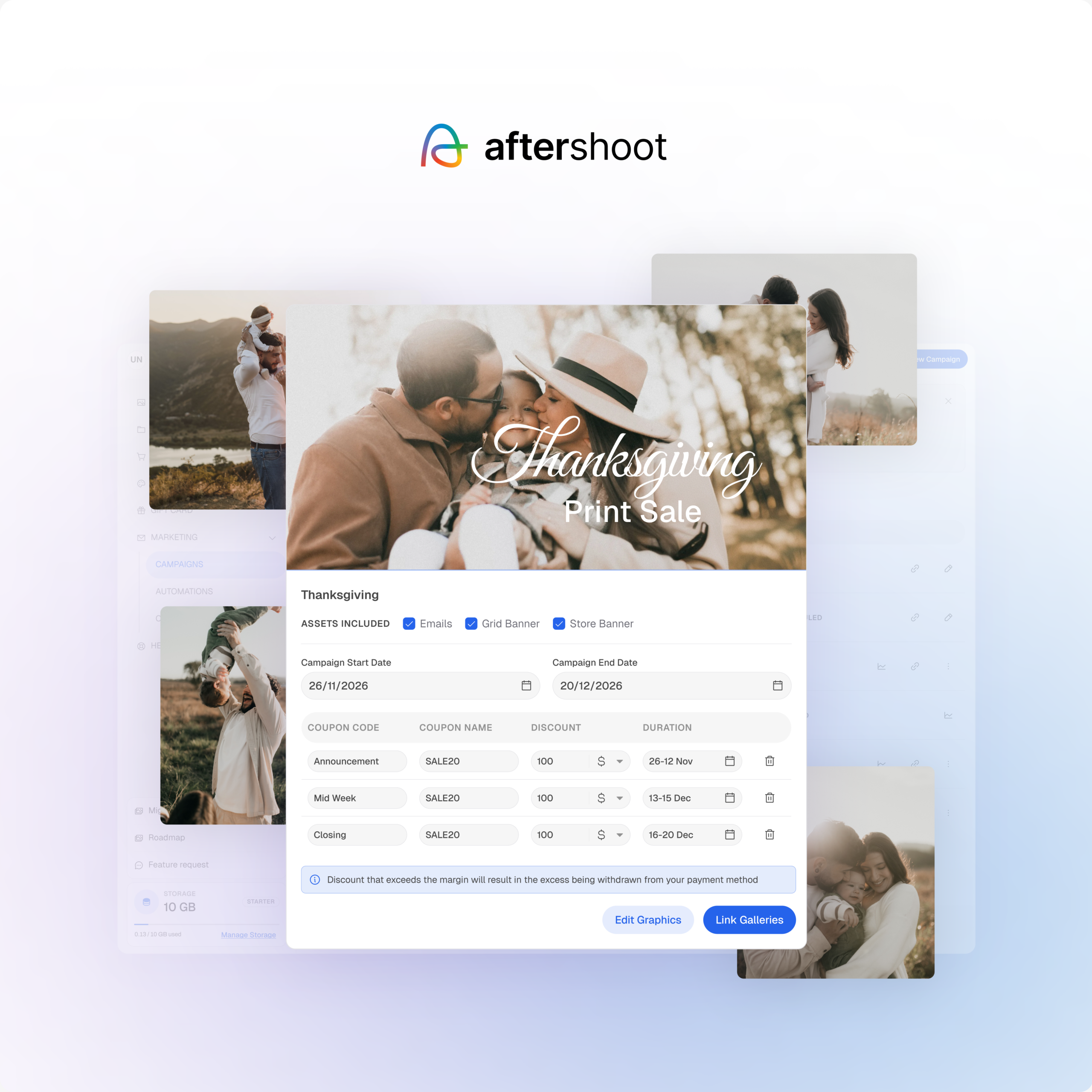
Prefer to handle fulfillment yourself? Self-fulfillment is supported too, giving you full control over pricing and delivery. You can also create packages and offer coupons to upsell, bundle, and run promotions all without a separate storefront or third-party tool.
The workflow is finally complete
This is the part of the workflow that used to require the most effort after the work was done. Now it requires none. The gallery is no longer a separate destination – it’s the natural end of the same process that started with the cull.
If it’s doing its job, you won’t spend time thinking about delivery. You’ll send the gallery, clients will get what they need without confusion, and you won’t be pulled back in for link support and follow-ups.
What’s next for the Aftershoot Galleries?
We’ll keep building awesome features to make photography post processing easy, you keep being awesome at your craft.
See you after the shoot!