

TL;DR
- Best all-in-one workflow: Aftershoot AI Retouching is the strongest pick for photographers who already cull and edit in Aftershoot, since retouching happens inside the same platform with flat, unlimited pricing.
- Best for cloud-based volume editing: Imagen AI pairs retouching with a full editing pipeline, but every tool you add stacks a per-photo charge on top of the base rate.
- Best for pay-per-export flexibility: Evoto only charges credits on images you actually export, which suits photographers who retouch a small share of a shoot.
- Best for surgical, Photoshop-based control: Retouch4me and Imagenomic Portraiture both win on precision through dedicated plugins, at the cost of managing separate tools rather than one platform.
- Best for one-time-purchase editing: Luminar Neo and PortraitPro both skip the subscription model, but neither was built for retouching hundreds of gallery images in one batch pass.
- The biggest trade-off across the category: speed and consistency almost always come from flat-rate, batch-first tools, while per-image precision comes from tools that charge more the more you use them, or that price by the plugin.
Picture this: You have 600 portraits from a school picture day, three shades of glasses glare, a dozen flyaway hairs, and a delivery deadline that doesn’t really care how tired you are. Manual retouching would take a week you don’t have. The real question isn’t whether AI can retouch a portrait. It’s which tool retouches it well enough that you don’t spend Sunday fixing what the AI got wrong.
This guide compares the AI photo retouching tools professional photographers actually use in production: how each one handles skin, hair, and glare at volume, what control you keep over the result, how the pricing works once you run real numbers, and where each tool falls short. By the end, you’ll know which one fits your workflow and which ones aren’t worth your trial period.
Quick Comparison: Best AI Photo Retouching Software
| Tool | Best for | Pricing model | Batch retouching | Works offline | Main limitation |
|---|---|---|---|---|---|
| Aftershoot AI Retouching | Full culling-to-retouch workflow | Flat monthly, unlimited images | Yes, whole gallery in one pass | Yes | Newer feature, pricing still settling into permanent tiers |
| Imagen AI | Cloud-based editing + retouching together | Per-photo or annual volume tiers | Yes | No, cloud processing | Each added AI tool adds its own per-photo charge |
| Evoto | Pay only for images you export | Credit packs or annual subscription | Yes | No, cloud processing | Effective cost per credit varies a lot by plan tier |
| Retouch4me | Precise, plugin-based Photoshop retouching | One-time purchase per plugin, or cloud credits | Limited, plugin by plugin | Yes, with purchased plugins | No single subscription covers the full toolkit |
| PortraitPro | Manual, portrait-by-portrait control | One-time license by edition | Batch mode on Studio Max only | Yes | Not built for high-volume gallery retouching |
| Luminar Neo | One-time purchase AI portrait tools | Annual perpetual license | Limited | Yes | Skin/Body AI tools are single-image focused, not gallery batch |
| Imagenomic Portraiture | Photoshop/Lightroom skin plugin | One-time purchase | Consistency across a batch, not full automation | Yes | Manual setup per photo; no standalone app |
Note: Pricing reflects each provider’s published rates at the time of writing. Confirm current numbers on each provider’s pricing page before you commit, since credit systems and plan tiers change often.
How Have We Evaluated These AI Photo Retouching Tools?
We compared these tools against the same criteria so the differences are actually meaningful, not just a features checklist:
- Retouching quality: does skin still look like skin, or does it look filtered?
- Control: can you adjust intensity, or is it a single “apply” button?
- Batch speed: how fast can you retouch an entire gallery, not just one image?
- Genre fit: does it hold up for weddings, portraits, school photos, and events?
- Integrations: does it work inside Lightroom, Capture One, or Photoshop, or does it require exporting first?
- Pricing at real volume: what does a working photographer actually pay per month or per shoot?
- Privacy: are your images uploaded to a server, and what happens to them there?
- Learning curve: can you get usable results on day one, or does it take a week to learn?
This comparison is built from each provider’s official pricing and product pages, independent reviews from Fstoppers, PPA, and Capterra, and Aftershoot’s own product documentation. Every pricing figure was checked before publishing. Where a claim couldn’t be verified through an official source, it was left out.
Top 7 Best AI Photo Retouching Software for Photographers
1. Aftershoot
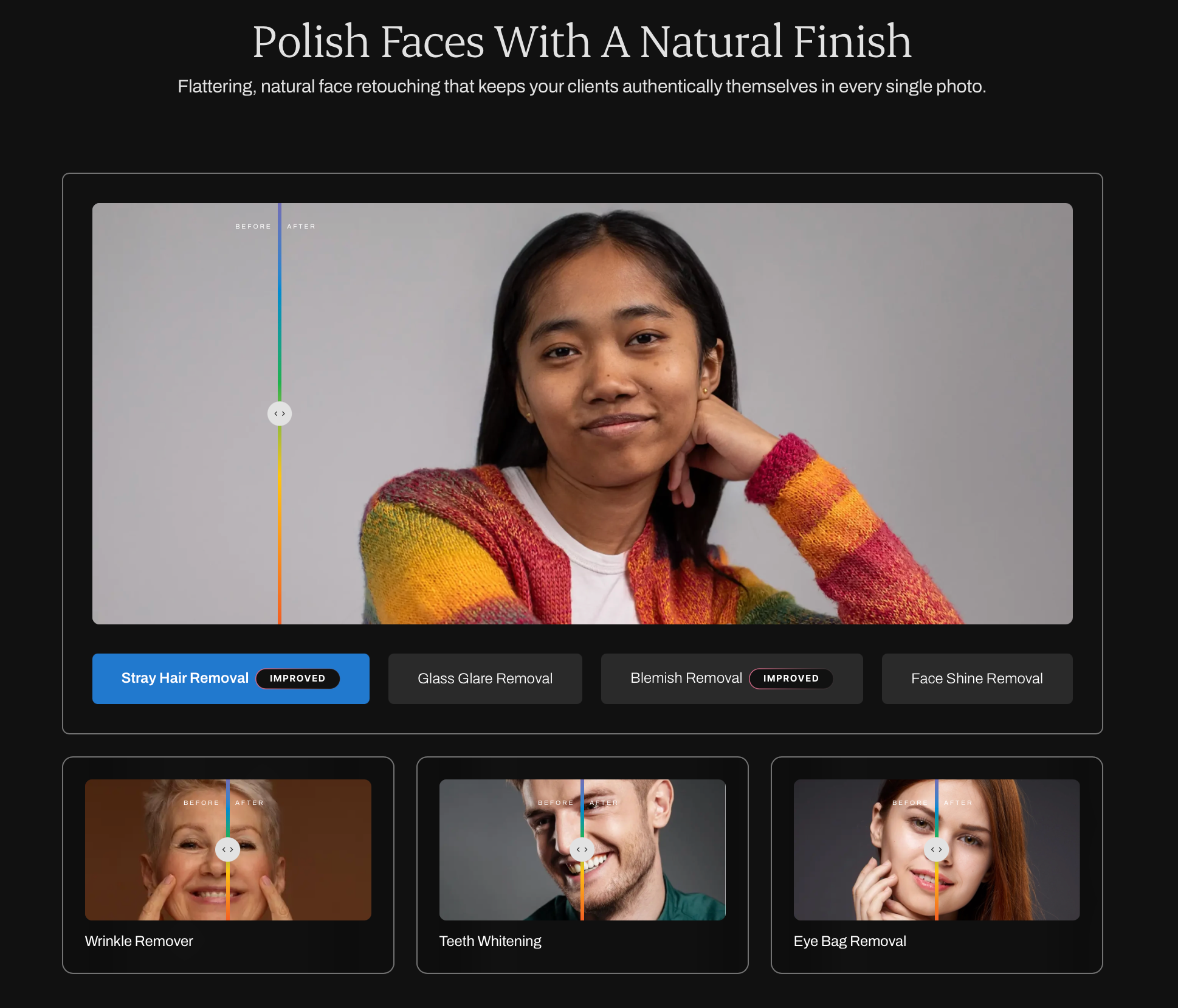
Aftershoot Retouch Features and Functionality
Aftershoot AI Retouching is a retouching mode built directly into Aftershoot’s culling and editing platform. Instead of exporting your selects to a separate retoucher, you cull, edit, and retouch inside the same app, then hand off to Lightroom or Capture One (or Aftershoot’s own gallery delivery tool) for final export.
The toolkit covers the retouching work that eats the most time on real shoots: skin smoothing that keeps pores and texture intact instead of blurring them away, blemish and wrinkle softening with adjustable intensity, flyaway hair removal, glasses glare removal, teeth whitening, and backdrop swaps or cleanup for studio and school sessions. Retouching applies across a full gallery in one pass, and individual images can still be touched up on their own when one photo needs different treatment than the rest.
At Aftershoot, our CEO, Harshit Dwivedi, has said the retouching models were trained specifically on real-world problems like glare, skin texture, and flyaway hair, with photographers keeping control over how strong the effect looks. That focus on adjustable intensity, rather than one fixed “beauty filter,” is what separates it from tools that apply the same look to every face.
Aftershoot AI Retouching Pricing
Aftershoot now prices its platform in modules, so you pay only for what you use:
- Select (AI culling): $10/month, billed annually
- Edit (AI editing): $30/month, billed annually
- Retouch (AI retouching): $20/month, billed annually
- Complete (Select + Edit + Retouch bundled): $45/month, billed annually, a 25% saving over buying each module separately
Every plan processes unlimited images at that flat rate, so a wedding photographer delivering 3,000 images pays the same as one delivering 300. All plans include a 30-day free trial with full access and no credit card required.
What does this mean for photographers?
A photographer who only needs retouching pays $20/month regardless of shoot volume, which is a meaningfully different math than credit-based tools where a heavy month can cost several times more than a light one. If you’re also culling and editing in Aftershoot, the Complete bundle brings the effective retouching cost down further since it’s folded into one price.
Advantages of Aftershoot AI Retouching
- Flat, unlimited pricing means a high-volume month doesn’t cost more than a light one.
- Retouching lives in the same app as culling and editing, so there’s no export-and-reimport cycle.
- Processing happens on your machine, not a cloud server, which matters for photographers who don’t want client images leaving their computer.
- Adjustable intensity per tool keeps results from looking uniformly “airbrushed.”
Disadvantages of Aftershoot AI Retouching
- Most photographers still do final exports through Lightroom Classic or Capture One to keep their catalog in one place, though Aftershoot can also export directly to a local folder.
- Final JPEG export still runs through Lightroom for most workflows, so photographers without a Lightroom license need to budget for that separately.
Who is Aftershoot AI Retouching Best Suited For?
Photographers who already cull and edit a high volume of images and want retouching without adding a third subscription and a third export step. It’s a strong fit for wedding, school, and event photographers processing hundreds or thousands of images a month, where flat pricing beats per-image credits by a wide margin. It’s a weaker fit for photographers who only retouch a handful of hero images per shoot and have no interest in the broader platform.
👁️ Also Read: The Pro Guide to Wedding Retouching
2. Imagen AI
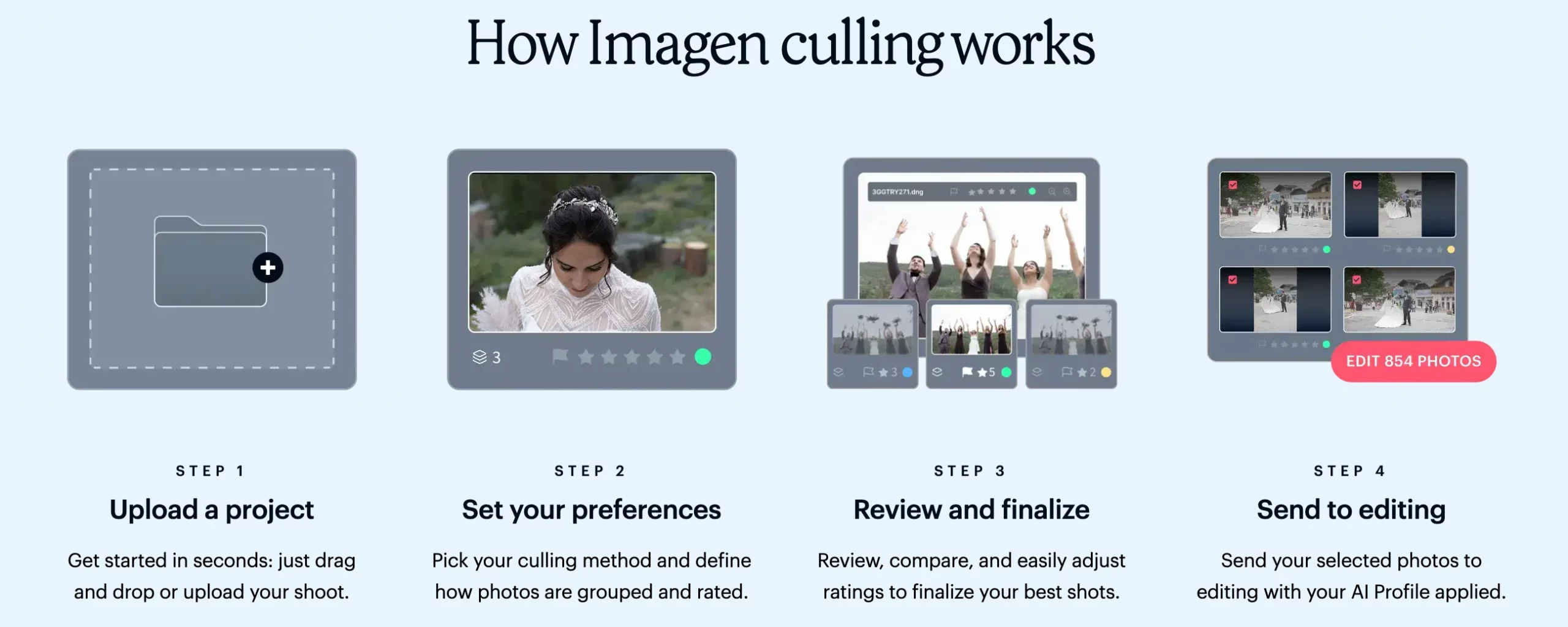
Imagen AI Features and Functionality
Imagen AI is a cloud-based editing platform that layers retouching on top of a broader post-production pipeline covering culling, color editing, and RAW development. It integrates with Lightroom Classic as a desktop plugin, so you keep working inside your existing catalog while the heavy processing runs on Imagen’s servers.
Its retouching relies on a “Personal AI Profile” that studies your past edits to match your color and style choices, then applies retouching tools like skin smoothing, cropping, and straightening as separate add-ons layered on the base edit. This makes it less a dedicated retouching tool and more an editing platform where retouching is one module among several.
Imagen AI Pricing
Imagen now offers two self-serve plans, plus custom pricing for studios:
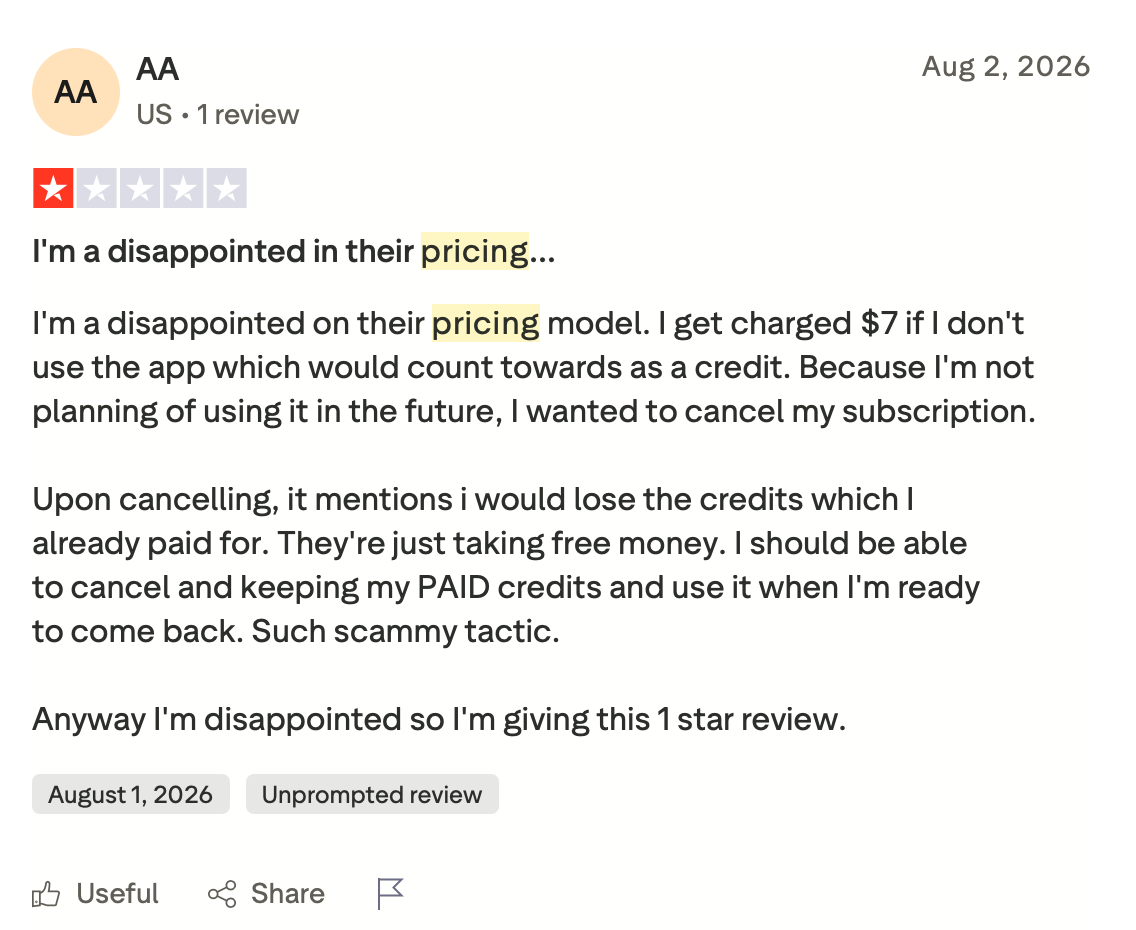
- Pay-as-you-go: charged per edited photo, with a $7 monthly minimum that rolls over as editing credit if unused. AI tools such as Smooth Skin, Crop, Straighten, and Subject Mask cost extra per photo on top of the editing rate.
- Limitless: $179/month billed annually, covering unlimited editing, retouching, all AI tools, and AI culling.
- Business: custom pricing for multi-photographer studios.
- New users get 1,000 free edits to start.
What does this mean for photographers?
On Pay-as-you-go, every retouching tool you add raises the cost of each photo, so a busy wedding season costs noticeably more than a slow month. Limitless removes that variable, but at $179/month it’s priced for photographers who use Imagen’s full editing toolkit, not just retouching. By comparison, Aftershoot’s Retouch plan is $20/month billed annually with unlimited images.
Advantages of Imagen AI
- Combines culling, editing, and retouching in a single cloud pipeline.
- Personal AI Profile learns your editing style across thousands of past edits.
- Integrates directly with Lightroom Classic, Lightroom, Photoshop, and Bridge.
Disadvantages of Imagen AI
- Every additional AI tool adds its own per-photo charge, so costs climb fast once you use more than base editing.
- No retouching-only plan; you either pay per photo for each AI tool or move to Limitless.
- Cloud-based processing means your images are uploaded to Imagen’s servers, which won’t suit photographers who need files to stay local.
Who is Imagen AI Best Suited For?
High-volume wedding and event photographers who want editing and retouching handled together in the cloud and don’t mind images leaving their machine for processing. It’s a weaker fit for photographers who only need retouching and don’t want to pay for a full editing subscription to get it.
👁️ Also Read: Best Imagen Alternatives for Photographers
3. Evoto
Evoto Features and Functionality
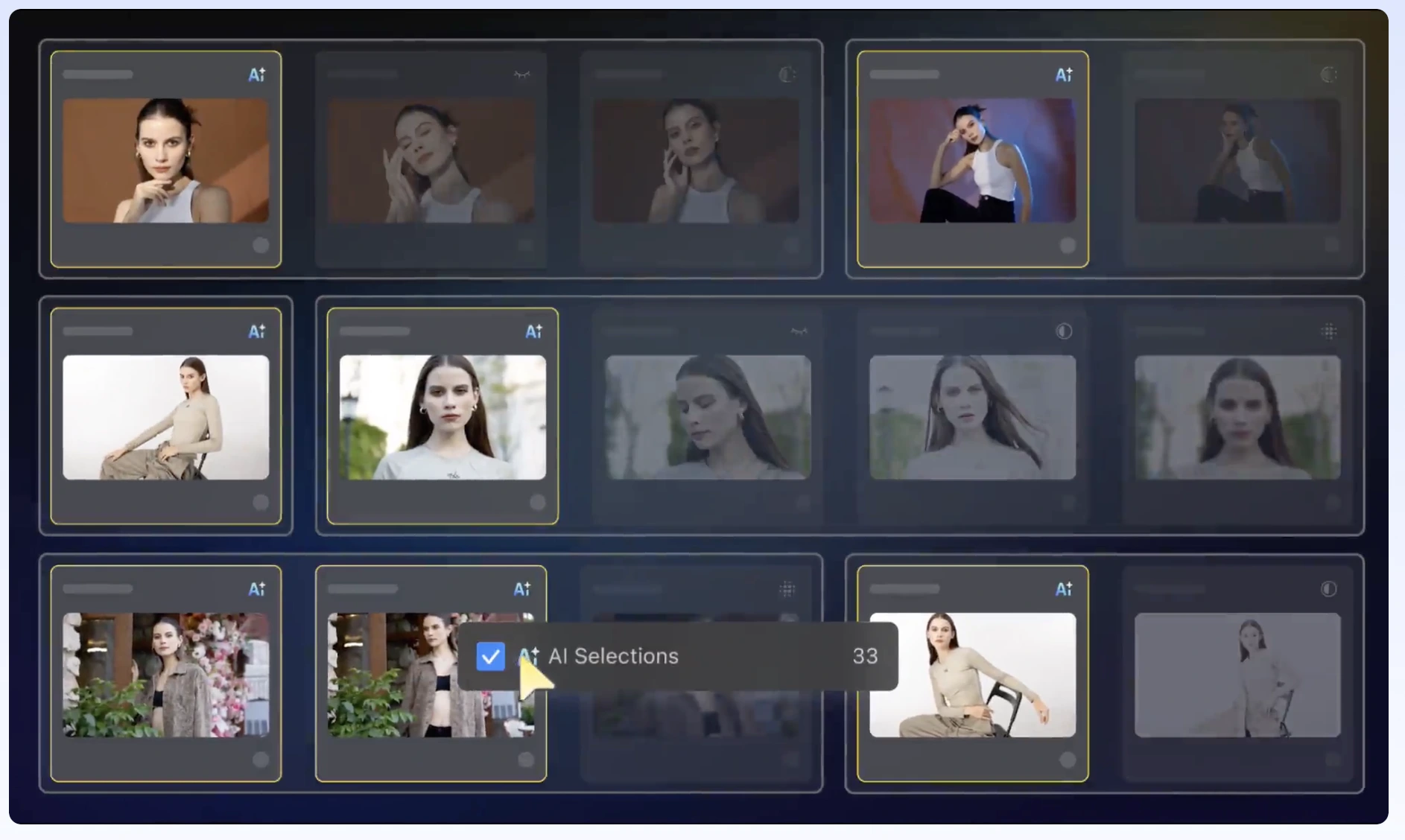
Evoto is an AI editing and retouching tool built specifically around portrait, wedding, and event work, with a companion iPad app and a mobile workflow called Evoto Instant. Its retouching set covers blemish removal, skin tone evening, background removal and replacement, and flyaway hair cleanup, alongside broader tools like AI Color Match for keeping color consistent across a series shot under different lighting.
Editing and previewing are free inside Evoto; you’re only charged a credit when you export a finished image. That changes the retouching math compared to most competitors, since you can retouch and preview an entire gallery, then only pay for the images you actually choose to deliver retouched.
Evoto Pricing
Evoto uses a credit system with several ways to buy in:
- Pay-as-you-go: roughly $0.13–$0.25 per credit depending on volume
- Starter Plan: $89/year for 800 credits (≈$0.11/credit)
- Basic Plan: $149/year for 1,600 credits (≈$0.09/credit)
- Basic Plus Plan: $269/year for 3,600 credits (≈$0.07/credit)
- Standard Plan: $579/year for 9,000 credits (≈$0.06/credit)
- Standard Plus Plan: $1,339/year for 24,000 credits (≈$0.06/credit)
- 7-day free trial including 50 free credits
What does this mean for photographers?
A portrait photographer retouching around 1,600 images a year fits the Basic Plan at $149/year, which works out to roughly $0.09 per image. A wedding photographer delivering 800 retouched images per wedding across 25 weddings a year needs about 20,000 credits a year — comfortably covered by the 24,000-credit Standard Plus Plan at $1,339/year, which comes out to roughly $54 per wedding. Since credits are only spent on exports, photographers who retouch selectively rather than an entire gallery get more mileage out of a given plan than the raw credit count suggests, and unused credits on subscription plans roll over rather than expiring.
Advantages of Evoto
- You only pay for images you actually export, not every image you preview or edit.
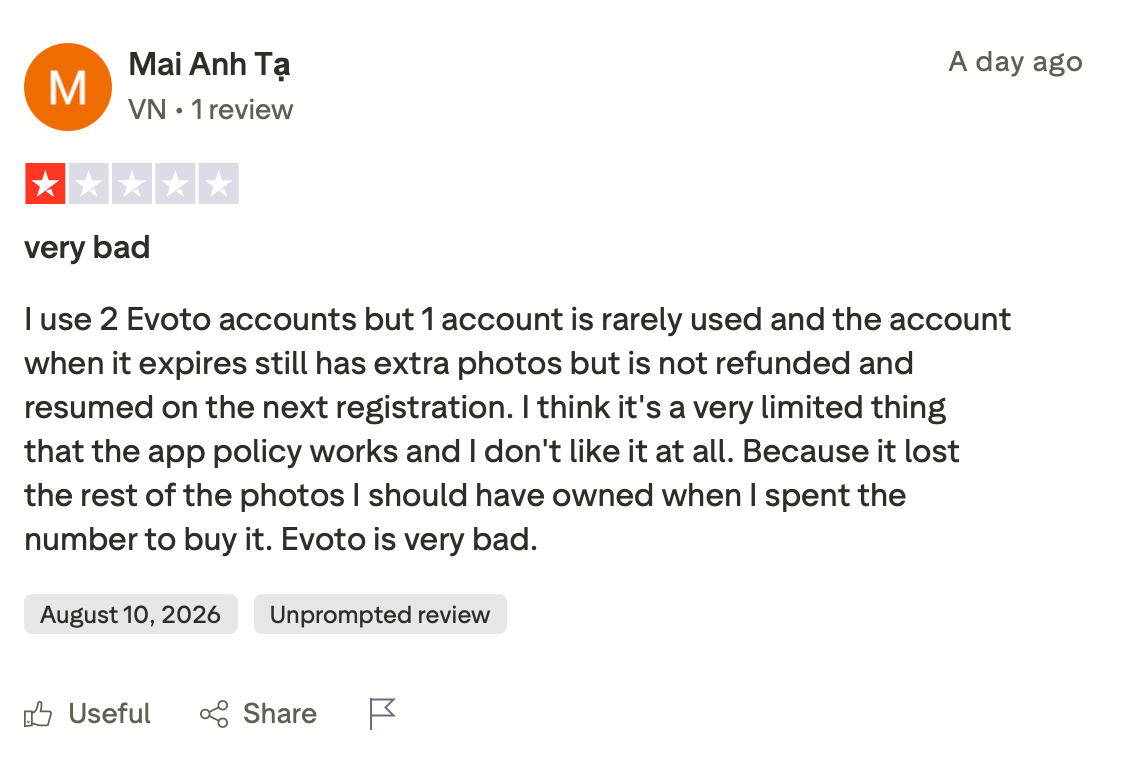
- Annual plans allow unused credits to roll over.
- Handles culling, batch editing, and retouching in one workflow.
Disadvantages of Evoto
- The credit system takes some math to plan around, especially across a mix of small and large shoots.
- Cloud-based processing means images upload to Evoto’s servers during editing.
- Real cost per image varies significantly by plan tier, which makes it harder to predict monthly spend than flat-rate tools.
Who is Evoto Best Suited For?
Photographers who retouch a subset of a shoot rather than every image delivered, since the pay-per-export model rewards selective retouching. It’s a good fit for portrait, headshot, and school photographers who want to preview freely and only pay for what makes the final cut.
4. Retouch4me
Retouch4me Features and Functionality
Retouch4me takes a different approach entirely: instead of one platform, it’s a collection of individual AI plugins, each built to automate a single retouching task. Skin Mask, Dodge & Burn, Portrait Volumes, Skin Tone, Heal, Face Make, and Clean Backdrop each run as separate Photoshop plugins (with support for Lightroom and Capture One on some tools), and a free Retouch4me Panel lets you run several plugins in sequence without hunting through menus.
Because each plugin does one job well rather than one job broadly, Retouch4me tends to produce more precise, natural-looking results than all-in-one tools, particularly for skin work. The trade-off is that “AI retouching” here means buying the specific tools you need rather than one subscription that covers everything.
Retouch4me Pricing
Retouch4me sells most plugins individually as one-time purchases, with some cloud subscription options layered in more recently:
- Retouch4me Panel and Frequency Separation: free
- Most individual plugins (Skin Mask, Heal, Portrait Volumes, Skin Tone, Face Make): around $124 each
- Dodge & Burn and Clean Backdrop: around $149 each
- Cloud-based credit options are also available for photographers who’d rather subscribe than buy plugins outright
What does this mean for photographers?
A photographer who wants a complete skin-retouching workflow (Heal, Dodge & Burn, Portrait Volumes, and Skin Tone) is looking at roughly $500 in one-time purchases. That’s a real upfront cost, but it’s a purchase, not a recurring fee, so heavy users can come out ahead of a subscription over a couple of years.
Advantages of Retouch4me
- Individual plugins let you buy only the tools you actually use.
- One-time pricing means no ongoing subscription for photographers who process on their own machine.
- Preserves natural skin texture more consistently than most all-in-one AI editors, according to independent reviews.
Disadvantages of Retouch4me
- No single plugin covers the full retouching workflow; a complete toolkit means buying several separately.
- Retouching happens plugin-by-plugin rather than as one batch pass across a whole gallery.
- The upfront cost for a full toolkit runs several hundred dollars before you’ve retouched a single image
Who is Retouch4me Best Suited For?
Photographers who already work inside Photoshop and want precise, individually controllable retouching tools rather than an all-in-one platform. It suits photographers with lower shoot volume who can justify a one-time purchase, more than high-volume studios that need to retouch an entire gallery in one pass.
Also Read: Why Aftershoot is the Best Choice Against Retouch4me
5. PortraitPro
Portrait Pro Features and Functionality
PortraitPro is standalone portrait retouching software built around detailed, slider-based control over individual faces. It automatically detects facial features and estimates gender and age to apply targeted adjustments, and its ClearSkin technology smooths skin imperfections while aiming to avoid the plastic look that comes from over-processing. Recent versions added generative AI modules for enhancing specific areas of a portrait, plus tools for background replacement and body reshaping through its companion PortraitPro Body features.
PortraitPro works as a standalone app or a Photoshop, Lightroom, and Elements plugin, and higher editions add batch processing for photographers working through a larger set of images rather than one portrait at a time.
PortraitPro Pricing
PortraitPro is a one-time purchase across three editions, priced directly through anthropics.com:
- PortraitPro (Standard): list price $131.90, commonly discounted to around $65.95. No RAW file support, no batch processing.
- PortraitPro Studio: list price $199.90, commonly discounted to around $99.95. Adds RAW/DNG support and a Photoshop/Lightroom plugin.
- PortraitPro Studio Max: list price $399.90, commonly discounted to around $199.95. Adds full automatic batch processing for larger shoots.
Anthropics runs frequent 50%-off sales, so the “commonly discounted” price above is closer to what most buyers actually pay at checkout than the list price. Batch processing for larger shoots is limited to Studio Max, which is the edition to budget for if you’re retouching more than a handful of images per session.
What does this mean for photographers?
For a photographer retouching a handful of portrait sessions a month, PortraitPro Studio at roughly $100 can be cheaper over a year than a subscription-based tool. For a photographer retouching hundreds of images per shoot, the $200 Studio Max edition is the only one built for that volume, and even then, it’s working through individual portraits rather than a true whole-gallery batch pass.
Advantages of PortraitPro
- One-time purchase with no recurring subscription on any edition.
- Detailed slider control over individual facial features for photographers who want to fine-tune a specific portrait.
- Works as a standalone app or inside Photoshop, Lightroom, and Elements.
Disadvantages of PortraitPro
- Full batch processing for large shoots is limited to higher-priced editions.
- Built around single-portrait precision, which makes it slower for gallery-scale retouching than platforms designed around batches.
- Frequent third-party discount codes make the real price inconsistent and harder to budget around.
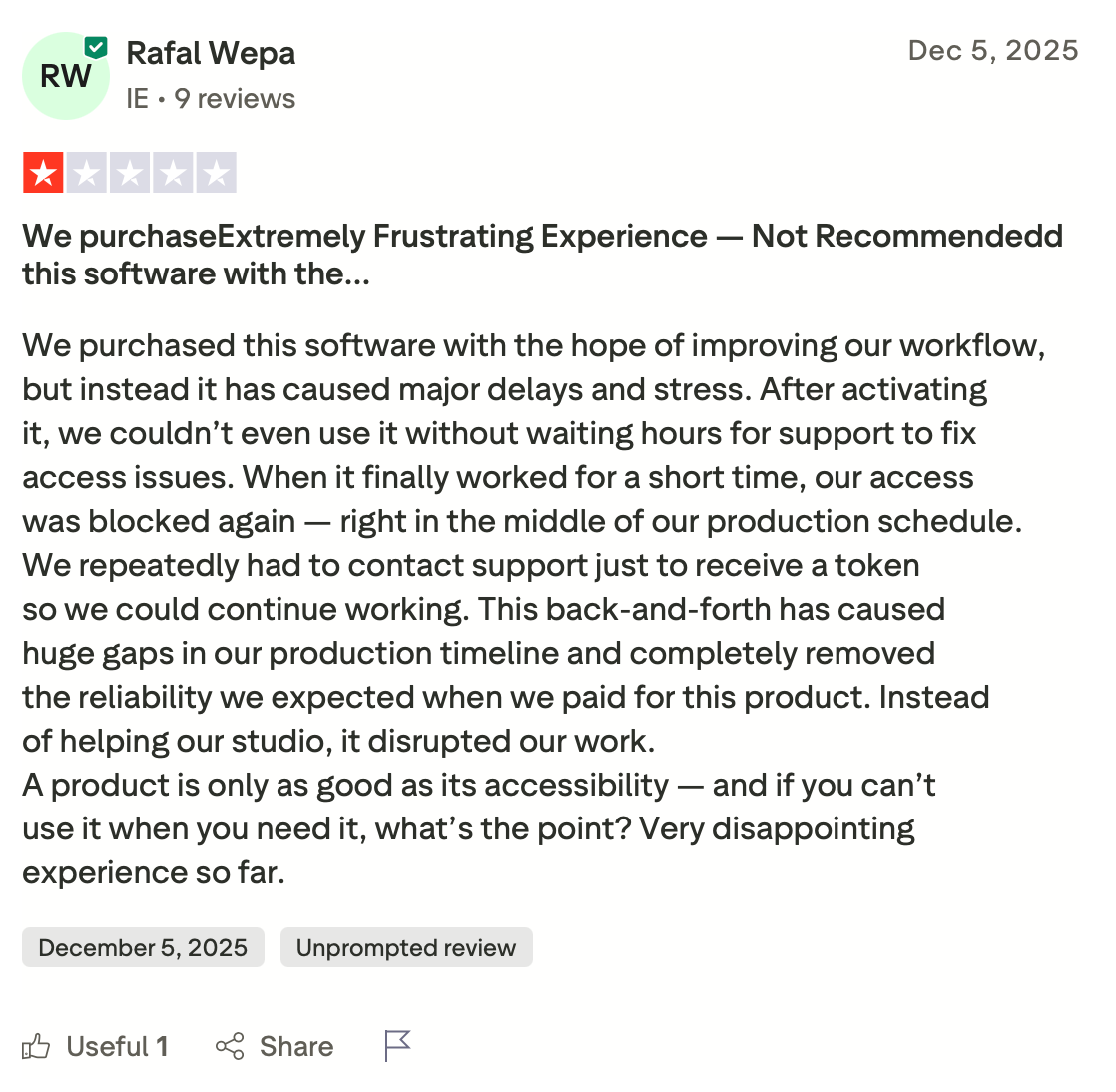
- Users have also shared reviews and concerns around PortraitPro’s customer service.
Find out how Aftershoot is the best PortraitPro alternative
Who is PortraitPro Best Suited For?
Solo portrait, headshot, and studio photographers who want granular manual control over each face and don’t need to retouch hundreds of images from a single shoot. It’s a weaker fit for wedding, school, and event photographers who need an entire gallery retouched consistently and quickly.
6. Luminar Neo
Luminar Neo Features and Functionality
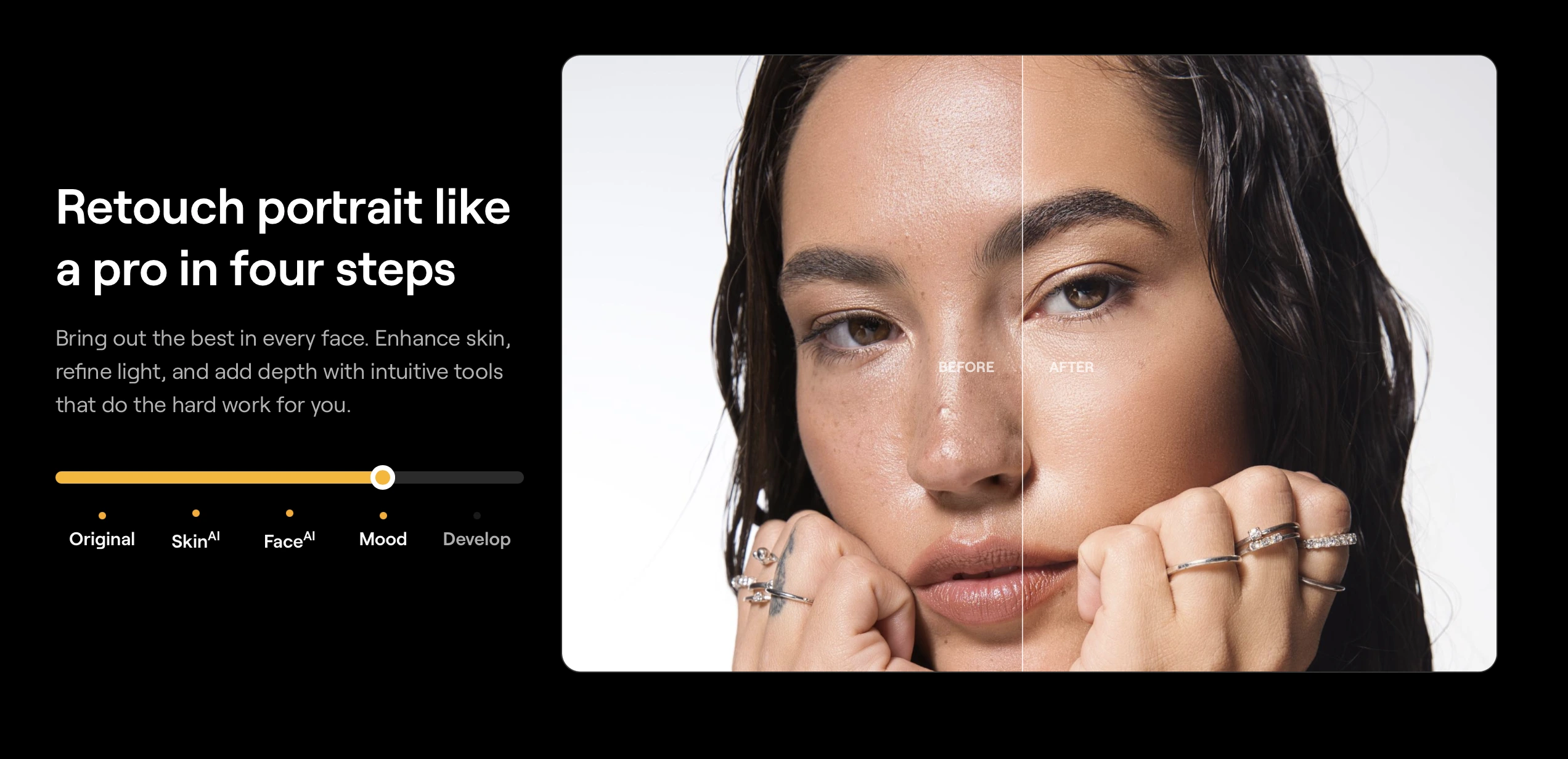
Luminar Neo is Skylum’s broader AI photo editor, built around one-click creative and portrait tools rather than a dedicated retouching product. Its Portrait category includes Skin AI for blemish and shine removal, Body AI for proportion adjustments, and Portrait Bokeh AI for background blur, alongside its better-known Sky AI and Relight AI tools for the rest of the frame.
It runs as a standalone app or as a plugin inside Lightroom Classic and Photoshop, so photographers who already edit in Adobe’s tools can send a file to Luminar Neo for portrait work, then bring it back into their catalog.
Luminar Neo Pricing
Luminar Neo sells access as an annual perpetual license rather than a recurring subscription in the traditional sense, you own that version’s software permanently, and the annual fee covers a year of updates:
- Perpetual Desktop License: around $119/year
- Perpetual Cross-Device License (desktop + mobile): around $159/year
- Perpetual Max License (adds Creative Library assets): around $179/year
- Specialized extension packs for additional AI tools: $49–$99 each, on top of the base license
What does this mean for photographers?
A photographer who wants Skin AI and Body AI but no other extras can get in at the $119/year Desktop tier. The catch is that Luminar Neo’s portrait tools work image by image rather than applying one retouch pass across a full gallery, so it fits better as a finishing tool for hero shots than as a primary retoucher for a 500-image wedding delivery.
Advantages of Luminar Neo
- One-time-feeling annual license rather than a monthly subscription.
- Works as a standalone app or a Lightroom/Photoshop plugin.
- Skin AI and Body AI are genuinely fast for single-image touch-ups.
Disadvantages of Luminar Neo
- Not built around gallery-scale batch retouching the way Aftershoot, Evoto, or Imagen AI are.
- Extension packs for specialized tools add to the base license cost.
- The “perpetual” license still requires renewal to keep receiving the latest AI model updates.
Who Is Luminar Neo Best Suited For?
Photographers who want an all-purpose AI editor with solid portrait tools bolted on, rather than a dedicated retoucher. It works well as a Lightroom plugin for finishing a handful of hero images, and less well as the main retouching tool for a full wedding or school gallery.
7. Imagenomic Portraiture
Imagenomic Portraiture Features and Functionality
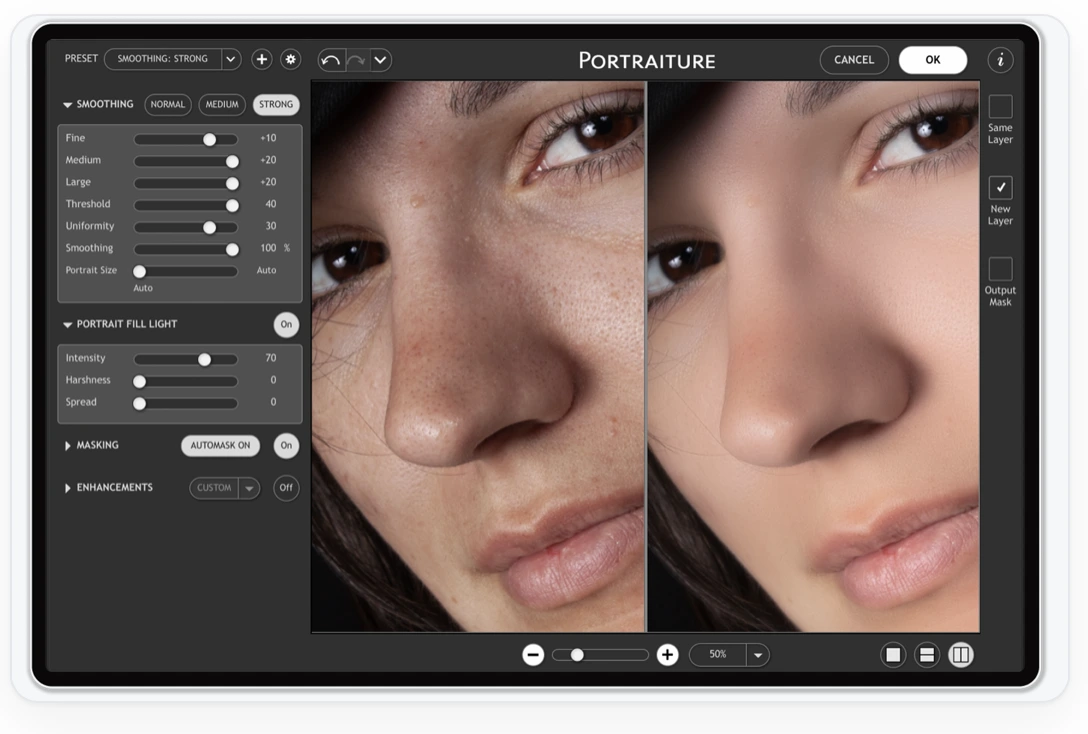
Imagenomic Portraiture is a long-standing Photoshop and Lightroom Classic plugin (also available for Affinity) built specifically around skin retouching. Its AI analyzes each photo and smooths selectively, rather than applying one uniform blur, with dedicated masks for hair, eyes, and skin, plus a “Uniformity” feature for keeping results consistent across a batch of images from the same shoot.
It’s a narrower tool than most others on this list: Portraiture does skin retouching and does it well, without branching into background swaps, body reshaping, or full editing pipelines.
Imagenomic Portraiture Pricing
Portraiture is sold as a one-time, perpetual-license purchase:
- Single host (Photoshop or Lightroom Classic only): $249.95
- Both hosts (Photoshop and Lightroom Classic): $299.95
- Photo Suite bundle (Portraiture, Noiseware, Realgrain together): priced at a discount versus buying each separately
- Volume discounts: 10% off for 2–3 licenses, 20% off for 4+, aimed at studios buying for multiple seats
- Free 15-day trial
What this means for photographers?
At $299.95 for both hosts, Portraiture costs more upfront than most Retouch4me plugins individually, but it’s a single purchase that covers skin retouching completely, rather than one piece of a larger plugin stack.
Advantages of Imagenomic Portraiture
- One-time purchase, no subscription, with volume pricing for studios.
- Dedicated AI masks for hair, eyes, and skin keep results from spilling onto areas that shouldn’t be smoothed.
- Uniformity feature helps keep skin retouching consistent across a full shoot.
Disadvantages of Imagenomic Portraiture
- Single-purpose: it doesn’t touch glare, backgrounds, or body work the way some competitors do.
- No standalone app; it only runs inside a host application.
- Applying it across a large gallery still requires running the plugin per image or per batch inside Lightroom, not a one-click whole-gallery pass.
Who Is Imagenomic Portraiture Best Suited For?
Photographers who want one well-regarded, dedicated skin-retouching plugin inside Photoshop or Lightroom Classic, without paying for a broader editing platform they won’t use. It suits studios and portrait photographers more than high-volume event shooters who need a true batch retoucher.
How Do These Photo Retouching Software Tools Compare on Quality, Speed, Privacy, Integration, and Support
1. Retouching Quality
Every tool on this list claims natural-looking skin. In practice, the difference shows up in how much control you have over intensity and how the AI handles edge cases like heavy glare, dark skin tones under mixed lighting, or hair against a busy background.
Aftershoot, Retouch4me, and Imagenomic Portraiture all lean toward adjustable, subtle results by default, with sliders or masks that let you control intensity per tool rather than applying one fixed strength. Evoto and Imagen AI apply retouching as part of a broader automated edit, which speeds up the process but gives you less granular control over any single adjustment before export. PortraitPro and Luminar Neo sit closer to manual control, built around one portrait at a time rather than gallery-wide consistency.
Glare removal and flyaway hair cleanup, two of the most requested fixes for school and event photography, are handled as dedicated, purpose-built tools in Aftershoot, Retouch4me, and Evoto. The rest address both in some form, but treat them as part of a broader toolkit rather than a one-click fix.
2. Batch Speed
Speed only matters if you’re not undoing it with manual cleanup afterward. Aftershoot, Evoto, and Imagen AI all apply retouching across a full gallery in a single pass, which is the difference between minutes and hours when you’re working through a wedding or school shoot. Retouch4me and Imagenomic Portraiture process at the plugin level, so a full retouch means running one or more tools per image, even with batching features that speed up the repetition. PortraitPro’s batch mode is reserved for Studio Max, and Luminar Neo’s portrait tools are built for single-image finishing rather than gallery-scale event work.
3. Privacy and File Handling
For photography software, the real privacy question usually isn’t legal compliance. It’s whether client images leave your machine, and where they go if they do.
Aftershoot, Retouch4me (for locally purchased plugins), PortraitPro, Luminar Neo, and Imagenomic Portraiture all process images on your own computer, so files don’t upload to a third-party server during retouching. Aftershoot has stated that images stay on your machine and that the software works fully offline, which matters if you shoot sensitive commercial or client work you’d rather not route through the cloud.
Imagen AI and Evoto both process through cloud servers, meaning your images (or smart previews of them) upload during editing. Both providers publish security certifications and state that customer images aren’t used for AI training without permission, but the underlying model still requires an upload step that local tools don’t.
None of these providers publish details suggesting retouched client photos are stored indefinitely or repurposed for marketing without consent, but that’s worth confirming directly with support before you commit a full wedding season to any platform.
4. Integrations and Workflow Compatibility
Most photographers aren’t choosing a retouching tool in isolation. It’s a step between culling and delivery, and how cleanly it connects to the rest of your workflow matters as much as the retouching itself.
Aftershoot sits inside its own culling and editing platform, so retouching applies directly to images you’ve already culled and edited, with export straight to Lightroom Classic or Capture One. Imagen AI, Retouch4me, PortraitPro, Luminar Neo, and Imagenomic Portraiture all plug into Lightroom Classic and/or Photoshop as add-ons, so ratings, edits, and metadata largely carry over without re-importing. Evoto works as its own application with Lightroom integration for import and export.
5. Support
A retouching tool failing during a delivery deadline is a different problem than a feature question. Aftershoot offers a 30-day free trial with full access, which gives you time to test support responsiveness before committing. Evoto and Imagen AI both maintain support documentation and demo options aimed at onboarding new users into their credit systems. Retouch4me and Imagenomic Portraiture’s plugin-based models mean support tends to be tool-specific rather than platform-wide. PortraitPro and Luminar Neo’s one-time or annual license models both come with money-back guarantees, which lowers the risk of trying either before committing.
Where Each Tool Falls Short
No tool here does everything well, and that’s worth saying directly. Aftershoot’s retouching feature is newer than its culling and editing tools, so it carries less long-term track record. Imagen AI’s per-tool add-on pricing can turn a modest monthly bill into a much larger one once you’re using several features. Evoto’s credit system takes real planning to avoid over- or under-buying. Retouch4me and Imagenomic Portraiture both require running separate tools per image rather than one gallery-wide pass. PortraitPro and Luminar Neo aren’t built for volume, so wedding and event photographers will outgrow either fast.
Also read: Best professional photo editing software for photographers
Which AI Photo Retouching Software Tool To Choose When?
Choose Aftershoot If…
You already cull and edit high volumes of images, want retouching without adding a third export step, and prefer flat pricing over per-image credits. It’s also the right call if keeping client images off third-party servers matters to your business.
Choose Imagen AI or Evoto If…
You want retouching folded into a cloud-based editing pipeline and don’t mind images processing off your machine. Evoto fits better if you retouch selectively and want to pay only for exports; Imagen AI fits better if you want a Personal AI Profile handling both color and retouching together.
Choose Retouch4me or Imagenomic Portraiture If…
You want the most manual control over skin retouching specifically, work primarily in Photoshop or Lightroom Classic, and would rather buy plugins outright than pay a subscription.
Choose PortraitPro or Luminar Neo If…
You’re retouching a smaller volume of individual portraits, want a one-time or annual license instead of a per-image subscription, and don’t need a true whole-gallery batch pass.
How (and why) is Aftershoot the Best AI Photo Retouching Software for Professional Photographers
Most AI retouching tools solve one problem: making skin look better. Aftershoot solves a different one, which is what happens to retouching once it has to survive contact with a real, high-volume workflow.
1. Retouching isn’t bolted onto an export step
On Imagen AI and Evoto, retouching is one stage in a cloud pipeline your images pass through. On Aftershoot, it happens in the same app where you’ve already culled and edited the gallery, on the same files, without a round trip through another platform. For a wedding photographer moving from 4,000 imports to a delivered gallery, that’s one fewer app, one fewer export, and one fewer place for something to break the night before a deadline.
2. The pricing doesn’t punish a good month
Evoto and Imagen AI both charge per image, which means your best month, the one where you land three weddings back to back, is also your most expensive one. Aftershoot’s Retouch plan is $20/month flat, whether you retouch 50 images or 5,000. Photographers doing volume work don’t have to do credit math before they know what a busy season will cost them.
3. Your files don’t have to leave your machine
Aftershoot processes retouching locally, so client images aren’t uploaded to a server to get skin-smoothed or de-glared. For photographers shooting weddings, private events, or any client work where “where does this file go” is a real question, that’s not a minor detail.
4. Control stays with the photographer, not the AI
Every tool in Aftershoot’s retouching kit, skin smoothing, wrinkle softening, flyaway hair, glass glare removal, is adjustable by intensity rather than applied as one fixed effect. That matters because the fastest way to lose a client’s trust is to hand back a gallery that looks airbrushed instead of edited. Aftershoot’s models were built specifically around real editing problems like removing glass glare and removing stray hair, with the intensity dial left in the photographer’s hands.
It’s honest about where it’s still growing
AI Retouching is a newer part of Aftershoot’s platform than its culling and editing tools, and it doesn’t yet have years of independent reviews behind it the way some competitors do. Worth knowing before you commit a full season to it. What it does have is a 30-day free trial with full access and no credit card required, so you can test it against your own gallery, not a demo file, before deciding whether it earns a permanent spot in your workflow.
For photographers already leaning on Aftershoot’s AI culling and editing, adding retouching closes the loop from import to delivery-ready gallery without a fourth subscription in the mix.
In a Nutshell…
The right AI retouching tool depends on how many images you’re actually retouching and how much control you want to keep over the result. Flat-rate, batch-first tools like Aftershoot win on speed and cost predictability at volume. Credit-based cloud tools like Evoto and Imagen AI trade some cost predictability for flexibility. Precision, plugin-based tools like Retouch4me and Imagenomic Portraiture trade batch speed for control. One-time-license tools like PortraitPro and Luminar Neo suit lower-volume, single-portrait work. Match the tool to your actual shoot volume before you match it to the marketing.
If retouching is one piece of a bigger post-production bottleneck, it’s worth testing a platform that handles culling, editing, and retouching together rather than stitching three separate subscriptions into one workflow. Aftershoot’s 30-day free trial includes full access to AI Retouching with no credit card required, so you can test it against a real gallery before deciding.
👁️ Also Read: Best Skin Retouching Software for Photographers
FAQs for Best AI Photo Retouching Software
Q1. What’s the best AI photo retouching software for high-volume photographers?
Aftershoot AI Retouching and Evoto both handle high volume well, but for different reasons. Aftershoot’s flat, unlimited pricing means a heavy month costs the same as a light one, which suits wedding and school photographers processing thousands of images. Evoto’s pay-per-export model works well if you only retouch a portion of each gallery rather than every image.
Q2. Is AI photo retouching actually good enough for professional client work?
The best AI retouching tools now preserve skin texture and pores instead of producing a flat, filtered look, which is a real shift from earlier AI editing tools. Results still benefit from a quick manual review, especially on tricky lighting or unusual skin tones, but for standard portrait and event work, tools like Aftershoot, Retouch4me, and Evoto are already used in production by working photographers.
Q3. Do these tools work offline, or do my images have to be uploaded?
Aftershoot, PortraitPro, Luminar Neo, and Imagenomic Portraiture all process images locally. Retouch4me’s purchased plugins also run on your machine. Imagen AI and Evoto both require uploading images to their servers for cloud-based processing, which is worth weighing if you shoot sensitive client work.
Q4. Which AI retouching software integrates with Lightroom?
Aftershoot, Imagen AI, Retouch4me, PortraitPro, Luminar Neo, and Imagenomic Portraiture all integrate with Lightroom in some form, either as a plugin or through direct export. Evoto integrates with Lightroom for import and export rather than running as a plugin inside it.
Q5. How much does AI photo retouching software actually cost per month?
It depends heavily on your volume and pricing model. Flat-rate tools like Aftershoot start at $20/month for retouching alone, regardless of how many images you process. Credit-based tools like Evoto and Imagen AI can run anywhere from a few dollars to over $100 a month depending on shoot volume. One-time-purchase tools like PortraitPro, Luminar Neo, Retouch4me, and Imagenomic Portraiture avoid a monthly fee entirely, at the cost of a larger payment upfront.
Q6. Can I use more than one AI retouching tool in the same workflow?
Yes, and many photographers do, particularly pairing a batch tool for gallery-wide consistency with a precision plugin like Retouch4me or Imagenomic Portraiture for hero images that need extra attention. The trade-off is cost and added steps, so it’s worth testing whether one all-in-one platform already covers what you need before paying for two subscriptions.




