TL;DR
- Best for high-volume weddings and events: Aftershoot. The AI makes the first pass on your machine, you review and swap. Unlimited photos from $10/month billed annually.
- Best if you want to make every pick yourself: Narrative. It scores focus and eyes and groups scenes, but never selects for you.
- Best for same-night sports, conference and concert delivery: FilterPixel. Genre-specific AI with a score and reason for every pick.
- Best if you already edit with Imagen: Imagen’s culling, which hands selects straight to your AI Profile.
- Best one-time purchase: Excire Foto 2027. Local AI culling and photo management, no subscription.
- Best for manual culling and ingest: Photo Mechanic.
- Best for culling inside your editor: Lightroom Classic (Assisted Culling) or Capture One.
- Best budget and niche picks: FastRawViewer for technical RAW checks, Optyx for low-cost AI autocull.
Culling is thankless work. It’s also non-negotiable. If you shoot weddings, events, headshots or sports, you’ve probably lost an entire evening to a 3,000-frame cull at some point.
The good news is… culling software has split into three clear camps. Some tools make an AI first pass for you, some sort and score while you make every call, and some skip AI entirely and just move faster than Lightroom ever will.
This guide compares the best culling software for photographers in 2026 across all three, with a side-by-side table, the criteria we used, and a clear recommendation for each type of photographer. Every price was checked against the vendor’s official pricing page in September 2026.
Best Culling Software Compared: Pricing, AI and Workflow
| Software | Best For | How It Culls | Processing | Starting Price | Free Trial or Plan | Sends Picks To |
|---|---|---|---|---|---|---|
| Aftershoot | High-volume wedding, event and portrait work | AI-automated first pass, or AI-assisted | Local, works offline | $10/mo billed annually ($15 monthly) | 30-day full trial, no card | Lightroom Classic, Lightroom, Capture One, Photo Mechanic, Bridge, Photoshop |
| Narrative | Photographers who want to make every pick | AI-assisted: scores and groups, you select | Desktop app | $10/mo billed annually; $20/mo for Scenes View and Close-Ups | Free Ultra trial, no card | Lightroom, Photoshop, Capture One |
| Imagen | Photographers already editing with Imagen | AI selection, including cull to an exact number | Cloud (upload first) | Included in Limitless, or an add-on to Pay-as-you-go | 2 free culling projects | Imagen editing, then Lightroom |
| FilterPixel | Deadline sports, conference and concert work | Basic AI cull plus genre-specific DeepCull with score and reason | Cloud | $14.99/mo billed annually | Free trial with DeepCull shoots, no card | Lightroom Classic, Capture One |
| Excire Foto 2027 | No-subscription buyers, mixed genres | AI grouping and sorting with custom profiles | Local | $249 one-time | 14-day trial | Lightroom Classic, Capture One and other editors via metadata |
| Photo Mechanic | Manual ingest, tagging and press deadlines | Manual, no AI | Local | $14.99/mo, $149/yr or $299 perpetual | 30-day trial | Most editors via XMP metadata |
| Lightroom Classic | Adobe users with lighter volume | AI Assisted Culling flags, plus manual | Local catalog | $11.99/mo (Lightroom plan, annual) | 7-day trial | Already in your editor |
| Capture One | Studio and tethered shooters | Manual Cull mode with face focus and grouping | Local | About $18/mo billed annually; perpetual available | Free trial | Already in your editor |
| FastRawViewer | Technical RAW triage | Manual, with focus and exposure warnings | Local | $23.99 one-time | 30-day trial | Lightroom, Capture One via XMP |
| Optyx | Budget AI autocull | AI autogroup and autocull | Local desktop app | $6.99/mo billed annually ($9.99 monthly) | Free plan (no AI features) | Lightroom via XMP |
Prices in USD, excluding tax, checked on each vendor’s site in September 2026. Software pricing changes often, so confirm on the vendor’s site before you buy.
AI-Automated vs AI-Assisted vs Manual Culling
AI culling helps most when volume is the problem. It’s very good at the mechanical questions (Is it sharp? Are the eyes open? Is this the fifth frame of the same burst?) and still needs you for the emotional ones.
Every tool in this guide falls into one of three camps:
| Approach | What the Software Does | What You Do | Best For | Examples |
|---|---|---|---|---|
| AI-automated | Proposes a selection: keepers and rejects | Review the shortlist, swap frames, check rejects | High-volume weddings and events | Aftershoot, Imagen, FilterPixel, Optyx |
| AI-assisted | Groups, scores and flags every frame | Make every pick yourself, faster | Photographers who want full manual authority | Narrative, Excire, Lightroom Assisted Culling, Aftershoot’s assisted mode |
| Manual | Loads previews fast; no AI analysis | Everything | Press, sports, metadata-heavy workflows | Photo Mechanic, FastRawViewer, Capture One |
Whichever camp you pick, treat AI selections as a first pass you audit, not a gallery you ship blind. The time saving comes from starting your review with the strongest frames already surfaced, not from skipping the review.
As one photographer on Reddit put it:
How We Evaluated These Photo Culling Tools
We judged every tool on the five things that decide whether culling software actually gives you your evenings back:
- Time to a usable shortlist. Not just processing speed, but how much of the sorting is done before you start reviewing. A tool that analyzes fast but leaves you clicking through 4,000 frames hasn’t saved much.
- Accuracy on what AI is good at. Blur, missed focus, closed eyes and near-duplicates. And how it handles what AI finds hard: a kiss with closed eyes, a groom mid-tears, a deliberate motion blur.
- Photographer control. Can you override any pick, set how strict it is, review the rejects, and see why a frame was chosen?
- Workflow fit. Local or cloud processing, RAW support, and whether ratings and labels land cleanly in Lightroom or Capture One.
- Pricing model. Flat-rate, per-shoot, pay-as-you-go or one-time, and whether it makes sense for how often you shoot.
Features and prices were checked against each vendor’s official site and help documentation in September 2026. Where we mention speed tests, we say who ran them, because processing time depends heavily on your computer and your internet connection. And yes, Aftershoot is our product, so we’ve been clear about where it isn’t the best fit, too.
The Best Culling Software for Photographers in 2026
1. Aftershoot: Best for High-Volume Photographers Who Want an AI First Pass
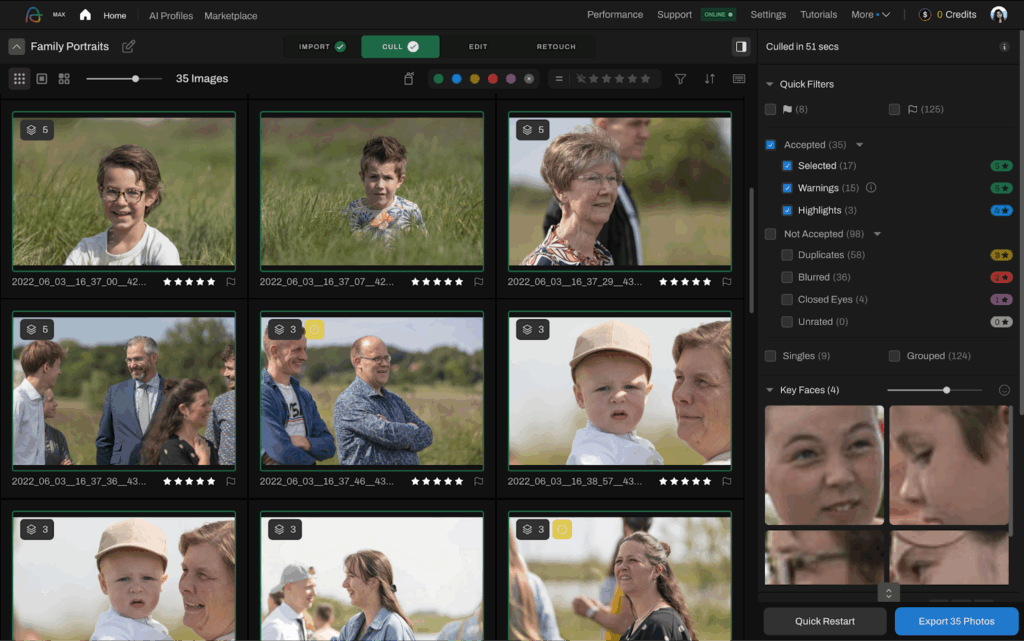
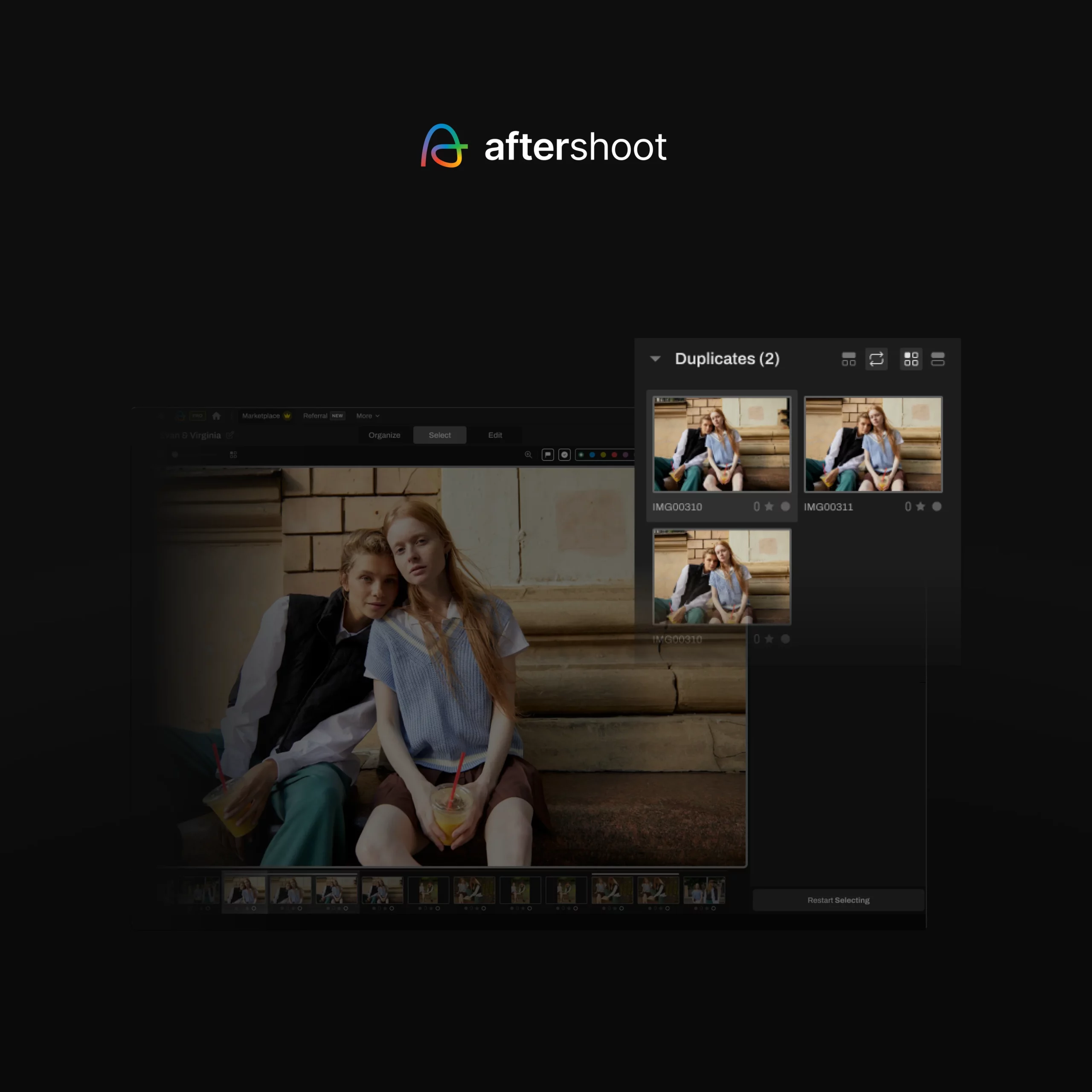
Aftershoot Select is built for the photographer staring at a 4,000-frame wedding on a Monday morning. Import a shoot (RAW or JPEG), choose your genre, and the AI groups duplicates, flags blur and closed eyes, and surfaces its strongest frames. It runs on your own computer, so there’s no upload wait, and it works offline.
What sets it apart is that you choose how much the AI decides:
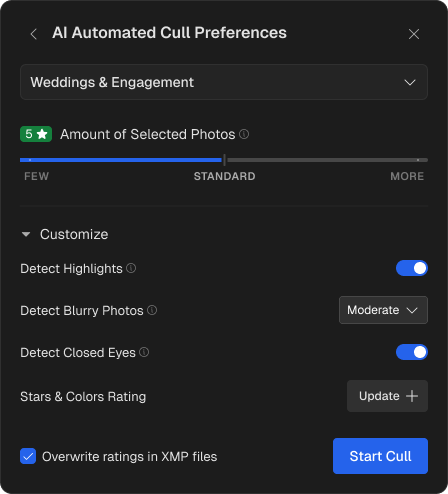
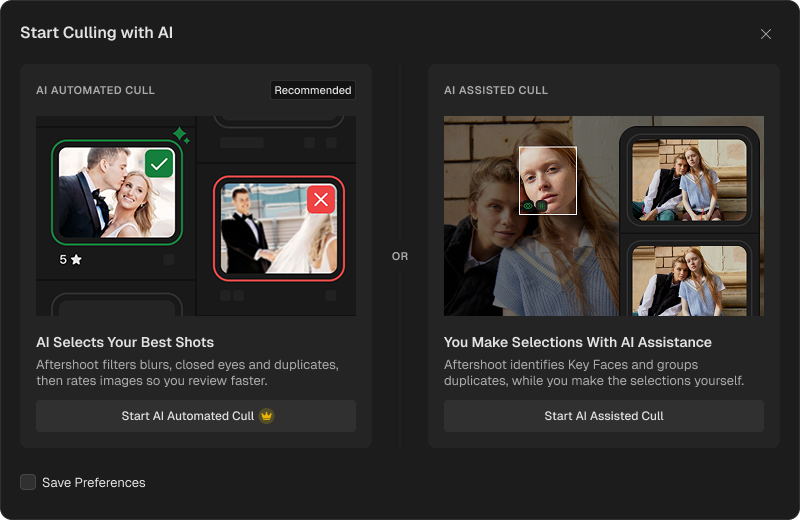
AI-automated culling makes the first pass for you, sorting frames into keepers and rejects. You set how strict it is, from lenient to tight. Or use Cull to Target: tell it you want roughly 600 images from a 4,000-frame wedding, and it builds the selection around that number while keeping coverage across the whole day.
AI-assisted culling leaves every decision with you. Duplicate grouping, key face detection and image scoring do the sorting; you do the choosing.
The review is where your eye takes over. Survey Mode lets you compare up to 16 similar frames side by side, Spray Can sorts images into several categories in one pass (album picks, sneak peeks, client delivery), and People Filters find every frame of a specific guest in seconds. Nothing is ever deleted, so rejects are always one click away. The AI also learns from the swaps you make, so the first pass gets closer to your own picks over time.
Aftershoot says most shoots are fully culled in 20–30 minutes, compared with 3–5 hours by hand. Your number will depend on your hardware, since processing happens locally.
“I love going through and making sure each photo is the way I’d like it, but Aftershoot is like my very reliable assistant that takes care of 70% of my workload.”
– Ashlee Weaver, photographer (20 weddings and hundreds of sessions a year)
Where it falls short: Speed depends on your computer (8GB RAM minimum; some features struggle on integrated graphics). There’s no one-time license, although plans can be paused in slow seasons. And like every AI tool, it can misjudge unconventional artistic frames, a point reviewers on G2 raise too. That’s why the review step matters.
Pricing: Select (culling only) is $10/month billed annually or $15 month-to-month, with unlimited photos and no per-image fees. The Complete plan (culling, editing and retouching) is $45/month billed annually. 30-day free trial with full access, no credit card.
Best for: Wedding, event, family and portrait photographers culling thousands of frames a week who want a head start, not a hand-off.
2. Narrative: Best for Photographers Who Want to Make Every Pick
Narrative (formerly Narrative Select) is built on a different belief: the AI should show you the evidence, and you make every selection. It detects faces, checks focus and eye state for each one, groups the shoot into Scenes, and ranks frames within each scene. It never picks or rejects for you.
The Close-Ups panel is the standout. It shows magnified crops of every face in the frame side by side, which makes group shots much quicker to judge. RAW previews render fast, and you can ship selects straight to Lightroom, Photoshop or Capture One.
Where it falls short: Scenes View and the Close-Ups panel aren’t in the $10 Lite plan, so most working photographers will need Standard. And because every pick is yours, you still review every scene. On a 4,000-frame wedding, that’s a real time cost compared with reviewing an AI shortlist. If you’re weighing the two approaches, here’s how Aftershoot and Narrative compare.
Pricing: Lite $10/month billed annually ($15 monthly); Standard $20/month billed annually ($29 monthly); Premium $40; Ultra $60. All plans include unlimited images. New accounts get a free trial of Ultra with no card; there’s no permanent free plan.
Best for: Portrait, family and editorial photographers who want AI to speed up seeing, not deciding.
3. Imagen: Best if You Already Edit With Imagen
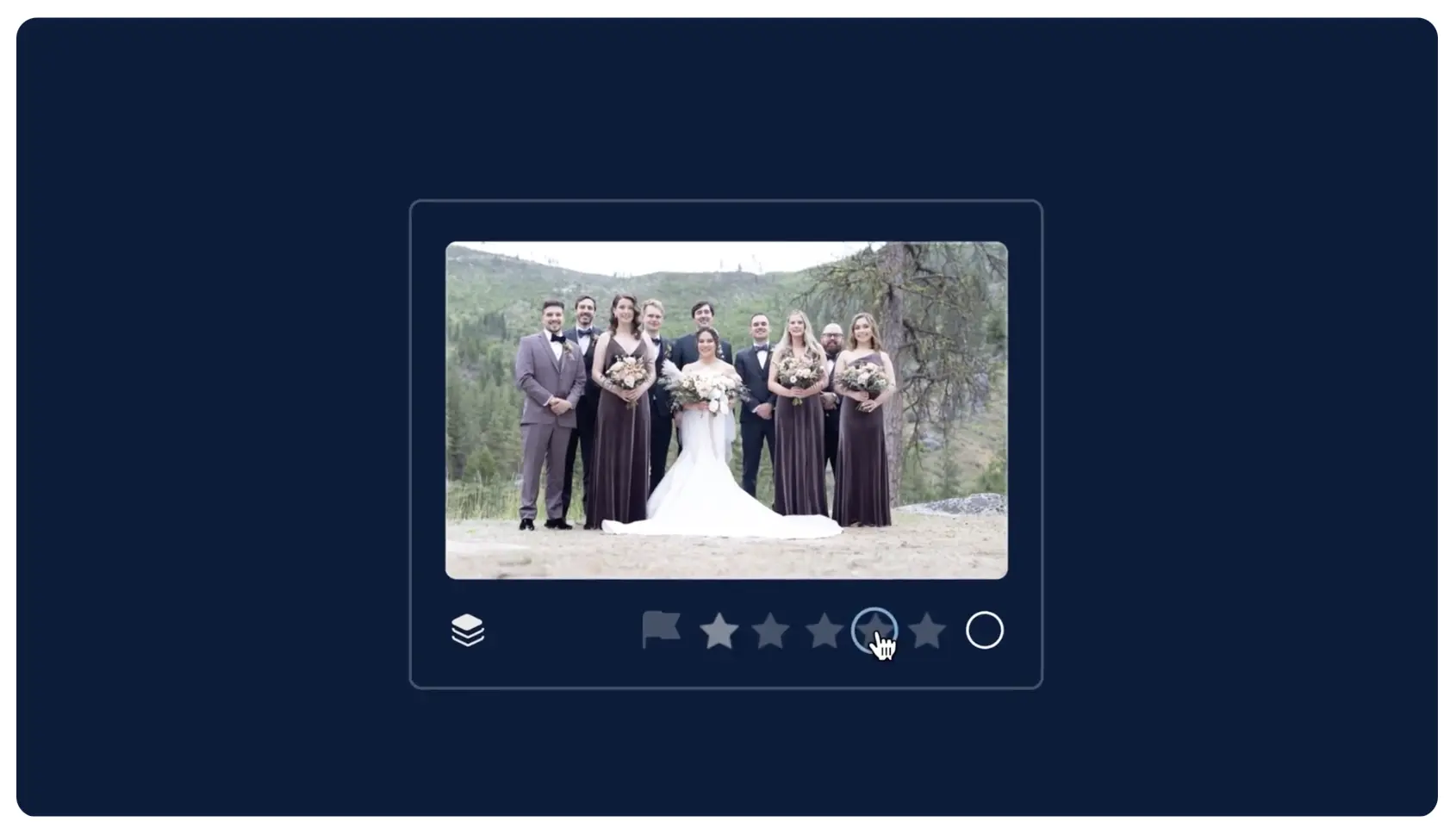
Imagen is best known for AI editing that learns from your Lightroom history, and its culling is designed to feed straight into that. Upload a project, choose how you want photos grouped and rated, review the results, then send your selects to editing with your AI Profile applied.
Two features stand out. Cull to Exact Number lets you set a count or percentage and have the AI pick the best matches. Cull Edited Previews lets you judge frames with your edit already applied, which helps when a shot only works once it’s graded. It also recognizes kisses, so a closed-eyes kiss isn’t thrown out as a blink.
Where it falls short: Culling is cloud-based, so every project has to upload before analysis starts. On a slow venue or hotel connection, that becomes the bottleneck. And the pricing only really makes sense if you’re also paying for Imagen’s editing.
Pricing: Unlimited culling is included in Imagen’s Limitless plan, or available as a flat-fee add-on to its Pay-as-you-go editing plan (which has a $7 monthly minimum). You can cull two projects free. Check Imagen’s pricing page for the current add-on rate.
Best for: Photographers already editing with Imagen who want culling and editing in one cloud workflow.
4. FilterPixel: Best for Deadline Sports, Conference and Concert Work
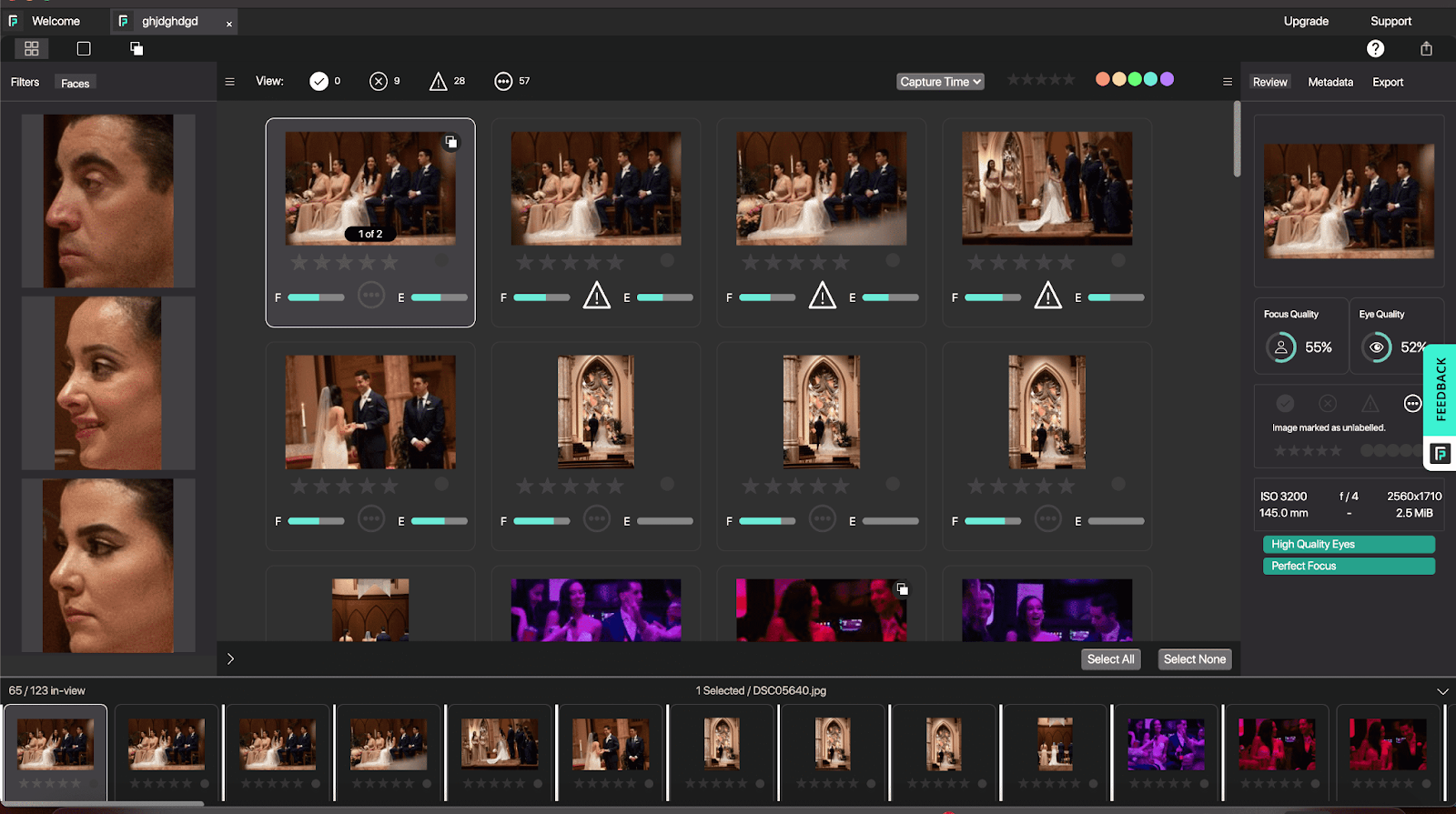
FilterPixel has repositioned around photographers who deliver the same night. Every plan includes unlimited Basic Cull for technical filtering, plus DeepCull, a genre-specific mode (Wedding, Sports, Conference, Concert) that returns a score and a written reason for every selection. That reason is the useful part: when you’re checking picks against a 9 a.m. deadline, you can see why a frame made it instead of re-reviewing everything. The Pro plan adds Magic Number, which returns exactly the number of selects you ask for.
Where it falls short: Processing happens in the cloud, and DeepCull is metered. Standard includes 20 DeepCull shoots a year, Pro 70 and Studio 140, each up to 5,500 photos, with extra shoots at $7.99. A busy wedding season can burn through the Standard allowance quickly, so do the maths before you commit.
Pricing: Standard $14.99/month billed annually ($180/year); Pro $34.99/month; Studio $64.99/month (both billed annually). Free trial with DeepCull shoots included, no card.
Best for: Conference, sports, concert and same-day wedding shooters working to hard deadlines.
5. Excire Foto 2027: Best One-Time Purchase for AI Culling
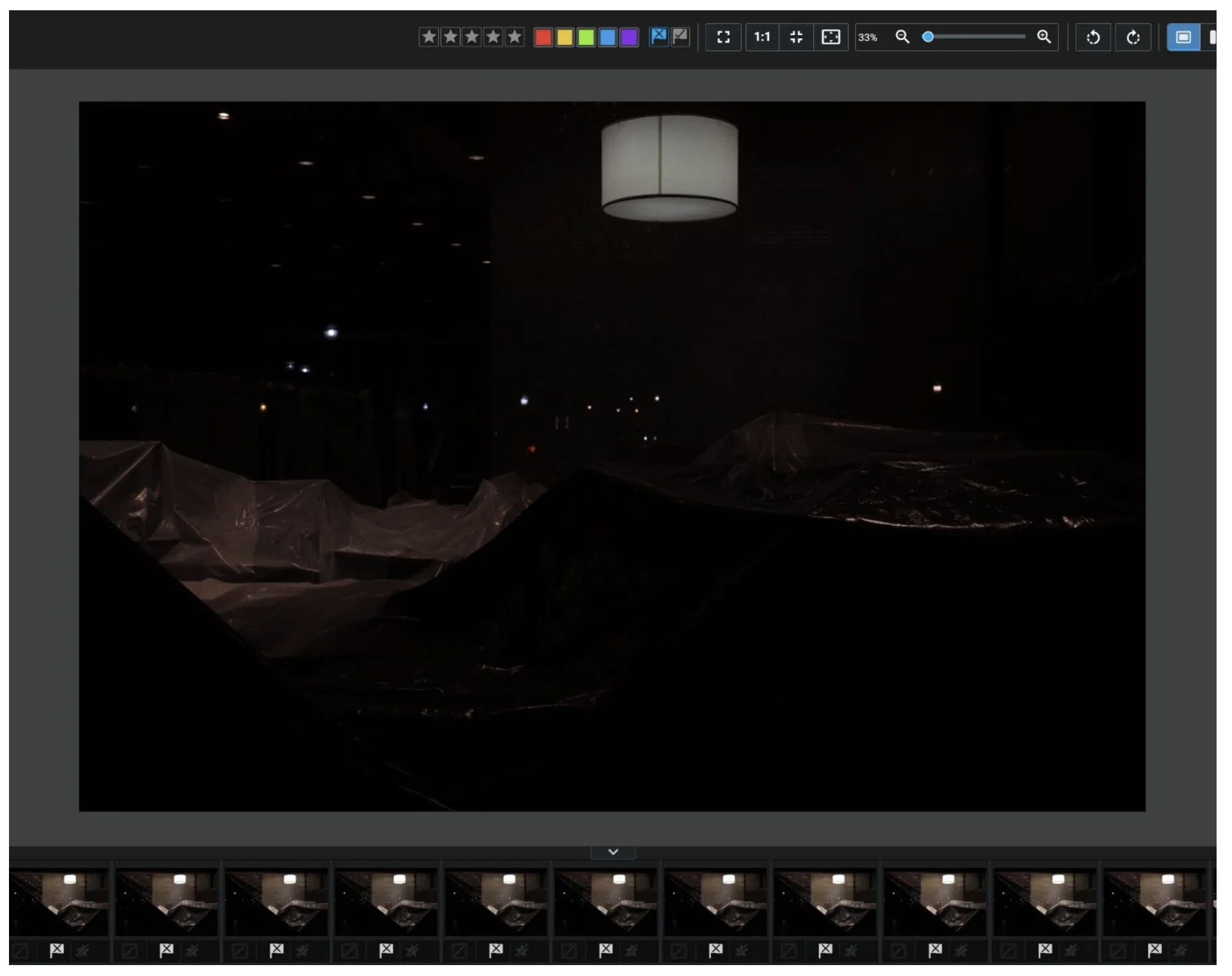
Excire Foto is a photo manager first (AI keywording, face search, even text search inside images), with a capable culling workflow built in. You can have it group frames by visual similarity, sort each group by face sharpness, eye sharpness, expression or an aesthetic score, and optionally pick the best frame from each group automatically. Custom culling profiles let you reuse the same settings shoot after shoot. The 2027 version adds a light-table Survey Mode and focus peaking.
Because its analysis isn’t limited to faces, it’s one of the few AI culling options that makes sense for wildlife and landscape photographers. It runs entirely on your computer.
Where it falls short: The flexibility comes with a learning curve, and there are no editing tools, so you’ll send picks on to Lightroom, Capture One or another editor. Lightroom Classic users can get similar culling inside Lightroom with Excire’s separate Search plugin.
Pricing: $249 one-time license for Mac and Windows. 14-day free trial.
Best for: Photographers who don’t want another subscription, shoot mixed genres, or also need to organize a large archive.
6. Photo Mechanic: Best for Manual Culling and Fast Ingest
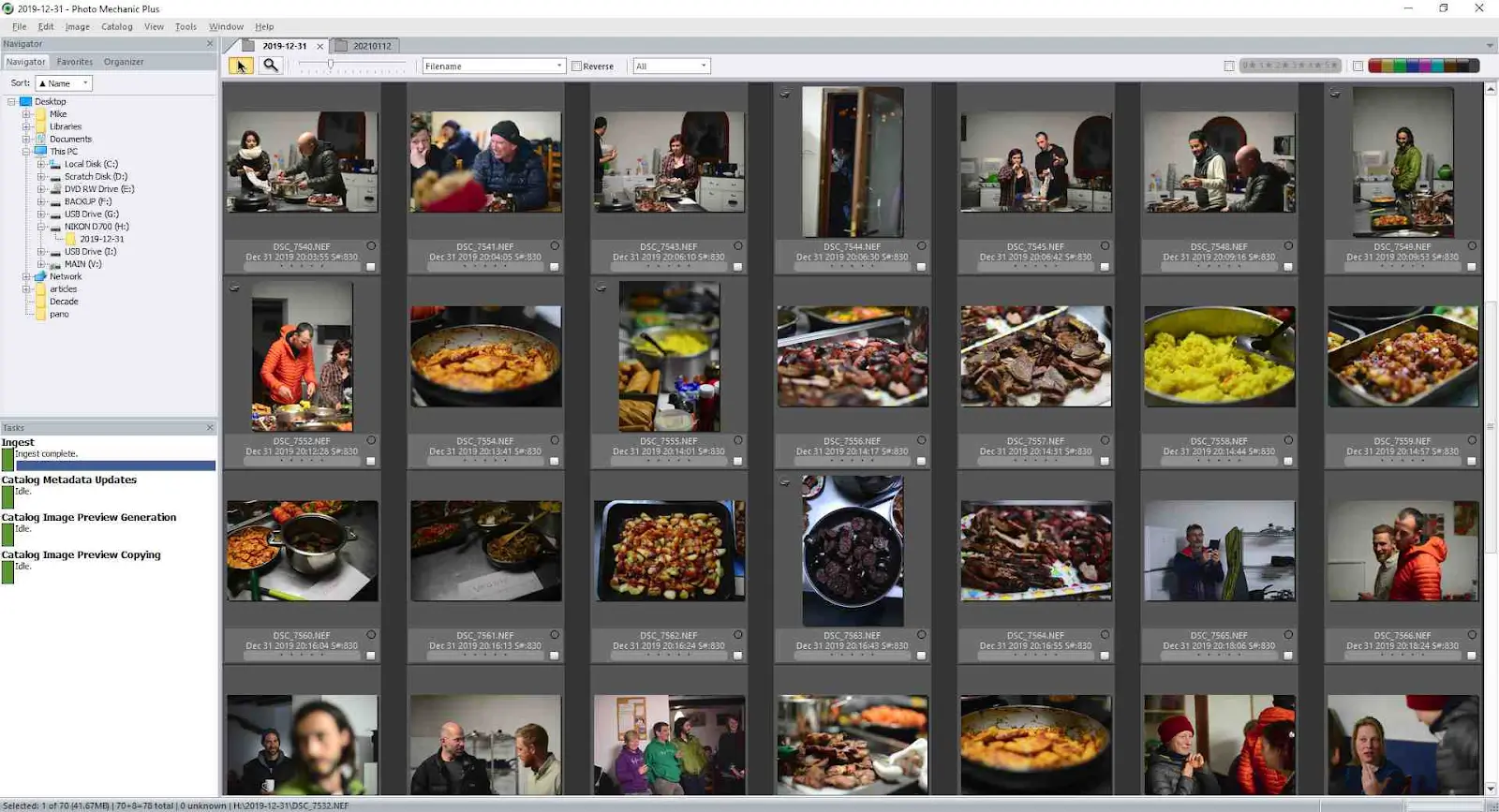
Photo Mechanic doesn’t use AI and doesn’t try to. It ingests cards fast, renders previews almost instantly, and lets you tag, rate, rename and caption with no lag, which is why sports, press and plenty of wedding photographers still run every card through it. You can start culling while files are still copying.
Its metadata tools (IPTC captions, keywords, copyright and code replacements) are still the benchmark for anyone filing to agencies or editors on deadline.
“Photomechanic is much faster to flip through images and tag keepers… Lightroom hesitates between frames.”
Where it falls short: No grouping, blur detection or closed-eye detection. Every decision is yours, so on a 4,000-frame wedding the speed comes entirely from you. Some photographers pair it with an AI tool for the first pass; see how Photo Mechanic compares with Aftershoot.
Pricing: $14.99/month, $149/year, or $299 for a perpetual license with one year of updates. Photo Mechanic Plus, which adds a catalog database, is $24.99/month, $249/year or $399 perpetual. 30-day free trial.
Best for: Photojournalists, sports shooters and anyone whose workflow depends on fast ingest and metadata.
7. Lightroom Classic: Best if You’d Rather Cull Inside Your Editor
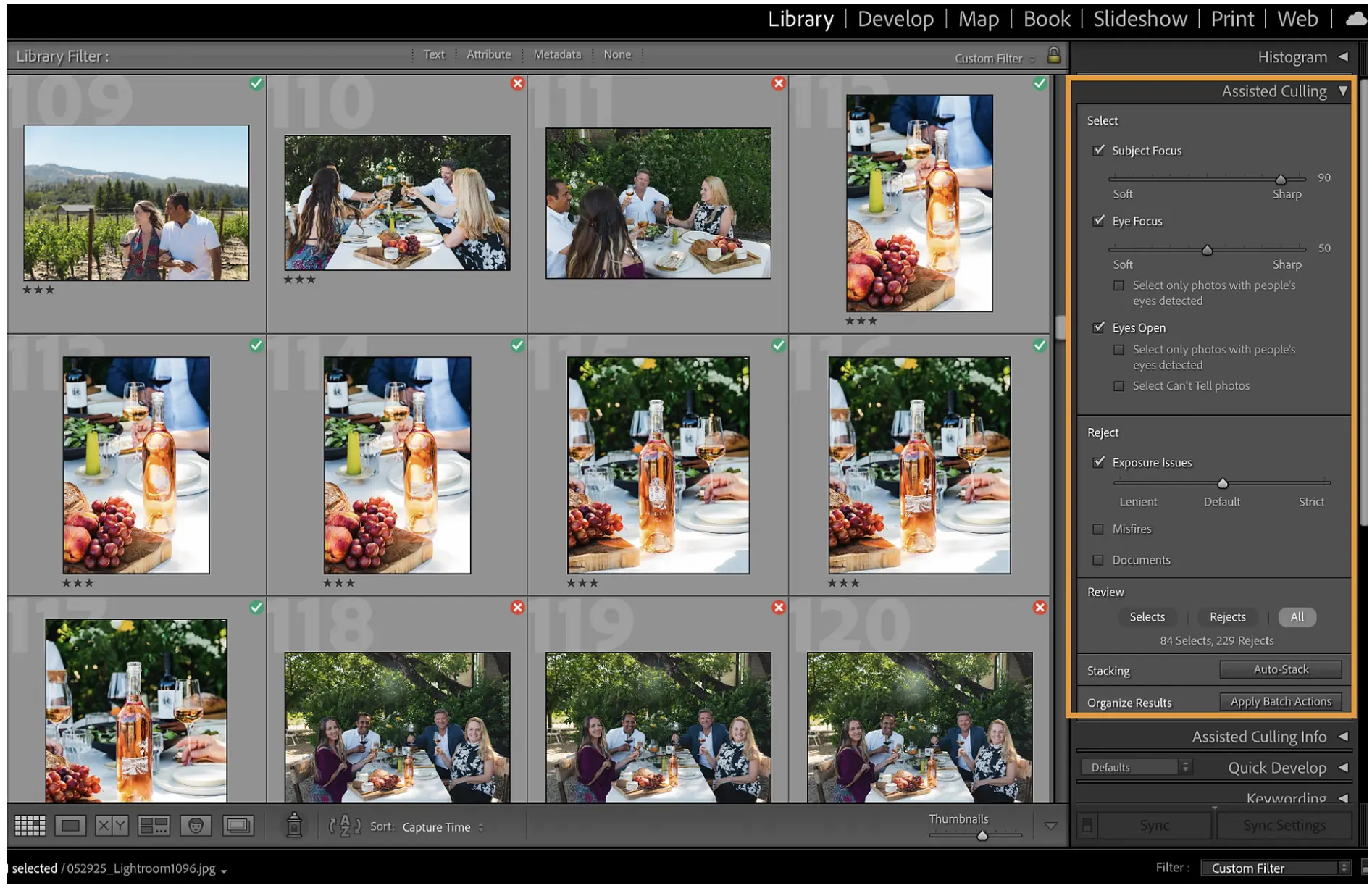
Lightroom Classic (and Lightroom) now include AI Assisted Culling. It checks subject focus, eye focus and whether eyes are open, can reject misfires and exposure problems, and auto-stacks frames by time and visual similarity. In Lightroom Classic you can run it during import, so obvious misses never land in your catalog, or on a folder or collection you’ve already imported.
Where it falls short: The eye checks are built around people, and reviews of its accuracy and speed have been mixed. In Excire’s 1,000-image wedding test, it was slower than the dedicated tools and rejected some sharp frames. It’s a useful first filter for a portrait session; high-volume shooters usually want more. We ran a detailed comparison of Lightroom’s AI culling and Aftershoot if you want the full picture.
Adobe Bridge still works for simple star-and-label passes on small sets, but it has no AI culling.
Pricing: The Lightroom plan (which includes Lightroom Classic) is $11.99/month on an annual plan billed monthly. The Photography plan, which adds Photoshop, is $19.99/month. 7-day free trial.
Best for: Adobe subscribers with lighter volume who’d rather not add another app.
8. Capture One: Best for Studio and Tethered Shooters
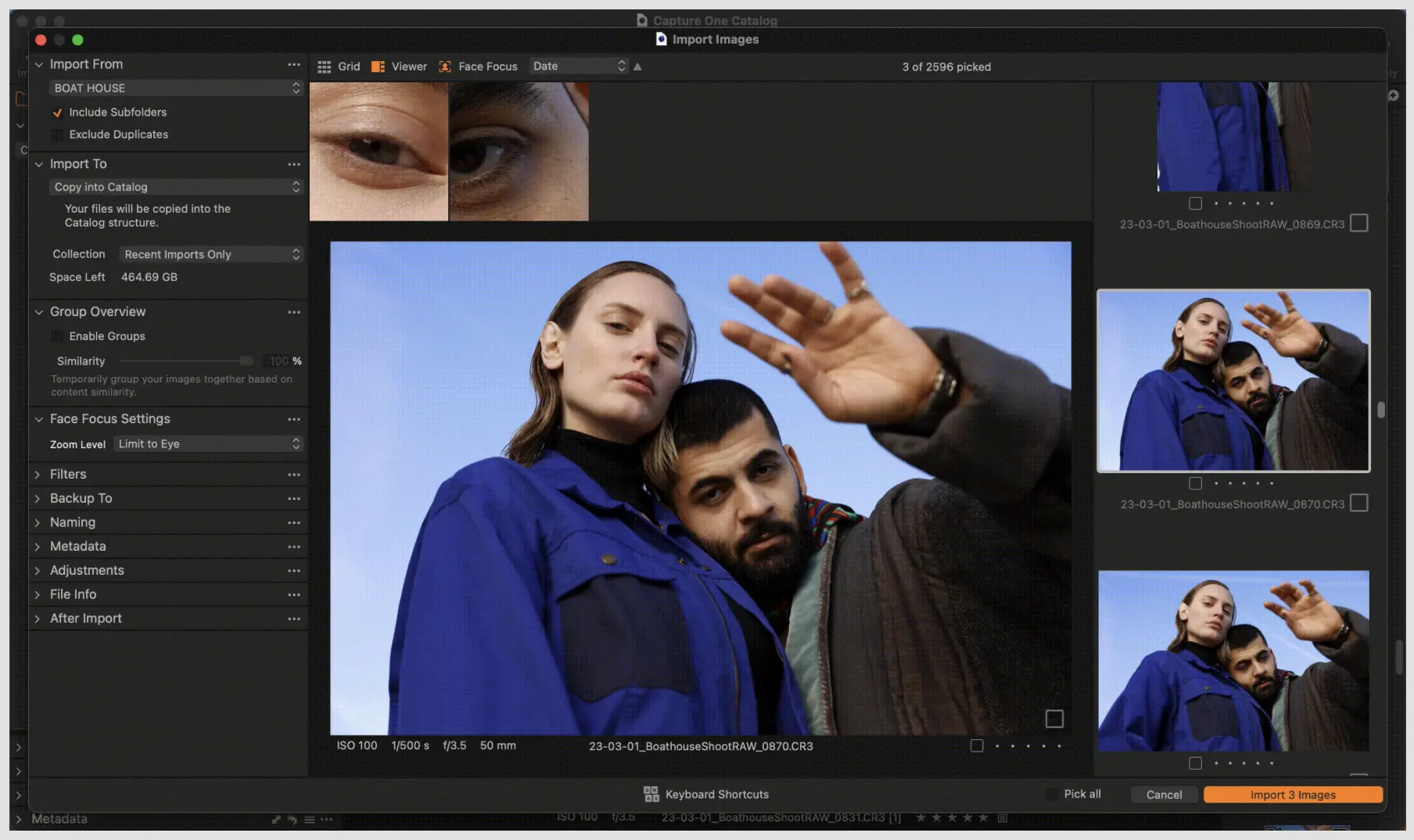
If you shoot tethered or edit in Capture One for its color, culling in the same catalog saves a hand-off. Capture One has a dedicated Cull mode, Face Focus to magnify faces for sharpness and expression checks, and grouping that clusters similar frames with a similarity slider you can adjust in real time.
Where it falls short: It’s a fast manual cull with helpers, not an AI first pass, so large event galleries still take a while. Many Capture One users pair it with a culling tool that exports straight into it; here’s how Capture One compares with Aftershoot.
Pricing: Subscription (Pro, All in One or Studio, monthly or annual) or a one-time Pro license. Prices rose 6% in June 2026, putting Capture One Pro at roughly $18/month on an annual plan. Check Capture One’s site for pricing in your region.
Best for: Studio, commercial and fashion photographers already editing in Capture One.
9. FastRawViewer: Best for Technical RAW Triage
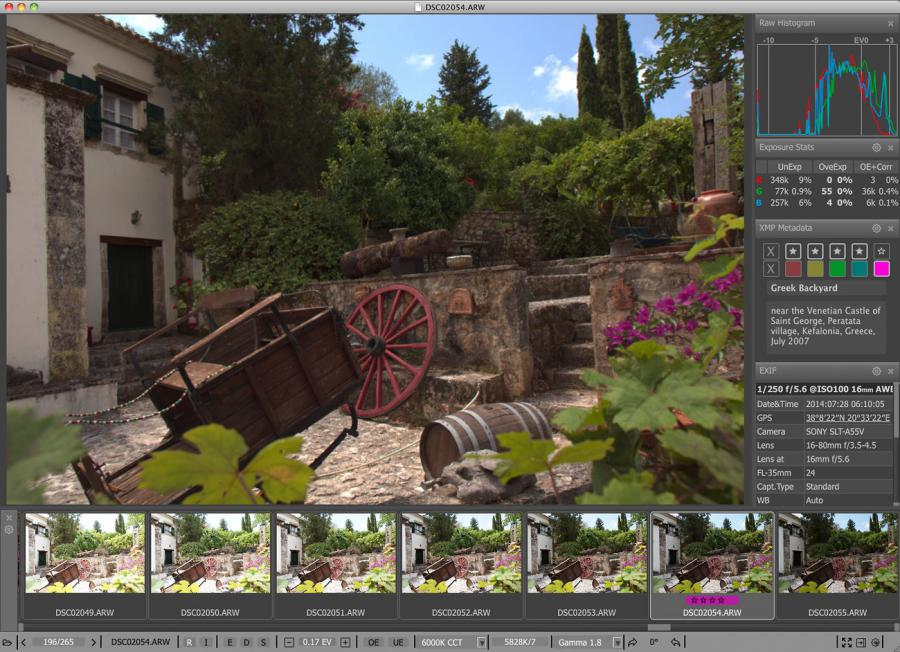
FastRawViewer isn’t a culling tool in the way most photographers think about culling today. It won’t group duplicates, it doesn’t use AI, and it offers little workflow support beyond a tagging pass.
But if your first culling step is technical triage, checking exposure, focus or sharpness before importing into Lightroom, it’s still one of the fastest and most accurate tools for the job.
- It shows actual RAW data, not the embedded JPEG, which matters in tough lighting.
- It renders images instantly, with clipping and focus warnings.
- It supports flags, star ratings and XMP metadata for handoff to Lightroom or Capture One.
It’s not built for high-volume shooters looking to save hours. But for photographers who value technical accuracy over speed or automation, it has earned a small, specific place in hybrid workflows.
Pricing: $23.99 one-time license (activates on two computers). 30-day free trial.
Best for: Photographers who want to catch exposure and focus problems in the actual RAW data before editing, and don’t need AI.
10. Optyx: Best Budget AI Autocull
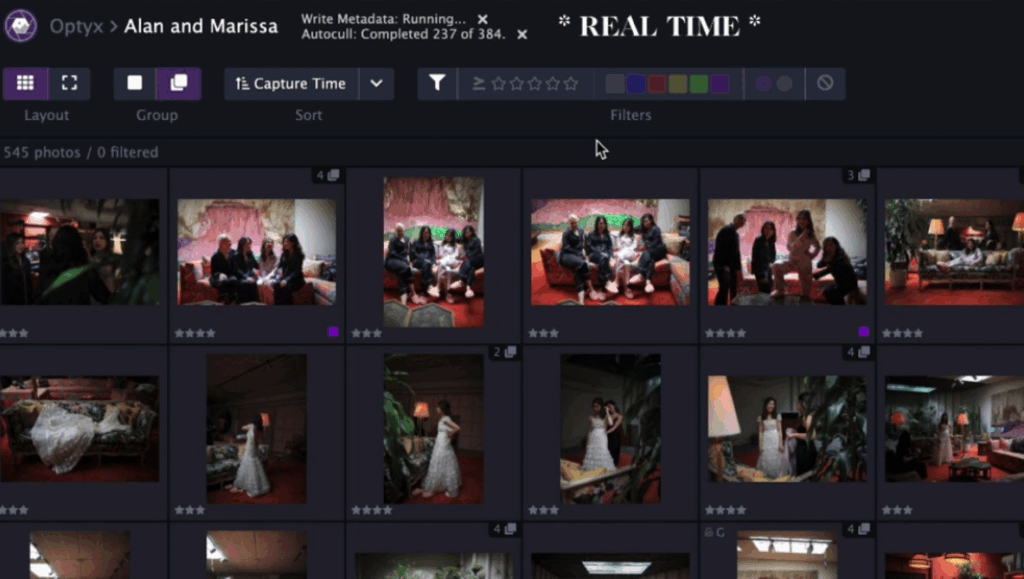
Optyx is a lightweight desktop app for Mac and Windows. It groups similar frames, scores faces for expression, blinks and focus, and can autocull the best of each group. Ratings and color labels are written to standard XMP sidecars, so they show up in Lightroom or Capture One.
Where it falls short: Development looks slow. The site’s Apple Silicon guidance still refers to running it through Rosetta, so check your camera and operating system are supported before relying on it.
Pricing: A free plan covers fast previews and ratings. Pro, which adds the AI features, is $6.99/month billed annually or $9.99 monthly.
Best for: Photographers who want to try AI culling for very little money.
Which Culling Software Should You Choose?
| If You… | Start With | Why |
|---|---|---|
| Shoot 20+ weddings or large events a year | Aftershoot | AI first pass, unlimited flat rate, local processing, and Cull to Target for gallery counts |
| Want AI help but insist on making every pick | Narrative | Scores and groups everything, never selects for you |
| Deliver sports, conferences or concerts the same night | FilterPixel | Genre-specific picks with a reason for each |
| Already edit with Imagen | Imagen | Culled selects go straight to your AI Profile |
| Refuse another subscription | Excire Foto 2027 or Photo Mechanic | One-time licenses |
| Shoot wildlife or landscapes | Excire Foto 2027 | AI analysis isn’t limited to faces |
| File to agencies with captions and keywords | Photo Mechanic | Best-in-class ingest and metadata |
| Already pay for Adobe and shoot lighter sessions | Lightroom Classic | Assisted Culling inside the app you already use |
| Shoot tethered in a studio | Capture One | Cull mode and grouping in the same catalog |
| Want to test AI culling on a tiny budget | Optyx | Free plan, Pro from $6.99/month |
For wedding culling specifically, the deciding factor is usually volume. Under a few hundred frames a session, almost any tool here (including Lightroom) is fine. Past 2,000 frames, an AI first pass you review saves hours, while a manual tool saves minutes.
Why Many Pros Use Two Tools
Most full-time photographers don’t rely on one app. A few combinations come up again and again:
- Photo Mechanic for ingest, then an AI tool for the first pass. Fast card handling and metadata, with the AI doing the grouping and flagging.
- An AI first pass, then Lightroom or Capture One for editing. Only your selects reach the catalog, which keeps it fast.
- FastRawViewer for technical checks, then your editor. Useful for landscape and product work where exposure clipping matters more than expressions.
Our own setup: Aftershoot for the cull, a review pass in Survey and Loupe views to swap in anything the AI missed, then AI editing for a consistent base look before finishing touches in Lightroom. If you’re building yours from scratch, this photo culling workflow walks through each step.
The Bottom Line
There’s no single best culling software. The right tool depends on how much you want the AI to decide.
- Aftershoot: If you shoot high volume and want the first pass done before you sit down, an AI-automated tool saves the most hours. Aftershoot runs it locally, at a flat rate, with unlimited photos.
- Narrative: If you want every pick to be yours, it gives you the evidence faster without making the call.
- Photo Mechanic, Excire and FilterPixel: These still win on manual ingest, one-time pricing and same-night deadlines.
Whichever you choose, test it on a real shoot, not a sample folder. Time the full cull against your usual pace, then check how cleanly your picks land in Lightroom or Capture One. That one test will tell you more than any comparison table, including ours.
Try Aftershoot free for 30 days on your next shoot. No credit card needed.
FAQs for Best Culling Software
Q1. What’s the best photo culling software for photographers overall?
Depends on your workflow. Aftershoot is best for fast-first-pass automation with manual control. Narrative Select offers AI guidance without taking over. Photo Mechanic wins for pure manual speed.
Q2. Is AI culling accurate enough to trust?
For blur, missed focus, closed eyes and near-duplicates, AI culling is reliable enough to use as a first pass. It’s less reliable on subjective calls, like a closed-eyes kiss or the frame your client will love for sentimental reasons. Use it to build a shortlist, then review before delivery.
Q3. What’s the difference between AI-Automated and AI-Assisted Culling?
AI-automated culling proposes a selection of keepers and rejects, and you review and adjust it. AI-assisted culling groups, scores and flags every frame, but you make each pick yourself. Automated is faster on large shoots; assisted keeps you hands-on throughout. Aftershoot offers both modes.
Q4. Does Lightroom have AI Culling?
Yes. Lightroom Classic and Lightroom include Assisted Culling, which checks subject focus, eye focus and open eyes, rejects misfires and exposure problems, and stacks similar frames. It’s convenient if you already subscribe, though dedicated culling tools are generally faster and more configurable for large shoots.
Q5. Is there a free photo culling software?
Optyx has a free plan with fast previews and ratings, and Adobe Bridge is free for simple star-and-label passes. Most AI culling tools offer free trials instead: Aftershoot and Photo Mechanic for 30 days, Excire for 14, and Narrative, FilterPixel and Imagen with limited free projects or shoots.
Q6. Which Culling Software Works Offline?
Aftershoot, Excire Foto, Photo Mechanic, FastRawViewer, Optyx, Lightroom Classic and Capture One all process on your computer. Imagen and FilterPixel process in the cloud, so you’ll need to upload each shoot first, which matters on slow connections or for clients under NDA.