TL;DR
- Culling is now mostly a flat fee. Dedicated AI culling tools cost roughly $7 to $15 a month on annual billing, and none of them charge per photo for culling.
- Lowest price and best value aren’t the same thing. Optyx Pro is the cheapest subscription, and Lightroom’s Assisted Culling costs nothing extra if you already pay for Lightroom. Both score fewer criteria than full culling platforms.
- Aftershoot Select is 10/monthbilledannually(15 billed monthly). That covers unlimited images, AI that adapts to your picks, Cull to Target, and processing that never leaves your computer.
- Watch the tier fine print. Narrative’s $10 Lite plan leaves out its advanced culling tools, which start on the $20 Standard plan. Imagen charges per photo for editing, but culling is a separate flat add-on.
- Occasional shooters have cheaper routes. FilterPixel’s $7.99 single-shoot purchase works out cheaper than any subscription below about 15 shoots a year. Excire Foto sells a one-time license.
- Seasonal photographers can skip annual billing. If you shoot about eight months a year or less, paying month to month usually costs the same as, or less than, an annual plan.
It’s Monday morning after a double-header weekend. Two weddings, roughly 9,000 RAW files, and a sneak peek you promised one couple by Wednesday. You’ve decided this is the season you stop culling by hand. Now you just need to pick a tool.
That’s where things get confusing. One app charges $6.99 a month, another $14.99, a third sells a license you keep forever, and Lightroom may already include something similar. Some comparison articles quote plans that were retired a year ago. Others mix up a tool’s editing price with its culling price.
This guide sorts it out. We checked the current AI photo culling tool pricing for eight tools against each company’s own website in October 2026. Then we worked out the cost per shoot for three different kinds of photographers, so you can compare the number that actually affects your business.
AI Photo Culling Tool Pricing at a Glance
All prices checked on vendor websites in October 2026. Annual prices are shown as a monthly equivalent unless noted.
| Tool | Starting Price | Month-to-Month | How You Pay | AI Culling | Try It Free |
| Aftershoot Select | 10/mo(120/yr) | $15/mo | Flat subscription, modular | Yes, unlimited images | 30 days, no card |
| Narrative | $10/mo Lite, $20/mo Standard | $15 / $29 | Flat subscription, tiered | Yes (full toolset from Standard) | Ultra plan trial, no card |
| FilterPixel | 14.99/mo(180/yr) | Not published | Subscription + DeepCull shoot allowance | Yes | Free DeepCull shoots, no card |
| Imagen | $12/mo culling add-on | $18/mo | Add-on to per-photo editing | Yes | 2 culling projects |
| Optyx | 6.99/mo(83.88/yr) | $9.99/mo | Flat subscription | Yes, on Pro | Free manual plan |
| Excire Foto 2027 | $249 one-time | N/A | Perpetual license | Yes | 14 days |
| Photo Mechanic | $149/yr | $14.99/mo | Subscription or $299 perpetual | No, manual only | 30 days, no payment details |
| Adobe Lightroom | $11.99/mo (annual plan) | Annual commitment | Included in Lightroom plans | Yes, Assisted Culling | 7 days |
These starting prices sit close together. The differences that matter show up in what each price includes, what costs extra, and how the bill behaves across a full year of shoots.
The Four Ways AI Culling Tools Charge You
Every tool on this list falls into one of four billing groups. Knowing the group tells you more about your future bills than the headline price does.
- Flat Subscriptions
You pay a fixed amount each month or year, however many images you run through it. Aftershoot, Narrative, and Optyx work this way, and so does Imagen’s culling add-on. The busier your year, the less each shoot costs you.
- Allowance-Based Subscriptions
You get unlimited basic access, but the premium feature comes with a quota. FilterPixel includes unlimited Basic Cull on every plan. Its genre-aware DeepCull engine, however, is limited to a fixed number of shoots per year, with extra shoots sold individually.
- One-Time Licenses
You buy a version once and keep using it. Excire Foto and Photo Mechanic’s perpetual option work this way. The catch is that new versions or ongoing updates cost extra.
- Bundled Into Software You Already Pay For
Lightroom’s Assisted Culling comes with Adobe’s Lightroom plans, so there’s no separate fee. Imagen’s Limitless plan likewise bundles culling with unlimited editing for one price.
Why Culling Prices Look Different Everywhere You Search
If you’ve seen three different prices for the same tool across three articles, the articles aren’t necessarily wrong. They may simply be out of date. Several companies on this list changed their pricing in 2025 and 2026.
| What Older Articles Say | What’s Current in October 2026 |
| Aftershoot plans called “Essentials,” “Pro,” or “Max” | Modular plans: Select, Edit, Retouch, or the Complete bundle |
| Imagen culling billed per photo | Culling is a flat add-on on pay-as-you-go, or included in Limitless |
| Imagen annual photo packages (18K, 36K, 72K) | No longer offered to new self-serve customers |
| Narrative “Pro” plan | Lite, Standard, Premium, and Ultra |
| Excire Foto 2025 as the latest version | Excire Foto 2027 launched in June 2026 |
Quick check before you buy: Open the vendor’s own pricing page and look for the date on any comparison you’re reading, including this one.
1. Aftershoot AI Photo Culling Tool Pricing
What Aftershoot Select Does
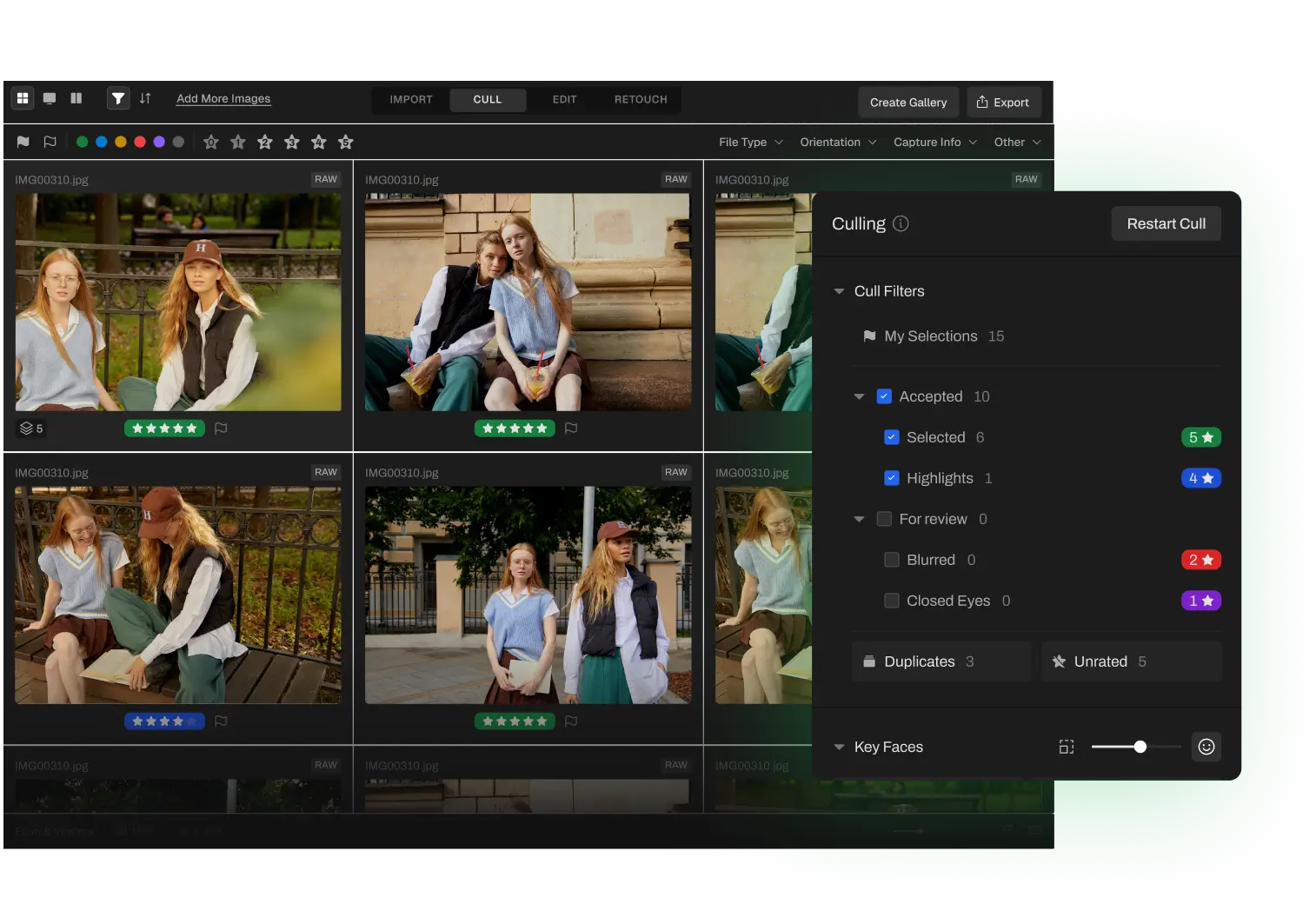
Aftershoot Select handles the first pass for you. It reviews a whole wedding and does three things:
- stacks near-identical burst frames together
- flags blur and closed eyes
- ranks every image by quality
You can let it pick the keepers automatically, or use assisted mode, where the AI organizes and scores while you make the decisions. Either way, the more you correct it, the more its picks start to look like yours.
A feature worth singling out is Cull to Target. If a contract promises 600 images, you enter 600 before the cull begins. Aftershoot then aims for that number on the first pass, while keeping coverage of every part of the day. Our walkthrough on hitting your gallery count with fewer culling rounds shows it in action.
All of this processing happens on your own Mac or PC, with or without an internet connection. You can switch off data sharing on the import screen before anything is analyzed. When you’re done, star ratings and color labels carry straight into Lightroom Classic or Capture One.
What Aftershoot Costs
| Plan | Annual Billing | Monthly Billing | Yearly Total |
| Select (AI Culling) | $10/mo | $15/mo | $120 |
| Edit | $30/mo | $35/mo | $360 |
| Retouch | $20/mo | $25/mo | $240 |
| Complete (all three) | $45/mo | $55/mo | $540 |
There’s no image cap on any plan. Monthly Select subscribers can cancel at any point. Any plan can also be paused once a year for up to three months, and your profiles and settings stay saved during the pause. You can test the full feature set for 30 days before paying, with no card on file. For every possible module combination, see the complete Aftershoot plan breakdown.
Strengths
- Full-featured AI culling at the $10 entry point, with no locked tiers inside the culling plan
- Cull to Target included rather than sold as an upgrade
- Images stay on your machine from import to export
- A month-long free trial
Trade-Offs
- Processing speed depends on your computer. Aftershoot lists 8 GB of RAM as the minimum.
- There’s no pay-per-shoot option for photographers who only shoot occasionally.
“Aftershoot is like my very reliable assistant that takes care of 70% of my workload.”
– Ashlee Weaver, photographer
2. Narrative AI Photo Culling Tool Pricing
What Narrative Does
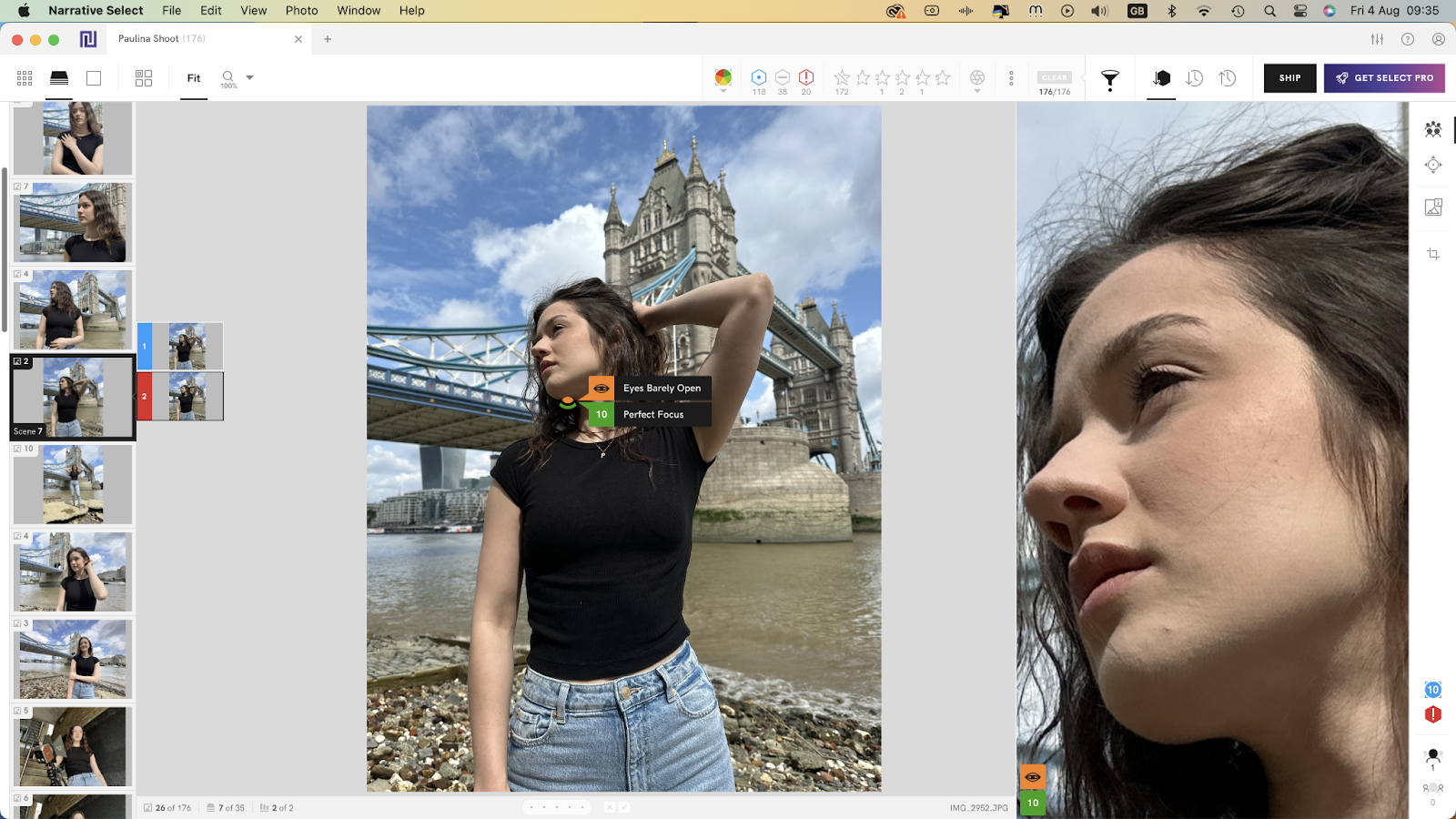
Narrative (still often called Narrative Select) is built around assisted culling. The AI checks focus and eyes, groups a shoot into scenes, and ranks frames, but the keep-or-reject decision is always yours. It’s a good fit for photographers who want the sorting done for them while keeping full control of the final selection. Selects export to Lightroom, Photoshop, and Capture One.
What Narrative Costs
| Plan | Annual Billing | Monthly Billing | Seats | Culling Features |
| Lite | $10/mo | $15/mo | 1 | Fast culling and focus scores; eye and focus checks appear only on hover |
| Standard | $20/mo | $29/mo | 1 | Adds advanced AI culling: Close-Ups Panel, Scenes View, rank ordering |
| Premium | $40/mo | $59/mo | 2 | Adds AI presets trained on your own edits |
| Ultra | $60/mo | $79/mo | 4 | Up to 5 color and 5 B&W trained presets, onboarding |
Every tier includes unlimited images and projects.
The detail that changes the comparison: Lite and Aftershoot Select are both $10, but they aren’t equivalent products. Narrative’s strongest culling tools live on Standard, so $20 a month (annual) is the fairer comparison.
Strengths
- No image caps on any tier
- You make every final selection
- The two- and four-seat plans can be good value for small studios
- The free trial unlocks the top tier
Trade-Offs
- Assisted culling means more review time per gallery than automated selection
- Getting the full culling toolset costs twice the Lite price
3. FilterPixel AI Photo Culling Tool Pricing
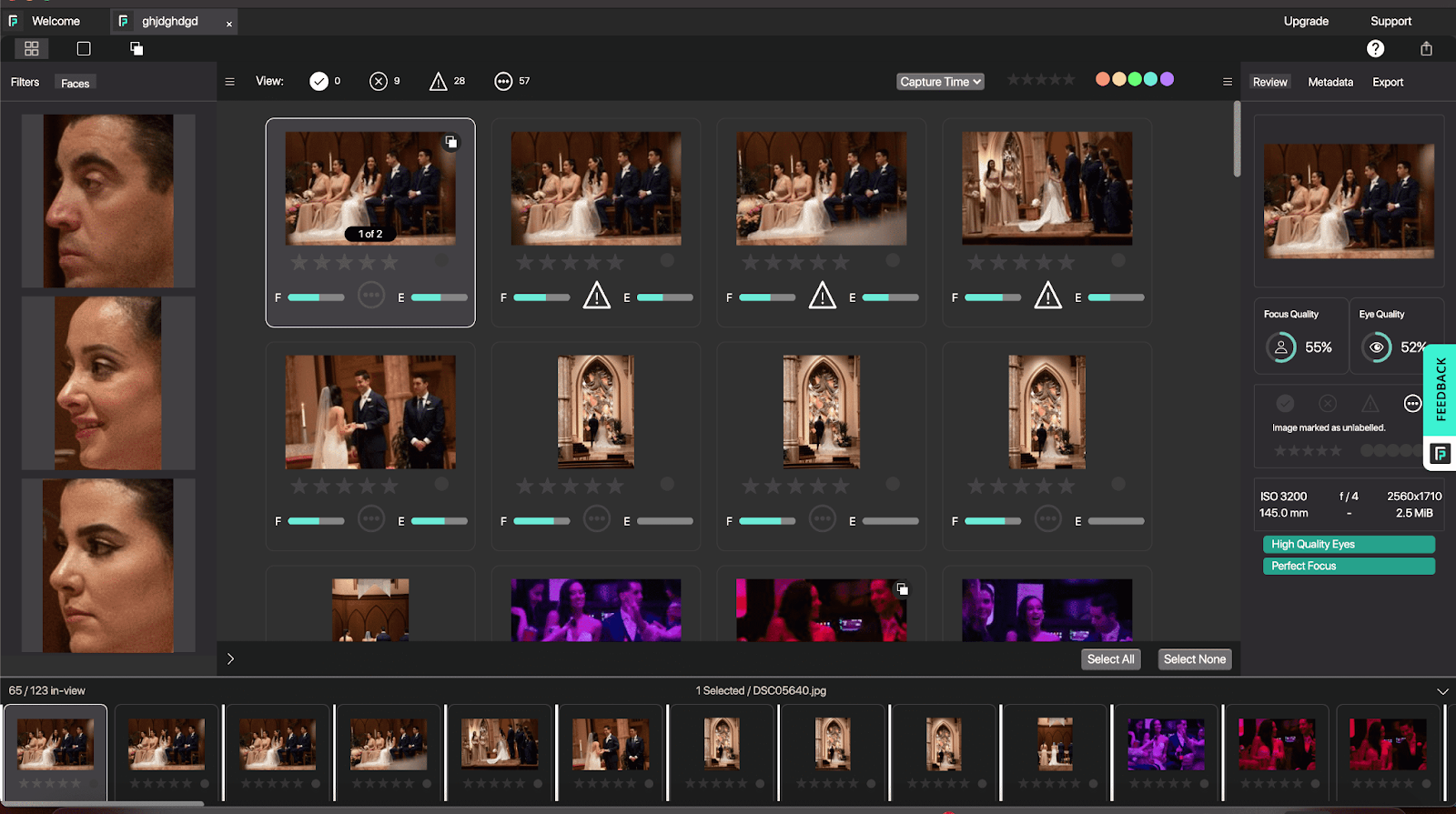
What FilterPixel Does
FilterPixel runs its analysis on cloud servers, so an older laptop won’t slow it down. Its DeepCull engine has separate modes for weddings, sports, concerts, and conferences. It also attaches a score and a short written reason to each frame. Exports go to Lightroom and Capture One.
What FilterPixel Costs
| Plan | Annual Billing | DeepCull Shoots Per Year | Seats | Extras |
| Standard | 14.99/mo(180/yr) | 20 | 1 | Unlimited Basic Cull, every genre mode |
| Pro | 34.99/mo(420/yr) | 70 | 1 | Magic Number (AI culls to a set count), 2 trainable edit profiles |
| Studio | 64.99/mo(780/yr) | 140 | Up to 5 | Team dashboard, VIP support |
Additional DeepCull shoots cost $7.99 each and don’t expire. You can also buy single shoots without any subscription. Each shoot covers up to 5,500 photos, so an 11,000-frame event uses two.
Strengths
- Consistent speed regardless of how old your computer is
- Genre modes built for sports, stage, and conference work
- Single-shoot purchases suit irregular schedules
Trade-Offs
- The headline DeepCull feature is capped, not unlimited
- Culling to a set number of images requires the $34.99 Pro tier
- Every shoot needs uploading, so a slow connection means a slow cull
4. Imagen AI Photo Culling Tool Pricing
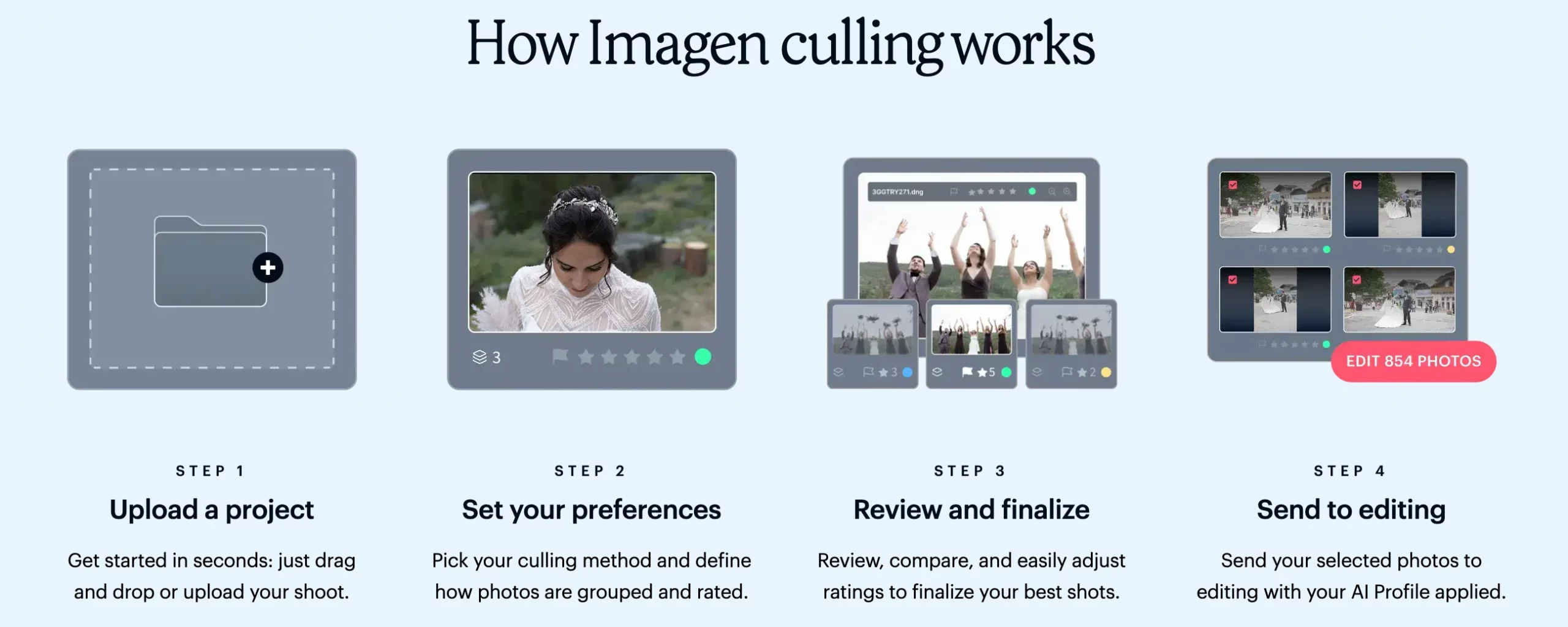
What Imagen Does
Imagen started as an AI editing platform that learns your style from past edits, and culling sits inside the same app. The culler groups similar frames, recognizes faces, spots blinks and blur, and can trim a shoot to an exact number or percentage. Processing happens in the cloud, which means no strain on your computer, but every shoot has to be uploaded first.
What Imagen Costs
Imagen prices editing and culling separately, which is why its costs are so often misreported.
| What You’re Buying | How It’s Billed |
| Culling, for pay-as-you-go users | Flat add-on: $12/mo on annual billing or $18/mo monthly, unlimited culling |
| Editing (pay-as-you-go) | Charged per edited photo, with a $7 monthly minimum that the culling add-on covers |
| AI tools (crop, straighten, subject mask, and similar) | Extra per-photo charges on pay-as-you-go |
| Limitless | One flat fee for unlimited editing, AI tools, and culling. Imagen’s pricing page lists it at US$179/month at the time of writing. |
The detail that changes the comparison: If culling is all you need from Imagen, you’ll pay $12 to $18 a month, not a per-photo rate. Per-photo charges only start once you edit in Imagen.
Strengths
- Cull and edit in one app if you plan to use both
- You can preview your AI editing style on images while you cull
- Limitless offers one predictable bill for heavy editors
Trade-Offs
- Costs more for culling alone than Aftershoot Select or Optyx Pro
- Every shoot requires an upload
- Pay-as-you-go editing and AI tool fees grow with volume
5. Optyx AI Photo Culling Tool Pricing
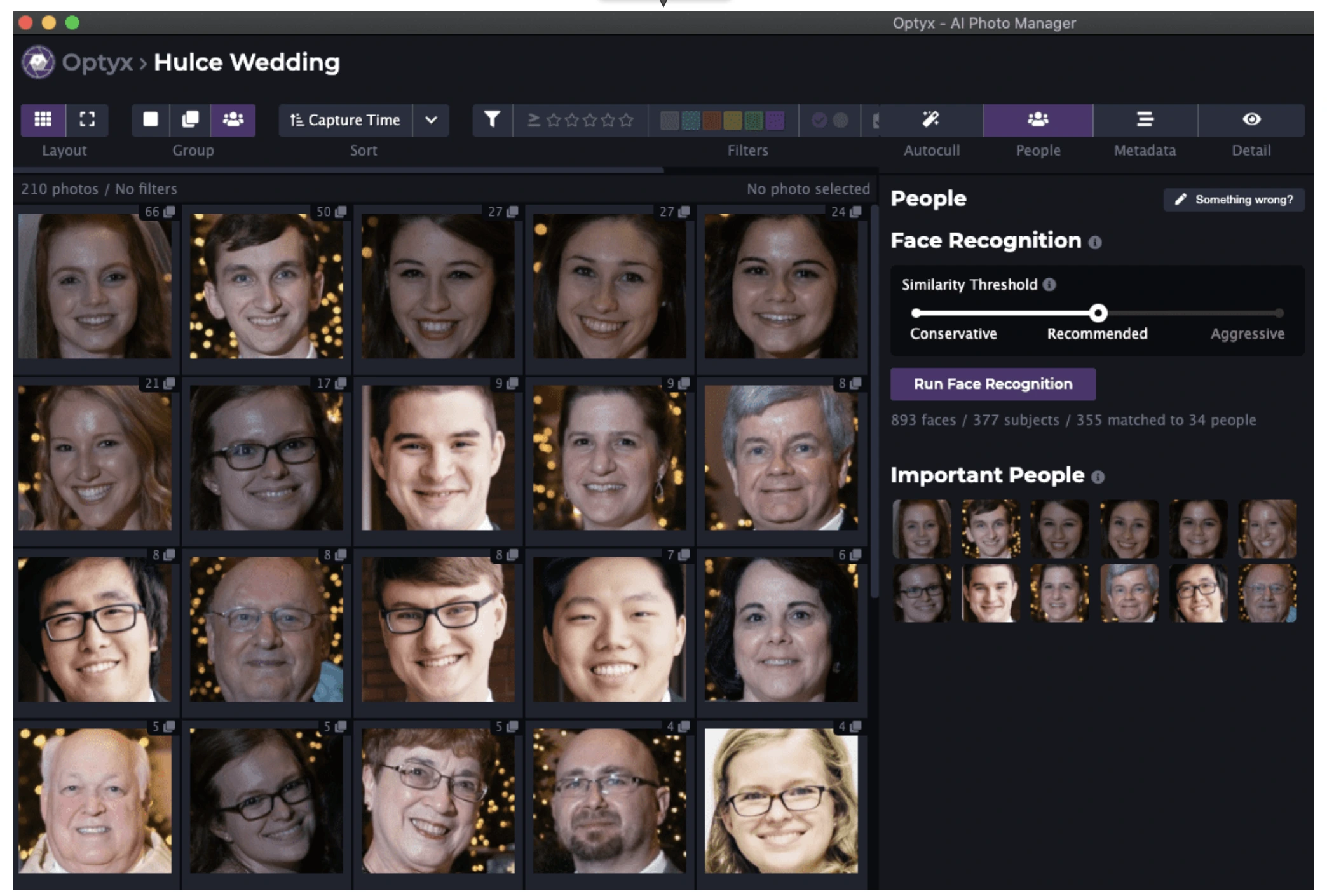
What Optyx Does
Optyx is a lightweight desktop culler for Mac and Windows, now part of Zenfolio. Its Autogroup feature gathers similar frames into stacks. Autocull then picks a winner from each stack based on expression, blinks, sharpness, composition, and exposure.
Optyx saves its ratings and labels to standard XMP sidecar files, so almost any editor can read them. The company says its AI performs best when people are the main subject.
What Optyx Costs
| Plan | Annual Billing | Monthly Billing | Includes |
| Free | $0 | $0 | Fast previews, ratings and metadata, Lightroom compatibility |
| Pro | 6.99/mo(83.88/yr) | $9.99/mo | Autogroup, Autocull, face analysis, focus detection, facial recognition, custom workflow profiles, priority support |
Strengths
- The lowest-priced AI culling subscription in this comparison
- A free tier that’s genuinely useful for manual review
- Works with nearly any editor through XMP
Trade-Offs
- A leaner toolset, with no cull-to-count and no learning from your past selections
- Optyx’s FAQ says Apple Silicon Macs need Apple’s Rosetta 2 compatibility layer installed
- Updates have arrived less often than at larger rivals, so test it on a current shoot first
6. Excire Foto AI Photo Culling Tool Pricing
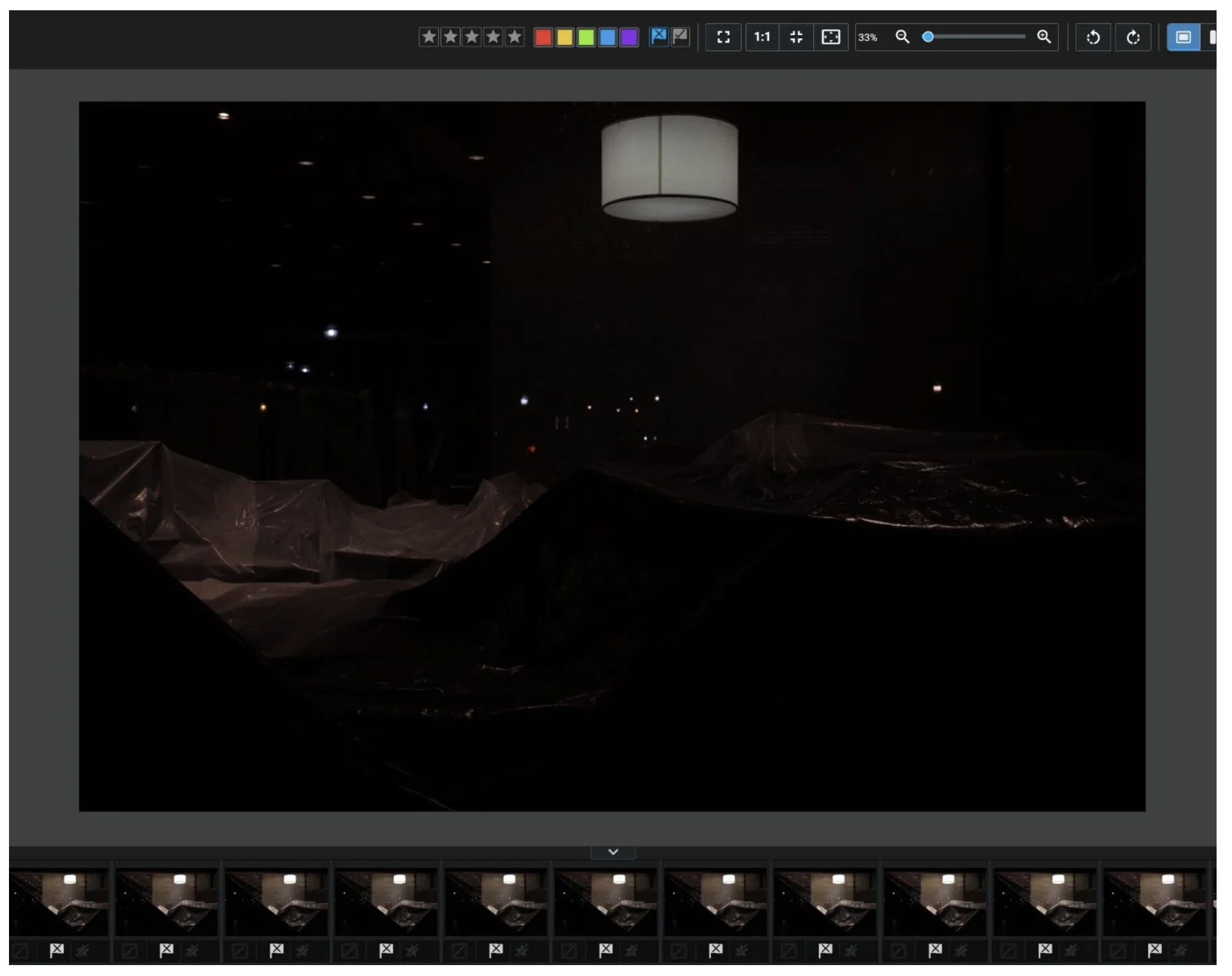
What Excire Foto Does
Excire Foto is primarily an AI-powered photo library, and culling is one module inside it. The culling side covers:
- automatic grouping
- good-shot and bad-shot filters
- aesthetic ratings
- selection profiles you can customize
The 2027 release adds a Survey View and focus peaking for faster side-by-side review. Outside culling, Excire’s strength is search: AI keywording, face search, and even finding text that appears inside a photo. It runs entirely on your own computer.
What Excire Foto Costs
| Option | Price |
| Excire Foto 2027, new license | $249 one-time (launch discounts have dropped it as low as $219) |
| Upgrade from Excire Foto 2025 | $79 |
| Upgrade from Excire Foto 2024 | $99 |
| Excire Search 2026 (Lightroom Classic plugin) | Separate one-time purchase |
Strengths
- No recurring fee. Over several years, it can be the cheapest option if you skip upgrades.
- Runs locally
- Turns your entire archive into a searchable library
Trade-Offs
- The biggest upfront cost here
- Culling is a side feature of a photo-management app
- New features generally arrive through paid version upgrades
- 16 GB of RAM is recommended, plus disk space for its database and previews
7. Photo Mechanic Pricing for Culling
What Photo Mechanic Does
Photo Mechanic has been the speed benchmark for culling for decades, especially for sports, news, and event photographers working to tight deadlines. It’s known for showing RAW previews almost instantly and for its detailed captioning and metadata tools. Photo Mechanic Plus adds catalogs for managing an archive.
Know what you’re buying: Photo Mechanic doesn’t select images for you. It makes manual culling very fast, but you still look at every frame and make every call.
What Photo Mechanic Costs
| Edition | Monthly | Annual | Perpetual |
| Standard | $14.99/mo | $149/yr | $299 one-time |
| Plus | $24.99/mo | $249/yr | $399 one-time |
Perpetual licenses get one year of updates and support. After that, the software keeps working on your last compatible operating system but no longer receives updates. You can trial it for 30 days without entering payment details.
Strengths
- Some of the fastest previews and metadata handling available
- Monthly, annual, or perpetual ownership
Trade-Offs
- No AI selection, so you’re paying for speed rather than automation
- At $149 a year, it costs more than several tools that make the first pass for you
Plenty of working photographers combine the two approaches: Photo Mechanic for ingest and captioning, and an AI culler for choosing the keepers.
8. Adobe Lightroom Assisted Culling Pricing
What Lightroom’s Assisted Culling Does
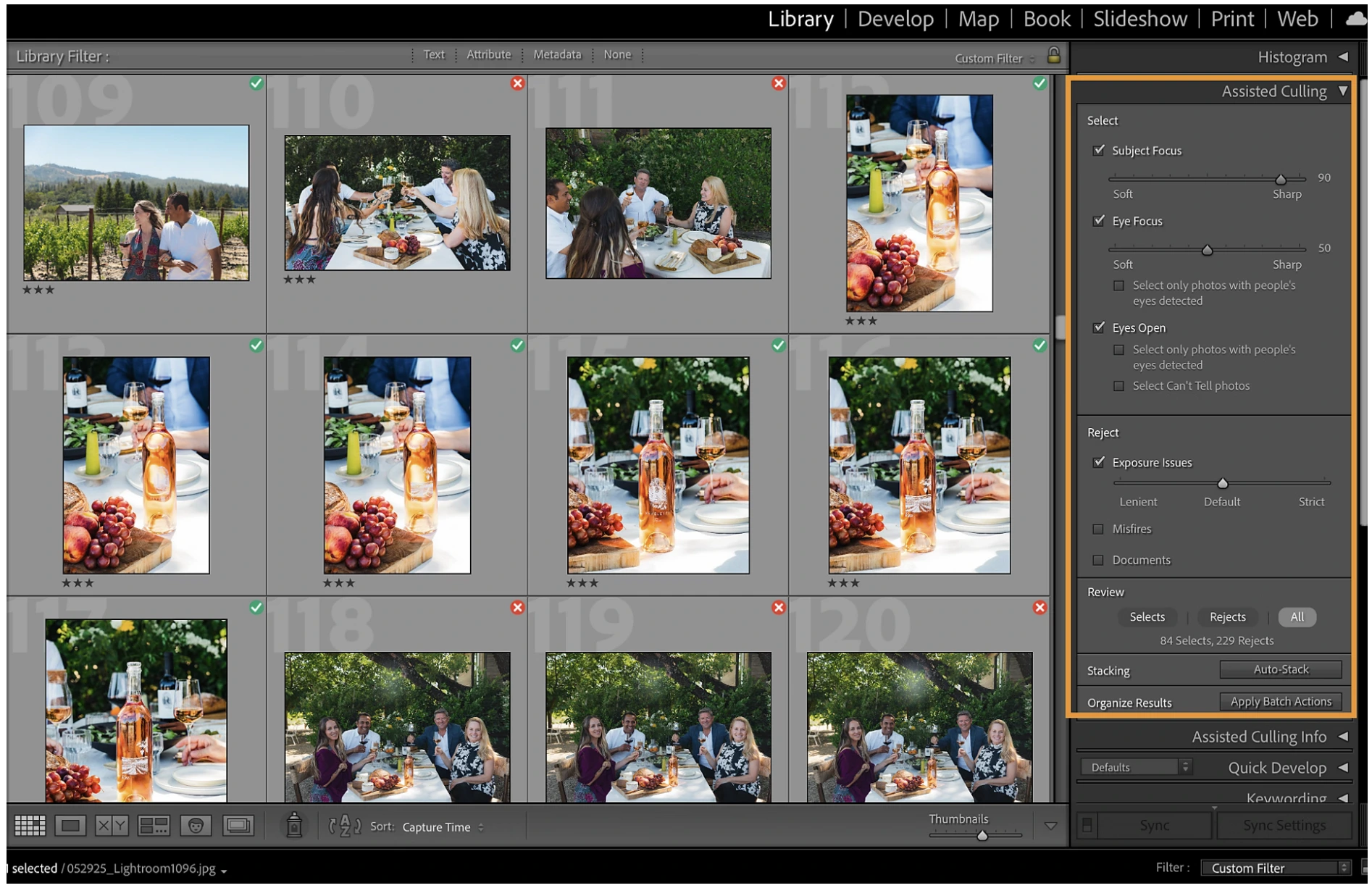
Adobe added Assisted Culling to Lightroom Classic in late 2025 as an early-access feature and has refined it through 2026. It scores each frame on three checks:
- Eyes Open: whether subjects have their eyes open
- Eye Focus: how sharp the eyes are
- Subject Focus: how sharp the subject is overall
You decide how strict each check should be. Recent updates have improved how it treats deliberately shallow depth of field.
What Lightroom Costs
| Plan | Annual Plan, Billed Monthly | What’s Inside |
| Lightroom | 11.99/mo(119.88/yr) | Lightroom on desktop, mobile, and web, plus Lightroom Classic and 1 TB of cloud storage |
| Photography | $19.99/mo | Lightroom, Lightroom Classic, Photoshop, and 1 TB of cloud storage |
Both plans include a 7-day trial. Assisted Culling has no separate fee.
Strengths
- No extra cost if you already pay for Lightroom
- No separate app, export, or re-import step
Trade-Offs
- Only three scoring checks, with no expression analysis or cull-to-count
- In Adobe’s community forums, users report that group shots can confuse the focus score, because Lightroom treats everyone in the frame as “the subject”
- Adobe’s plans are annual contracts even when billed monthly
AI Photo Culling Tool Pricing: Cost Per Shoot at Three Volumes
Monthly prices are hard to compare on their own, so here they are converted into what each tool costs you per shoot across a year. Every figure covers culling only and uses annual billing, unless noted.
Profile 1: The Full-Time Wedding Photographer
25 weddings a year, around 2,000 frames each.
| Tool and Plan | Yearly Cost | Extra Charges | Per Wedding |
| Lightroom Assisted Culling (already subscribed) | $0 extra | None | $0 extra |
| Optyx Pro | $83.88 | None | $3.36 |
| Aftershoot Select | $120 | None | $4.80 |
| Narrative Lite (reduced AI tools) | $120 | None | $4.80 |
| Imagen culling add-on | $144 | None for culling | $5.76 |
| Photo Mechanic Standard (manual) | $149 | None | $5.96 |
| FilterPixel Standard, Basic Cull only | $180 | None | $7.20 |
| FilterPixel Standard, DeepCull every wedding | $180 | 5 extra shoots at 7.99(39.95) | $8.80 |
| Narrative Standard | $240 | None | $9.60 |
| Excire Foto 2027 (first year) | $249 | None | $9.96 |
What this tells you: At full-time volume, every tool costs under $10 per wedding, so the price gap is smaller than one roll of gaffer tape. The real question is what that money buys you:
- how many things the AI judges
- whether it adapts to your taste
- whether it can cull to a target count
- whether your clients’ images stay on your computer
Profile 2: The Part-Time Portrait Photographer
10 sessions a year, around 500 frames each.
| Tool and Plan | Yearly Cost | Per Session |
| Lightroom Assisted Culling (already subscribed) | $0 extra | $0 extra |
| FilterPixel single shoots (no subscription) | $79.90 | $7.99 |
| Optyx Pro | $83.88 | $8.39 |
| Aftershoot Select | $120 | $12.00 |
| Imagen culling add-on | $144 | $14.40 |
| Photo Mechanic Standard (manual) | $149 | $14.90 |
| FilterPixel Standard | $180 | $18.00 |
| Narrative Standard | $240 | $24.00 |
| Excire Foto 2027 (first year) | $249 | $24.90 |
What this tells you: On a light schedule, the cheapest options are software you already pay for, pay-per-shoot pricing, or the lowest-cost subscription. FilterPixel’s single-shoot option and Aftershoot Select cost the same at 15 shoots a year ($120 ÷ $7.99). Beyond that point, the flat subscription costs less.
Profile 3: The Seasonal Photographer
Busy for eight months, quiet for four.
| Tool and Plan | 8 Months, Paid Monthly | 12 Months, Paid Annually |
| Optyx Pro | $79.92 | $83.88 |
| Photo Mechanic Standard | $119.92 | $149 |
| Aftershoot Select | $120 | $120 |
| Narrative Lite | $120 | $120 |
| Imagen culling add-on | $144 | $144 |
| Narrative Standard | $232 | $240 |
What this tells you: For most of these subscriptions, monthly and annual billing cost the same at about eight months of use. If your active season is shorter than that, month-to-month billing is usually the better deal. Excire Foto is a one-time purchase, so this doesn’t apply to it. Lightroom’s plans are yearly contracts, so cancelling mid-term can trigger a fee.
Hidden AI Photo Culling Tool Costs Worth Checking
The price on the plan card isn’t always the full AI photo culling tool cost. Check these extras before you commit:
| Tool | What Can Push the Bill Up |
| Aftershoot | Nothing extra for culling. If you later add Edit or Retouch and then cancel, keeping custom editing profiles costs $4/month. |
| Narrative | The complete culling toolset requires Standard, not Lite |
| FilterPixel | $7.99 DeepCull overages, a 5,500-photo cap per shoot, and Magic Number only on Pro |
| Imagen | Culling and editing billed separately, per-photo AI tool fees, and optional paid cloud backup |
| Optyx | AI features only on Pro |
| Excire Foto | Paid upgrades for major versions; the Lightroom plugin is sold separately |
| Photo Mechanic | Perpetual licenses stop receiving updates after one year |
| Lightroom | An annual contract, and you’re paying for the whole Adobe plan rather than just culling |
Two more costs rarely appear on pricing pages:
- Hardware for local tools. Local tools run on the machine you already own, but an underpowered laptop will feel slow.
- Upload time for cloud tools. Cloud tools depend on your internet connection, and a venue’s weak Wi-Fi can stretch a 4,000-frame upload into hours.
What Your Time Adds to the Comparison
Saving $3 a month on software is easy to calculate. What it costs you in time is harder to see. By Aftershoot’s own estimate, culling a shoot by hand takes three to five hours. With AI doing the first pass, it takes 20 to 30 minutes, including your review.
For the full-time wedding photographer above, saving even three hours on each of 25 weddings adds up to about 75 hours a year. That’s close to two working weeks you could spend booking clients, editing hero images, or simply having your weekends back.
So once you’ve narrowed the list to tools that fit your budget, choose based on how closely the AI’s picks match your own. Every tool here offers a free way to start. Run the same recent gallery through your top two choices and compare. For a side-by-side look at culling quality and speed rather than price, see our guide to the best culling software for photographers.
Matching an AI Culling Tool to How You Work
| If This Sounds Like You | Start Here |
| You shoot 15+ events a year and want full AI culling that adapts to your taste and runs offline | Aftershoot Select |
| You want the AI to organize, but you make every final call | Narrative Standard |
| You shoot sports, concerts, or conferences, or only a few events a year | FilterPixel |
| You already edit in Imagen and want everything in one app | Imagen culling add-on or Limitless |
| You want the lowest subscription price and can work with fewer features | Optyx Pro |
| You’d rather own software outright and also want a searchable archive | Excire Foto |
| You care most about ingest speed, captions, and manual review | Photo Mechanic |
| You already pay for Lightroom and only need a basic blink-and-focus filter | Lightroom Assisted Culling |
Weighing Aftershoot against Imagen in particular? Our Aftershoot vs Imagen comparison covers editing results, workflow, and privacy in detail.
In a Nutshell: Judge AI Photo Culling Tool Pricing by Cost Per Shoot
A pricing page tells you what a tool costs per month. It doesn’t tell you what it costs per gallery once your real season runs through it. Here’s how the eight tools break down:
- Flat subscriptions reward photographers who shoot regularly.
- Single-shoot and one-time licenses suit lighter or irregular schedules.
- Software you already pay for, like Lightroom, is the cheapest starting point, though the most basic.
Your next step: take last year’s shoot count, find the profile above that matches it, and shortlist two tools. Then run one recent gallery through both and keep the one whose selections look most like yours.
If you shoot steadily and want culling that keeps client images on your own computer, try Aftershoot free for 30 days. There’s no card required, so you can cull your next wedding with it before you spend anything.
FAQs for AI Photo Culling Tool Pricing
Q1. Which AI photo culling tool is the cheapest?
If you already subscribe to Lightroom, its Assisted Culling feature adds nothing to your bill. Among standalone tools, Optyx Pro has the lowest subscription at $6.99/month billed annually, followed by Aftershoot Select and Narrative Lite at $10/month. For a handful of shoots a year, FilterPixel’s $7.99 single-shoot option can cost less overall. Cheaper tools generally check fewer criteria, so compare features alongside price.
Q2. Do AI culling tools bill per photo or per month?
Almost all bill per month or per year, with unlimited culling. Aftershoot, Narrative, and Optyx are flat subscriptions. FilterPixel is flat but meters its DeepCull feature by shoot. Excire Foto is a one-time purchase. Imagen charges per photo only for editing; its culling is a flat add-on, or comes included in Limitless.
Q3. Is Aftershoot cheaper than Imagen for culling?
For culling alone, yes. Aftershoot Select costs $120 a year with unlimited images and local processing. Imagen’s culling add-on is 144ayearonannualbilling(12/month), and editing is billed separately per photo on pay-as-you-go. If you also want AI editing, compare Aftershoot’s Select and Edit combination with Imagen’s Limitless plan.
Q4. Does AI culling pricing include editing?
Usually not, unless you choose a bundle. Aftershoot sells AI editing as its own module, or combines culling, editing, and retouching in the $45/month Complete plan. Narrative includes preset-based editing from Standard upward, and FilterPixel includes basic AI editing on every plan. Imagen bills editing per photo, or includes it in Limitless. Optyx, Excire Foto, and Photo Mechanic don’t include AI editing.
Q5. What hidden costs come with AI photo culling software?
The most common are shoot overages (FilterPixel’s $7.99 DeepCull shoots), features locked to higher tiers (Narrative’s advanced culling on Standard), per-photo AI tool fees (Imagen pay-as-you-go), and paid version upgrades (Excire Foto). Cloud tools also depend on fast uploads. Always read the full plan comparison table, not just the headline price.
Q6. Can I test AI culling software before paying?
Yes, every tool here offers a free starting point:
– Aftershoot: 30-day full trial, no card
– Narrative: Ultra plan trial, no card
– FilterPixel: free DeepCull shoots
– Imagen: two free culling projects
– Optyx: a free manual plan
– Excire Foto: 14 days
– Photo Mechanic: 30 days without payment details
– Lightroom: 7 days