

TL;DR
- Aftershoot is a flat-fee subscription with unlimited images. You never pay per photo, so your busiest month costs the same as your quietest.
- Pick only the tools you need. Billed annually, Select (AI culling) is $10/month, Edit (AI editing) is $30/month and Retouch (AI retouching) is $20/month. Billed monthly, they’re $15, $35 and $25.
- Complete is the best value if you use more than one tool. All three cost $45/month billed annually ($55 monthly), which is 25% less than buying them separately. It’s also cheaper than Edit + Retouch ($50/month), and it includes culling.
- Annual billing saves 14–33%, depending on the plan. Monthly billing only comes out cheaper if you’ll use Aftershoot for a limited part of the year: nine months or fewer on Complete, and between 7 and 10 months on the other plans.
- Flat pricing beats per-image tools once you edit roughly 5,250 photos a year. At 25,000 photos, it saves about $1,580 a year compared with a typical per-image tool.
- Try it before you pay. You get a 30-day free trial with full access and no credit card required. Galleries has a free Starter plan with 10 GB of photo storage.
So… you’ve heard the buzz about Aftershoot and you’re wondering, “Alright, but how much is this gonna cost me?” Fair.
Aftershoot pricing is modular, you pick the tools you actually use (culling, editing, retouching) and pay one flat price for each, no matter how many photos you run through them. Use all three and the Complete bundle knocks 25% off.
Below you’ll find every plan and combination, what each one includes, how monthly and annual billing compare, which plan fits which kind of photographer, and how Aftershoot’s cost stacks up against Imagen, Narrative, FilterPixel, Evoto and Lightroom.
Quick answer (prices checked October 2026):
Aftershoot is a flat-fee subscription with unlimited images on every plan. Billed annually, Select (AI culling) is $10/month, Edit (AI editing) is $30/month, Retouch (AI retouching) is $20/month, and Complete (all three) is $45/month, which is 25% less than buying them separately. Monthly billing costs $15, $35, $25 and $55. Every plan starts with a 30-day free trial, no credit card required. Galleries has a free Starter plan with 10 GB of photo storage.
Aftershoot Complete: End-to-End Post-Production, Finally in One Place
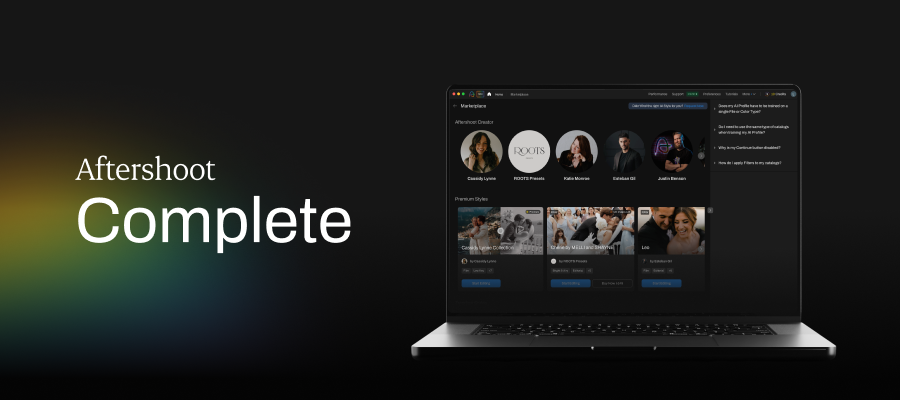
Most photographers stitch together two or three tools to get from card to client. Complete puts AI culling, editing and retouching in one app, so a wedding can go from thousands of RAW files to a delivery-ready gallery without exporting between programs.
Complete costs $45/month billed annually ($540/year) or $55/month billed monthly. Bought separately, the same three modules cost $60 and $75, so the bundle saves 25% on annual billing and about 27% on monthly.
One pricing detail worth knowing: if you want Edit and Retouch, Complete is the cheaper way to get them. Edit + Retouch costs $50/month on annual billing; Complete costs $45 and adds culling. And if you’re already paying $40 for Select + Edit, retouching costs just $5 more a month through Complete.
Aftershoot Pricing at a Glance (2026)
| Plan | Per Month (Billed Annually) | Per Month (Billed Monthly) | Annual Total | Cost per Year if Billed Monthly | Bundle Discount |
|---|---|---|---|---|---|
| Complete (Select + Edit + Retouch) | $45 | $55 | $540 | $660 | 25% annual / ~27% monthly |
| Select | $10 | $15 | $120 | $180 | — |
| Edit | $30 | $35 | $360 | $420 | — |
| Retouch | $20 | $25 | $240 | $300 | — |
| Select + Edit | $40 | $50 | $480 | $600 | — |
| Select + Retouch | $30 | $40 | $360 | $480 | — |
| Edit + Retouch | $50 | $60 | $600 | $720 | — |
Prices in USD, checked against Aftershoot’s pricing page in October 2026. All plans include unlimited images. Only the Complete bundle carries a discount; two-module combinations are priced as the sum of their parts. Check the Aftershoot pricing page before you buy, since sale prices can apply.
How Aftershoot Pricing Works
Three things make Aftershoot’s pricing different from most AI photo tools:
- Plans are modular: instead of the old fixed Essentials, Pro and Max tiers, you pick the tools you need.
- Flat fee, unlimited images. No credits, per-photo charges or shoot caps on any plan (more on why that matters below).
- Local processing. Culling, editing and retouching run on your own Mac or PC, so there are no upload fees or cloud storage add-ons for processing, and you can work offline. You will need at least 8 GB of RAM.
Flat Fee vs Per-Image Pricing: Why Unlimited Images Matter
AI photo tools charge in one of two ways. Per-image tools (pay-as-you-go plans or credit packs) charge for every photo you edit or export. Flat-fee tools charge the same subscription however many photos you process.
Per-image pricing looks cheap when you’re starting out. The catch is that your bill grows with your success: a busy wedding season, a second shooter, or one extra round of client favourites all add to it. Flat pricing works the other way: the more you shoot, the less each photo costs.
Here’s how that plays out over a year, using a typical per-image rate of $0.05 per edited photo, $0.03 per photo for AI crop, straighten and masking, and $120 a year for culling:
| Photos Edited per Year | Typical Per-Image Tool | Aftershoot Complete (Unlimited) | Difference |
|---|---|---|---|
| 5,000 | $520 | $540 | Per-image is $20 cheaper |
| 10,000 | $920 | $540 | Aftershoot saves $380 |
| 25,000 | $2,120 | $540 | Aftershoot saves $1,580 |
| 50,000 | $4,120 | $540 | Aftershoot saves $3,580 |
The break-even point is roughly 5,250 photos a year (about 440 a month). Below that, a pay-as-you-go tool can cost less. Above it, the flat fee wins, and every extra photo costs you nothing. At around 700 edited images per wedding, that’s seven or eight weddings a year.
Example rates mirror the comparison calculator on Aftershoot’s Edit page; actual per-image prices vary by tool and plan, so check the vendor’s pricing page for your own numbers.
Aftershoot Plans and Pricing, Module by Module
Complete (Select + Edit + Retouch Pricing)
The best value if you use more than one tool.
Best for: full-time wedding, event and portrait photographers who cull, edit and retouch every gallery.
Complete (Select + Edit + Retouch) Pricing
| Yearly subscription | $540 |
| Monthly cost of yearly subscription | $45 |
| Monthly subscription | $55 |
Select
For photographers who want faster selections but prefer to edit by hand in Lightroom Classic or Capture One. It’s the lowest-cost way into Aftershoot.
Aftershoot Select includes:
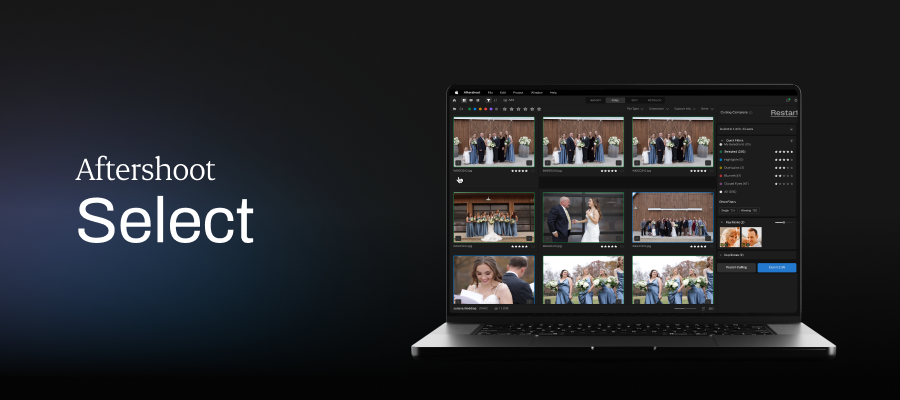
- Unlimited AI culling in two modes: AI-Automated (Aftershoot makes the first pass and surfaces your keepers) or AI-Assisted (it groups, scores and flags while you make every call)
- Cull to Target: set the image count you promised the client before the cull starts
- Smart duplicate grouping, blur and closed-eye detection, Key Faces detection
- Survey Mode, Spray Can tool and People Filters for faster review
- Export ratings and labels to Lightroom Classic, Capture One, Photo Mechanic and Bridge
- Offline processing; your originals are never deleted or changed
Learn more about Aftershoot’s AI culling.
Aftershoot Select Pricing
| Yearly subscription | $120 |
| Monthly cost of yearly subscription | $10 |
| Monthly subscription | $15 |
Edit
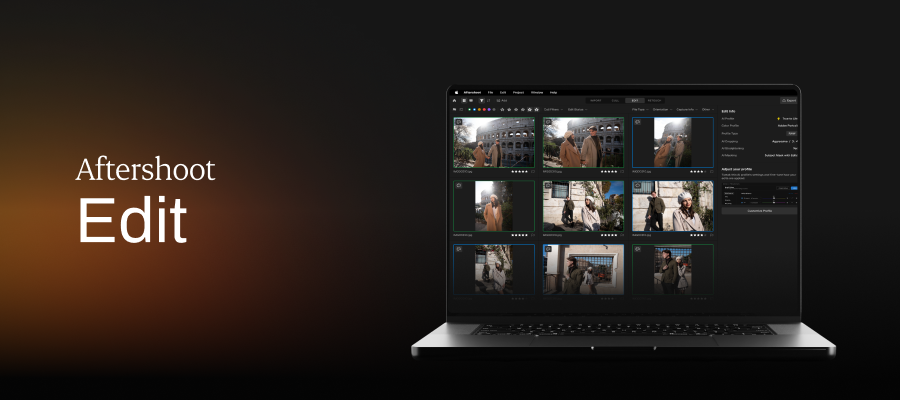
For photographers who want consistent AI edits in their own style. Edit learns from your past Lightroom Classic or Capture One edits, or lets you start from a preset or a creator style, then applies that look across the whole gallery.
Aftershoot Edit includes:
- Personalized AI Profiles trained on your own edited images (2,500 minimum; 5,000+ recommended)
- Instant AI Profiles that turn a Lightroom preset into an adaptive AI style
- 30+ pre-built AI styles from pro photographers on the Aftershoot Marketplace
- AI subject and background masking, smart crop (including Portrait & Headshot Crop) and straighten
- Aftershoot Develop, a built-in RAW editor for manual tweaks, plus one-click export to Lightroom, Capture One or Photoshop
See how AI editing that learns your style works.
Aftershoot Edit Pricing
| Yearly subscription | $360 |
| Monthly cost of yearly subscription | $30 |
| Monthly subscription | $35 |
Retouch
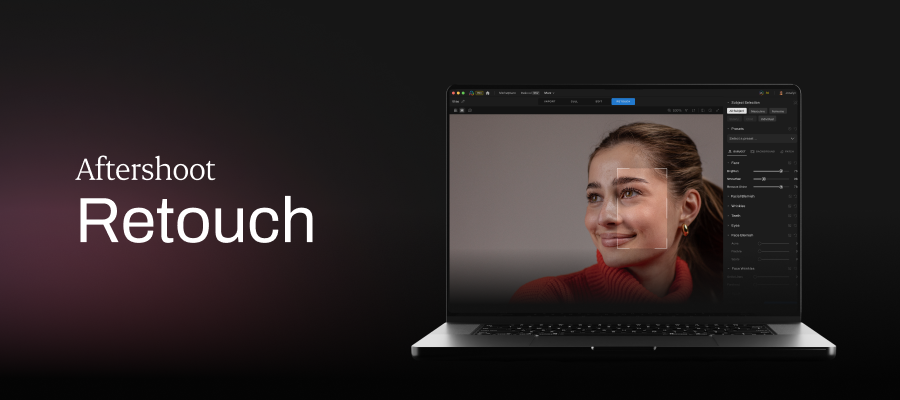
For portrait, headshot, newborn and wedding photographers who spend their evenings on skin and cleanup. Retouch applies natural, adjustable retouching across a full gallery and works on its own or alongside Edit.
Aftershoot Retouch includes:
- Skin smoothing and blemish, wrinkle, eye bag and dark circle removal that keeps skin texture
- Stray hair, glasses glare and face shine removal; teeth whitening
- Cloth dewrinkle, object and people removal, and background replacement for headshots
- 10 built-in retouch presets (plus your own), with per-image sliders and one-click sync across a batch
Explore AI retouching features.
Aftershoot Retouch Pricing
| Yearly subscription | $240 |
| Monthly cost of yearly subscription | $20 |
| Monthly subscription | $25 |
Select + Edit
The classic pairing for photographers who want both fast culling and consistent edits in their style. At $40/month on annual billing, it’s $5 less than Complete, so if you ever retouch portraits, Complete is usually the better buy.
Select + Edit Pricing
| Yearly subscription | $480 |
| Monthly cost of yearly subscription | $40 |
| Monthly subscription | $50 |
Select + Retouch
Great for photographers who cull in Aftershoot and want AI retouching layered in without a full editing subscription.
Select + Retouch Pricing
| Yearly subscription | $360 |
| Monthly cost of yearly subscription | $30 |
| Monthly subscription | $40 |
Edit + Retouch
For photographers who cull by hand (or in Photo Mechanic) but want AI editing and retouching. Before choosing it, compare it with Complete: Edit + Retouch costs more than the full bundle.
Edit + Retouch Pricing
| Yearly subscription | $600 |
|---|---|
| Monthly cost of yearly subscription | $50 |
| Monthly subscription | $60 |
Monthly vs Annual Billing: Which Costs Less?
Short answer: Pick annual if you shoot most of the year; it’s 14–33% cheaper depending on the plan. Pick monthly if you’re testing Aftershoot beyond the free trial or only using it for a limited time in the year (nine months or less, on the Complete plan; and seven to ten months on other plans).
Either way you get the same features and unlimited images.
Annual billing is paid up front. Monthly billing only comes out ahead if you’d genuinely use Aftershoot for fewer months than the break-even point below.
| Plan | Annual Cost | 12 Months Billed Monthly | You Save Annually | Monthly Is Cheaper If You Use It Fewer Than |
|---|---|---|---|---|
| Select | $120 | $180 | $60 (33%) | Up to 7 months (8 costs the same) |
| Edit | $360 | $420 | $60 (14%) | Up to 10 months |
| Retouch | $240 | $300 | $60 (20%) | Up to 9 months |
| Select + Edit | $480 | $600 | $120 (20%) | Up to 9 months |
| Complete | $540 | $660 | $120 (18%) | Up to 9 months |
Seasonal shooter? Remember you can also pause any plan once a year for up to three months (details below), which can make annual billing work even with a quiet winter.
Which Aftershoot Plan Is Right For You?
| If You… | Start With | Price (Billed Annually) |
|---|---|---|
| Love editing by hand but dread culling | Select | $10/mo |
| Want culling plus AI edits in your own style | Select + Edit | $40/mo |
| Shoot portraits or headshots and mainly need skin and cleanup work | Retouch or Select + Retouch | $20–$30/mo |
| Want editing and retouching | Complete (cheaper than Edit + Retouch) | $45/mo |
| Shoot weddings or events every week and do all three stages | Complete | $45/mo |
| Shoot seasonally | Any plan on monthly billing, or annual + a 3-month pause | From $15/mo |
Not sure yet? Start with the free trial below and see which modules you actually reach for before you pick a plan.
Aftershoot Free Trial: Here’s What You Get
Every new account starts with a 30-day free trial with full access and no credit card required. That means:
- All three tools: culling, editing and retouching, not a cut-down version
- No card on file: there’s nothing to cancel if you decide it isn’t for you
- No per-image fees: run as many real client galleries through it as you like
The best way to use the trial is to run one recent, full shoot through it, from cull to edit to retouch, and compare the results with what you delivered. When the 30 days are up, pick the modules you actually used.
What Happened to Aftershoot Essentials, Pro and Max?
Before May 28, 2026, Aftershoot sold four tiers: Selects, Essentials, Pro and Max. They were replaced by today’s modular plans when Aftershoot launched Complete and AI Retouching came out of beta. If you see those names in a review or comparison article, its prices are out of date.
- New customers can only buy the modular plans (Select, Edit, Retouch, combinations, or Complete).
- Existing Selects (annual) and Pro (annual) subscribers were moved to the equivalent new plans with their price unchanged.
- Other legacy subscribers keep their current plan and price through April 2028 and can switch whenever they choose.
- Your plan name and billing details are listed in your Aftershoot account.
Aftershoot Galleries Pricing
Aftershoot Galleries is the client delivery step: proofing, photo and video delivery, face-search for guests, and a built-in print store. It’s priced separately from culling, editing and retouching and also works as a standalone gallery platform.
- Starter (free): 10 GB of photo storage and 1 GB of video storage
- Premium: $15/month billed annually, with 500 GB of photo storage
- Unlimited: $30/month billed annually, with unlimited photo storage under a fair-usage policy
- Migration: free migration support from Pixieset, Pic-Time and ShootProof
Aftershoot Pricing vs Imagen, Narrative, FilterPixel, Evoto and Lightroom
How We Compared
We checked each company’s own pricing page in October 2026 and compared plans on six things: the pricing model (flat, per-photo, credits or shoot allowance), the cost of AI culling plus AI editing on annual billing, whether editing can be trained on your own past edits, whether retouching is included, where processing happens, and how you can try it free. We’re Aftershoot, so we’ve stuck to published facts and said where competitors are the better fit.
Pricing Comparison Table
| Tool | Pricing Model | Entry Price | AI Culling + Editing (Billed Annually) | Edits Trained on Your Style | AI Retouching | Processing | Free Trial |
|---|---|---|---|---|---|---|---|
| Aftershoot | Flat fee, modular, unlimited images | $10/mo (Select) | $40/mo (Select + Edit); $45/mo adds retouching | Yes, in Edit | Retouch module or Complete | Local, works offline | 30 days, no card |
| Imagen | Per photo (Pay-as-you-go, $7/mo minimum) or flat (Limitless) | Culling add-on $12/mo annual ($18 monthly) | Pay-as-you-go: culling add-on + per-photo editing; Limitless: US $129/mo billed annually ($165 monthly) | Yes (Personal AI Profile) | Per-photo AI tools on Pay-as-you-go; included in Limitless | Cloud editing | 1,000 free edits, no card |
| Narrative | Flat fee, tiered, unlimited images | $10/mo (Lite) | $20/mo Standard (pre-built AI presets); $40/mo Premium for presets trained on your edits | Premium and Ultra only | Not listed on pricing page | Desktop app | Ultra plan trial, no card |
| FilterPixel | Subscription + yearly DeepCull shoot allowance | $14.99/mo (Standard) | $34.99/mo Pro (70 DeepCull shoots/yr, 2 trainable profiles) | Pro and Studio | Not listed on pricing page | Cloud | Free DeepCull shoots, no card |
| Evoto | Credits (1 credit per exported photo) | $89/yr list for 800 credits | N/A — retouching-first editor | — | Core strength | Desktop, mobile, web | 7-day trial |
| Lightroom | Adobe subscription | $14.99/mo (annual plan) | Assisted Culling included; editing is manual + AI masking | No | Manual + generative tools | Local + cloud | 7 days |
Prices checked on vendor sites in October 2026; promotions aren’t included. Imagen’s pay-as-you-go plan charges $0.05 per edited photo, with a $7 monthly minimum.
Which Tool Is Best by Use Case
| If Your Priority Is… | Best Fit | Why |
|---|---|---|
| Predictable cost at high volume, culling + editing + retouching in one app | Aftershoot Complete | One flat fee, no image caps, everything local |
| Fully hands-on culling where you make every pick | Narrative Standard | Assisted-only culling by design |
| Sports, concert or conference deadlines, or only a few shoots a year | FilterPixel | Genre modes and $7.99 single shoots |
| Editing in the cloud without loading your computer | Imagen | Cloud processing; Limitless for heavy editors |
| Portrait retouching only, low volume | Evoto | Pay per exported photo |
| You already pay for Lightroom and need a basic blink/focus filter | Lightroom Assisted Culling | No extra cost |
Weighing Aftershoot against Imagen specifically? Our Aftershoot vs Imagen comparison covers editing results, workflow and privacy. If culling is the only thing you’re buying, our breakdown of AI photo culling tool pricing works out the cost per shoot across eight tools.
Is Aftershoot Worth It? An ROI Example
Price only matters relative to the time it buys back. Here’s a simple way to work out your own return, followed by a worked example.
How to Calculate Your Aftershoot ROI
- Hours saved per shoot: By Aftershoot’s own estimate, culling a shoot by hand takes three to five hours; AI culling plus your review takes 20 to 30 minutes. Add any editing and retouching time you’d save on top.
- Multiply by shoots per year to get hours saved per year.
- Multiply by what an hour of your time is worth (what you’d earn shooting, or simply what you’d pay someone else).
- Subtract the plan price. What’s left is your annual return.
Worked Example: A Full-Time Wedding Photographer
| Input | Value |
|---|---|
| Weddings per year | 25 |
| Culling time saved per wedding (conservative: 3.5 h manual → 30 min) | 3 hours |
| Hours saved per year (culling only) | 75 hours |
| Value of your time | $50/hour |
| Value of time saved | $3,750 |
| Aftershoot Select (annual) | $120 |
| Net return from culling alone | $3,630, about 31× the plan cost |
Culling is the easy part to measure. Add editing and retouching on Complete ($540/year) and the same photographer needs to save just 11 hours a year, under half an hour per wedding, for the plan to pay for itself at $50/hour. Put another way, 75 hours saved on Complete works out to about $7.20 for every hour you get back.
When Aftershoot Isn’t Worth It
- You shoot only a handful of sessions a year (a pay-per-shoot or per-photo tool will likely cost less; see the break-even above)
- You genuinely enjoy culling and editing every frame yourself and don’t need the time back
- Your computer has less than 8 GB of RAM, or relies on Intel integrated graphics, which can make retouching and previews unreliable
The quickest way to test the math is the free trial: time one real wedding with Aftershoot and compare it with your last one done by hand.
“I can say without a doubt that Aftershoot has saved me thousands of hours AND dollars. With their flexible pricing structure I can subscribe to just the features I use and I can use them unlimited!”
– Mandy Wright, Professional Photographer
“I spent over a decade paying for multiple subscriptions to make my business more efficient… I can choose a plan that actually fits how I work, instead of paying for tools I don’t need.”
– Esteban Gil, Professional Photographer
Thinking of handing editing off instead? Our guide to outsourced vs AI photo editing compares the two on cost, turnaround and control.
Pausing and Cancellation Policies for Your Aftershoot Subscriptions
- Pause: any plan can be paused once a year for up to three months. Your AI profiles, settings and data stay saved; you just can’t run new projects during the pause.
- Cancel Select: cancel any time with nothing lost.
- Cancel Edit or Retouch: cancel any time, but your custom AI profiles are deleted when the plan ends. If you plan to come back, you can keep them stored for $4/month.
Aftershoot Plans Side-by-Side
Select
Unlimited AI culling for faster image selections
- Unlimited AI culling
- Smart Duplicates Grouping
- Key Faces Detection
- Cull to Target
Edit
Unlimited AI editing in your own style
- Personalized AI Profiles and Instant AI Profiles
- 30+ Pre-built AI Marketplace Styles
- AI Crop, Straighten & Masking
Retouch
Unlimited AI retouching
- AI Portrait Retouching
- Custom Retouching Presets
- Effortless Batch Sync
Complete
Culling, editing and retouching in one plan
- Everything in Select, Edit, and Retouch
- Save 25% on annual billing and ~27% on monthly billing vs buying separately
*30 days, full access, no credit card.
What Every Aftershoot Plan Includes
Our mission with these subscription models is to give photographers of all experience levels and genres the freedom to choose the plan that best suits their needs. Our commitment to the photography community never wavers!
Whichever modules you choose, every plan comes with:
- Unlimited image processing, with no caps or per-image fees
- Local, offline processing, with an opt-out from AI training on the import screen
- 24/7 live support
- Ongoing updates shaped by photographer feedback (see the 2026 product roadmap)
Please note: Prices in this article were checked in October 2026 and can change, including during sales. See the Aftershoot pricing page for the latest pricing updates.

Frequently Asked Questions for Aftershoot Pricing Tiers
Q1. What subscription plans does Aftershoot offer?
Aftershoot sells three modules:
Select (AI culling), Edit (AI editing) and Retouch (AI retouching), individually, in any combination, or as the Complete bundle.
Billed annually, they cost $10, $30, $20 and $45 a month; billed monthly, $15, $35, $25 and $55.
Every plan includes unlimited images.
Q2. Does Aftershoot offer a free trial?
Yes. Every new account gets a 30-day free trial with full access to culling, editing and retouching. No credit card is required.
Q3. Can I purchase only culling or only editing?
Yes. Each module can be bought on its own or combined. Only the Complete bundle (all three) is discounted.
Q4. Are there limits on the number of images?
All plans offer unlimited image processing.
Q5. Can I add more AI profiles or seats?
For extra Personalized AI Profiles or team accounts, contact Aftershoot support for current options.
Q6. What are the cancellation or pause policies?
You can pause any subscription once a year for up to three months; your data (profiles) are retained.
You can cancel the Select plan anytime with no implications.
With Edit and Retouch, you can cancel anytime, but cancellation deletes custom AI profiles which can be stored for $4/month (if you plan to come back).
Q7. How much does Aftershoot cost per month?
Between $10 and $60 a month, depending on the modules you choose and whether you pay annually or monthly.
Select is $10/month billed annually ($15 monthly), and the all-in-one Complete plan is $45/month billed annually ($55 monthly).
Q8. Does Aftershoot charge per image?
No. Every Aftershoot plan is a flat subscription with unlimited images, so your price stays the same in your busiest month.
Q9. Is Aftershoot a one-time purchase?
No. Aftershoot is subscription-only, billed monthly or annually. You can pause once a year for up to three months instead of cancelling during a slow season.
Q10. Is Aftershoot cheaper than Imagen?
For culling alone, yes: Aftershoot Select is $120 a year with unlimited images, while Imagen’s culling add-on is $144 a year on annual billing. For editing, it depends on volume: Imagen’s Pay-as-you-go charges per edited photo, while Aftershoot Edit is a flat $360 a year. The more photos you edit, the more the flat fee works in your favour.
Q11. What happened to Aftershoot Pro and Max?
They were retired for new customers on May 28, 2026, when Aftershoot moved to modular pricing. Existing subscribers keep their price through April 2028 or were moved to an equivalent plan at the same price.




