

TL;DR
- Evoto is strong at portrait retouching with granular sliders, but its credit-per-export model gets expensive fast for high-volume photographers.
- Aftershoot is the closest full-workflow match, culling, editing, and retouching under one flat-rate, offline platform, starting at $10/month for culling alone.
- Imagen AI trains on your personal editing style and is strongest for photographers who want consistent color and tone across a shoot rather than heavy retouching.
- Retouch4me is a plugin suite, not a full editor, it slots into Lightroom or Photoshop for dedicated skin, eye, and detail retouching.
- PortraitPro is a one-time-purchase, offline retouching app for photographers who want to own their software instead of paying credits or a subscription.
- On price alone, high-volume portrait and wedding photographers usually save the most by leaving credit-based pricing behind entirely.
You bought into Evoto for the retouching. The skin work is genuinely good, and for a while, that was enough. Then a full wedding season hit, and the credit meter started running every time you hit export. Now you’re doing the math on 20,000 images a month and wondering if a flat-rate tool would leave more of that money in your pocket.
That’s the real question behind most Evoto alternatives searches. It isn’t “is Evoto bad”, most photographers rate it well for what it does. It’s “does a credit-based, retouching-first tool still make sense once volume, privacy, or full-workflow needs change?”
This guide compares Evoto against nine Evoto AI alternatives across the parts of the job that actually change your bill and your Sunday: culling speed, editing consistency, retouching quality, pricing at real volume, file privacy, and how well each tool plays with Lightroom or Capture One. By the end, you’ll know which Evoto competitor fits your workflow, and which one doesn’t.
👁️ Also Read: Can AI Really Retouch Your Photos? (This one’s an honest review from a photographer)
Top 9 Evoto Alternatives at a Glance
| Tool | Best for | Culling | Editing | Retouching | Pricing model | Offline | Main limitation |
|---|---|---|---|---|---|---|---|
| Aftershoot | Full culling + editing + retouching workflow | Yes | Yes, style-trained | Yes | Flat monthly rate | Yes | Retouching still newer than Evoto’s |
| Imagen AI | Style-consistent batch editing | Basic add-on | Yes, style-trained | Light add-on only | Per-photo credit | No (cloud) | Add-ons stack the per-photo cost |
| Retouch4me | Plugin-based detail retouching | No | No | Yes, per-plugin | Plugin purchase or cloud credits | Yes (plugins) | No culling or full editor |
| PortraitPro | One-time-purchase retouching | No | Basic | Yes, AI-assisted | One-time per edition | Yes | No culling, dated interface |
| Aperty | AI batch portrait retouching, local-first | No | No | Yes, face-mesh driven | Monthly, annual, or lifetime | Yes | Portrait-only, no culling or broader editing |
| Luminar Neo | General AI photo editing across genres | No | Yes | Light, part of broader toolkit | One-time perpetual license | Yes | Retouching depth is shallow vs. dedicated tools |
| Capture One | Manual RAW processing and tethering | No | Manual only | Offers AI masking | Subscription or perpetual license | Yes | No AI automation of any kind |
| Adobe Photoshop | Full manual retouching and compositing | No | Manual, some AI shortcuts | Manual only, no batch AI | Subscription only | Yes for core editing; generative AI features need internet | No batch AI retouching, steep learning curve |
| Topaz Photo AI | Rescuing noisy, soft, or low-res images | No | No | No cosmetic retouching | Subscription only | Yes | Not a retoucher; solves a different problem |
How We Evaluated These Evoto Alternatives
Every tool below was checked against its current pricing page, official documentation, and privacy policy immediately before publishing. Photographer feedback came from G2, Trustpilot, and Capterra reviews, cited and linked wherever a specific claim is used.
We did not run identical RAW files through every tool side by side for a controlled speed test. Where a tool’s own testing or reviewer consensus points to a real difference in batch speed, output style, or accuracy, that’s noted and sourced rather than presented as our own lab result. Evaluation criteria: culling and editing workflow breadth, batch processing speed, how natural AI-retouched skin looks according to reviewers, manual control over automated results, pricing at realistic volume, file privacy and offline capability, and how cleanly each tool fits into an existing Lightroom or Capture One catalog.
Here are the Top 9 Evoto Alternatives
1. Aftershoot
Aftershoot Features and Functionality
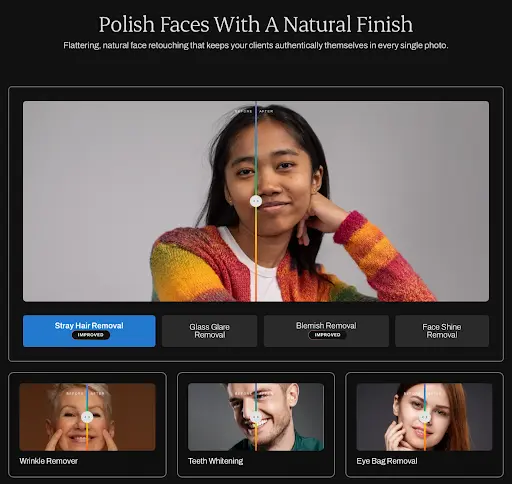
Aftershoot is built around one idea: cull, edit, and retouch an entire gallery without leaving one app or uploading a single file to the cloud. The AI culling module groups burst sequences, flags blinks, blurs, and closed eyes, and recommends the sharpest frame from each group, while still leaving manual review tools like Survey Mode and a Spray Can rating system for a final human pass.
Two newer additions push that further. Extreme Cull narrows a full shoot down to just 10–20% of images instead of the usual first-pass selection, splitting results into a “Selected” filter for top picks and a “Maybe” filter for a quick second look, useful for photographers who want a tighter, faster starting point rather than a broad first cull to whittle down manually. Paired with that is One-Click Cull + Edit, which runs AI culling and a photographer’s saved editing profile together in one pass, so a full gallery can go from import to culled-and-edited while the photographer is away from the machine entirely.
The editing module trains a Personal AI Profile from a photographer’s own previously edited RAW files, similar to Evoto’s Personal AI Preset but positioned as the core product rather than an add-on. Photographers without an established style can start from one of more than 30 pre-built editing profiles built by other working photographers. AI Retouching, the newest module, handles skin, hair, glare, and background cleanup with what Aftershoot describes as a natural finish rather than a heavily processed look.
Every module runs locally. Files stay on the photographer’s machine, processing works without an internet connection, and there’s no per-image credit meter. Aftershoot also closes the loop on delivery. Aftershoot Galleries lets culled, edited, and retouched photos publish straight to a branded client gallery without a separate export-and-upload step, the same “no app-switching” principle behind the rest of the platform. Clients can search for their own photos using Face Scan, browse via keyword search, and order prints directly through a built-in store with 0% commission on sales, while photographers get migration support for moving over from platforms like Pixieset, Pic-Time, and ShootProof. For photographers already culling and editing in Aftershoot, Galleries removes what’s often the last disconnected step in the workflow, and it’s worth knowing about here since Evoto now offers a comparable built-in delivery layer through Evoto Instant.
Aftershoot Pricing
Aftershoot’s pricing splits into three modules that can be bought separately or bundled: AI Culling starts at $10/month, AI Editing starts at $30/month, and AI Retouching starts at $20/month, all billed annually. Photographers who want all three together pay $45/month on the Complete bundle, a 25% discount over buying each module on its own. Monthly billing is also available at a higher rate. Every plan includes unlimited image processing with no per-photo fee, plus a 30-day free trial that requires no credit card.
Compared against Evoto’s credit system, the difference shows up fastest at volume: a wedding photographer processing 20,000+ images across a busy month pays the same flat Aftershoot rate they would in a slow month, while an equivalent Evoto workload keeps consuming credits with every export.
Advantages of Aftershoot
- Culling, editing, and retouching in one flat-rate platform with no per-image fees on any plan.
- Extreme Cull and One-Click Cull + Edit cut a full gallery’s review time down further, particularly useful for wedding photographers processing thousands of images per shoot.
- Fully offline processing; files never leave the photographer’s machine.
- A 30-day free trial with full feature access and no credit card required.
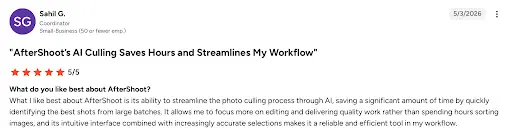
- Strong G2 reviews citing time saved on culling and consistent AI-matched editing style.
Disadvantages of Aftershoot
- AI Retouching is newer than Evoto’s, with fewer of the deep, granular sliders Evoto offers for close-up skin work.
- Building an accurate Personal AI Profile needs 2,500+ previously edited images, more with 5,000+ recommended, which takes upfront setup time.
- No built-in tethered capture, so shooting still routes through a separate tool before culling begins.
Who Aftershoot Is Best Suited For
Wedding, portrait, and event photographers who want one connected tool from import through delivery, and who process enough volume that a flat monthly rate beats paying per export.
👁️ Also Read: Best AI Editing Software for Photographers
2. Imagen AI
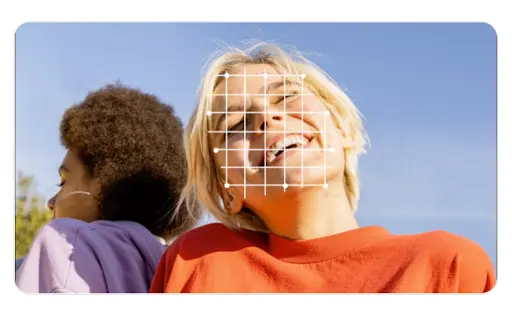
Imagen AI Features and Functionality
Imagen AI’s core strength is style replication. A photographer uploads a set of their own previously edited photos, and Imagen trains a Personal AI Profile that applies matching color grading, exposure, and tone to new shoots, aiming for consistency across a full wedding or session rather than deep per-image retouching. Add-on AI tools cover cropping, straightening, subject masking, skin smoothing, and HDR merging, each billed separately on top of the base per-photo editing rate.
Imagen positions itself closer to a style-automation tool than a full retouching suite. Skin smoothing exists, but reviewers on Imagen AI’s own comparison of Evoto alternatives describe it as texture-preserving and light-touch rather than the granular slider control Evoto or Retouch4me offer for close, detailed portrait work.
Imagen AI Pricing
Imagen runs on a per-photo model. Pay-as-you-go pricing starts around $0.05 per photo with a $7/month minimum charge. Annual volume tiers scale from 18,000 photos/year up to 72,000 photos/year, with the 36,000-photo tier priced near $127.50/month. Every additional AI tool, cropping, skin smoothing, HDR merge, and similar features, adds roughly $0.01 per photo on top of the base rate. A smaller gallery of 500 delivered photos can run $35–$45 once a few add-ons are layered in.
Advantages of Imagen AI
- Strong style consistency across a full shoot once a Personal AI Profile is trained.
- Access to a marketplace of Talent AI Profiles built by other professional photographers.
- Positive G2 reviews citing hours saved on repetitive editing once a profile is set up.
Disadvantages of Imagen AI
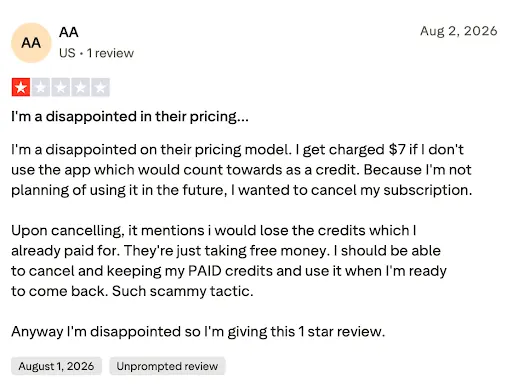
- Per-photo pricing plus stacked add-on costs make high-volume months expensive to predict.
- Cloud-only processing, images leave the photographer’s machine for editing.
- Retouching is a light add-on, not a dedicated toolset, so photographers needing Evoto-level skin or body work still need a second tool.
Who Imagen AI Is Best Suited For
Photographers whose biggest post-production bottleneck is color and tone consistency across a gallery rather than detailed portrait retouching.
3. Retouch4me
Retouch4me Features and Functionality
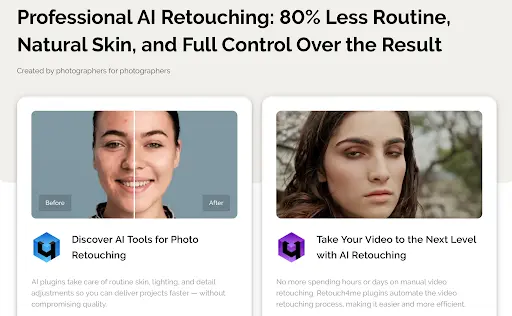
Retouch4me isn’t a standalone editor. It’s a collection of individual AI plugins, each one built for a single retouching task: skin cleanup, dodge and burn, eye brilliance, teeth whitening, portrait relighting, and more, running inside Photoshop, Lightroom, Capture One, or as a standalone app. Each plugin is trained specifically for its task, which reviewers say produces cleaner results than a general-purpose AI editor trying to do everything at once.
Retouch4me can run locally, without an internet connection, once plugins are purchased outright, or through a cloud-based credit system for photographers who’d rather not commit to buying each tool.
Retouch4me Pricing
Two paths exist. Perpetual plugin licenses run roughly $124–$179 per plugin, a one-time payment covering unlimited local processing forever. Cloud Retouch subscriptions start at $20/month for the Start tier, climbing to $35/month for Pro and $90/month for Business, with per-image cost dropping from about $0.15 to $0.06 as volume increases. Credit packs are also available outside a subscription, and unused subscription credits roll over for up to five months while active.
Advantages of Retouch4me
- Task-specific plugins that reviewers consistently praise for natural, texture-preserving skin results.
- A one-time perpetual license option for photographers who’d rather own software than subscribe indefinitely.
- Works inside an existing Lightroom or Photoshop workflow instead of forcing a separate app.
Disadvantages of Retouch4me
- No culling and no full batch editor, this is an add-on layer for an existing workflow, not a replacement for one.
- Buying more than two or three plugins outright gets expensive fast.
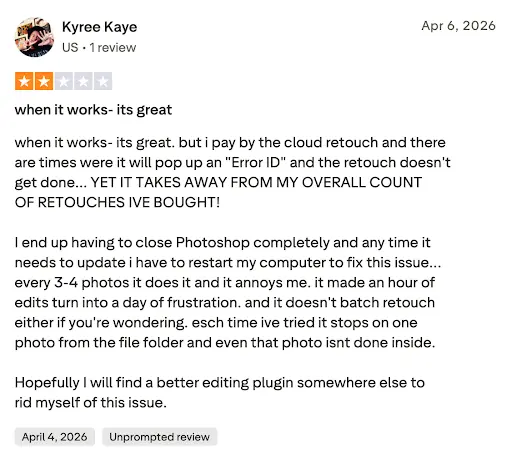
- G2 reviewers note the AI doesn’t always detect problem areas correctly, sometimes requiring manual touch-ups.
Who Retouch4me Is Best Suited For
Photographers who already have a culling and editing workflow they like and only need a dedicated, high-quality retouching layer on top of it.
4. Aperty
Aperty Features and Functionality
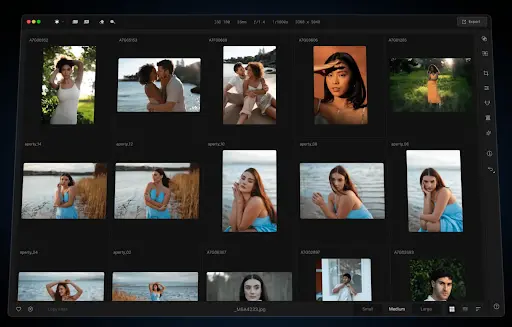
Aperty is a Skylum product, the same company behind Luminar Neo, built specifically for portrait retouching rather than general photo editing. It uses face detection and a three-dimensional facial mesh to drive controls for skin, eyes, lips, teeth, facial proportions, body shape, makeup, and lighting, then batch-applies those adjustments across hundreds of images at once.
Processing runs locally rather than in the cloud, and Aperty works as a standalone app or as a plugin inside Photoshop, Lightroom, and macOS Photos. That local-first design puts it closer to PortraitPro than to Evoto in how it handles files, but its batch-retouching workflow and face-mesh precision put it closer to Evoto in what it’s actually built to do.
Aperty Pricing
Aperty sells through three paths: a discounted monthly plan starting near $30/month (renewing at $44/month after the promotional period), an annual plan around $174/year, and a lifetime one-time purchase also at $174. All plans include unlimited local edits, software updates, and both Photoshop and Lightroom plugin access, with no per-image credits on any tier.
Advantages of Aperty
- Unlimited batch retouching with no credit system, similar to Aftershoot’s flat-rate approach but focused entirely on portraits.
- A lifetime one-time-purchase option at the same price as a single year of the annual plan.
- Fully offline processing with native Photoshop and Lightroom plugin support.
Disadvantages of Aperty
- Portrait-only; no culling, no broader editing tools, and no support for other genres like real estate or product photography.
- Newer to the market than Evoto or PortraitPro, so fewer long-term user reviews exist to judge reliability over time.
- The promotional pricing structure (discounted first period, higher renewal rate) can catch photographers off guard if they don’t read the fine print before subscribing.
Who Aperty Is Best Suited For
Portrait, wedding, and family photographers who want Evoto-level batch retouching precision but prefer to own the software outright or keep everything processing locally.
5. PortraitPro
PortraitPro Features and Functionality
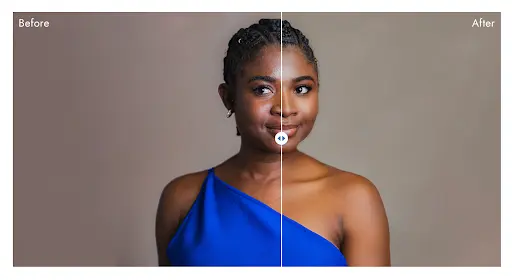
PortraitPro is a dedicated, AI-assisted portrait retouching application from Anthropics Technology, built to automate face shaping, skin smoothing, eye and teeth enhancement, hair coloring, and background replacement through slider-based controls rather than manual brushwork. Batch processing lets photographers apply the same adjustments across an entire shoot at once on the higher editions.
Unlike Evoto or Imagen AI, PortraitPro processes entirely on the photographer’s own machine and doesn’t require an account, upload, or subscription to function once purchased.
PortraitPro Pricing
PortraitPro sells through one-time purchases by edition rather than a subscription. The Standard edition runs around $54.95, Studio adds RAW/DNG support and Lightroom/Photoshop integration for around $94.95, and Studio Max adds full batch processing for around $174.95. Anthropics runs frequent discount promotions, so list price and sale price often differ meaningfully.
Advantages of PortraitPro
- A true one-time purchase per edition, no ongoing subscription or credit spend required.
- Fully offline processing with no cloud upload of client images.
- Integrates directly into Photoshop and Lightroom workflows on the Studio and Studio Max editions.
Disadvantages of PortraitPro
- No culling or broader editing tools, this is retouching-only software.
- Trustpilot reviewers report friction reactivating perpetual licenses after operating system updates.
- An interface several reviewers describe as feeling behind more modern AI retouching tools.
Who PortraitPro Is Best Suited For
Photographers who want to own their retouching software outright and process everything locally, without a recurring bill of any kind.
6. Luminar Neo
Luminar Neo Features and Functionality
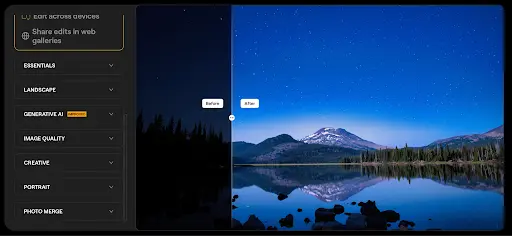
Luminar Neo, also sold under Skylum’s newer “Luminar” branding, is a general-purpose AI photo editor rather than a retouching specialist. Alongside portrait tools like Face AI, Skin AI, and Portrait Bokeh, it covers sky replacement, atmosphere and relighting effects, and generative tools for object removal, expansion, and background swaps. It runs as a standalone app or a plugin for Photoshop and Lightroom Classic.
Compared to Evoto, Luminar Neo’s portrait retouching is a smaller piece of a much broader editor, useful for photographers who shoot more than just portraits, but with less depth in any single retouching task than a dedicated tool like Evoto or Aperty offers.
Luminar Neo Pricing
Luminar Neo dropped its subscription option entirely and now sells only through one-time perpetual licenses: Desktop-only at $119, Cross-device (desktop and mobile) at $159, and Max at $179. Each includes a year of updates and one year of access to newer generative tools like GenErase and GenExpand; continued access to those specific generative features requires a separate renewal after the first year. Frequent seasonal sales bring these prices down further.
Advantages of Luminar Neo
- A genuine one-time purchase with no ongoing subscription for the core editor.
- Broader editing scope than Evoto: landscapes, skies, and general photo editing alongside portrait tools.
- Strong G2 reviews praising ease of use and AI tool quality for photographers moving away from a subscription model.
Disadvantages of Luminar Neo
- Portrait retouching depth doesn’t match Evoto, Retouch4me, or Aperty: it’s one feature set among many rather than the core focus.
- No culling functionality.
- Some reviewers note the generative AI tools (GenErase, GenExpand) revert to a paid renewal after the first included year, which isn’t obvious at purchase.
Who Luminar Neo Is Best Suited For
Photographers who want one AI editor covering multiple genres, not just portraits, and who’d rather pay once than subscribe indefinitely.
7. Capture One
Capture One Features and Functionality
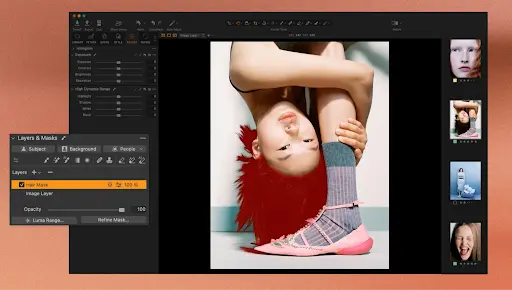
Capture One is a professional RAW processor and tethering platform, not an AI retoucher. Its strengths are color science, layer-based local adjustments, and tethered capture that studio and product photographers rely on for real-time shoot review. It has no AI-driven skin retouching, culling automation, or style-training feature comparable to Evoto, Aftershoot, or Imagen AI.
Retouching in Capture One is entirely manual: layers, masks, and healing tools give precise control, but every correction takes deliberate, skilled input rather than an AI suggestion.
Capture One Pricing
Capture One Pro runs about $18/month($216/year) on the annual plan, or $28/month billed monthly. The All-in-One tier, which adds mobile app access, runs about $24.75/month annually. A Studio tier for teams runs about $48.50/month annually. A perpetual license is also available, priced separately and subject to a loyalty program that reduces upgrade costs the longer a photographer stays subscribed.
Advantages of Capture One
- Best-in-class tethering and color control, widely regarded as the top choice for studio and product photographers.
- A perpetual license path exists for photographers who want to avoid an indefinite subscription.
- Strong G2 reviews citing color accuracy and layer-based editing as standout strengths.
Disadvantages of Capture One
- No AI retouching, culling, or style automation of any kind: every edit is manual.
- Pricing has increased multiple times in recent years, and several reviewers on Capterra call perpetual licenses “not truly perpetual” due to operating system and hardware compatibility limits over time.
- A steeper learning curve than AI-assisted tools, since there’s no automated starting point for retouching.
Who Capture One Is Best Suited For
Studio, product, and commercial photographers who need precise manual color control and tethered shooting more than automated retouching, and who are comfortable doing detail work by hand.
8. Adobe Photoshop
Adobe Photoshop Features and Functionality
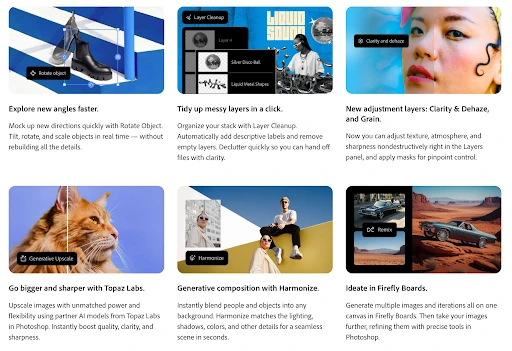
Photoshop is the industry-standard manual editor, not an AI retouching automation tool, and it belongs in this comparison mainly as the fallback most photographers already own. Layers, frequency separation, dodge and burn, and healing tools give complete control over skin, background, and composite work, with Generative Fill and Neural Filters adding some AI-assisted shortcuts for object removal and basic adjustments.
Unlike Evoto, Retouch4me, or Aperty, Photoshop has no face-detection-driven batch retouching. Every portrait still gets edited by hand unless a photographer builds and applies custom actions across a batch, which takes real skill and setup time.
Adobe Photoshop Pricing
Photoshop is available as a standalone subscription at $22.99/month, or bundled with Lightroom and Lightroom Classic on the Photography plan at $19.99/month with 1TB of cloud storage. The full Creative Cloud suite runs $54.99/month (Standard) or $69.99/month (Pro, with full generative AI access). There is no one-time purchase option and no free tier.
Advantages of Adobe Photoshop
- Unmatched manual control for photographers who want to build a custom retouching process rather than rely on AI defaults.
- The Photography plan bundles Lightroom at a lower combined cost than buying each separately.
- Strong G2 reviews reflecting decades of professional trust and the largest plugin and tutorial ecosystem of any tool in this comparison.
Disadvantages of Adobe Photoshop
- No AI retouching automation or batch culling, retouching a full gallery by hand doesn’t scale the way Evoto or Aftershoot do.
- Subscription-only with no perpetual license, and no way to keep the software after cancelling.
- A steep learning curve relative to any AI-first tool on this list.
Who Adobe Photoshop Is Best Suited For
Photographers who want full manual control over every retouching decision and already have the skill and time to do the work by hand, or who need Photoshop for composite and design work beyond portrait retouching.
9. Topaz Photo AI
Topaz Photo AI Features and Functionality
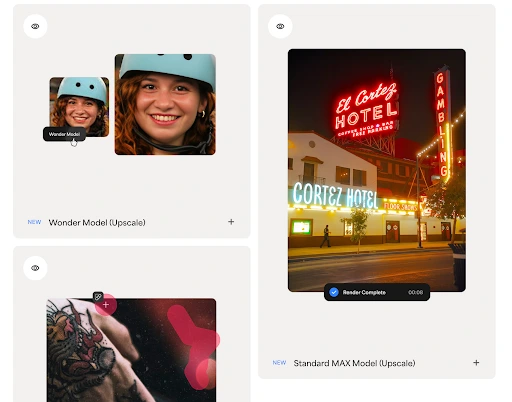
Topaz Photo AI is a rescue and enhancement tool, not a retoucher. It combines what used to be three separate products, denoise, sharpen, and upscale, into one application with an Autopilot mode that scans each image and applies the right correction automatically. Face Recovery restores detail in blurry or noisy portrait faces specifically, which is the closest it comes to Evoto’s territory, but it doesn’t touch skin smoothing, blemish removal, face reshaping, or any of the cosmetic retouching Evoto is built around.
It runs locally, works as a standalone app or a plugin for Photoshop, Lightroom Classic, and Capture One, and processes without an internet connection.
Topaz Photo AI Pricing
Topaz stopped selling perpetual licences on 3 October 2025. Topaz Photo (formerly Photo AI) is now subscription-only: roughly $199/year as a standalone app, or more for the Topaz Studio bundle with Photo, Video, and Gigapixel.
Advantages of Topaz Photo AI
- Best-in-class noise reduction, sharpening, and upscaling for recovering usable detail from difficult files, high-ISO, motion blur, low resolution.
- Fully offline, local processing with no cloud upload.
- Positive G2 reviews citing speed and ease of use for salvaging otherwise unusable images.
Disadvantages of Topaz Photo AI
- No cosmetic retouching, culling, or editing functionality, it solves a completely different problem than Evoto.
- The move from a one-time purchase to subscription-only drew consistent criticism from long-time users, several reviewers call the new pricing hard to justify for a single-purpose tool.
- Not a genuine Evoto alternative on its own; it complements a retoucher rather than replacing one.
Who Topaz Photo AI Is Best Suited For
Wildlife, sports, and low-light photographers who need to rescue noisy or soft images before retouching, not photographers looking for an AI portrait editor.
Evoto Alternatives: Culling, Editing, and Retouching Compared
Side by side, these tools split into three real categories rather than one continuous spectrum of “AI photo software.”
- Full-workflow tools: Evoto and Aftershoot both now span culling through retouching, though Evoto’s culling lives in the newer, separately positioned Evoto Instant product, while Aftershoot’s three modules are designed as one connected pipeline from the start. Aftershoot’s flat pricing means batch speed doesn’t affect cost; Evoto’s credit system means it does.
- Style-consistency tools: Imagen AI focuses on matching a photographer’s established color and tone across a full gallery rather than deep per-image retouching. It competes more directly with Aftershoot’s editing module than with Evoto’s retouching depth.
- Retouching specialists: Retouch4me and PortraitPro both skip culling and batch editing entirely to focus on skin, eye, and detail work. Retouch4me’s plugin-based approach gives more granular per-task control and fits inside an existing Lightroom or Photoshop catalog; PortraitPro trades some of that control for a simpler, standalone interface and a one-time price.
- On natural-looking output specifically, reviewer sentiment across G2 and Trustpilot consistently favors Evoto and Retouch4me for close-up skin texture, both were built retouching-first. Aftershoot and Imagen AI reviewers more often praise consistency across a full gallery rather than close-up retouching depth, which tracks with each product’s original design intent.
Moving From Evoto: What Migration Actually Involves
Switching away from Evoto doesn’t mean starting from zero, but it does take some planning depending on which tool you’re moving to.
- Edited-style profiles don’t transfer directly. Evoto’s Personal AI Preset, Aftershoot’s Personal AI Profile, and Imagen AI’s Personal AI Profile are each trained independently. Moving tools means retraining a style profile from previously edited RAW files, Aftershoot recommends 2,500+ images minimum, Imagen AI trains from a smaller uploaded sample.
- Unused Evoto credits don’t carry over. Evoto’s credit balance stays inside Evoto’s ecosystem. Budget for a short overlap period where both tools run in parallel rather than cancelling Evoto before a new tool’s profile is fully trained and tested.
- Lightroom and Capture One catalogs stay intact either way. Aftershoot, Imagen AI, and Retouch4me all integrate with existing catalogs without requiring a full re-import, since none of them replace Lightroom as the primary catalog and export tool.
- Retouching-only switches are the simplest migration. Moving from Evoto’s built-in retouching to Retouch4me or PortraitPro doesn’t touch culling or editing workflow at all, it’s a drop-in replacement for one stage of the process.
Why is Aftershoot the Strongest Full-Workflow Evoto Alternative?
For photographers weighing Evoto against a genuine full-workflow replacement rather than another single-purpose tool, Aftershoot is the closest match, and the clearest upgrade on cost predictability.
- The core difference comes down to how each tool charges for volume. Evoto’s retouching quality is real, but every export pulls a credit, so a heavy month costs more than a light one by design. Aftershoot’s culling, editing, and retouching modules all run on a flat monthly rate with unlimited processing, so a 20,000-image wedding season costs the same as a quiet one. For working photographers, that predictability alone changes how post-production gets budgeted.
- The second difference is where files live. Evoto’s retouching and editing tools process in the cloud. Aftershoot runs entirely on the photographer’s own machine, images never upload anywhere to get culled, edited, or retouched, which matters for photographers under NDA, working with unreleased brand shoots, or simply not comfortable sending client images to a third-party server.
- Aftershoot’s retouching module is newer than Evoto’s, and photographers who need the deepest slider-level skin control Evoto offers may still prefer it for that one task. But for photographers trying to consolidate culling, editing, and retouching into one connected, offline, flat-rate platform instead of stitching together two or three subscriptions, Aftershoot is built specifically for that job.
Aftershoot also has a 30-day free trial with full access, making it possible for you to test the entire workflow, before committing to a plan.
In a Nutshell…
Evoto earned its name on retouching depth, and that reputation is fair. But “best Evoto alternative” isn’t really one answer, it depends on whether the real cost is credits piling up during a busy season, a missing culling module, or wanting files to stay off someone else’s server entirely.
Photographers chasing flat, predictable pricing across the full workflow land on Aftershoot. Those who only need better style consistency look at Imagen AI. Photographers happy with their existing culling and editing setup, and just wanting sharper retouching, add Retouch4me or PortraitPro instead of replacing anything.
Whichever direction fits, test it on a real gallery before switching fully. A free trial reveals more about fit than any comparison table, including this one.
FAQs for Evoto Alternatives
Q1. Is Aftershoot cheaper than Evoto?
For high-volume photographers, usually yes. Aftershoot charges a flat monthly rate with unlimited processing, starting at $10/month for culling alone or $45/month for the full Complete bundle. Evoto charges per exported image, so its effective monthly cost rises directly with how many photos get delivered.
Q2. Can I use Evoto and Aftershoot together?
Some photographers do, using Aftershoot for culling and editing, then routing final selects through Evoto for its deeper retouching sliders. This adds a second subscription, so it only makes sense if Evoto’s specific retouching depth is worth the extra cost.
Q3. Do any Evoto competitors work fully offline?
Aftershoot, PortraitPro, and Retouch4me’s plugin licenses (not the cloud credit option) all process locally with no internet connection required. Evoto and Imagen AI both rely on cloud processing for their core AI features.
Q4. Which Evoto alternative is best for wedding photographers?
Aftershoot is the most common switch for wedding photographers specifically because of its flat pricing at high volume and offline processing, both of which matter during back-to-back wedding weekends with thousands of images per shoot.
Q5. Does Imagen AI replace Evoto’s retouching?
Not fully. Imagen AI’s retouching is a lighter add-on focused on style consistency across a gallery, not the granular, close-up skin and face control Evoto or Retouch4me offer. Photographers switching from Evoto to Imagen AI for deep retouching usually still need a second tool.




