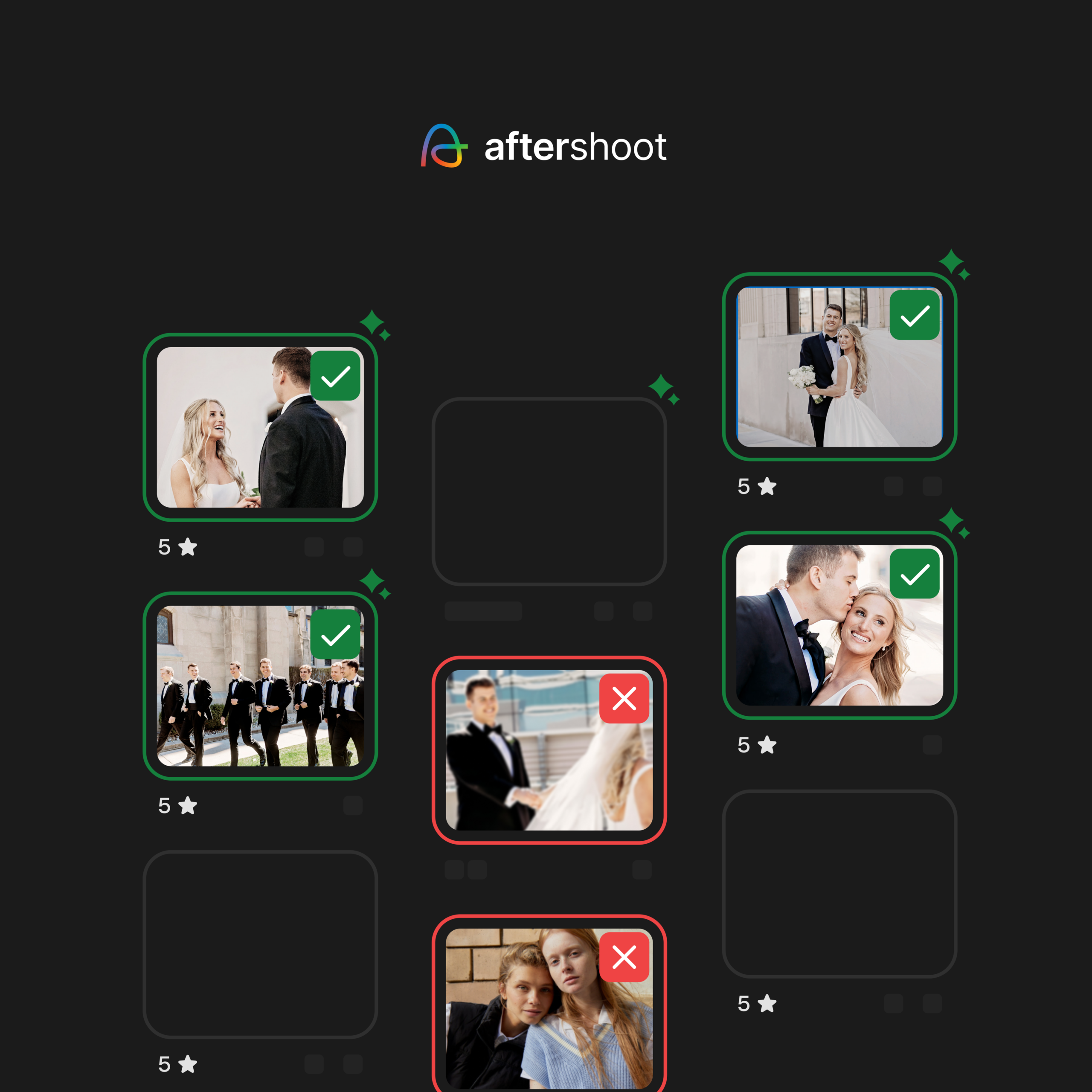

Quick answer: The best FilterPixel alternative for most wedding, portrait and event photographers is Aftershoot Select ($10/month billed annually). It culls on your own computer, works offline, and has no shoot caps or per-image fees. If you’d rather make every pick yourself with AI help, choose Narrative. If you already edit with Imagen, use Imagen Culling. If you don’t want a subscription, look at Excire Foto 2027 or imagic.
TL;DR
- Why people switch: FilterPixel’s DeepCull engine is capped at 20 shoots a year on Standard and 70 on Pro, it processes in the cloud, and its target-count feature (Magic Number) starts on Pro.
- Aftershoot Select is the best all-round pick: local and offline, unlimited photos, automated or assisted culling, and Cull to Target, for $10/month billed annually.
- Narrative suits hands-on photographers who want AI ranking and face close-ups but make the final picks themselves.
- Imagen Culling fits photographers who already send their editing to Imagen.
- Lightroom Classic’s Assisted Culling is included in the Lightroom plan and handles light portrait culls. It isn’t built for burst-heavy weddings.
- Excire Foto 2027, imagic and Photo Mechanic are the one-time-purchase options. Photo Mechanic has no AI.
- Evoto and Optyx round out the list for retouch-heavy portrait studios and for photographers on a tight budget.
Every wedding, portrait and event photographer knows the feeling: you unload the cards after a long shoot and you’re looking at thousands of raw files. You want to send sneak peeks, start editing and get your evening back. Instead, you’re clicking through near-identical bursts, zooming in to check whether someone blinked or whether focus landed on an ear instead of an eye.
AI culling software was built for exactly that bottleneck. FilterPixel earned a loyal following with DeepCull, its genre-aware engine that gives every photo a score and a written reason for keeping or rejecting it.
For high-volume professionals, though, metered shoot allowances, cloud uploads and plan-gated features can get in the way. This guide compares the best FilterPixel alternatives on price, offline capability, culling control, review tools and how cleanly they hand off to your editor.
Why Look for an Alternative to FilterPixel?
FilterPixel is a capable tool. Its cloud processing means speed doesn’t depend on your computer, and basic culling is unlimited on every plan, including the free trial. But working studios tend to hit four friction points:
- DeepCull is metered. FilterPixel’s most accurate engine is capped by shoot allowances: 20 a year on Standard ($14.99/month billed annually, $19.99 monthly), 70 on Pro ($34.99/month annually, $49.99 monthly) and 140 on Studio ($64.99/month annually). Extra shoots cost $7.99 each. Any upload over 5,500 photos is split into more than one shoot, so a 16,000-photo job uses three. A photographer covering 50 weddings a year has already outgrown Standard and needs Pro at about $420 a year.
- It runs in the cloud. FilterPixel analyzes your photos on its servers and needs an internet connection. On hotel Wi-Fi, at a remote venue or on a flight, that can be the bottleneck.
- Target counts are a Pro feature. Magic Number, which lets you type the exact number of selects you want, isn’t included on Standard.
- The workflow stops at editing. FilterPixel includes AI editing with built-in profiles on every plan (trainable profiles start on Pro). If you want culling, editing, retouching and client delivery from one vendor, you’ll need to look elsewhere.
Quick Comparison: The Best FilterPixel Alternatives at a Glance
| Tool | Starting price | Processing | Platforms | Best for |
|---|---|---|---|---|
| Aftershoot Select | $10/mo billed annually ($15 monthly); unlimited photos | Local; works offline | Mac, Windows | High-volume weddings, portraits and events |
| Narrative | $10/mo Lite; $20/mo Standard for the full AI toolset (billed annually) | Local | Mac, Windows | Photographers who want to make every pick themselves |
| Imagen Culling | $12/mo billed annually ($18 monthly); included in Limitless | Cloud (internet required) | Mac, Windows | Studios already editing with Imagen |
| Lightroom Classic Assisted Culling | Included in the Lightroom plan | Inside Lightroom | Mac, Windows | Light portrait culls without a new app |
| Excire Foto 2027 | $249 one-time | Local | Mac, Windows | No-subscription buyers who also want AI library search |
| Evoto | Culling is free to use; edited exports cost credits (from $89/yr) | Desktop app | Mac, Windows, iPad | Portrait studios that retouch in bulk |
| Optyx | Free plan; Pro from $6.99/mo billed annually | Desktop app | Mac, Windows | Budget face-focused culling |
| Photo Mechanic | $149/yr or $299 one-time | Local; no AI | Mac, Windows | Sports, press and metadata-heavy work |
| imagic | €19–€99 one-time | Local | Mac, Windows | The cheapest local AI culling |
| FilterPixel (for reference) | $14.99/mo billed annually; 20 DeepCull shoots/yr | Cloud | Mac, Windows | Deadline-driven event work |
What Does Culling Actually Cost Per Year?
Headline prices hide the real difference, which is how each tool charges as your volume grows. Here is the yearly cost of AI culling alone, billed annually, assuming each shoot is under 5,500 photos:
| Tool | 20 shoots/yr | 50 shoots/yr | 100 shoots/yr |
|---|---|---|---|
| Aftershoot Select | $120 | $120 | $120 |
| FilterPixel (DeepCull) | $180 (Standard) | $420 (Pro) | $660 (Pro + 30 extra shoots at $7.99) |
| Narrative Standard | $240 | $240 | $240 |
| Imagen culling add-on | $144 | $144 | $144 |
| Optyx Pro | About $84 | About $84 | About $84 |
| Excire Foto 2027 | $249 once | $249 once | $249 once |
Weddings over 5,500 frames count as two FilterPixel shoots, so the real FilterPixel figures can run higher. Imagen’s editing is billed separately on top of the culling add-on.
What to Look for in a FilterPixel Alternative
Marketing pages all promise speed. These six criteria tell you whether a tool will actually fit your workflow:
- Local vs. cloud processing: Cloud tools upload previews to remote servers, so they depend on your internet connection. Local tools run on your own CPU and GPU, keep files on your drives and work anywhere. The trade-off is that local speed depends on your hardware.
- Pricing model: Check whether a plan caps shoots, charges per image or credit, or is flat and unlimited. Peak season is when caps hurt most.
- Automation vs. control: A fully automated cull gets you to a shortlist fast. Assisted culling groups, scores and flags images but leaves the final call to you. The best tools offer both.
- Review tools: Look for side-by-side duplicate comparison, face close-ups and fast keyboard shortcuts, so checking the AI’s picks takes minutes, not hours.
- Editor handoff: Your culling tool should pass star ratings, color labels and flags to Lightroom Classic or Capture One without touching your original raw files.
- Client privacy: If you shoot under NDA, check whether the software uploads client images and what happens to them afterwards.
The 9 Best FilterPixel Alternatives in 2026
Here are the best FilterPixel alternatives for professional photographers, starting with the best fit for high-volume work.
1. Aftershoot Select: Best Overall FilterPixel Alternative
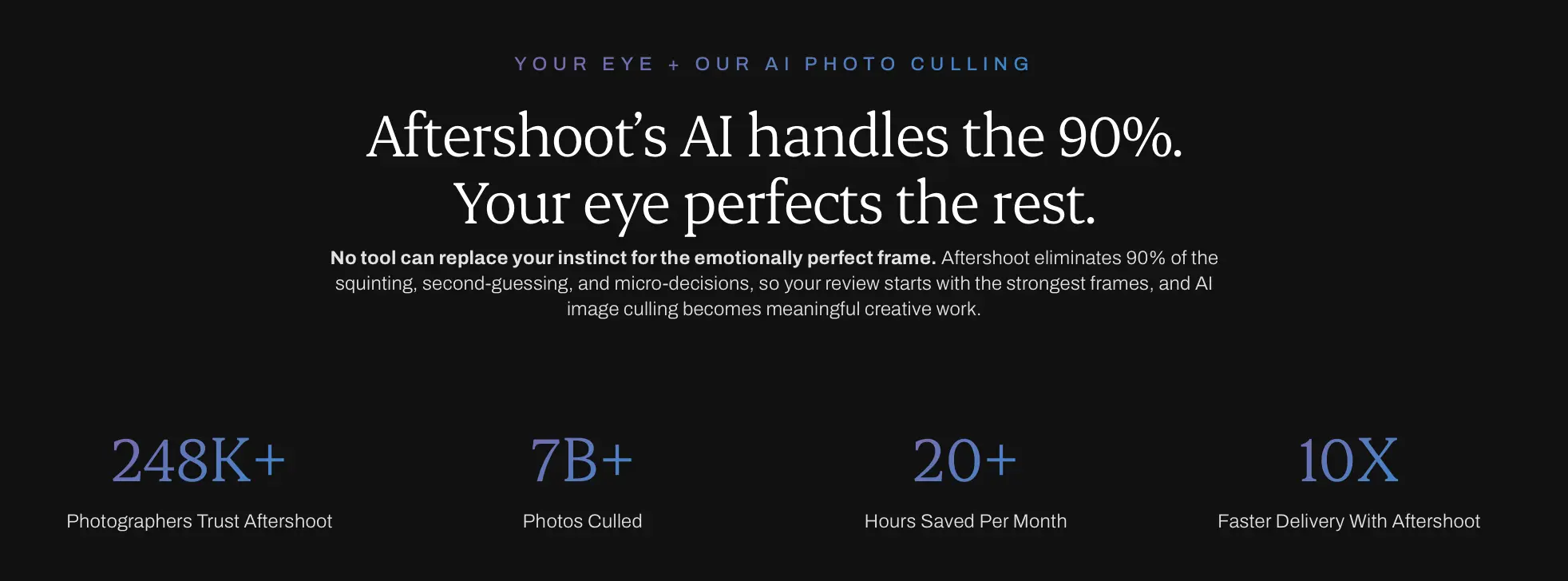
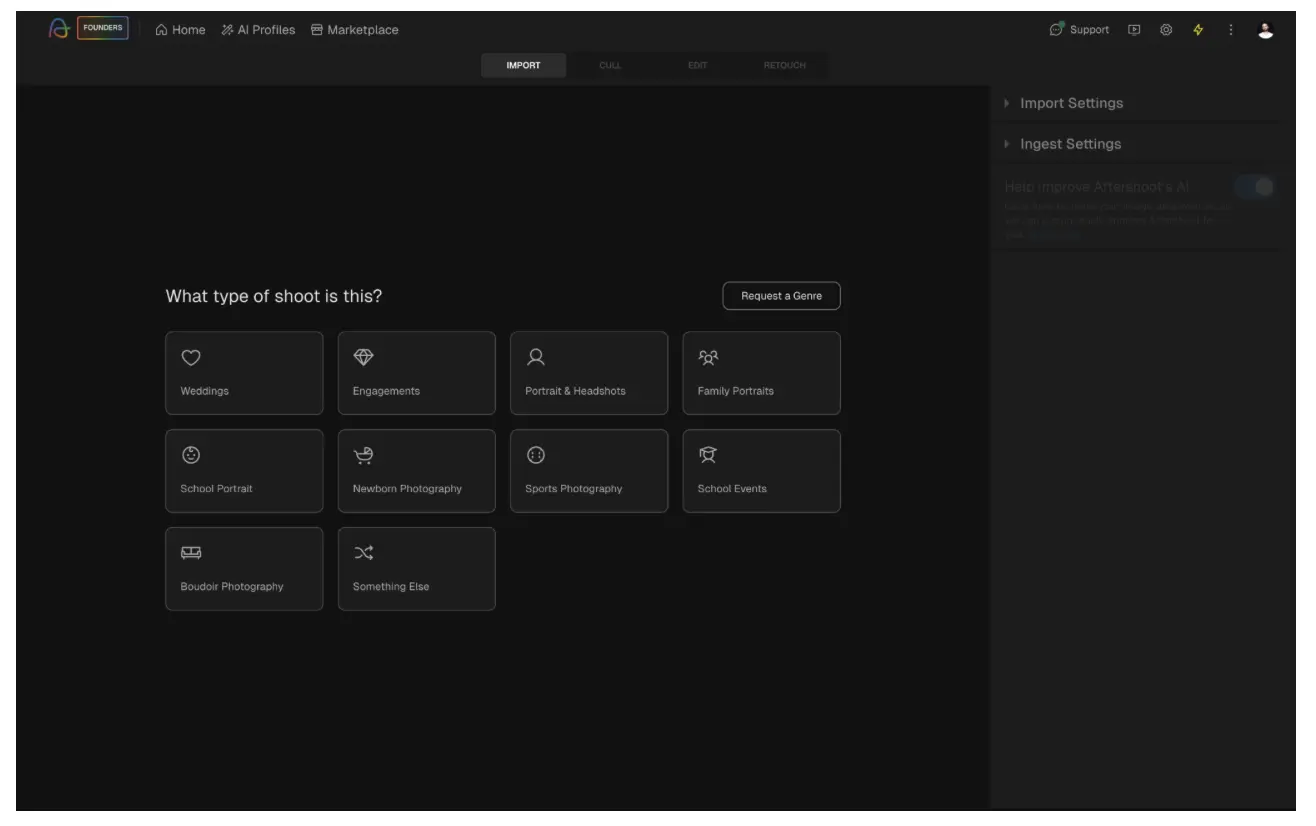
Aftershoot Select is the best FilterPixel alternative for most working photographers. It culls 100% locally on your computer, has no shoot caps, credits or per-image fees, and costs $10/month billed annually.
Aftershoot keeps the technical checks separate from your creative judgment. It analyzes every frame using 30+ factors, including blur, closed eyes and duplicates, groups similar shots and identifies the key faces in each image. Then it lets you choose how much control you hand over.
Why it stands out
- Two culling modes: AI-Automated Culling makes the first pass for you, based on your preferences. AI-Assisted Culling groups duplicates, detects key faces and scores images, but leaves every selection to you.
- Cull to Target and Extreme Cull: Choose how tight the cull should be, from a broad selection down to only your top 10–20% of shots. FilterPixel only offers its target-count feature (Magic Number) on Pro and Studio.
- Survey Mode: Compare up to 16 duplicate frames side by side, zoom in and pick the winner.
- Spray Can Tool: Tag, rate or reject a run of images with a single sweep instead of clicking each one.
- Works offline: Your raw files never leave your drives, so you can cull on a flight, at a remote venue or on bad hotel Wi-Fi.
- Fits your editor: Selections go to Lightroom Classic, Capture One, Photo Mechanic or Bridge. Your original files are never deleted or changed.
Limitations
- Speed depends on your computer, because culling runs locally rather than on cloud servers.
- It’s strongest on people-focused work (weddings, portraits, events), which is what it was trained for.
Best for
- Wedding, portrait and event photographers culling thousands of images per shoot.
- Photographers who travel or work on location without reliable internet.
- Studios that want one flat price, whatever their volume.
Aftershoot pricing
- Select (culling only): $10/month billed annually ($120/year) or $15 billed monthly. Unlimited photos.
- Complete (culling + editing + retouching): $45/month billed annually or $55 billed monthly. Editing alone is $30/month and retouching alone is $20/month, both billed annually.
- Client delivery: Aftershoot Galleries is a separate product with a free Starter plan (10 GB).
- Free trial: 30 days with full access and no credit card required.
See the full breakdown in Aftershoot pricing tiers.
👁️ Also read: Best Culling Software: AI and Manual Tools Compared
2. Narrative: Best for Hands-On, Assisted Culling
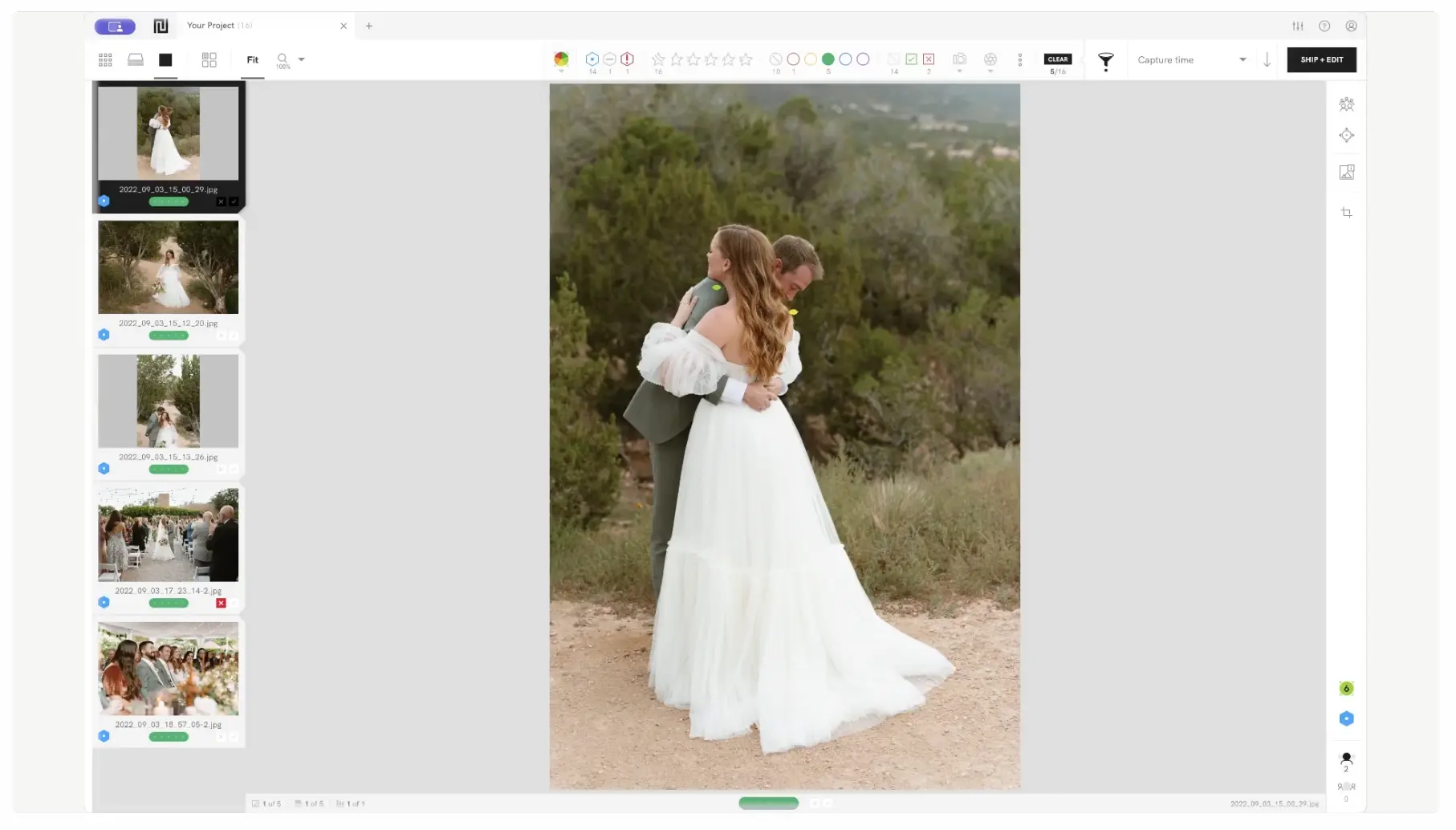
Narrative (formerly Narrative Select) is a desktop app built around AI-assisted culling rather than automation. Its AI First Pass assesses and ranks your images, and its tools help you review faster, but you make every final pick.
Why photographers use it
- Close-ups panel: Shows every face in the frame side by side, with eye and focus assessments, so you can check expressions without zooming in.
- Scenes view: Groups images into scenes so large shoots are easier to move through.
- Local processing: Culling runs on your machine, without cloud uploads.
- AI editing built in: Standard and above include AI Preset editing. Premium and Ultra can train personal presets on your own edits.
Limitations
- The $10 Lite plan only shows eye and focus assessments when you hover over a face. It doesn’t include Scenes, AI First Pass, the Close-ups panel or Filter by Focus, so most professionals will need Standard ($20/month billed annually).
- It doesn’t offer a hands-off automated cull to a set number of images.
Best for
- Photographers who want to review and approve every frame themselves, with AI ranking and face close-ups to speed things up.
Narrative pricing
- Lite: $10/month billed annually ($15 billed monthly).
- Standard: $20/month billed annually ($29 billed monthly).
- Premium: $40/month billed annually ($59 billed monthly).
- Ultra: $60/month billed annually ($79 billed monthly).
- Free trial: 30 days of Ultra, no card required. Narrative no longer has a free plan.
3. Imagen Culling: Best for Photographers Already Editing With Imagen
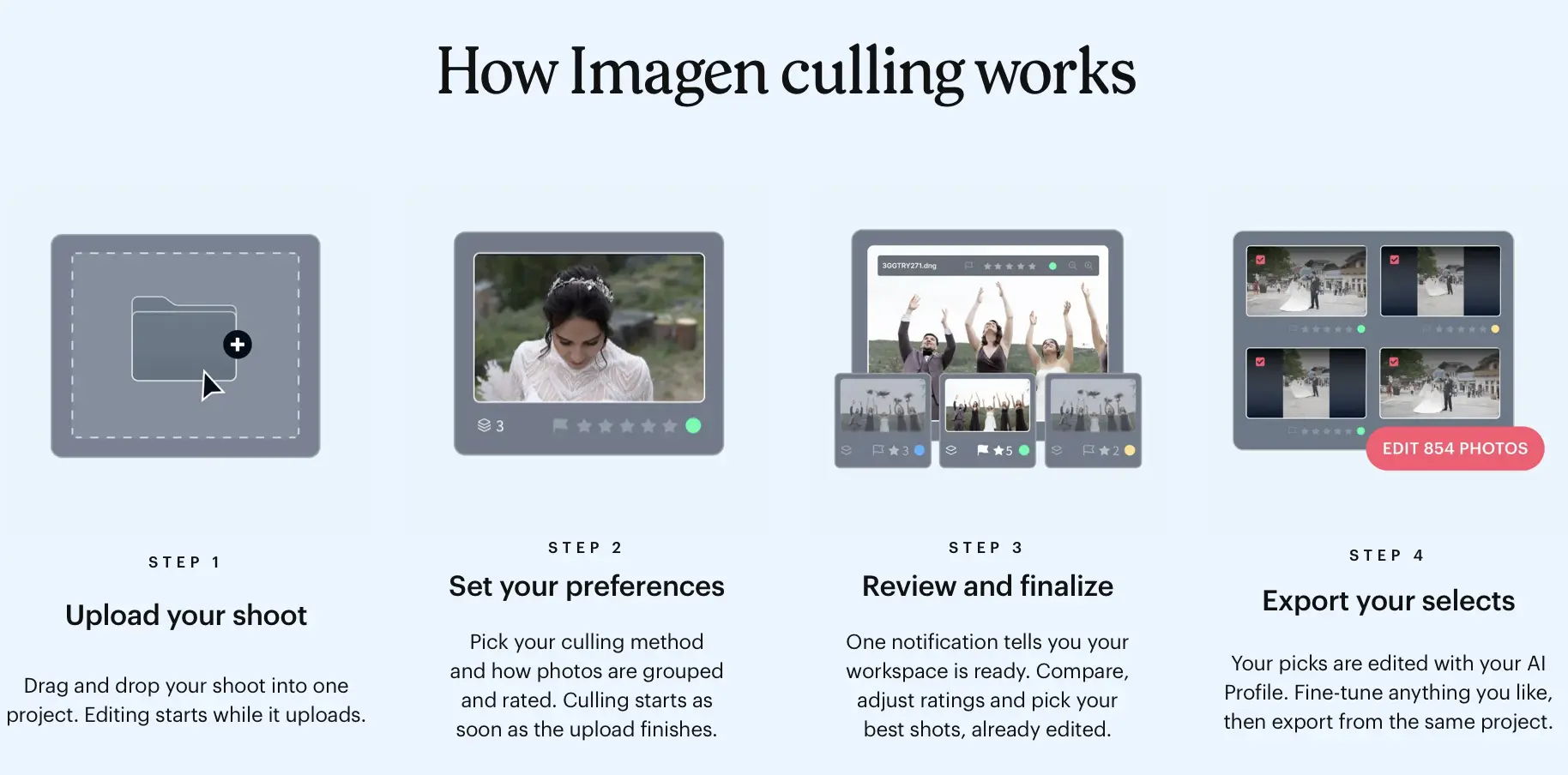
Imagen made its name as an AI editing service that learns your personal editing style. Its culling module lives in the same desktop app, so you can cull and send straight to editing in one project.
Why photographers use it
- One pipeline: If Imagen already edits your Lightroom catalogs, culling in the same app saves an export step.
- Cull to an exact number: You can set a target number of selects.
- Edited previews: You can cull while viewing your photos with your AI Profile already applied. Edited previews expire 60 days after the project is created.
- Light on your hardware: Analysis happens on Imagen’s cloud, so an older computer won’t slow it down.
Limitations
- Your photos are uploaded and culled on the Imagen Cloud, so you need a stable internet connection.
- Culling and editing are billed separately unless you’re on Limitless. Pay-as-you-go editing has a $7/month minimum.
Best for
- Photographers already committed to Imagen’s AI editing who want culling in the same place.
Imagen pricing
- Culling add-on: $12/month billed annually ($144/year) or $18 billed monthly.
- Pay-as-you-go editing: $0.05 per photo, $7/month minimum, plus $0.01 per photo for each extra AI tool (such as crop or straighten).
- Limitless: $129/month billed annually or $165 billed monthly. Includes unlimited editing and unlimited AI culling.
4. Lightroom Classic Assisted Culling: Best Built-In Option
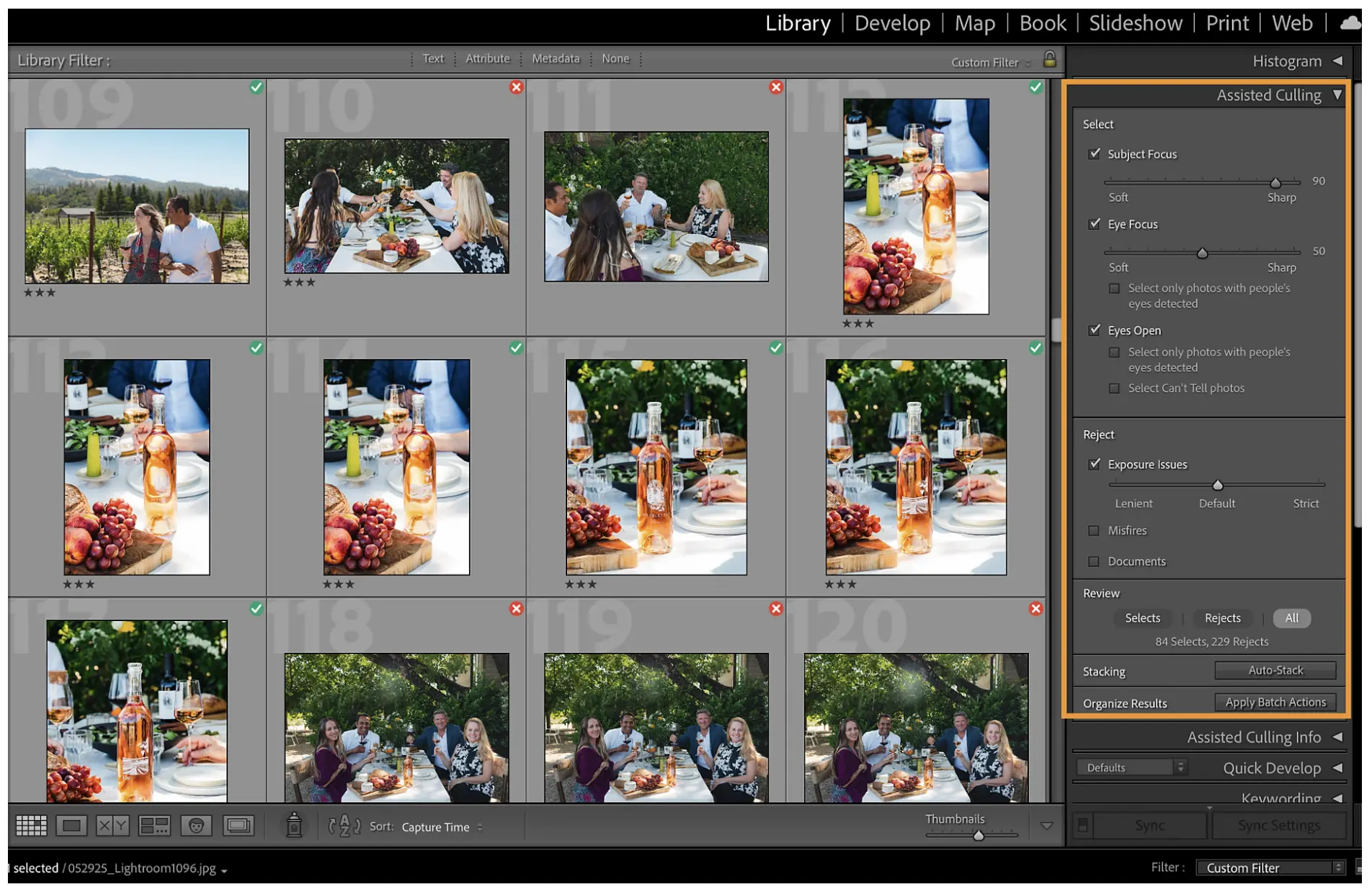
If you already pay for Lightroom, you have an AI culling tool. Adobe made Assisted Culling generally available in Lightroom Classic in June 2026. It checks your photos for sharpness and open eyes, sorts them into Select and Reject groups, and you can override any call.
Why photographers use it
- No new app: It runs inside the catalog you already use, and it can cull at import (with an option not to import rejected images).
- Select and Reject filters: It scores subject sharpness, eye sharpness and open eyes, and rejects exposure problems, misfires and photos of documents or receipts.
- Auto Stack: Groups images by time and visual similarity.
Limitations
- It doesn’t rank burst frames or learn your selection style the way dedicated culling tools do, so it’s less suited to burst-heavy weddings and events.
- The feature set was built with portraits and headshots in mind.
Best for
- Portrait and headshot photographers with modest volumes who want a first pass without adding software.
Pricing
- Included in Adobe’s Lightroom plan (with 1TB of storage), which costs $14.99/month on an annual plan billed monthly in the US. The plan includes Lightroom Classic.
5. Excire Foto 2027: Best One-Time Purchase With AI Culling
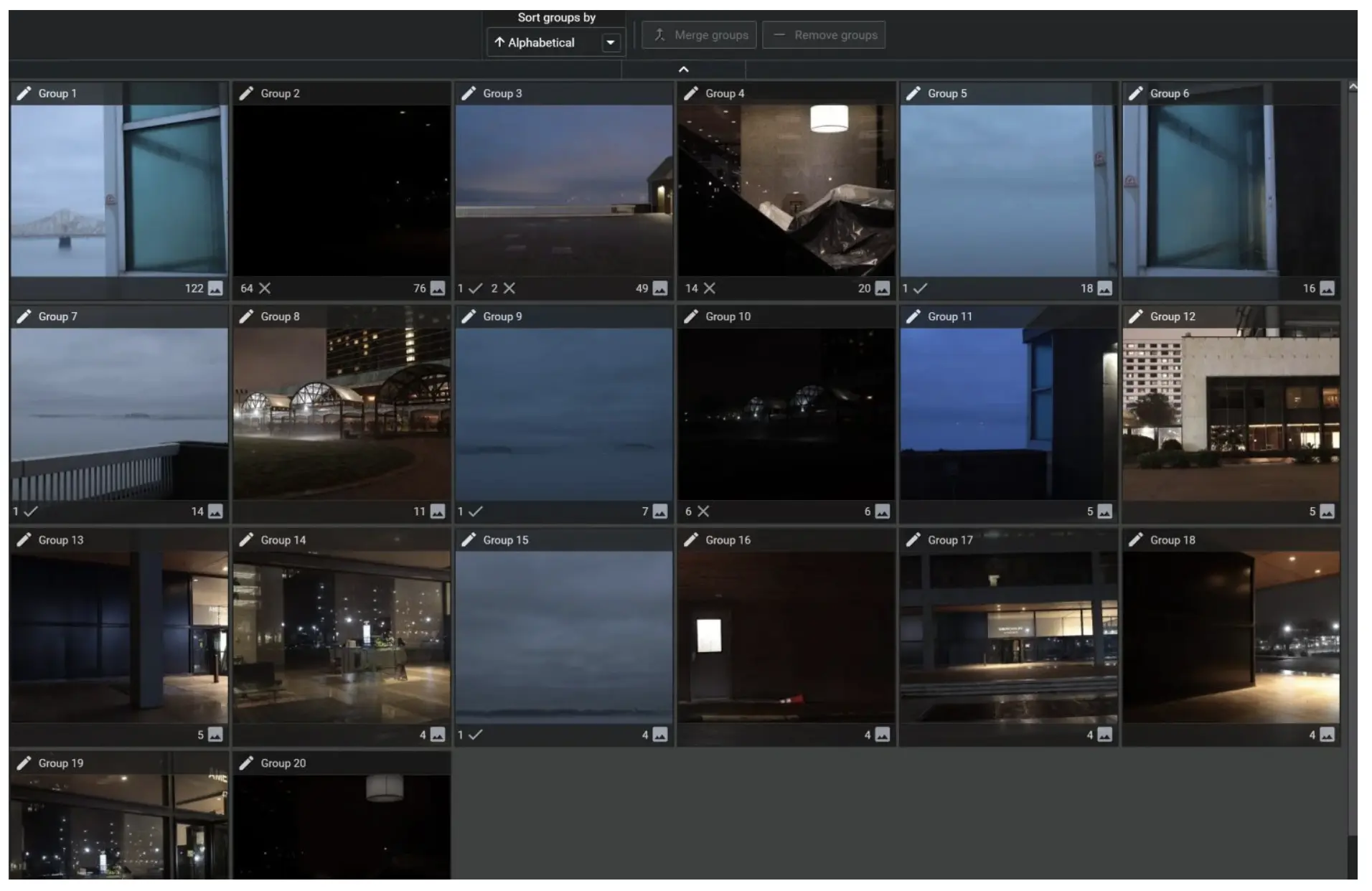
Excire Foto is an AI photo manager that runs entirely on your computer. The 2027 release, launched in autumn 2026, added a light-table-style Survey View, focus peaking and quality scoring to its existing AI culling, search and keywording tools.
Why photographers use it
- No subscription: One payment, and it’s yours.
- Local AI: Culling, face recognition and search all run on your machine, with no cloud.
- More than culling: Photos are auto-keyworded and searchable by text, face, GPS location and even text that appears in the image.
Limitations
- Its culling tools are newer than the specialists’, and dedicated tools are faster for burst-heavy wedding work.
- It doesn’t edit photos, so you still need Lightroom, Capture One or another editor.
Best for
- Photographers who want AI culling and a searchable photo library without a subscription.
Pricing
- $249 one-time (it launched at $219), with a 14-day free trial. Mac and Windows.
6. Evoto: Best for Portrait Studios That Retouch in Bulk
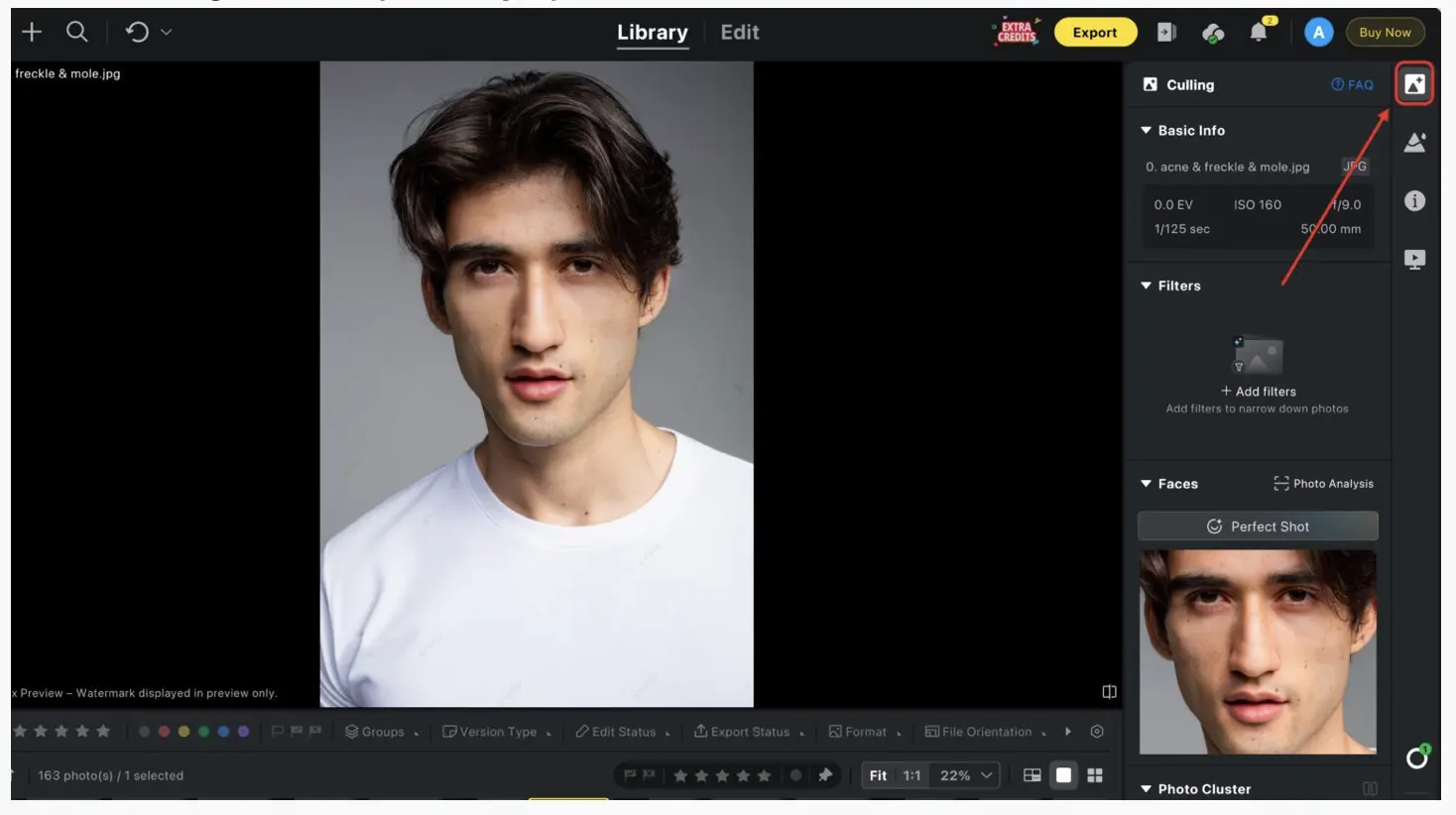
Evoto is best known for AI portrait retouching, but it also includes Smart Culling. It groups a project into stories and segments, flags blurry shots and closed eyes, and shows quality labels on every detected face.
Why photographers use it
- Cull and retouch in one app: Useful for studios where retouching, not culling, is the main bottleneck.
- Pay only for exports: Culling and editing are free to use. Credits are only spent when you export an edited photo (1 credit per photo), and exporting unedited originals uses none.
Limitations
- Smart Culling only runs on a whole project, not on individual folders or collections.
- Credit costs add up at wedding volumes, and re-importing the same photos on another device uses credits again.
Best for
- Portrait, headshot and school studios that retouch most of what they deliver.
Pricing
- Free to download, with trial credits. Annual credit plans start at $89/year for 800 export credits. Mac, Windows and iPad.
7. Optyx: Best Budget AI Culling
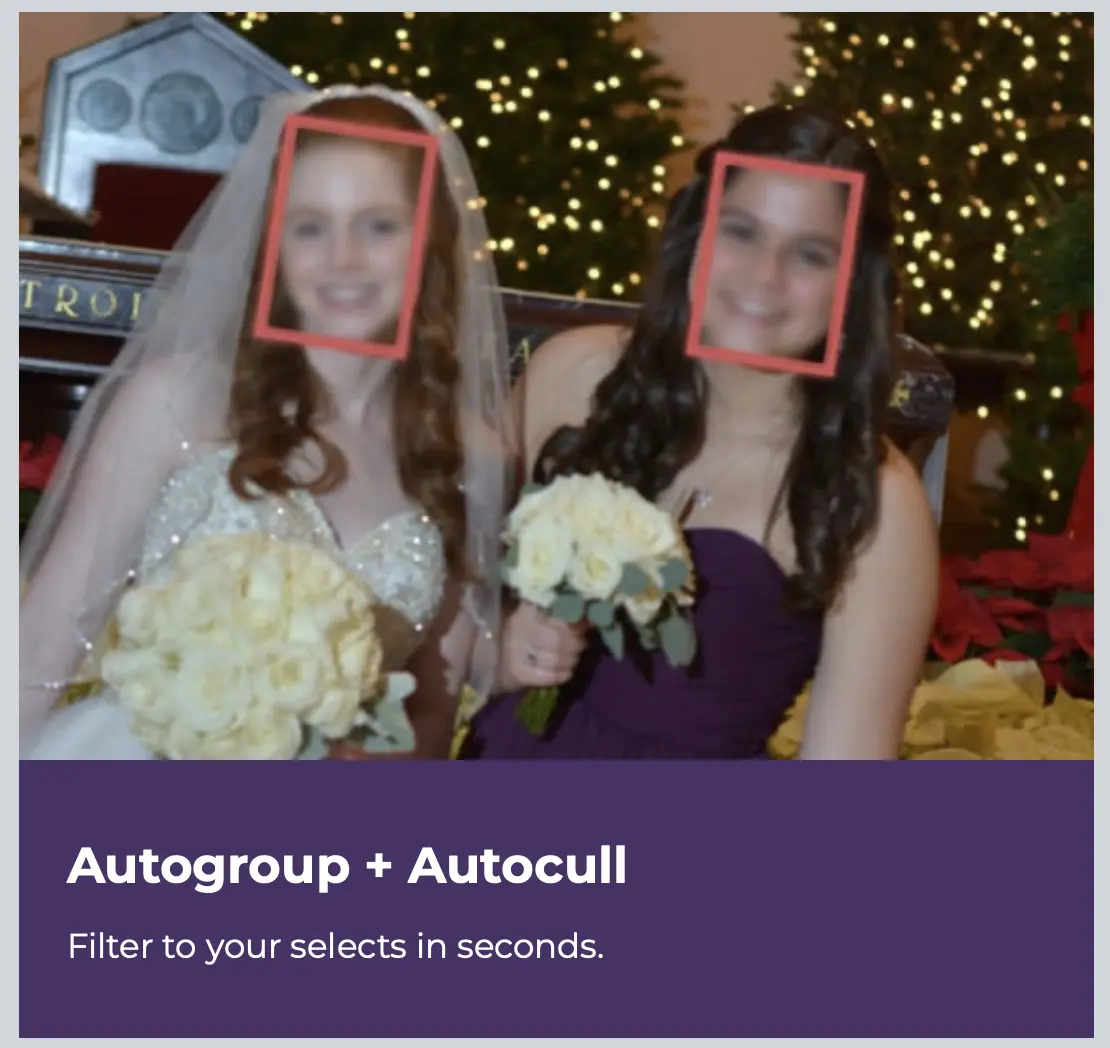
Optyx is a dedicated culling app for Mac and Windows with a useful free tier. The free plan gives you fast previews, ratings and Lightroom integration for manual culling. Pro adds the AI features.
Why photographers use it
- Low entry price: Pro costs less than most competitors, and the free plan covers manual culling.
- AI Autogroup and Autocull (Pro): Groups similar images and nominates the strongest frame based on expression, sharpness, composition and exposure.
- Lightroom-friendly: Writes culling decisions as XMP metadata.
Limitations
- Its developer says the AI works best when people’s faces are the main subject.
- Reviewers report that the AI analysis needs an internet connection.
Pricing
- Free plan available. Pro is $6.99/month billed annually or $9.99 billed monthly.
8. Photo Mechanic: Best for Fast Manual Culling and Metadata
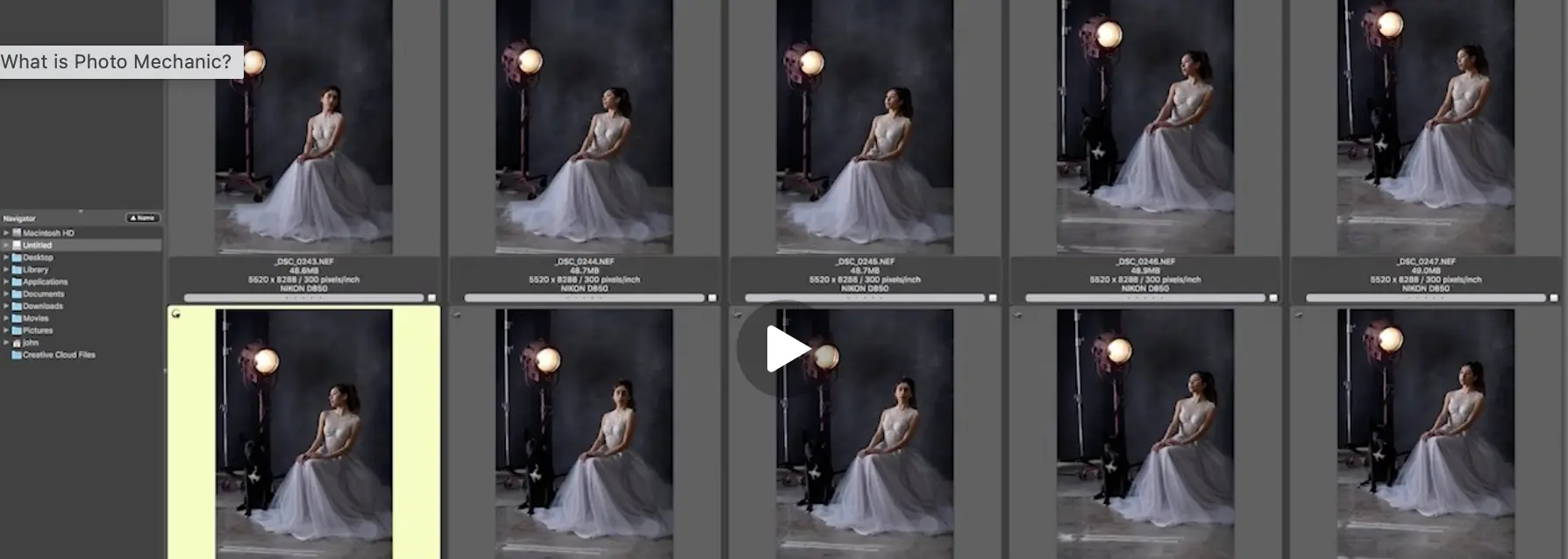
Photo Mechanic by Camera Bits is the long-standing standard for news, sports and documentary photographers. It isn’t an AI tool. Its speed comes from reading the JPEG previews embedded in raw files, so you can flip through images the moment your card is mounted.
Why photographers use it
- Near-instant previews: No render wait, even on large raw files.
- Metadata power: IPTC templates, code replacement and batch captioning let photojournalists caption, keyword and copyright hundreds of files at once.
- Keyboard-driven: Fully customizable shortcuts for rating, tagging and cropping.
Limitations
- No AI: it won’t detect closed eyes, check sharpness or group duplicates for you.
- You review every frame yourself.
Best for
- Sports shooters, photojournalists and wire photographers who must caption and file images within minutes.
Photo Mechanic pricing
- Photo Mechanic: $14.99/month, $149/year, or $299 one-time (includes one year of updates).
- Photo Mechanic Plus (adds catalogs): $24.99/month, $249/year, or $399 one-time.
9. imagic: Cheapest Local AI Culling
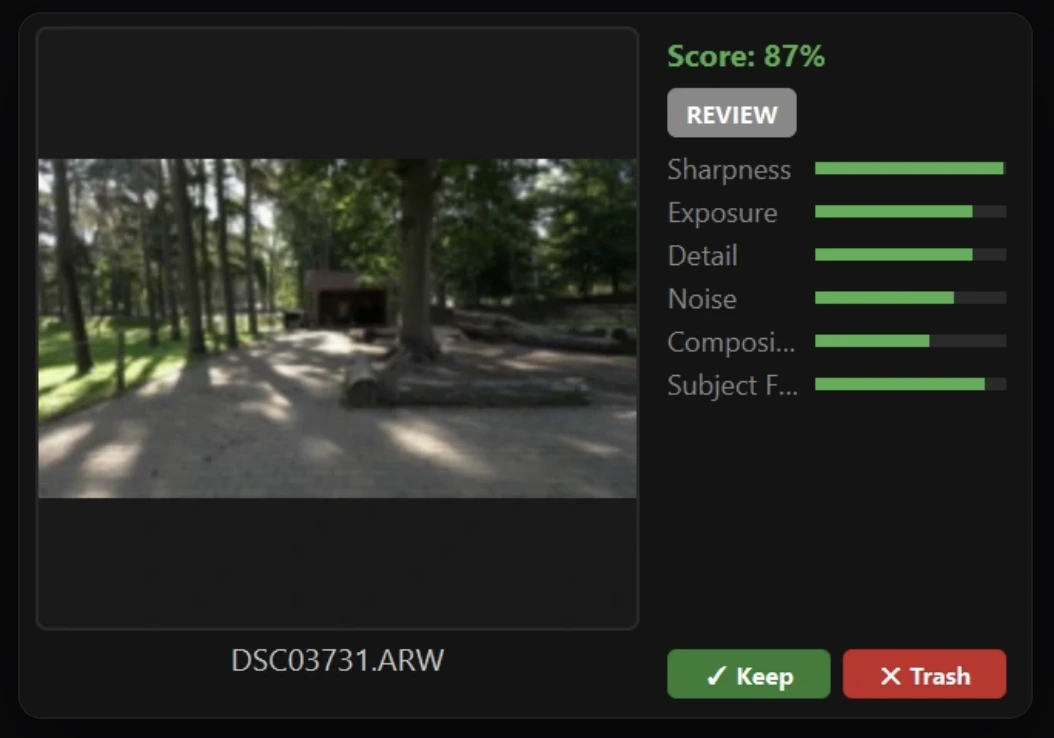
imagic is a newer, local-first app for Mac and Windows from a one-person developer. It imports a folder of raw files, scores and culls them automatically, parks near-duplicates for review instead of deleting them, and includes a basic editor for exporting the keepers.
Why photographers use it
- Very low one-time price and no subscription.
- Fully local: Photos never leave your computer.
Limitations
- It’s young software with some rough edges, and with a single developer, support and updates are smaller in scale.
Pricing
- One-time licenses: Lite €19, Plus €49, Max €99. The free trial is capped at 500 exported photos.
Also worth knowing: FastRawViewer ($23.99 one-time) isn’t an AI culler, but it shows true raw histograms and focus peaking. Landscape and commercial photographers use it to check exposure before they import.
Which FilterPixel Alternative Is Right for You?
- You shoot weddings, portraits or events and want flat, unlimited, offline culling: choose Aftershoot Select.
- You want to make every pick yourself, with face close-ups and AI ranking: choose Narrative (Standard or above).
- Your editing already runs through Imagen: choose Imagen Culling.
- You already pay for Lightroom and shoot modest portrait volumes: start with Lightroom Classic Assisted Culling.
- You don’t want a subscription: choose Excire Foto 2027 for AI culling plus library search, or imagic for the lowest price.
- Retouching is your real bottleneck: choose Evoto.
- You’re on a tight budget: try Optyx (free plan, or Pro from $6.99/month).
- You shoot sports or news and caption on deadline: choose Photo Mechanic.
How to Test a Culling Tool on Your Own Work
Vendor demos show best-case results. Before you move a whole season to a new tool, run this test on your own files:
- Pick a hard shoot: Use a real gallery of 2,000–4,000 raw files with mixed light, fast action and big group photos.
- Time the whole workflow: Don’t just time the AI analysis. Time import, analysis, your review and the export to your editor.
- Check the edge cases: See how the tool handles intentional motion blur, an emotional candid with closed eyes and a dark, moody portrait.
- Turn off your Wi-Fi: Import a card offline. If the tool can’t run, decide whether that matters for the way you work.
- Count the real cost: Work out the yearly price at your actual shoot count, including caps, credits and per-photo fees.
Final Verdict on FilterPixel Alternatives
Automating your cull doesn’t mean handing your creative decisions to an algorithm. It means removing the repetitive part so you can spend your time on the work clients hire you for.
FilterPixel is still a solid choice for deadline-driven event photographers who are happy with cloud processing and annual shoot allowances. If you want unlimited culling at one flat price, the choice of automated or assisted culling, and the freedom to work offline, Aftershoot Select is the strongest FilterPixel alternative in 2026.
Start your free 30-day Aftershoot trial: unlimited photos, offline culling, no credit card required.
FAQs About FilterPixel Alternatives
What is the best FilterPixel alternative?
Aftershoot Select is the best FilterPixel alternative for most professional photographers. It costs $10/month billed annually, culls unlimited photos locally on your computer, works offline, and offers both automated and assisted culling with no shoot caps.
Which FilterPixel alternative is best for wedding photographers?
Aftershoot Select is the best FilterPixel alternative for wedding photographers. It handles multi-thousand-image weddings without counting shoots, groups bursts and duplicates, flags blinks and blur, and lets you compare up to 16 near-identical frames side by side in Survey Mode.
Is there a FilterPixel alternative without shoot limits?
Yes. Aftershoot, Narrative and Imagen’s culling add-on all include unlimited photos and projects for a flat fee. FilterPixel caps DeepCull at 20 shoots a year on Standard and 70 on Pro, charges $7.99 for each extra shoot, and splits uploads over 5,500 photos into more than one shoot.
Can I cull photos completely offline?
Yes. Aftershoot, Narrative, Excire Foto, imagic and Photo Mechanic all run locally and work without internet. FilterPixel and Imagen Culling analyze photos in the cloud and need a connection.
Is there a free FilterPixel alternative?
Partly. Optyx has a free plan for manual culling, and Evoto lets you cull for free and only charges credits when you export edited photos. If you already subscribe to Adobe’s Lightroom plan, Assisted Culling in Lightroom Classic comes at no extra cost. Aftershoot and Narrative offer 30-day free trials with no card required.
Which culling software can I buy with a one-time payment?
Excire Foto 2027 ($249), imagic (€19–€99) and Photo Mechanic ($299 perpetual, with one year of updates) can all be bought outright. Of these, Excire Foto and imagic include AI culling. Photo Mechanic is manual.
Will culling software overwrite my original raw files?
No. Professional culling tools are non-destructive. Aftershoot never deletes or changes your originals, and tools like Aftershoot, Narrative, FilterPixel and Optyx pass ratings, labels and flags to your editor as metadata, leaving the raw data untouched.
Can I switch from FilterPixel to Aftershoot mid-season?
Yes, and the risk is low. Aftershoot reads your raw files straight from your cards or drives, and your ratings, labels and flags go to Lightroom Classic or Capture One, so you don’t need to rebuild your catalog. Run both tools side by side during the 30-day trial before you cancel.
Does Lightroom’s Assisted Culling replace a dedicated culling tool?
For light portrait work, it can. It checks sharpness and open eyes and rejects misfires and exposure problems. For burst-heavy weddings and events, dedicated tools like Aftershoot are stronger, because they rank frames within each burst and offer target-count culling.
How does Aftershoot’s culling connect to editing and delivery?
After you cull in Aftershoot Select, you can move straight into Aftershoot Edit to apply your AI style and make manual RAW adjustments, then use AI Retouch. The Complete plan bundles all three for $45/month billed annually. Client delivery runs through Aftershoot Galleries, a separate product with a free Starter plan.