

TL;DR
- Aftershoot AI Retouching includes Cloth Dewrinkle for fabric and costs a flat $20/month with no per-image fees. Culling and editing are available alongside it, or all three together for $45/month on the Complete plan.
- Retouch4me sells individual AI plugins, including a dedicated Fabric tool, for photographers who retouch inside Photoshop.
- Evoto offers granular sliders for skin, face shape, and background work, billed per exported image on a credit system.
- Imagen AI learns your style from past work and applies it across galleries, with lighter retouching than the others.
- ON1 Photo RAW (full editor + Portrait AI) and PortraitPro (retouching-only, deepest per-face manual control) both skip the subscription entirely.
- Luminar Neo pairs Face AI, Skin AI, and Body AI with a full non-destructive editor, available as a one-time license or subscription.
- None of these seven tools are built for ecommerce fashion product photography, flat-lay garments, ghost mannequin, clipping paths. That’s a separate software category not covered here. And none replace a human retoucher on a campaign hero shot; each handles the repeatable 80-90% of a shoot.
A model’s blazer has three creases across the shoulder that weren’t there at the fitting. The client wants matching skin tones across a 40-look lookbook shot under three different lighting setups. And somewhere in your export folder are 800 frames that need to look consistent enough to sit on the same page.
Fashion retouching isn’t portrait retouching with a different label. It asks software to hold fabric texture steady while it smooths skin, keep color consistent across a full shoot instead of one frame, and do it at a volume that a single retoucher working manually in Photoshop can’t sustain during a busy season.
This guide compares seven tools built for exactly that: Aftershoot AI Retouching, Retouch4me, Evoto, Imagen AI, ON1 Photo RAW, PortraitPro, and Luminar Neo. Each takes a different approach to skin, fabric, and batch consistency, and each fits a different kind of modeled fashion workflow, editorial portraiture, bridal-fashion crossover, lookbooks, and campaign work.
One thing worth knowing before you keep reading: every tool here is built for photography of a person wearing the clothes. None of these seven handle ecommerce product photography, flat-lay garments, ghost mannequin, catalog clipping paths. If that’s your primary work, this isn’t the right comparison to start from.
How Did We Evaluate This List of Best Software for Fashion Photography Retouching?
We compared these five products on skin and texture preservation, fabric and wrinkle handling, color consistency across a batch, output resolution and RAW support, integration with existing workflows, and pricing at realistic shoot volumes.
This comparison draws on official product documentation, current pricing pages (verified August 2026), and verified user reviews on G2 and Trustpilot. Where a claim comes from a review rather than official documentation, we’ve noted it. We did not conduct side-by-side lab testing across identical fashion RAW files for this piece, so treat feature descriptions as accurate to vendor documentation and public reviews rather than our own pixel-level benchmarking.
Comparing the Top 7 Best Fashion Photography Retouching Software
| Software | Best for | Fabric/garment handling | Skin/texture control | Batch sync | Pricing model |
|---|---|---|---|---|---|
| Aftershoot AI Retouching | Editorial portraits, bridal-fashion crossover, lookbooks | Cloth Dewrinkle (creases, keeps texture) | Sliders per feature, subject-aware | Sync across full album | Flat $20/mo, unlimited |
| Retouch4me | Photoshop-based retouchers wanting plugin-level control | Dedicated Fabric plugin | High, plugin-specific | Manual per plugin, via batch actions | $124–$179/plugin one-time, or $20/mo cloud credits |
| Evoto | High-volume studios needing deep facial/body sliders | Not a dedicated feature | Very granular (face, body, makeup) | Apply-once, sync-to-batch | Credit-based, ~$0.05–$0.10/photo |
| Imagen AI | Photographers automating their editing style | Not a dedicated feature | Light retouching add-on ($0.01/photo) | Full-gallery, style-based | $0.05/photo base + add-ons |
| ON1 Photo RAW | Owning a full RAW editor with retouching built in | Not a dedicated feature | Portrait AI: face/eye/skin detection | Batch processing across a folder | One-time from $99.99, or subscription from $79.99/yr |
| PortraitPro | Single-subject beauty/headshot work, deep manual control | Not a dedicated feature | Highest per-face manual control; 3D relighting | Limited, best for small sets | One-time: $65.95 (Standard) / $94.95 (Studio) |
| Luminar Neo | Full editor with the deepest portrait-AI toolset | Not a dedicated feature | Face AI, Skin AI, Body AI, individually controllable | Preset-based, not one-click sync | One-time from $119, or subscription from ~$49/yr |
Top 7 Best Fashion Photography Retouching Software
1. Aftershoot AI Retouching
Aftershoot Features and Functionality
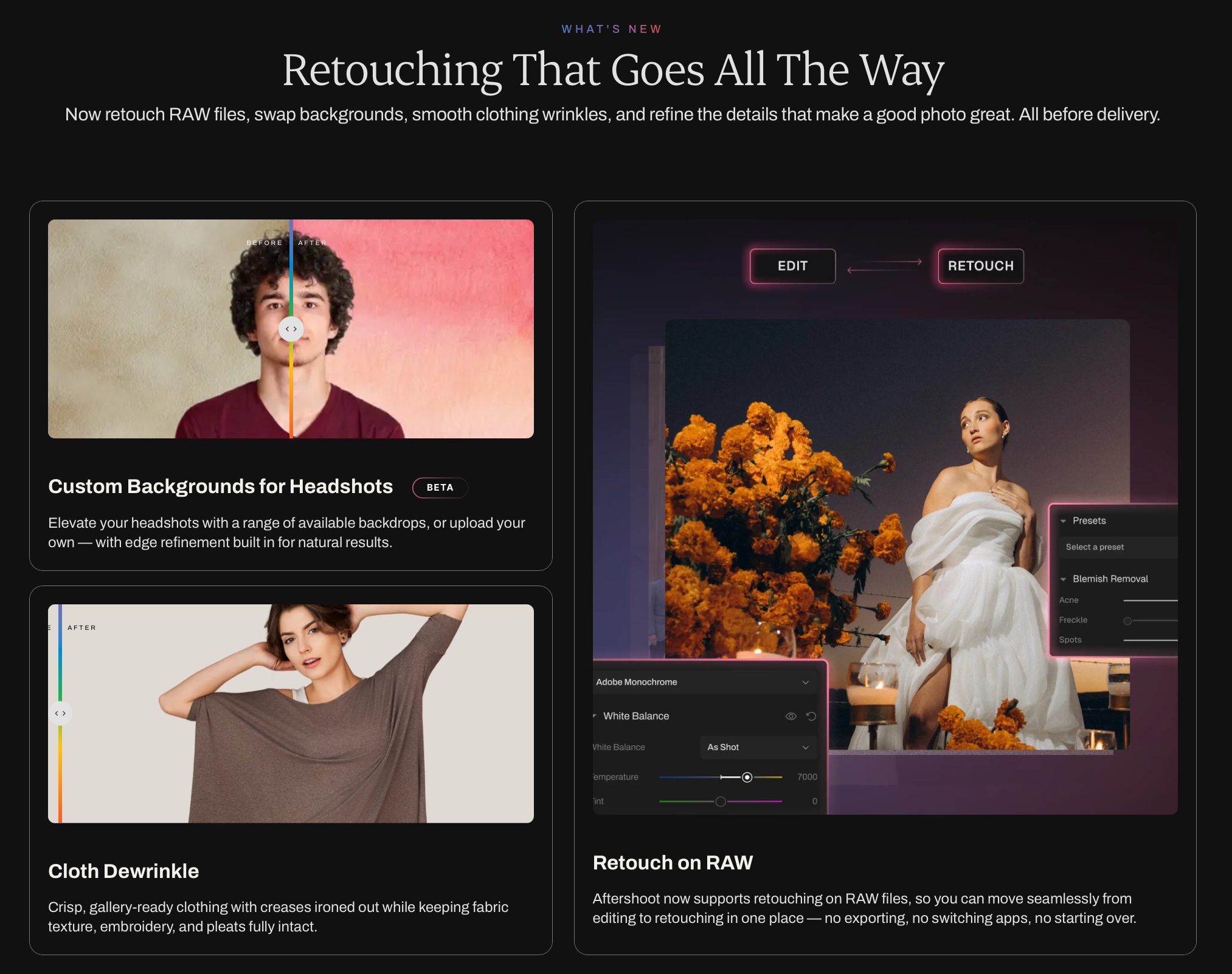
Aftershoot AI Retouching sits inside the same platform as Aftershoot’s culling and editing tools, so a fashion shoot moves from import to retouched gallery without exporting between apps. For fashion work specifically, the standout feature is Cloth Dewrinkle, which smooths creases and folds in clothing while keeping fabric texture, embroidery, and pleats intact, a detail generic portrait retouchers don’t address at all.
- Skin retouching includes blemish removal, face shine reduction, eye bag removal, and teeth whitening, applied through sliders rather than fixed presets, so a photographer can dial results up or down per shoot. Aftershoot’s subject-detection lets you retouch by group or individual, useful for group editorial shots where skin tone treatment needs to differ across models.
Got some pictures that need fixing? Try the free AI Retouching tools today.
- Batch consistency works through a sync function: retouch one frame in Loupe View, select the rest of the set, and apply the same settings across the album. Aftershoot now also supports retouching directly on RAW files, which removes a step that used to require exporting to JPEG first.
- On privacy and workflow: Aftershoot processes locally by default and offers an opt-out for cloud features at import, a relevant detail for editorial or commercial shoots covered by an NDA.
- On integrations: Aftershoot works as a standalone app that connects to Lightroom Classic and Capture One for cataloged workflows.
- On support: Aftershoot offers 24/7 live support, which matters more during a delivery crunch than most buyers realize going in.
Aftershoot Pricing
AI Retouching starts at $20/month billed annually, with unlimited photos and no per-image fees. A photographer processing 1,000 or 10,000 images a month pays the same flat rate. Aftershoot also offers a 30-day free trial with full feature access and no credit card required, and plans can be paused during slower seasons. Culling and Editing are priced separately (starting at $10/month and $30/month respectively) and bundle at a discount if you want the full workflow.
Advantages of Aftershoot
- Dedicated fabric retouching (Cloth Dewrinkle) that most competitors don’t offer at all.
- Flat, unlimited pricing regardless of shoot volume.
- One platform for culling, editing, and retouching, no export-import cycle.
- Local processing with a documented opt-out for cloud features.
- 1.7K+ reviews averaging 4.9/5 on the Aftershoot AI Retouching product page, and see verified user feedback on Aftershoot’s G2 profile.
Disadvantages of Aftershoot
- No product/ecommerce retouching tools (backgrounds, clipping paths for flat-lay garments).
- Background Replacement is still in beta, so it isn’t fully reliable for editorial backdrop swaps yet.
- Advanced surgical work (frequency separation, dodge and burn by hand) still requires Photoshop.
Here’s what Sarah Boles has to say about Aftershoot’s AI Retouching.
Gone are the days of spending hours running actions in Photoshop to clean up skin, I’m so thankful for the ability to just pull the photos I need into Aftershoot, adjust some sliders, and watch it work it’s magic in less time than I could even open the images in photoshop. The software has significantly sped up what would typically be the “Photoshop” portion of the editing process and my workflow is faster than ever because of it.
– Sarah Boles
👁️ Also Read: For portrait-specific comparisons, see Aftershoot’s guide to the best skin retouching software for photographers and the best portrait retouching software roundup.
2. Retouch4me
Retouch4me Features and Functionality
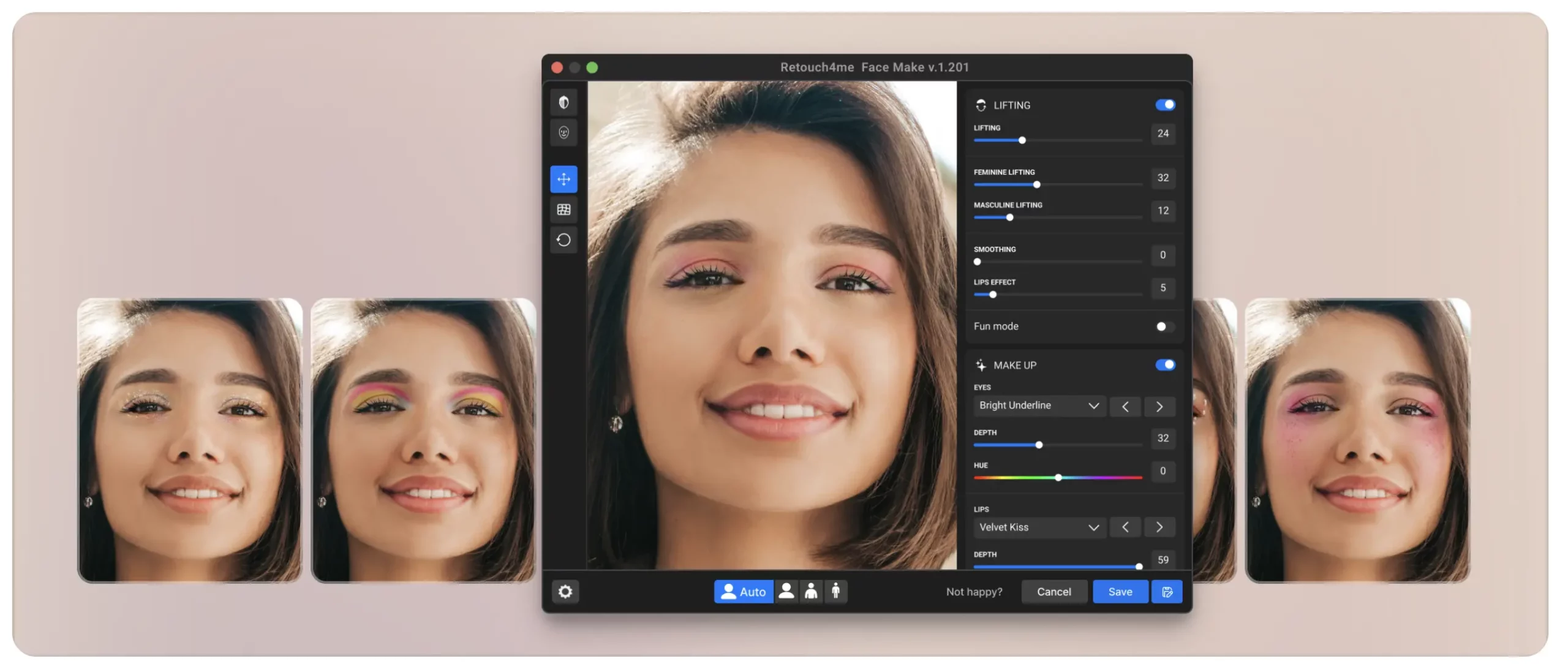
Retouch4me isn’t just one application, it’s a suite of individual AI plugins, each built to do one retouching task well. For fashion work, the relevant plugins include Fabric (smooths clothing wrinkles), Heal (blemish removal), Dodge & Burn (automated skin lighting and shading), Skin Tone (evens out tone across a batch), and Clean Backdrop (studio background cleanup). Each plugin runs inside Photoshop, Lightroom, or Capture One, or as a standalone app.
The core design principle is texture preservation. Retouch4me markets itself against the “plastic skin” look of aggressive AI smoothing, and reviewers on Retouch4me’s own site and third-party review sites consistently note it holds skin texture and pore detail better than one-click competitors, which matters for close-up editorial beauty shots.
- On integration: Because each tool is a separate plugin, workflow integration depends entirely on which plugins you buy. A photographer using Fabric, Heal, and Dodge & Burn together builds a manual sequence, there’s no single “retouch this shoot” button.
- On privacy: Processing happens locally once a plugin is purchased, and the software doesn’t need an internet connection after activation, which some studios prefer for client confidentiality on unreleased collections.
Retouch4me Pricing
Individual plugins run $124–$179 as a one-time purchase, depending on the tool. A photographer who needs Fabric, Heal, Dodge & Burn, and Skin Tone is looking at roughly $500–$600 upfront, though plugins are perpetual licenses with free updates. For photographers who don’t want the upfront cost, Retouch4me also offers a cloud credit subscription starting around $20/month for roughly 200 retouches, working out to $0.06–$0.10 per image depending on volume.
Advantages of Retouch4me
- Dedicated Fabric plugin built specifically for clothing wrinkle removal.
- Best-in-class texture preservation, according to multiple third-party reviews.
- Perpetual license option, pay once, use offline indefinitely.
- Works inside Photoshop, Lightroom, and Capture One rather than forcing a separate app.
Disadvantages of Retouch4me
- No single all-in-one interface, each capability is a separate purchase.
- The full plugin suite becomes expensive fast if you need more than two or three tools.
- No batch culling or editing, this is a retouching-only add-on to an existing workflow, not a full post-production platform.
- Some users on Retouch4me’s G2 reviews note the AI doesn’t always detect problem areas correctly, requiring manual touch-ups.
👁️ Also Read: See how Aftershoot Stands Out When Compared with Retouch4me.
3. Evoto
Evoto Features and Functionality
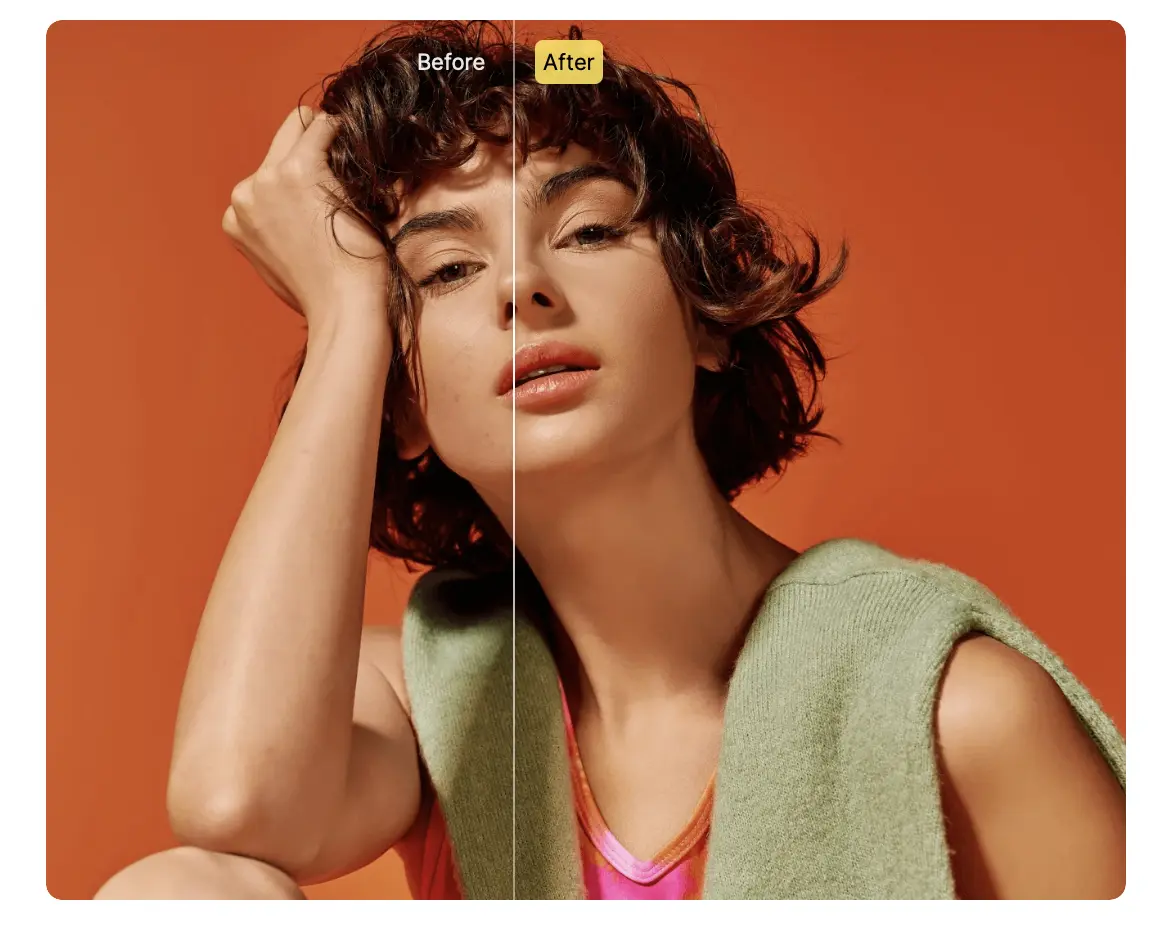
Evoto is built around depth of control. Its retouching sliders cover skin (blemish removal, texture smoothing), face shape, eye size, and background swaps or cleanup, alongside digital makeup and body-shape adjustment. For fashion and beauty photographers who want fine manual override on every parameter rather than a handful of presets, Evoto’s slider range is the deepest of the five tools here.
Evoto handles batch work by letting you dial in settings on one image, then applying that same adjustment set across a full shoot in seconds, which suits high-volume studio days. It runs as a desktop app, an iPad app, and a mobile app, with cloud sync between devices for photographers who start an edit on set and finish it later.
Evoto doesn’t include a dedicated fabric or clothing-wrinkle tool. Reviewers, including a Professional Photographers of America review, describe it as strongest for facial and body retouching rather than garment cleanup, so fashion photographers using Evoto typically still handle fabric issues in Photoshop separately.
- On privacy: Evoto’s workflow relies on cloud processing and exporting, with the vendor stating user data is encrypted and not accessed or shared without permission. Evoto also publishes SOC 2 Type II and ISO/IEC 27001 certification.
- On integrations: Evoto doesn’t sync directly with Lightroom, and the PPA review above describes photographers using a TIFF export workaround to move files between the two.
Evoto Pricing
Evoto runs on a credit-based export model: editing and previewing are free, and one credit is deducted per exported image. Entry plans start around $6.99–$9.99/month for roughly 800 credits a year, scaling up through higher tiers. Effective cost per image lands between $0.05 and $0.10, depending on plan tier, so a wedding-adjacent fashion shoot delivering 800 images per event could need a mid-tier plan to avoid running out of credits mid-season.
Advantages of Evoto
- Deepest slider-level control over face, body, and skin of the five tools compared here.
- Desktop, iPad, and mobile apps with cloud sync.
- Fast batch application once settings are dialed in on a reference image.
- 1M+ photographers reported using Evoto as of 2026, per the vendor, with reviews on Evoto’s G2 profile frequently citing speed on repetitive corrections like stray hair.
Disadvantages of Evoto
- No dedicated fabric or clothing-wrinkle tool, a gap for fashion-specific retouching.
- Credit-based pricing means cost scales with volume rather than staying flat, a busy month costs more.
- No native Lightroom sync; some users build export workarounds.
- G2 reviewers note default AI settings can over-smooth skin on close-up portraits, requiring manual correction down.
👁️ Also Read: Aftershoot’s portrait editing software comparison covers Evoto alongside other slider-heavy retouching tools.
4. Imagen AI
Imagen AI Features and Functionality
Imagen AI’s core product isn’t retouching, it’s a Personal AI Profile that learns your editing style from past Lightroom edits and applies color correction, exposure, and tone consistently across new shoots. Retouching sits as an add-on layer rather than the primary function, covering texture-preserving skin smoothing and basic cleanup rather than the deep slider control Evoto or Retouch4me offer.
For fashion photographers, Imagen’s real strength is color and tone consistency across a full shoot, useful for lookbooks and campaigns where every frame needs to match a brand’s color language regardless of lighting changes between setups. It doesn’t include a fabric-specific tool, and its retouching feature set is intentionally lighter than dedicated retouching software.
- On privacy: Imagen processes in the cloud rather than locally, which means images upload to Imagen’s servers for editing.
- On integrations: it connects directly to Lightroom, applying its learned style to catalogs without a separate export step.
- On support: reviewers on G2 describe a learning curve when first setting up a Personal AI Profile, though support response is generally described as responsive.
Imagen AI Pricing
Imagen uses per-photo pricing starting at $0.05/photo on a pay-as-you-go basis, with a roughly $7/month minimum. Annual volume tiers range from 18,000 to 72,000 photos a year, with the 36,000-photo tier running about $127.50/month. Retouching and other add-on AI tools cost an additional $0.01/photo each on top of the base editing rate, so a fully-loaded workflow with four add-ons can push effective cost above $0.07/photo.
Advantages of Imagen AI
- Strong color and tone consistency across full shoots, useful for brand-matched lookbooks.
- Learns your personal editing style rather than applying a generic look.
- Direct Lightroom integration without manual export steps.
- Reviewers on Imagen AI’s G2 profile frequently cite time saved on repetitive style matching.
Disadvantages of Imagen AI
- Retouching is a lighter add-on, not a dedicated fashion retouching toolset, no fabric handling, limited skin controls compared to Evoto or Retouch4me.
- Cloud-only processing means images leave your machine, a consideration for unreleased-collection shoots under NDA.
- Per-photo add-on pricing compounds quickly at high volume.
- No culling or full retouching suite, this is primarily a style-automation tool with retouching bolted on.
👁️ Also Read: For a broader look at style-automation tools, see Aftershoot’s best AI photo editing tools comparison, which places Imagen AI against Aftershoot and Luminar Neo.
5. ON1 Photo RAW
ON1 Photo RAW Features and Functionality
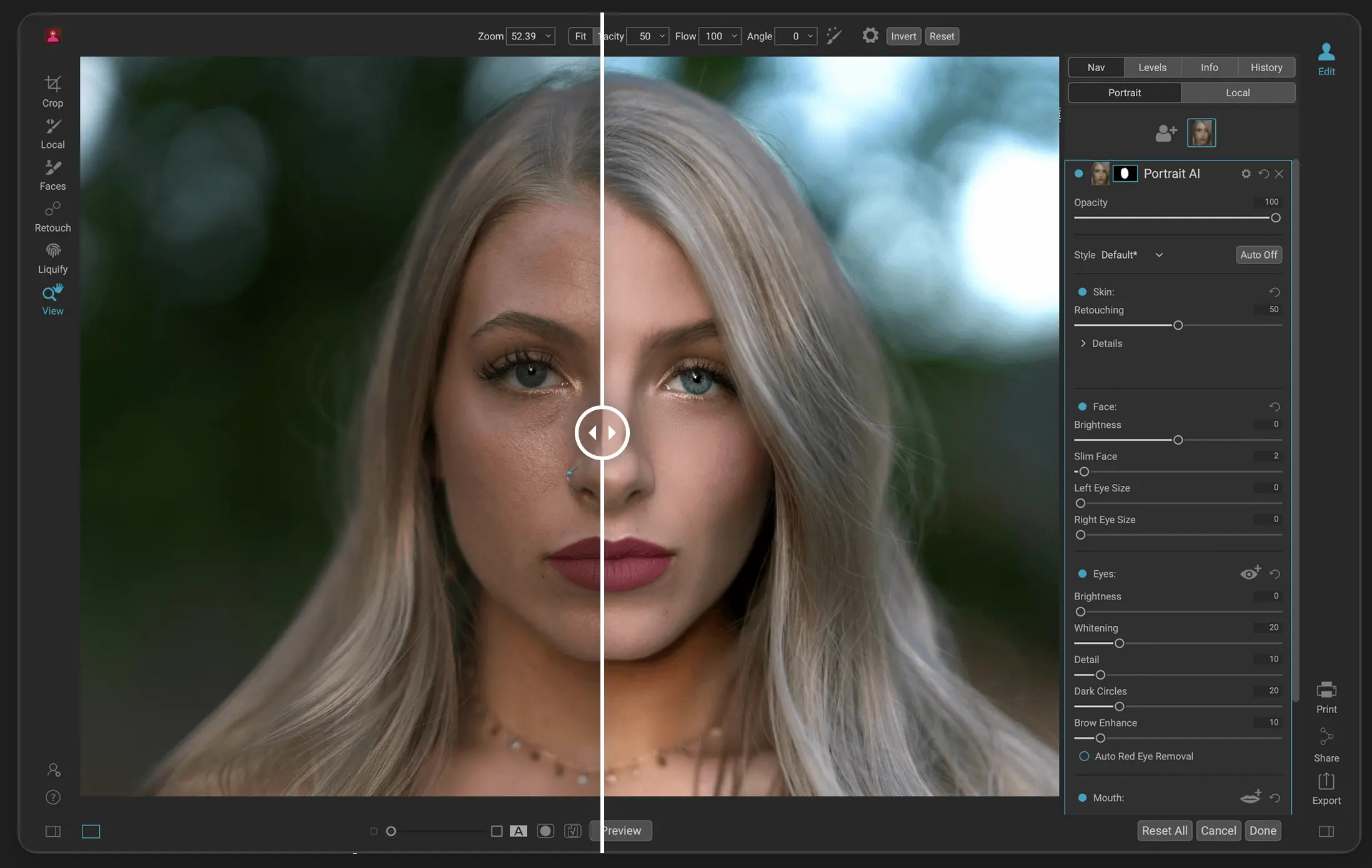
ON1 Photo RAW is a full RAW editor, organizing, layers, masking, and effects, with a built-in Portrait AI module for retouching. Portrait AI automatically detects faces, eyes, lips, and skin zones without manual selection, then smooths skin while aiming to preserve fine detail rather than flattening it into a plastic look.
For fashion photographers, ON1’s appeal is owning one app that handles both the RAW edit and the retouching pass, rather than paying for a separate retoucher on top of an editing subscription. It doesn’t include a dedicated fabric-wrinkle tool, so clothing cleanup still relies on ON1’s general masking and healing brush tools rather than an automated, fabric-aware feature.
Batch processing works across a folder, applying the same adjustment preset to a full set, though it’s closer to traditional batch editing than the one-click sync features in Aftershoot or Evoto.
On integrations: ON1 Photo RAW MAX can run as a standalone app or a plugin inside Photoshop, Lightroom, Affinity, and Apple Photos, which suits photographers who want retouching tools without leaving an existing catalog.
On privacy: ON1 processes locally as a desktop application, with cloud sync as an optional add-on for backup rather than a requirement.
ON1 Photo RAW Pricing
ON1 Photo RAW is available as a one-time purchase from $99.99 (Photo RAW) or $199 (Photo RAW MAX, which adds plugin support for other editors), or as a subscription starting around $79.99/year for Photo RAW MAX with cloud sync and ongoing upgrades included. A 30-day free trial and a 30-day money-back guarantee are both available, and ON1 also runs an “ON1 Everything” bundle subscription around $8/month that includes the full app suite.
Advantages of ON1 Photo RAW
- Only tool in this list with a true one-time-purchase option, no subscription required.
- Full RAW editor and retoucher in one app, useful for photographers who don’t want a separate retouching subscription.
- Works standalone or as a plugin inside Photoshop, Lightroom, and Affinity.
- Local processing by default.
Disadvantages of ON1 Photo RAW
- No dedicated fabric or clothing-wrinkle tool, a real gap for fashion-specific work.
- No AI culling; this is an editor, not a full workflow platform like Aftershoot.
- Reviewers on ON1’s G2 profile and third-party reviews note the interface can feel cluttered with features, and AI tools need a modern GPU to run smoothly.
- Catalog performance doesn’t match Lightroom at high volume, according to third-party reviews.
6. PortraitPro
PortraitPro Features and functionality
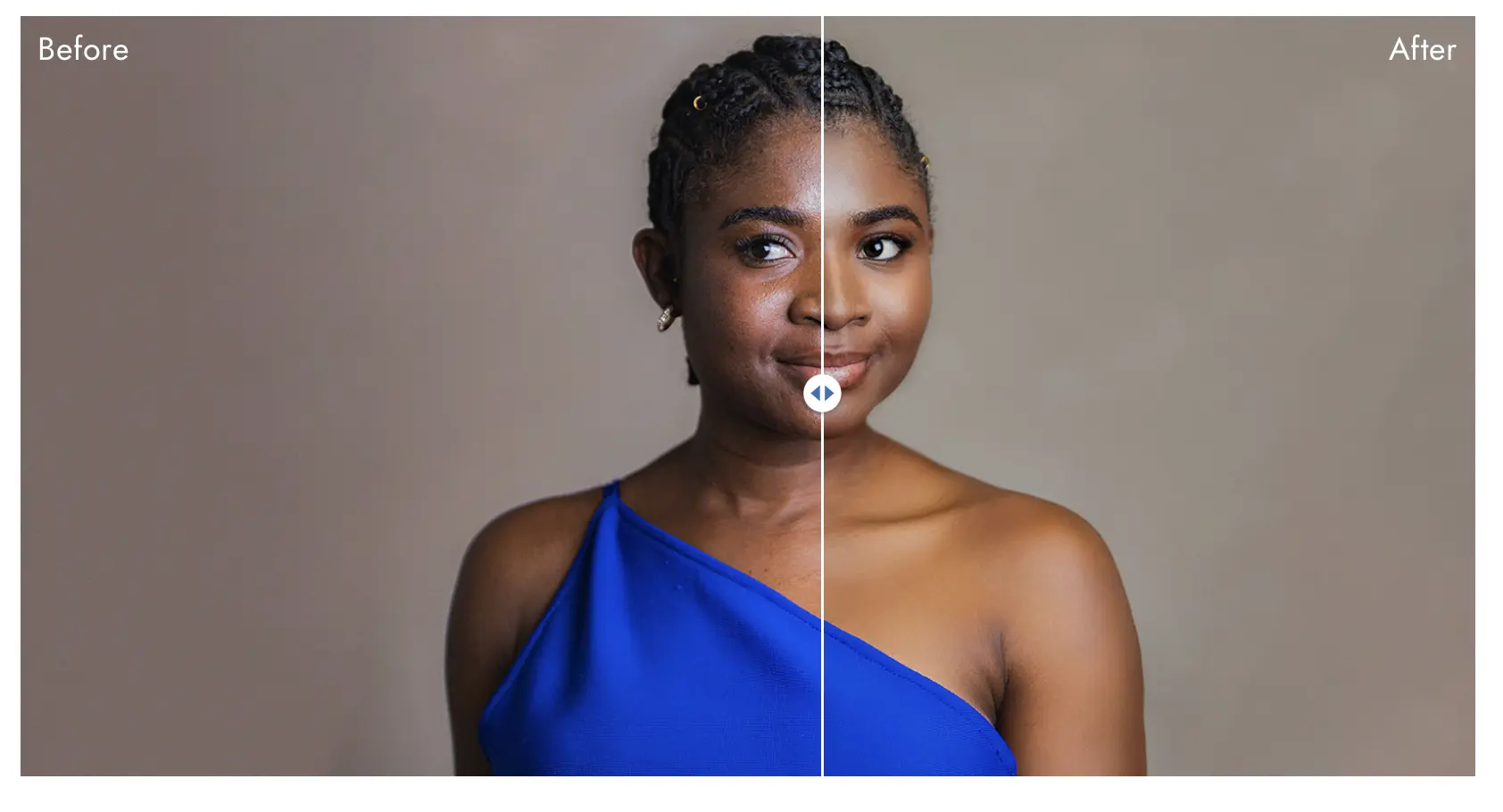
PortraitPro is a retouching-only application (Anthropics Technology) built around face-aware sliders rather than presets or plugins. It automatically detects a face, estimates age and gender, and separates skin, hair, and background so each can be adjusted independently. Its ClearSkin technology handles spots, shadows, and blemishes, while a 3D facial mapping model, trained on a database of 40,000+ processed faces, allows relighting after the fact: you can move a virtual light source around a subject’s face and the software recalculates shadows and highlights across the nose, cheekbones, and forehead accordingly.
For fashion work, this makes PortraitPro strongest on single-subject beauty and headshot-style frames where lighting wasn’t quite right on set, rather than full-look editorial images where fabric and body context matter as much as the face. It has no fabric or clothing-wrinkle tool, and no batch-sync feature comparable to Aftershoot or Evoto, each image is generally adjusted on its own, though it does support batch actions through Photoshop.
On integrations: PortraitPro runs as a standalone app or a Photoshop plugin. On privacy: it’s a desktop application that processes locally. On support: PortraitPro offers chat support; third-party review sites note limited public feedback on response times.
PortraitPro Pricing
PortraitPro is a one-time purchase: Standard runs $65.95, Studio runs $94.95 (RAW support is Studio-only). No subscription, no per-image cost, no cloud credits.
PortraitPro Advantages
- Deepest per-face manual control of any tool in this comparison, including a genuine relighting tool.
- True one-time purchase, no ongoing cost at any volume.
- Works as a Photoshop plugin for photographers who don’t want a separate app.
- Automatic age/gender detection speeds up single-subject retouching.
PortraitPro Disadvantages
- No fabric or clothing-wrinkle handling – retouching-only, face-first.
- No batch-sync or full-gallery consistency tool – best suited to single images or small sets, not 40-look lookbooks.
- Reviewers on Reddit and third-party sites warn that pushing sliders too far produces an over-sculpted, “3D render” look rather than natural skin.
- This is a standalone retouching step, not a workflow platform. So there’s no culling or editing capabilities.
Also Read: See how PortraitPro compares to plugin-based tools in Aftershoot’s best skin retouching software guide.
7. Luminar Neo
Luminar Neo Features and functionality
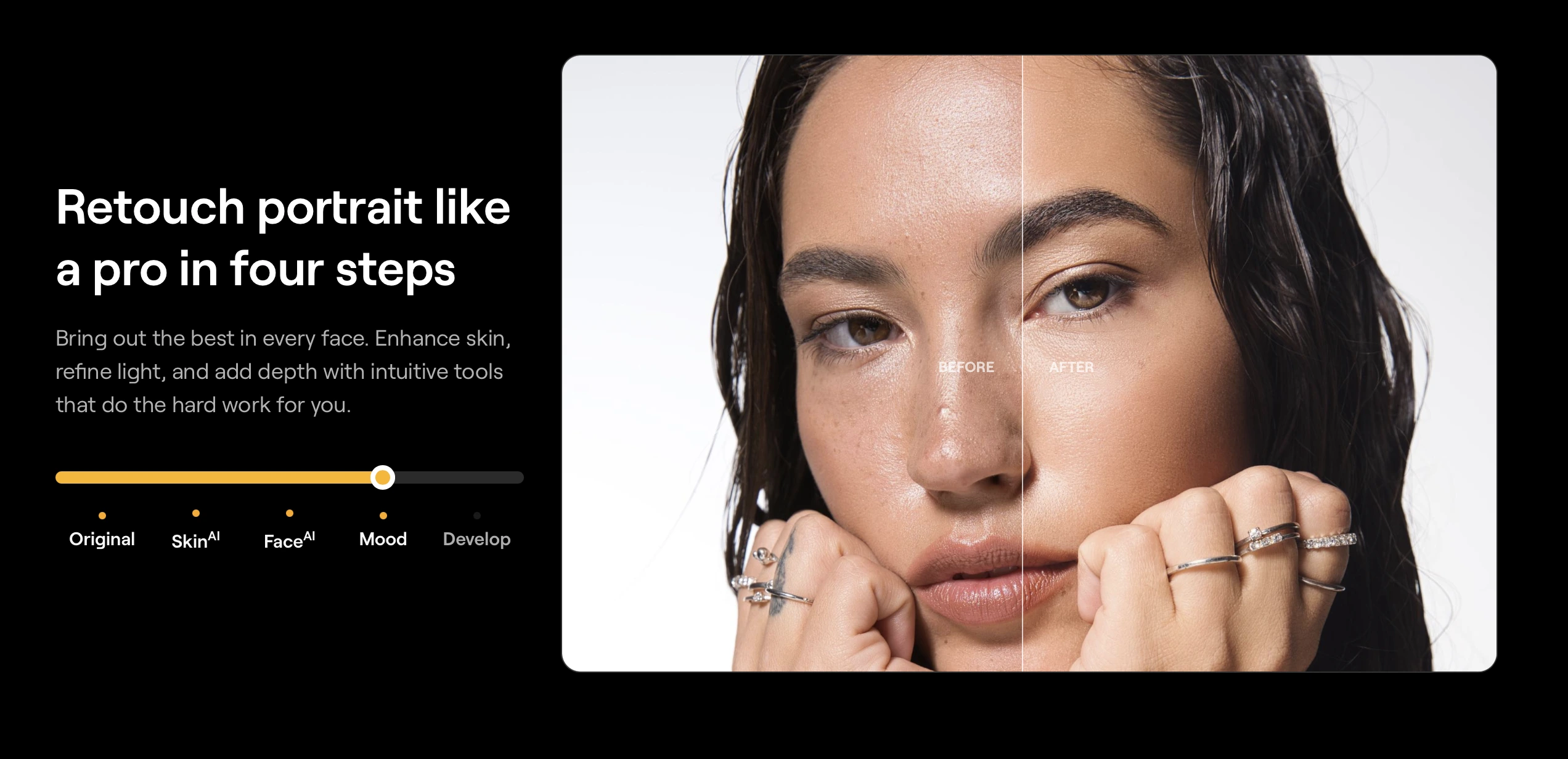
Luminar Neo is a full photo editor (Skylum) with the deepest portrait-AI toolset of any general editor in this comparison. Its Face AI, Skin AI, and Body AI modules cover blemish removal, shine removal, dark circle correction, skin smoothing, face lighting, and, more controversially, face and body reshaping sliders, all individually controllable rather than bundled into one “beautify” button. A Spring 2026 update added dedicated, separately controllable Blemish Removal, Shine Removal, and Dark Circles tools, plus improved mask feathering and edge control that closes a long-standing gap with Photoshop.
For fashion work, Luminar Neo’s real strength is portrait retouching depth inside a full non-destructive editor, layers, masking, Relight AI for backlit or unevenly lit shots, and Sky/background replacement. It has no dedicated fabric or clothing-wrinkle tool, so garment cleanup still routes through general masking rather than an automated, fabric-aware feature like Aftershoot’s or Retouch4me’s.
On integrations: Luminar Neo runs standalone or as a plugin for Photoshop and Lightroom, and supports RAW from a wide range of current camera bodies. On privacy: it’s a desktop application that processes locally. On support: G2 reviewers consistently cite responsive support and an approachable interface, though several note the software is resource-intensive and can lag on less powerful machines.
Luminar Neo Pricing
Luminar Neo offers both one-time perpetual licenses; Desktop from $119, Cross-Device from $149, and subscription plans starting around $49/year, scaling up to roughly $179/year for the Max tier with generative AI tools and asset libraries included. Optional extension packs for specialized tools (advanced noise reduction, generative features) run an additional $49–$99.
Luminar Neo Advantages
- Deepest portrait-AI toolset of any full editor here: Face AI, Skin AI, Body AI, and Relight AI as individually controllable sliders.
- Genuine choice between one-time perpetual license and subscription, unusual for a tool this feature-rich.
- Full non-destructive editor (layers, masking) rather than retouching-only.
- 4.4/5 across 100+ reviews on Luminar Neo’s G2 profile, with reviewers frequently citing the interface and AI tool quality.
Luminar Neo Disadvantages
- No dedicated fabric or clothing-wrinkle tool, garment cleanup relies on general masking.
- No batch-sync or full-gallery consistency feature comparable to Aftershoot or Evoto.
- Resource-intensive; multiple reviewers note it needs a capable GPU to run smoothly.
- Face/Body AI reshaping sliders require restraint, pushed too far, results read as obviously altered rather than retouched.
👁️ Also Read: For more on RAW editors that double as retouching tools, see Aftershoot’s best professional photo editing software roundup.
Comparison Table: Pricing at Real Fashion Volumes
| Scenario | Aftershoot | Retouch4me | Evoto | Imagen AI | ON1 Photo RAW | PortraitPro | Luminar Neo |
|---|---|---|---|---|---|---|---|
| Editorial shoot, 300 images/mo | $20/mo flat | ~$20–30/mo or one-time plugin cost | ~$15–25/mo | ~$15–20/mo | $0 ongoing after purchase | $0 ongoing after purchase | $0 ongoing (one-time) or ~$4–15/mo (subscription) |
| Lookbook season, 2,000 images/mo | $20/mo flat | ~$100+/mo or perpetual plugins | ~$60–100/mo | ~$100–150/mo | $0 ongoing after purchase | $0 ongoing after purchase | $0 ongoing (one-time) or ~$4–15/mo (subscription) |
| Occasional use, <100 images/mo | $20/mo flat (pausable) | One-time plugin, use as needed | ~$7–10/mo min. | ~$7/mo min. | $0 ongoing after purchase | $0 ongoing after purchase | $0 ongoing (one-time) or ~$4/mo (subscription) |
Note: ON1, PortraitPro, and Luminar’s one-time licenses show as flat regardless of volume since pricing is per-license, not per-image, the real cost driver for these three is how often you pay for an upgrade, not how much you shoot in a given month.
How do these photography retouching tools compare on fashion-specific work?
A feature list only tells you whether something exists. Here’s how each tool performs on what fashion work specifically demands.
1. Fabric and wrinkle cleanup
Aftershoot and Retouch4me are the only two tools here with a dedicated fabric tool (Cloth Dewrinkle and Fabric, respectively). Both claim to preserve texture, embroidery, and pleats rather than flattening the fabric. Evoto, Imagen AI, and ON1 Photo RAW have no equivalent, clothing cleanup on those platforms still routes through general masking or healing tools, or Photoshop.
2. Skin and texture preservation
Retouch4me’s plugin-specific approach and Evoto’s granular sliders both give more manual control than Aftershoot’s preset-plus-slider system, which trades some precision for speed. ON1’s Portrait AI automates detection but offers less fine-tuning than either. For close-up beauty and cover-quality editorial work, extra control matters more; for full-gallery consistency across a 40-look lookbook, speed usually wins.
3. Color consistency across a batch
Imagen AI is built around this problem specifically, learning your style and applying it across a full shoot rather than image by image. Aftershoot’s editing tools (separate from retouching) do the same thing through Personal AI Profiles. Evoto, Retouch4me, and ON1 Photo RAW are retouching- or editing-first tools and don’t address batch color grading with the same automation.
4. Batch speed
Aftershoot and Evoto both use a “set once, sync to batch” model that applies your adjustments across a full shoot in seconds. Retouch4me’s plugin architecture means batch work happens through Photoshop actions or Lightroom sync, an extra setup step. ON1 Photo RAW batches via preset application across a folder. Imagen AI applies its learned style automatically once a Personal AI Profile exists.
5. High-resolution and RAW support
Aftershoot now supports retouching directly on RAW files. Retouch4me and ON1 Photo RAW both work with RAW natively. Evoto and Imagen AI both support RAW import, though final exports for both often route through JPEG or TIFF intermediate files depending on plugin chain.
What does the pricing mean for photographers?
- Aftershoot’s flat pricing is the strongest fit once volume climbs past a few hundred images a month, since the cost doesn’t move with volume.
- Retouch4me’s perpetual plugins make sense if you retouch consistently and want to own the tool outright rather than subscribe.
- Evoto and Imagen AI both scale cost with volume, which keeps low-volume months cheap but raises the ceiling significantly during a heavy lookbook or campaign season.
- ON1 Photo RAW’s one-time cost looks cheapest on paper at high volume, but it’s buying an editor with retouching built in, not a dedicated retouching workflow, the comparison isn’t quite apples-to-apples.
Why Aftershoot Is the Best AI Retouching Software for Fashion Photography
Every tool in this comparison does something well. But when you weigh what a fashion photographer actually needs on delivery day, Aftershoot is the one built around the full problem instead of a slice of it.
1. It’s the only tool with a fabric-specific feature and a full workflow around it
Cloth Dewrinkle isn’t a general masking tool bent toward clothing, it’s built to read creases and folds and smooth them while keeping embroidery, pleats, and fabric grain intact. Retouch4me offers something similar through its Fabric plugin, but that plugin is a standalone purchase that still requires you to build your own retouching sequence in Photoshop. Aftershoot puts fabric retouching in the same panel as skin, eyes, and teeth, so a lookbook doesn’t need three separate tools stitched together to get delivery-ready.
2. It’s the only tool here that also culls and edits
A fashion shoot doesn’t start at retouching, it starts with 3,000 frames that need sorting, then a consistent edit across every look, and only then a retouching pass. Evoto, Retouch4me, Imagen AI, and ON1 Photo RAW each solve one part of that chain. Aftershoot solves all three inside one app, which means a look doesn’t get exported, re-imported, and re-touched across separate pieces of software before it reaches a client.
3. The pricing doesn’t punish a busy season
Retouch4me’s cloud credits, Evoto’s per-export credits, and Imagen AI’s per-photo add-ons all get more expensive the more you shoot. Aftershoot’s $20/month covers unlimited retouching whether you deliver 300 images or 3,000 in a given month. For a lookbook cycle or a campaign week, that’s the difference between a predictable line item and a bill that moves with your workload.
4. Retouching happens on RAW, without an export detour
Aftershoot retouches directly on RAW files inside the same workflow as culling and editing. Evoto and Imagen AI both route through export and re-import at some stage of a typical workflow, and Retouch4me’s plugins require moving files into Photoshop first. One less handoff means one less place for a look to drift off-style between selection and delivery.
5. Your images stay on your machine unless you choose otherwise
Aftershoot processes locally by default, with an explicit opt-out screen at import for anyone working under an NDA, relevant for unreleased collections, brand campaigns under embargo, or any shoot where a client has asked where their files are going. Evoto and Imagen AI both require cloud upload to run their AI features.
All of that said, none of this means Aftershoot replaces a retoucher on a campaign hero shot, and it’s honest to say so: cover-quality frequency separation and hand dodge-and-burn work still belong to a human, and Aftershoot doesn’t touch ecommerce product photography at all. What it does is remove the repetitive 90% of a fashion shoot, skin, creases, batch consistency, so the images that need a retoucher’s eye are the only ones still on your desk.
Try AI Retouching free for 30 days. Get full access, no credit card, unlimited photos.
In a Nutshell…
Fashion retouching software earns its keep by handling fabric and skin consistently across a full shoot, not by producing one impressive hero frame. Aftershoot and Retouch4me are the two tools here built with fabric specifically in mind; Evoto, Imagen AI, and ON1 Photo RAW cover different parts of the problem, deep facial control, batch color consistency, and one-time ownership, respectively, without a dedicated garment tool.
None of these five replace a human retoucher on your cover shot or campaign hero image. What they do is take the repetitive 90% of a shoot, the skin cleanup, the crease removal, the batch consistency, off your plate so the time you have left goes toward the images that need your eye specifically.
If your workflow includes culling and editing large fashion galleries alongside retouching, try Aftershoot’s AI Retouching free for 30 days, no credit card required, unlimited photos, with Cloth Dewrinkle included from day one.
FAQs for Best Software for Fashion Photography Retouching
Q1. Is AI retouching good enough for editorial fashion work?
AI retouching handles the repeatable parts well: skin smoothing, blemish removal, fabric wrinkle cleanup, and consistent color across a batch. For cover-quality or campaign hero images, most professional retouchers still apply manual frequency separation and dodge-and-burn work in Photoshop on top of the AI pass. Treat AI retouching as the first 80% of the work, not the final polish on your best frames.
Q2. Which software handles fabric and clothing wrinkles best?
Aftershoot’s Cloth Dewrinkle and Retouch4me’s Fabric plugin are the only two dedicated fabric-retouching tools among the seven compared here. Both smooth creases while preserving texture, embroidery, and pleats rather than flattening the fabric. Evoto, Imagen AI, ON1 Photo RAW, PortraitPro, and Luminar Neo don’t offer an equivalent feature.
Q3. Can any of these tools handle ecommerce fashion product photography?
No. All seven tools in this comparison, Aftershoot, Retouch4me, Evoto, Imagen AI, ON1 Photo RAW, PortraitPro, and Luminar Neo, are built for modeled portrait and editorial photography: faces, skin, and clothing on a person. None handle flat-lay garments, ghost mannequin effects, or clipping paths for product shots. Ecommerce fashion retouching is a separate software category with its own dedicated platforms, not covered in this comparison.
Q4. How much does fashion retouching software typically cost?
It depends on the pricing model. Flat-rate tools like Aftershoot cost $20/month regardless of volume. Credit-based tools like Evoto and Imagen AI scale with volume, typically $0.05–$0.10 per image. One-time-purchase tools: ON1 Photo RAW, PortraitPro, and Luminar Neo, range from roughly $65.95 to $149, with no recurring cost at any shoot volume.
Q5. Is there a one-time-purchase option instead of a subscription?
Yes, three of the seven tools here offer one. ON1 Photo RAW ($99.99+) and Luminar Neo ($119+) are full editors with retouching built in. PortraitPro ($65.95+) is retouching-only with the deepest per-face manual control in this comparison. All three avoid a recurring fee at any shoot volume, though Luminar Neo also offers a subscription alternative for photographers who’d rather pay monthly.
Q6. Does fashion retouching software work offline?
Aftershoot, ON1 Photo RAW, PortraitPro, and Luminar Neo all process locally by default, with Aftershoot offering a documented cloud opt-out at import. Retouch4me’s purchased plugins run offline after activation, though its cloud credit option requires internet access. Evoto and Imagen AI both rely on cloud processing for their AI features, meaning images upload to process.
Q7. Do I need Photoshop if I use one of these AI retouching tools?
Aftershoot and Evoto are designed to reduce Photoshop dependency for repetitive retouching, though most photographers still keep Photoshop for advanced composite work or surgical edits on hero images. Retouch4me is built to run inside Photoshop rather than replace it. ON1 Photo RAW and Luminar Neo can both function as standalone editors or Photoshop plugins. PortraitPro and Imagen AI don’t require Photoshop for their core features but offer limited depth without it.




