

TL;DR
- “Photo selection” for professionals means culling raw files before editing, not client proofing or digital asset management.
- The best AI photo selection software reduces manual culling time by up to 90% by automatically flagging sharpness, blinks, and duplicates.
- Aftershoot Select is the strongest overall choice for high-volume photographers, offering flat pricing, fully offline processing, and an AI that learns your specific selection style.
- Narrative Select and Photo Mechanic remain strong alternatives for photographers who prefer a more hands-on approach to culling.
Every wedding photographer knows the heavy feeling of sitting down at their desk after a 12-hour wedding weekend, only to face a folder of 5,000 unculled RAW files. Spending hours staring at nearly identical frames is exhausting. That repetitive work keeps you away from growing your business, focusing on creative editing, or simply enjoying a well-deserved Sunday off.
Choosing the right photo selection software gives you that time back. By automating the most tedious parts of your workflow, you can cut your review process from hours to just minutes. After comparing the tools professionals rely on most, Aftershoot Select stands out as the best overall option due to its highly accurate AI scoring, full creative control, and offline privacy.
What does “Photo Selection” Actually Mean?
Before diving into the tools, we need to clarify what “photo selection software” actually does for a working photographer. The term gets thrown around loosely, but in a professional workflow, it refers strictly to culling – the process of sorting through your entire shoot to pick the strongest frames before you ever begin editing.
This is fundamentally different from two other categories of software:
- Client proofing tools (like Pixieset) let your clients pick their favorites from a curated gallery you’ve already delivered.
- Digital asset management (DAM) software (like a massive Lightroom catalog) focuses on organizing and tagging images over the years.
True photo culling software analyzes technical details. It checks for sharpness, exposure, closed eyes, and duplicate frames, helping you land on your final keepers fast. You might also hear it being called AI photo selection software or automatic photo selection tools.
Quick Comparison of the Best Photo Selection Software
If you just need a fast breakdown, here is how the top tools stack up based on how they process images and what they cost.
| Software | Pricing Model | Offline / Cloud | Best Feature | Ideal For |
| Aftershoot Select | Flat annual subscription, $10/month (billed annually) | 100% Offline | AI learns your selection style | High-volume weddings and events |
| Narrative Select | Tiered subscription, starts from $10/month (billed annually) | 100% Offline | Instant RAW rendering | Portrait photographers |
| Photo Mechanic | Subscription ($149/year, billed annually) or one-time ($299) | Offline | Instant ingestion speed | Sports and photojournalism |
| FilterPixel | Tiered subscription, starts from $14.99/month (billed annually) | Cloud | Cloud-based Deep Culling | Volume school photography |
| Imagen AI | Subscription / Pay-per-image ($0.05/image) | Cloud | Bundled culling and editing | All-in-one cloud workflows |
| Excire Foto | One-time purchase (~$230) | Offline | AI archive search | Managing massive back-catalogs |
| Lightroom Classic | Monthly Adobe subscription, starting from $11.99/month (billed annually) | Offline | Native integration | Occasional, low-volume culling |
The Best Photo Selection Software Compared
1. Aftershoot Select
Aftershoot Select is built to solve one specific problem: getting you from a full memory card to your best shots as fast as possible, without taking away your creative control. It evaluates every frame across more than 30 scoring factors, including sharpness, blinks, duplicates, and facial expressions, allowing you to cull thousands of photos in minutes, not hours.
What makes Aftershoot different is how it adapts to you. The AI learns your individual shooting and editing style over time, meaning by your third or fourth shoot, you’ll see a match rate of over 90% with your own manual selections. It also runs 100% locally on your machine. Your images never leave your computer, which is critical for photographers working under strict NDAs or handling sensitive boudoir and corporate event sessions.
Aftershoot Select Pricing:
Aftershoot offers a flat pricing model of $10/month (billed annually), which includes unlimited culling with no per-image fees. There is also a free 30-day trial that does not require a credit card.
Best For:
High-volume wedding and event photographers who want accurate AI sorting, flat pricing, and absolute offline privacy.
Not For:
Photographers who only shoot two or three small mini-sessions a year and don’t need a dedicated workflow upgrade.
2. Narrative Select
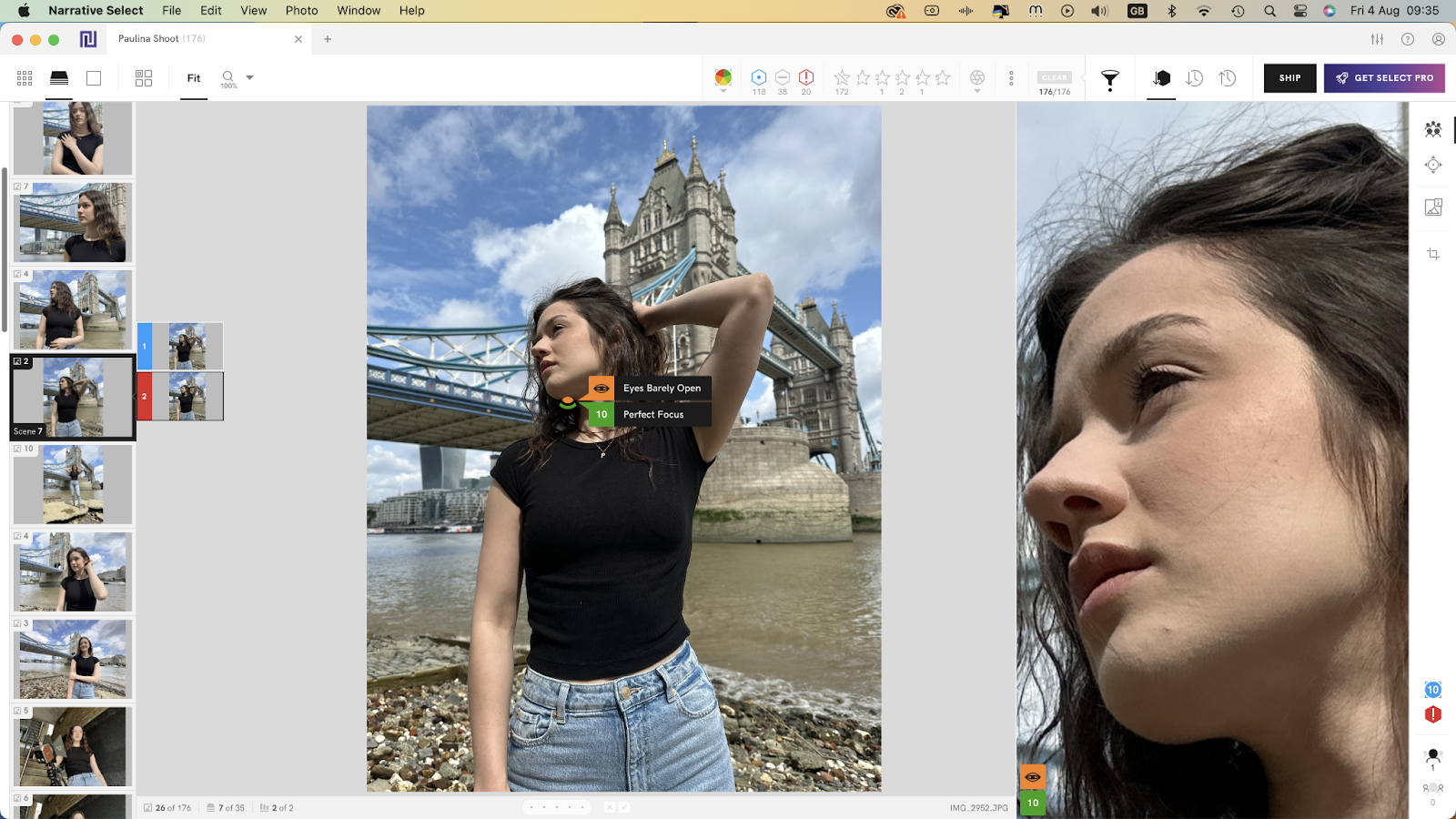
Narrative Select takes a slightly different approach. Instead of fully automating the first pass, it acts as an AI assistant. The software helps you make decisions faster but never makes the final call for you. It’s incredibly fast, loading full RAW files almost instantly without waiting for previews to render.
Narrative Select Pricing:
There is a basic tier at $10/month (billed annually). The fully-featured Pro and Ultra plans are priced at $40/month (billed annually and $60/month (billed annually) respectively.
Best For:
Portrait and editorial photographers who want lightning-fast manual review and complete control over every selection. However, because it doesn’t automatically pre-sort the gallery the way Aftershoot does, photographers handling massive 5,000-image wedding galleries often find it slower in practice.
Not For:
Wedding photographers who want the AI to automatically group and select the sharpest frames for them.
3. Photo Mechanic
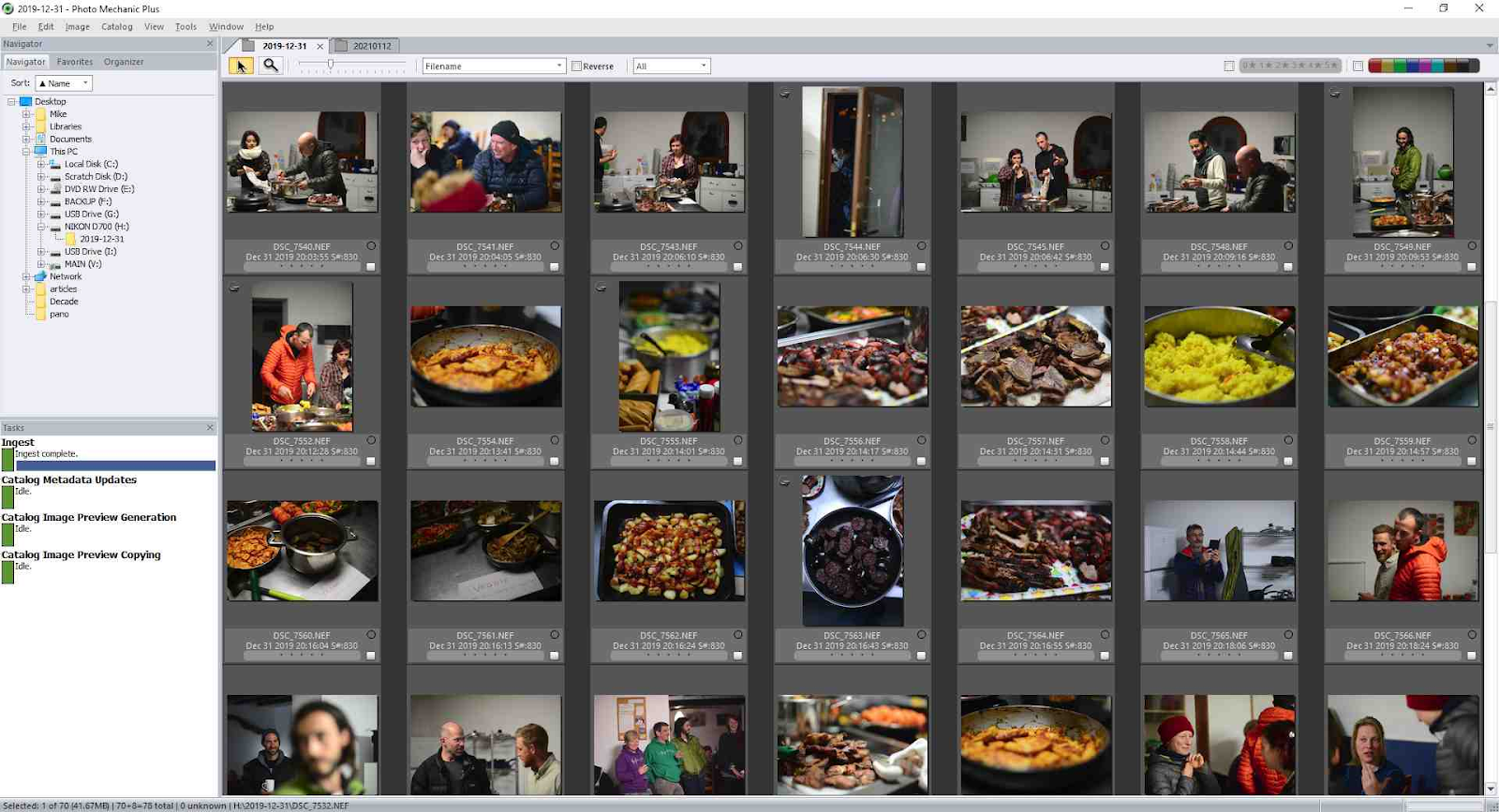
Photo Mechanic has been the industry standard for sports and photojournalism for over a decade. When you need to ingest a card, tag metadata, and file an image to an editor within five minutes of a play happening, nothing beats it. It offers ultra-fast browsing and rating of large shoots without any lag.
However, Photo Mechanic isn’t AI photo selection software. It relies entirely on your manual speed. There is no automated scoring for sharpness, no duplicate grouping, and no closed-eye detection. Many photographers end up using Photo Mechanic for metadata and ingestion, then handing the files off to a dedicated AI culling tool.
Photo Mechanic Pricing:
Photo Mechanic offers a monthly plan at $14.99/month, a yearly plan at $149 per year, and a perpetual license for $299.
Best For:
Sports photographers, photojournalists, and anyone who relies on heavy IPTC metadata tagging on tight deadlines.
Not For:
Photographers looking for automated AI help to identify blurry shots, blinks, and duplicates.
4. FilterPixel
FilterPixel uses cloud-based AI to handle culling, marketing its “Deep Culling” feature to automatically flag blur, closed eyes, and duplicates. It’s a popular choice among volume school and event photographers who have highly predictable, repeatable shoot types.
Because FilterPixel processes in the cloud, you’ll need to upload your files. If you have strict privacy agreements with your clients or spotty internet after a destination wedding, this can become a bottleneck.
FilterPixel Pricing:
Plans start at $14.99/month (billed annually) for Standard, with the more popular Pro option offered at $34.99/month (billed annually).
Best For:
School and volume event photographers working with predictable setups who prefer cloud processing.
Not For:
Photographers needing to cull completely offline or those working under strict client privacy NDAs.
5. Imagen AI
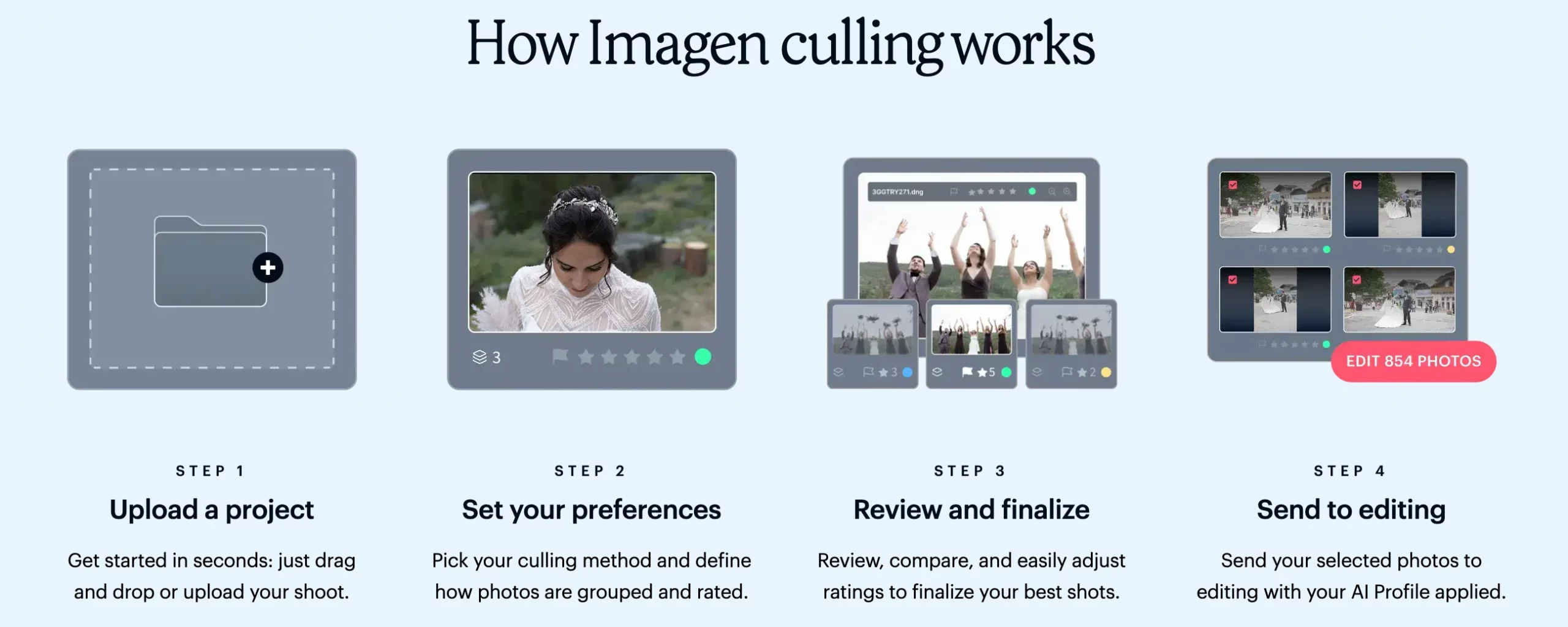
Imagen AI approaches the workflow differently by bundling AI photo selection and AI editing into one cloud-based platform. If your goal is to manage both culling and editing in a single subscription, Imagen AI offers a streamlined workflow that learns your preferences for both steps.
Like FilterPixel, Imagen AI requires a strong internet connection to upload your RAW files to the cloud. Its pricing is also generally higher than standalone culling tools, making it a larger investment. It’s a powerful all-in-one solution, but it forces you to adopt cloud processing.
Imagen AI Pricing:
Subscription plans typically start around $49 per month, or you can opt for pay-per-image models ($0.05/ image).
Best For:
Photographers who want cloud-based AI culling and editing tightly integrated into a single ecosystem.
Not For:
Photographers with slow home internet or those who need an affordable flat-rate option for high volumes.
6. Excire Foto
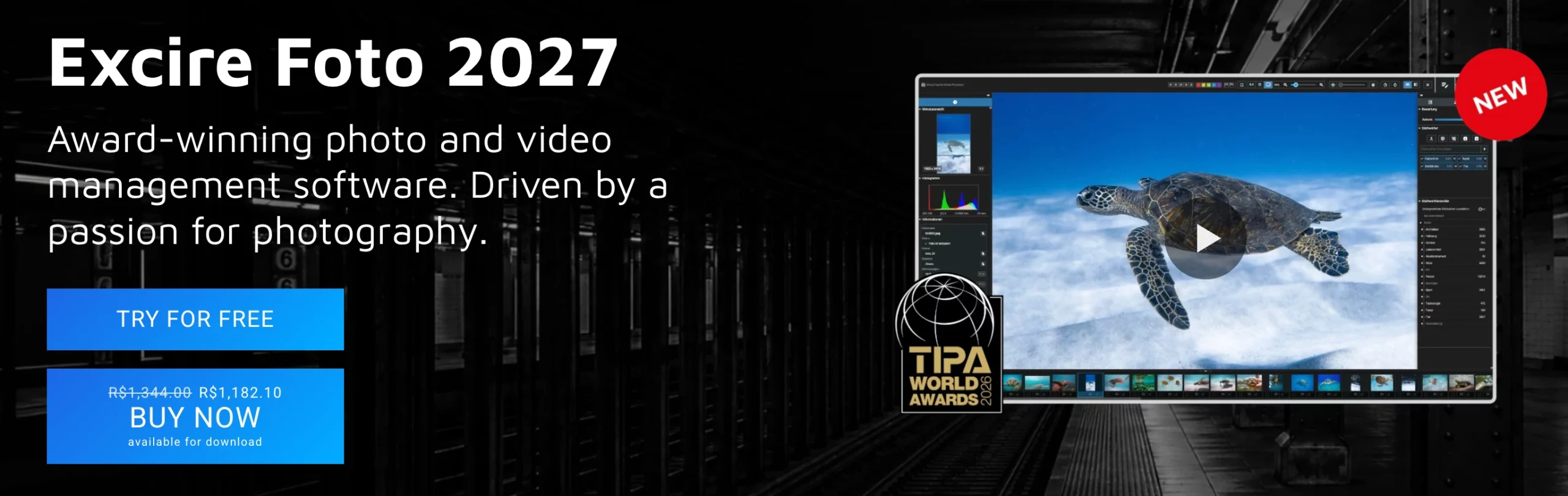
Excire Foto is built for photographers who care deeply about long-term archive organization. It combines AI culling with powerful keywording and search features. After the AI analyzes your images for quality and faces, you can search your massive library later for specific people, objects, or scenes.
Excire Foto runs locally, keeping your files private. While it doesn’t have the specialized, high-speed culling focus of Aftershoot, it’s a solid dual-purpose tool for photographers who want to organize their past archives just as much as they want to speed up their current workflow.
Excire Foto Pricing:
Excire Foto is available as a one-time purchase for around $230.
Best For:
Photographers managing massive long-term archives who need powerful search and keywording features.
Not For:
Fast-paced weekend wedding workflows where rapid first-pass culling is the primary goal.
7. Adobe Lightroom Classic (Native Culling)

Many photographers start out using Adobe Lightroom Classic’s native tools for culling. Lightroom has introduced basic AI-assisted features like Subject Select and improved filtering, which can help you sort images without leaving your catalog.
However, Lightroom is an editor first. It lacks a dedicated AI scoring engine, meaning it won’t group your duplicates, automatically catch blinks, or learn your personal selection style. If you only shoot a few portrait sessions a month, Lightroom is fine. But if you’re a high-volume professional, relying solely on Lightroom for culling will keep you stuck at your desk far longer than necessary.
Adobe Lightroom Classic Pricing:
Included in the Adobe Creative Cloud Photography Plan, which ranges from $9.99 to $19.99 per month.
Best For:
Beginners or low-volume photographers who want to stay entirely inside one application.
Not For:
High-volume professionals who need to dramatically slash hours of tedious review time.
Choosing the Right Solution for Your Workflow
Finding the right photo selection software comes down to balancing your shooting volume, offline privacy needs, and how much control you want to retain over the final cut. For high-volume wedding and event professionals who want to eliminate hours of repetitive culling without uploading gigabytes of RAW files to the cloud, Aftershoot Select offers the most complete, cost-effective balance of automated speed and personalized accuracy.
If you prefer a hands-on review assist, Narrative Select and Photo Mechanic remain dependable options for fast manual inspection. Ultimately, integrating dedicated selection software into your post-production stack protects your creative energy, shortens client turnaround times, and gives you back valuable hours outside the editing suite.
Also read: Best AI Culling Tools for Portrait Photography
FAQs for Best Photo Selection Software
1. What is the difference between culling and editing?
Culling is the process of reviewing all the images from a shoot and selecting only the best ones to keep. Editing is the process of adjusting the exposure, color, and tone of those selected images.
2. Does AI culling software delete my bad photos?
No. The best AI culling tools, like Aftershoot Select, are entirely non-destructive. They flag, rate, and group your photos, but they never delete your RAW files. Your rejected images are always accessible.
3. Can AI culling software recognize my editing style?
Yes. Advanced AI photo selection software learns from the decisions you make. The more shoots you cull, the better the software understands your specific preferences for sharpness, composition, and expression.
4. Do I need an internet connection to use AI photo selection software?
It depends on the tool you choose. Cloud-based software requires you to upload your heavy RAW files, meaning you need a fast and stable internet connection. However, offline tools like Aftershoot Select and Narrative Select run entirely on your local machine, allowing you to cull anywhere – even on a flight home from a destination wedding.
5. Will photo culling software work with my current Lightroom catalog?
Yes, the best photo selection software fits naturally into your existing workflow. Tools like Aftershoot Select allow you to export your final picks directly into Adobe Lightroom Classic or Capture One, with all your color labels, star ratings, and flags already applied so you can start editing immediately.




