

TL;DR
- A good wedding photography package answers three questions in seconds: what’s included, what it costs, and why the price makes sense.
- Three tiers is the sweet spot for most photographers. More than four and couples freeze; fewer than three and you lose the psychological anchor of a middle option.
- Every package should list coverage hours, number of photographers, delivery timeline, edited photo count, and what happens with albums, prints, and extras.
- The biggest pricing mistake photographers make isn’t setting prices too low. It’s building packages around what sounds good on a website instead of what the post-shoot workload actually costs in hours.
- Add-ons should feel like upgrades a client chooses, not features you had to cut to hit a lower price point.
- Faster, more consistent editing turnaround isn’t just a nice-to-have in your packages. It directly affects how many weddings you can take on and how much you can charge for speed.
As a wedding photographer, you probably didn’t get into the business because you love building spreadsheets. But pricing your services can quickly start to feel like exactly that: six confusing packages, a dozen add-ons, and the nagging suspicion that you’re either charging too much or leaving money on the table.
And confusing packages don’t just cost you bookings. They can also attract the wrong bookings, especially when couples aren’t entirely sure what they’re paying for or what’s included.
This guide will help you build wedding photography packages that couples can understand at a glance, while protecting your time, editing workload, and profit.
What Makes A Wedding Photography Package Easy To Understand (and Buy)?
Couples booking a wedding photographer are usually comparing three to five photographers at once, often late at night, often exhausted from vendor research. They’re not reading fine print. A package that’s easy to buy answers, at a glance:
- How many hours of coverage am I getting?
- Is there a second photographer?
- How many edited photos will I actually receive?
- When will I get them?
- What’s included versus what costs extra?
If a couple has to email you to understand what’s in your “Silver Package,” the package has already failed its job. The goal isn’t to impress with options. It’s to remove decision fatigue so the couple feels confident clicking “book now” instead of “I’ll think about it.”
This is also where most competing pricing guides stop, at the client-facing side of the equation. But a package that’s easy for a couple to buy still has to be sustainable for you to deliver. That’s the part worth slowing down on.
What To Include In Every Wedding Photography Package?
Regardless of how many tiers you offer, each wedding photography package should clearly spell out the same core elements so couples can compare them side by side.
| Element | What to specify |
| Coverage time | Exact hours (e.g., 6, 8, or 10 hours), and what triggers overtime charges |
| Photographers | One or two shooters, and whether a second shooter is optional or built in |
| Edited photos | A realistic range (e.g., “500–700 edited images”), never a vague “all your images” |
| Delivery timeline | Turnaround time for sneak peeks and the full gallery |
| Delivery method | Online gallery, downloadable files, USB, or a mix |
| Albums and prints | Whether one is included, or purely an add-on |
| Extras | Engagement session, rehearsal dinner coverage, drone shots, second-day coverage |
Two of these deserve extra attention because they’re where most packages get vague: edited photo count and delivery timeline. Couples increasingly expect sneak peeks within 24 to 48 hours and a full gallery within a few weeks, and vague promises here (“You’ll get all the best shots!”) create the most support emails and the most anxious clients.
If you’re building out your delivery workflow around these promises, it’s worth reading how photographers cull wedding photos fast without sacrificing final gallery quality, since your culling speed is what actually determines whether a delivery timeline is realistic or aspirational.
How Many Wedding Photography Packages Should You Offer?
Three tiers work for most wedding photographers, and there’s a reason beyond tradition: three options give couples an anchor. A low tier that feels basic, a middle tier that feels like the obvious choice, and a top tier that makes the middle option look reasonably priced by comparison.
Offering five or six tiers doesn’t give couples more freedom. It gives them more reasons to close the tab and “think about it,” because comparing six sets of deliverables against six price points is genuinely exhausting. If you have highly specific client segments (elopements versus full weddings, for instance), it’s often better to build two separate, simple package menus rather than one long, complicated one.
A practical structure that works across most markets:
- Essential: Shorter coverage, one photographer, digital gallery only
- Signature: Full-day coverage, two photographers, a curated album included
- Premium: Extended coverage, engagement session included, expedited delivery, premium album upgrade
Name your tiers something a couple would actually say out loud, not “Package A” or generic metal tiers that tell them nothing about what they’re getting.
Here’s a sample wedding photography package template:
| Package | Essential | Signature | Premium |
|---|---|---|---|
| Coverage time | 6 hours | 8 hours | 10 hours |
| Photographers | 1 | 2 | 2 |
| Edited photos | 400–500 | 600–700 | 800+ |
| Delivery timeline | 4 weeks | 3 weeks | 2 weeks |
| Sneak peek | 72 hours | 48 hours | 24 hours |
| Engagement session | Not included | Not included | Included |
| Album | Not included | 1 included (10×10) | Upgraded (12×12, premium layflat) |
| Online gallery | Included | Included | Included |
| Print store access | Included | Included | Included |
| Price (emerging) | $1,800 | $2,400 | $3,200 |
| Price (established) | $3,200 | $4,200 | $5,800 |
| Price (premium) | $5,500 | $7,500 | $10,000 |
Optional add-ons (available on any package):
- Extra hour of coverage: $150–$300/hour depending on tier
- Second-day or rehearsal dinner coverage: $400–$800
- Drone photography: $200–$400
- Expedited delivery: $150–$500
- Additional album spreads: $50–$100/spread
The Hidden Cost Most Photographers Forget When Pricing Wedding Photography Packages
One thing to remember here is that your package is not a mere menu of your deliverables, but a production commitment. Every edited photo count and delivery timeline you promise in a package translates directly into hours of post-shoot work you’re on the hook for, and that workload is one of your biggest photography business expenses, even though it never shows up as a line item on a spreadsheet.
Let’s say, your Signature package promises 700 edited images with delivery in three weeks. If culling and editing that gallery manually takes you 15 to 20 hours, and you book three weddings a month, that’s 45 to 60 hours of post-production stacked on top of actual shoot days, client calls, and everything else running your business. Underprice that package, or overpromise on turnaround, and you’re setting yourself up for late deliveries and burnout during peak wedding season.
This is the gap that trips photographers up when pricing wedding photography purely off what competitors charge: two photographers can offer identical-looking packages at identical prices and have completely different profit margins, because one of them is spending three times as many hours delivering it.
Before you finalize a single price, map out the real editing hours behind each package tier. That number should shape your pricing as much as your market rate does.
How To Price Your Wedding Photography Packages Without Underselling Your Time
Once you know what a package actually costs you in hours, pricing becomes a lot less guesswork. A simple approach:
- Calculate your true cost per wedding. Add gear, travel, insurance, software, second shooter fees, and your own editing hours valued at a real hourly rate, not zero.
- Set a profit margin on top of that number, not just a price that “feels competitive” with other photographers in your area.
- Price your middle tier first. It’s the package most couples choose, so it needs to be profitable on its own, not just a stepping stone toward the top tier.
- Stress-test against your calendar. If your pricing only works when you book 30 weddings a year, but you can realistically deliver 20 without burning out, the pricing is wrong, not your capacity.
Photography business expenses go well beyond gear and travel. Editing time, storage, gallery delivery, and the software you use to manage all of it are recurring costs that should be baked into every tier, not treated as overhead you eat quietly.
What to include in your contract and payment terms
A package menu tells a couple what they’re buying. The contract and payment terms tell them how the transaction actually works, and skipping this section is one of the fastest ways to end up chasing a late payment or arguing about a cancellation mid-wedding season.
1. Deposit and payment schedule
- Most wedding photographers require a non-refundable retainer of 20–30% of the total package price to hold the date.
- The remaining balance is typically split into two or three payments, with the final payment due 2–4 weeks before the wedding, not on the wedding day itself.
- Spell out exact due dates in the contract, not “before the wedding.” Couples plan around other vendor deadlines and need yours to be just as specific.
2. Travel fees
- Build in a free travel radius (commonly 25–50 miles from your home base), then charge per mile or a flat fee beyond that.
- For destination weddings, travel fees typically cover flights, lodging, and a per-day rate, itemized separately from the package price so couples understand what they’re paying for.
- State clearly whether travel time counts toward coverage hours or is billed separately. This is one of the most common points of confusion in client contracts.
3. Cancellation and rescheduling terms
- Retainers are almost always non-refundable, since that date is now blocked off and unavailable to other clients.
- Define a clear rescheduling policy separate from cancellation. Many photographers allow one date change at no extra cost if notice is given a set number of months out, with additional fees for later changes.
- Address what happens if the photographer has to cancel (illness, emergency), including whether you’ll provide a replacement shooter from your network.
What the contract itself should cover
| Contract element | Why it matters |
|---|---|
| Scope of coverage | Hours, locations, number of photographers, so there’s no ambiguity on the day |
| Payment schedule | Exact amounts and due dates, not vague language |
| Cancellation/rescheduling policy | Protects both sides if plans change |
| Copyright and usage rights | Clarifies what couples can and can’t do with their images |
| Liability and model release | Covers equipment issues, venue restrictions, and image use in your portfolio |
| Overtime policy | What happens (and what it costs) if the day runs long |
Couples comparing photographers are increasingly comparing contract terms alongside pricing, especially deposit amounts and cancellation flexibility. A package that’s clear on price but vague on these terms can still lose the booking to a photographer who spelled everything out upfront.
Note: I’m not a lawyer, so treat the terms above as common industry practice to adapt, not legal advice.
Add-Ons Vs. Bundling: Building Profitable Upgrades Into Your Packages
Add-ons let you keep your core packages simple while still giving couples room to customize. The mistake most photographers make is turning every possible feature into a base-package inclusion, which bloats pricing and makes comparison harder.
Good candidates for add-ons instead of built-in features:
- Second-day or rehearsal dinner coverage
- Drone photography
- Expedited delivery (charge more for a faster timeline, since it directly costs you more editing hours)
- Additional album spreads or a parent album
- Extra hours of coverage, priced per hour beyond your base package
A useful rule of thumb: if fewer than a third of your couples want something, make it an add-on. If most couples ask for it anyway, build it into your middle tier so you’re not negotiating the same conversation on every single call.
Expedited delivery is also worth calling out specifically. Charging a premium for faster turnaround only works if you can actually deliver faster without quietly working nights to hit the deadline, which is where a faster culling and editing workflow pays for itself directly in what you can charge.
Check out Aftershoot and see how you can cull, edit, retouch and deliver galleries, all with one platform (no more hopping from tool to tool!). Start your 30-day FREE trial today and start culling, editing and retouching with Aftershoot.
👁️ Also Read: Aftershoot Pricing Tiers
How Your Packages Affect How You Actually Make Money As A Photographer
It’s tempting to think the path to making more money as a photographer is simply raising prices or booking more weddings. Both help, but neither works if your packages are structured around a workload you can’t sustain.
The real lever is turnaround capacity. A photographer who can reliably deliver a gallery in two weeks instead of six isn’t just offering a nicer client experience, they can book more weddings per season without a season-long editing backlog, charge a genuine premium for expedited delivery as an add-on, and say yes to the occasional last-minute booking that a slower workflow would have to turn down.
This is also why two photographers charging identical prices for identical-looking packages can end up in very different financial positions. One is pricing against a workload she can actually deliver on repeat. The other is pricing against a workload that only works until a busy month proves otherwise. Before you raise your rates or take on more weddings next season, it’s worth asking which one you currently are, and whether your editing turnaround, not your pricing, is the thing actually capping your income.
How Can Aftershoot Help?
If a slow editing workflow is the bottleneck, faster culling is one of the more direct ways to close that gap without adding more hours to your week.
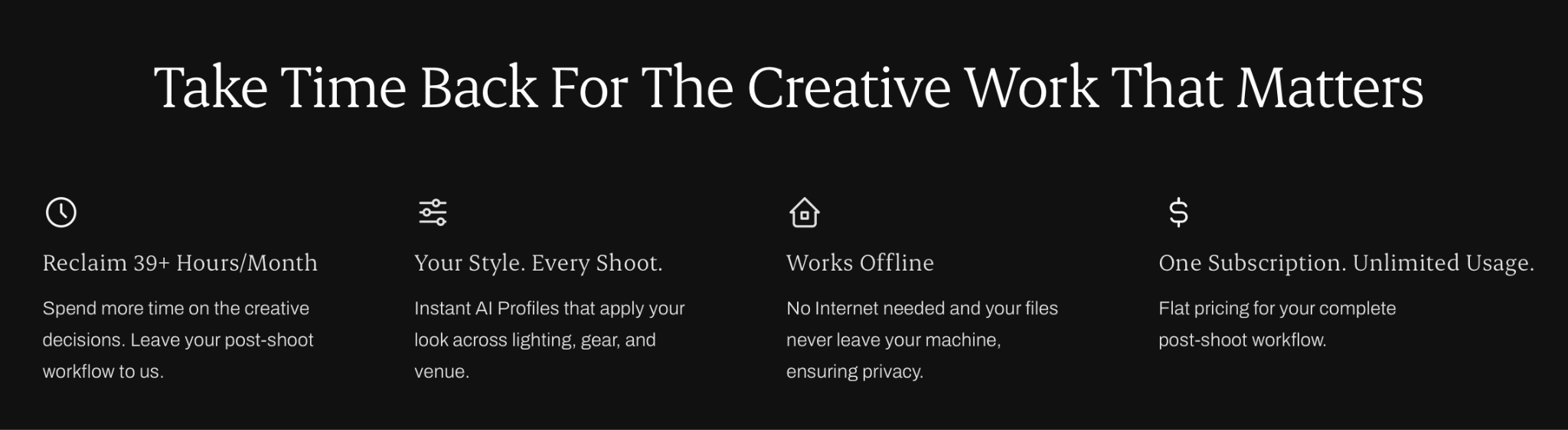
Tools like Aftershoot’s AI Culling and AI Editing change what’s actually possible inside a package. When culling a full wedding gallery drops from hours to minutes, and editing matches your own style automatically instead of you sitting through thousands of manual adjustments, the turnaround times you promise in your packages stop being aspirational and start being genuinely repeatable, wedding after wedding, without the 2 a.m. editing marathons.
See how photographers like Ashlee Weaver are using Aftershoot to cut down their turnaround time:
Aftershoot has been a game changer for me. With 20 weddings and 100’s of sessions this year, it’s given me my work/life balance back. It’s given me extra time for my family, and I’m so thankful. I love going through and making sure each photo is the way I’d like it, but Aftershoot is like my very reliable assistant that takes care of 70% of my workload. With Aftershoot, I was able to keep my editing turnaround to two weeks during my busy season – which is huge for me! The culls and edits are so reliable and I just throw in a few tweaks when needed.
Delivery also makes a world of difference. Once a gallery is edited, Aftershoot Galleries lets you send branded, ready-to-view galleries straight from the same workflow, instead of exporting everything and re-uploading to a separate delivery platform. You can start free with the Starter plan, get 10 GB of photo storage and 1 GB video, which is enough to test the full culling-to-delivery workflow on a real gallery before deciding if it fits your business.
Take a look at our pricing plans.
Presenting Your Wedding Photography Packages So Clients Choose Confidently
Even a well-built package can fall flat if it’s presented poorly. A few things that consistently help couples decide faster:
- Use a comparison table so couples can scan differences at a glance.
- Lead with outcomes. Instead of “500 edited photos,” try “500 professionally edited photos delivered within 3 weeks, so you’re not waiting months to relive your day.”
- Show, don’t just tell. A short gallery example or a couple of client testimonials next to your pricing builds more trust than another bullet point ever will.
- Make the middle tier visually the “recommended” option. Most couples want a nudge toward the choice that works for both of you.
- Keep it to one page. If your pricing guide needs a table of contents, it’s already too long.
Common Mistakes To Avoid When Creating Wedding Photography Packages
- Vague deliverables. “All your best shots” means something different to every couple. Give a real number range.
- Too many tiers. More options rarely mean more bookings; they usually mean more hesitation.
- Pricing based on competitors alone. Someone else’s pricing doesn’t account for your editing speed, your expenses, or your margin.
- No add-on structure. Without one, every custom request turns into a one-off negotiation.
- Ignoring your own turnaround capacity. A package that promises delivery faster than your workflow can support will eventually catch up with you during peak season.
In a Nutshell…
Building wedding photography packages isn’t just about landing on a number that sounds fair. It’s about designing a system where what you promise a couple and what you can realistically deliver, wedding after wedding, are the same thing. Get that alignment right, and pricing conversations stop feeling like guesswork, and start feeling like the confident, straightforward part of running your business it should be.
FAQs for Wedding Photography Packages
Q1. How many wedding photography packages should I offer?
Three is the number that works best for most photographers. It gives couples enough choice without overwhelming them, and a middle tier that acts as a natural anchor. If you serve very different client types, like elopements and full weddings, consider two separate three-tier menus instead of one long combined list.
Q2. What should be included in a wedding photography package?
At minimum, every package should specify coverage hours, number of photographers, an edited photo count range, delivery timeline, and whether albums or prints are included versus available as add-ons. Vague language around any of these is the most common reason couples reach out with follow-up questions before booking.
Q3. How do I price my wedding photography packages?
Start by calculating your true cost per wedding, including travel, gear, second shooters, and your own editing hours valued at a real rate. Add your desired profit margin on top of that number, rather than simply matching competitor pricing, since your editing speed and expenses are different from theirs.
Q4. Should I offer a la carte pricing or fixed packages?
Fixed packages with optional add-ons work best for most wedding photographers, since they simplify decision-making for couples while still allowing customization. Pure a la carte pricing tends to create longer sales conversations and makes it harder for couples to compare your offering against other photographers quickly.
Q5. How many edited photos should I include in a wedding package?
Most full-day wedding packages fall between 500 and 800 edited images, though this depends heavily on coverage hours and your shooting style. Give a realistic range rather than an exact number, and make sure the count reflects what you can genuinely deliver without over- or under-promising.
Q6. What’s a reasonable turnaround time for wedding photo delivery?
Many couples now expect sneak peeks within 24 to 48 hours and a full gallery within two to six weeks. Whatever timeline you commit to in your packages should be one your actual culling and editing workflow can support consistently, even during your busiest wedding months.
Q7. How do add-ons fit into wedding photography packages?
Add-ons let you keep your core packages simple while giving couples the option to customize with things like extra coverage hours, drone photography, or expedited delivery. A good rule is to build in anything most couples request anyway, and keep the rest as optional upgrades.
Q8. How much deposit do wedding photographers usually require?
Most wedding photographers require a non-refundable retainer of 20–30% of the total package price to secure the date. The remaining balance is usually split into two or three payments, with the final installment due two to four weeks before the wedding rather than on the day itself. Requiring the deposit upfront protects your calendar, since that date becomes unavailable to other couples the moment you confirm the booking.
Q9. What happens if a couple needs to cancel or reschedule their wedding?
Retainers are almost always non-refundable, since the date was already blocked off exclusively for that couple. Most photographers allow one reschedule at no extra cost if notice is given several months in advance, with additional fees for later changes or a second reschedule. Spelling this out clearly in the contract upfront avoids difficult conversations later, especially since wedding dates change more often than couples expect.




