

TL;DR
- Choose export settings based on what the client will do next: full-resolution JPEGs for printing, sRGB files for screen viewing, and web-optimized copies when social sharing is the priority.
- Use a consistent naming convention so clients can find, download, and reference images easily long after delivery.
- Deliver through a dedicated, branded online gallery rather than a shared folder. Organize it clearly, make downloads intuitive, and ensure it works just as well on mobile as it does on desktop.
- Set privacy controls before sharing: password-protect private galleries, define download permissions and expiry dates, and use face-based access for large guest-based events where attendees should only see photos of themselves.
- Deliver photos and video together when needed, then use favorites, comments, proofing, print sales, and follow-up messages to turn a gallery into a better client experience and a potential referral driver.
- Maintain independent local and cloud backups even after the gallery goes live, so you can confidently handle future resend requests.
- Aftershoot Galleries brings the full post-shoot workflow together: cull, edit, retouch, and deliver through branded galleries with proofing, Face Gating, photo and video delivery, downloads, print sales, and gallery analytics, without moving work between separate apps.
Every wedding photographer knows the feeling. You spend hours culling through thousands of images, editing late into the night, and finally sending off the gallery. Then, the text arrives: “My mom can’t figure out how to download the pictures.”
Yes, a clunky delivery can undo weeks of great photography, while a smooth one makes clients feel taken care of, and sets up your next referral before you’ve even asked.
This guide breaks down the best ways to deliver photos to clients in 2026, from export settings to backup, so you can deliver galleries that feel as polished as your images.
How to Deliver Photos to Clients
1. Choose export settings that respect the client’s next move
Before uploading, decide what your client actually needs to do with the files. A couple ordering canvas prints needs different files than a corporate client posting headshots on LinkedIn.
A safe default for most professional deliveries:
- Full-resolution JPEGs at near-100% quality for anything print-related.
- sRGB color space for web and screen viewing.
- A secondary, web-optimized set, if clients will mostly share online.
- Skip RAW files unless specifically included in your contract.
Build these settings into export presets once, and you won’t have to think about them again.
2. Set file naming that keeps everyone sane
Generic file names like “IMG_4821.jpg” are meaningless to a client browsing 400 images. They’re also a nightmare if a client needs to reference a specific photo later.
A simple, consistent naming convention saves confusion:
- Include the client’s last name or shoot type, plus the date: “Smith-Wedding-06-14-2026-0042.jpg.”
- Keep sequential numbering so images stay in shoot order.
- Avoid spaces and special characters.
Clients searching for “that one photo from the ceremony” six months later will thank you.
3. Set up a gallery clients actually enjoy using
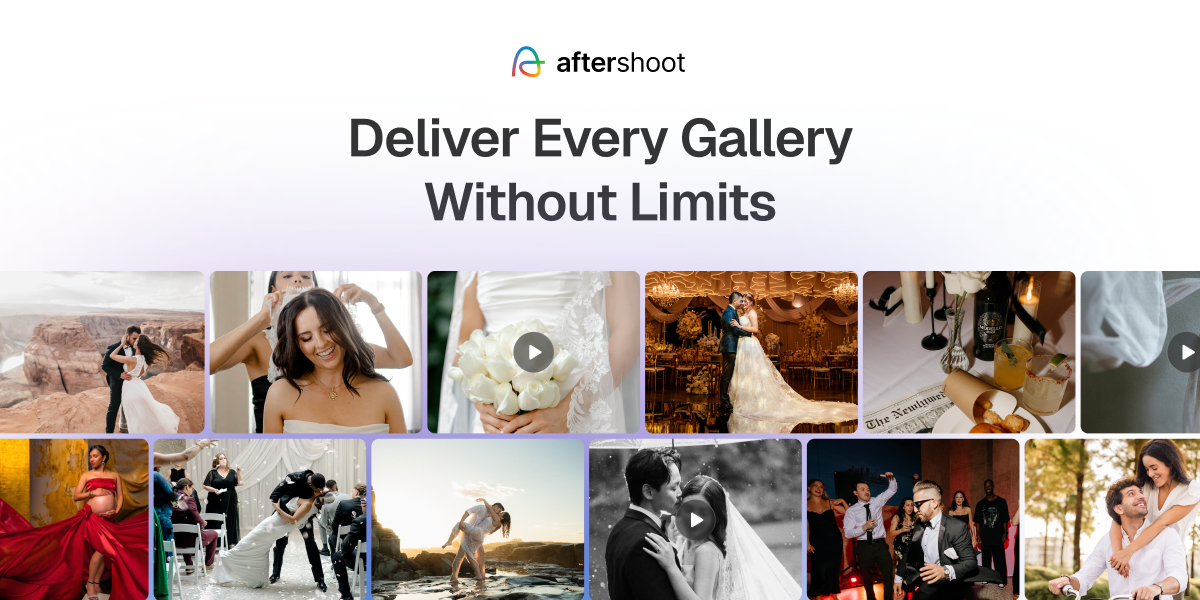
A shared folder of thumbnails feels like a filing cabinet. A dedicated client gallery feels like a finished product.
A well-built gallery should:
- Present images full-bleed.
- Reflect your brand with your logo and colors.
- Let clients filter, favorite, and comment without a learning curve.
This is exactly the gap Aftershoot Galleries was built to close. The moment you finish editing, your images move straight into a gallery. No exporting, no re-uploading, no jumping between apps.
4. Set privacy and access controls
Not every gallery needs maximum security, but every gallery needs some thought put into who can see what.
For most shoots:
- Password-protect galleries by default.
- Set an expiration window (30 to 90 days is common).
- Consider face-based access for large, guest-heavy events such as weddings with hundreds of attendees, school photo days, conferences, graduations, and corporate events where guests should be able to find their own photos without browsing the full gallery.
Aftershoot Galleries handles this with Face Gating, which restricts a shared link so guests only see photos they actually appear in. At a 300-person wedding, for example, guests can go straight to the moments they were part of rather than scrolling through the entire gallery.
5. Simplify downloads
If a client has to email you asking how to download their photos, something in the workflow has failed. Downloads should be obvious, whether they want a single favorite or the entire gallery.
Decide upfront whether high-resolution downloads are included, sold as an add-on, or released after final payment. Make sure your gallery platform enforces what you promised in the contract.
6. Deliver a mobile experience that works
Most clients will open their gallery on a phone first. If the gallery isn’t genuinely responsive, that first impression suffers immediately.
A gallery built for mobile should load quickly, resize images cleanly, and let clients favorite and download without switching to a desktop. Aftershoot Galleries is built responsive from the ground up, so clients get a clean experience whether they’re on a laptop or scrolling on their phone.
7. Deliver video alongside photos
Hybrid shooters need to deliver highlight reels and behind-the-scenes clips in the same place as stills.
Look for a delivery tool that supports uploading video directly and embedding external links. Aftershoot Galleries supports both, so a wedding highlight film and the full photo gallery can live in a single link.
You can start with the free Aftershoot Galleries Starter plan, which includes 10 GB of photo storage, 1 GB of video storage, and unlimited galleries, enough to test a more polished photo-and-video delivery experience without adding another paid platform to your workflow.
8. Turn delivery into print sales
Delivery is your best opportunity to sell prints, right when clients are emotionally engaged with the images.
A strong gallery lets clients favorite an image and order a print in the same session. Aftershoot Galleries includes a built-in Print Store with fulfillment through labs including WHCC and Bay Photo, plus self-fulfillment if you prefer. You keep the revenue from each order: Aftershoot Galleries charges 0% Print Store commission.
9. Use follow-up to turn clients into referrals
Sending the gallery link is not the end of delivery. The days after determine whether a client refers you further.
A simple follow-up sequence:
- Send a personal note with the link.
- Check in within a week if they haven’t opened the gallery yet.
- If they have opened it, ask if they found everything they needed.
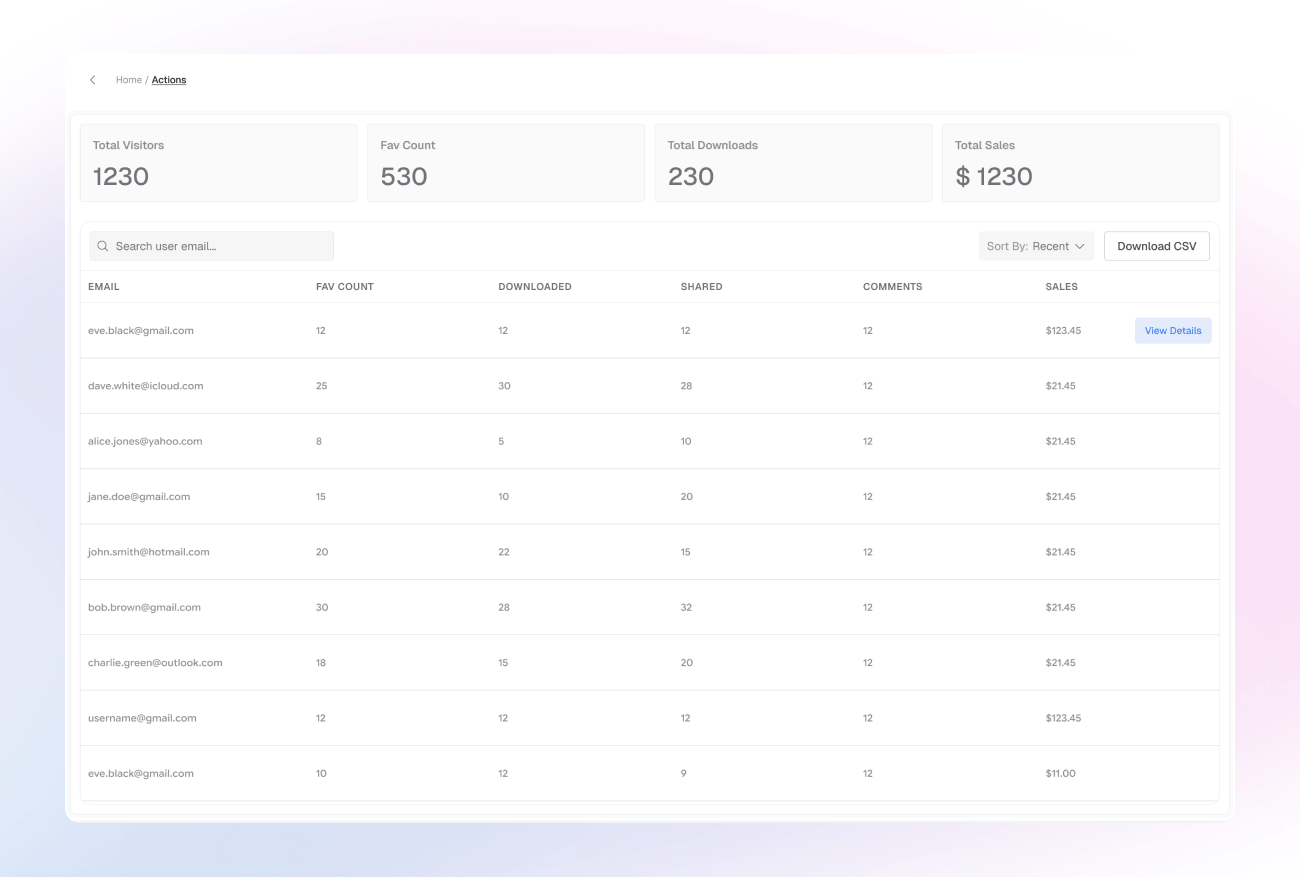
Aftershoot Galleries logs every view, download, and favorite, so you know exactly when to follow up. Aftershoot Galleries also currently offers 10 GB of free storage, so you can keep client work accessible without constantly managing storage limits.
10. Protect the work with backup
Clients lose devices, and requests to resend old galleries come in more often than you think.
A dependable backup habit includes:
- Keeping local and cloud backups of final files.
- Retaining originals based on your contract.
- Choosing a gallery platform with generous storage.
Bring the whole workflow together
Every step above used to mean stitching together multiple tools. You’d cull in one app, edit in another, retouch elsewhere, export files, upload them to a gallery platform, configure a separate print store, and track client engagement somewhere else entirely.
Aftershoot brings those stages into one connected workflow. Start by culling down thousands of images to the frames worth delivering, apply consistent edits in your own style, and retouch the final gallery without bouncing between platforms. Then, move the finished work directly into Aftershoot Galleries for branded delivery, proofing, Face Gating, photo and video sharing, print sales, and engagement analytics.
The result is less busywork between post-production stages and a more consistent experience for every client. Treat delivery with the same care you gave the shoot, and it stops being a chore and starts becoming one of your strongest referral tools.
FAQs for How to Deliver Photos to Clients
Q1. What is the best way to deliver photos to clients?
The best way is through a dedicated, password-protected online client gallery that allows for high-resolution downloads, built-in print sales, and a mobile-friendly viewing experience.
Q2. Should I give clients RAW files?
No, unless your contract specifically includes them. RAW files require specialized software to open and edit, which most clients do not have. Deliver high-quality JPEGs instead.
Q3. How long should I keep client galleries online?
Most photographers keep client galleries online for 30 to 90 days. Be sure to clearly state the expiration date in your contract and your delivery email to encourage clients to download their images promptly.
Q4. How do I deliver photos to clients without losing quality?
To maintain image quality, avoid sending photos via email or messaging apps, which compress files heavily. Instead, use a professional online gallery platform, and ensure you export your images in the sRGB color space at high resolution (near-100% quality) for printing, alongside a web-optimized set for fast online loading.
Q5. How many photos should a photographer deliver to a client?
The number of photos depends on the shoot type and your specific contract. For a standard one-hour portrait session, photographers typically deliver 30 to 50 edited images. For weddings, a common benchmark is 50 to 100 photos per hour of coverage. Always set clear expectations in your contract before the shoot.




