- Pre-saved sets of editing adjustments (exposure, contrast, hue, skin tones) that apply a consistent style across photos with a single click.
- Presets streamline workflow, maintain brand consistency, allow batch-editing, and significantly cut editing time for large galleries.
- Presets are a starting point; adjustments for lighting, location, and camera profiles are often needed to build a signature look.
- While traditional LR presets apply the exact same static settings across all photos, AI Profiles adapt dynamically to the exposure, white balance, and lighting of each individual image.
Here at Aftershoot, we are all about efficiency and photographers saving time in their workflows (cue plug about Aftershoot Culling and Editing).
Presets are a powerful way of doing just that, so in this article, we’ll take a look at some of the best Lightroom presets for photographers out there.
If you’re new to the photography space, a preset is a pre-made set of adjustments that you can apply to one or more photos in Lightroom to attain consistency across one gallery or all sessions.
If you’re established in the photography industry, you’ll be well aware of how beneficial they can be and just how saturated the preset market is.
Let’s talk about what Lightroom presets are, why you should use them, the best Lightroom presets in color, and some black & white options too!
What is a Lightroom preset?
Lightroom presets are presets specifically designed for the Lightroom editing workflow.
You can create your own and save them for future use or purchase and import them into Lightroom. They copy all edits (from exposure and shadow hue to contrast and highlights) so that you can repeat any adjustments with the click of a button.
Why use Lightroom presets
While there is nothing wrong with your original photo, using Lightroom presets can enhance what already exists in the photo based on your preferences.
Maybe you’d like the colors to be more vibrant, the blacks to be more drastic, or the overall vibe to reflect your brand and philosophy.
Using presets not only creates consistency in the images you deliver and share, but they can also significantly reduce your editing time. Suddenly it becomes possible to batch-edit a large selection of images
Best color Lightroom presets for photographers
There are countless photography presets on the market, but we’ve included a list of some of the best Lightroom presets for portraits, weddings, and other photo shoots in various styles.
It’s essential to remember that while you may be drawn to a certain preset, how the edits affect your images may differ slightly from the original photographer. It also depends on the lighting or contrast of the photograph. Although presets may be helpful for beginners, it is essential to build your signature photo editing style to make your brand stand out.
Some factors to consider are location and light. So, don’t fret if your first time using a preset doesn’t help you achieve the same before-and-after as you initially saw before making your purchase.
Make adjustments as needed, and then save your version of the editing preset to suit your exact needs!
Now, let’s explore some of the best Lightroom presets for photographers out there.
1. Mastin Labs
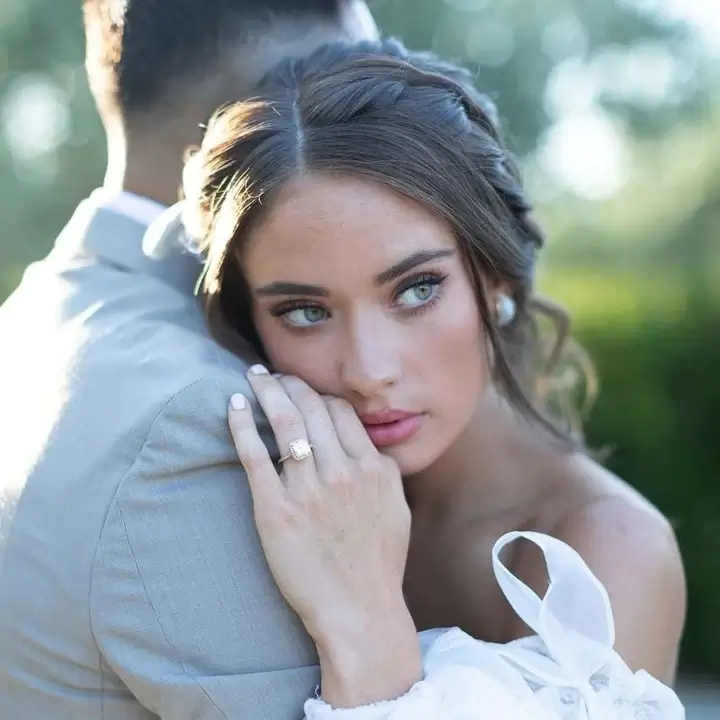
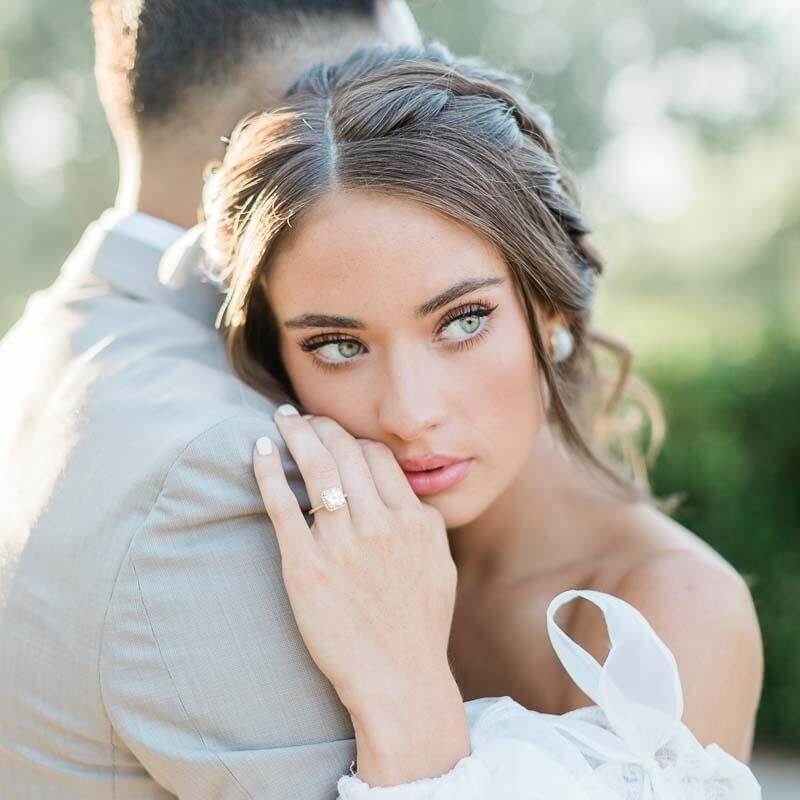
Motivated by a desire for any photographer to have access to the beauty of film, Mastin Labs has been creating Lightroom presets for over a decade.
In their words, “We’re looking to preserve something that’s already perfect.”
Mastin Labs presets were born by using real film scans to create classic and clean edits that take just a few steps to apply. They pride themselves in how few tweaks are needed and how timeless the final product is (and we agree)!
While the Fuji Original pack stands the test of time, they have expanded their Mastin Labs preset shop to include:
- Artisan B&W
- Adventure Everyday
- Founder PLUS+
- Cinema Everyday
- Along with pushed versions of several packs
By scrolling through examples of the presets, it’s easy to identify which ones you’re drawn to. If you need a little more help deciding, they have a Preset Quiz.
Single packs are priced at $99 (regularly discounted to $49), and 2-pack and 3-pack bundles run $89–$159, which brings the per-pack cost down if you know you want more than one look. Each pack includes tutorials and lifetime product updates. Mastin Labs’ film-based AI Styles are also now available directly inside Aftershoot, so if you already edit in Aftershoot, you can apply their look without leaving your workflow.
2. Salty Sailor Presets
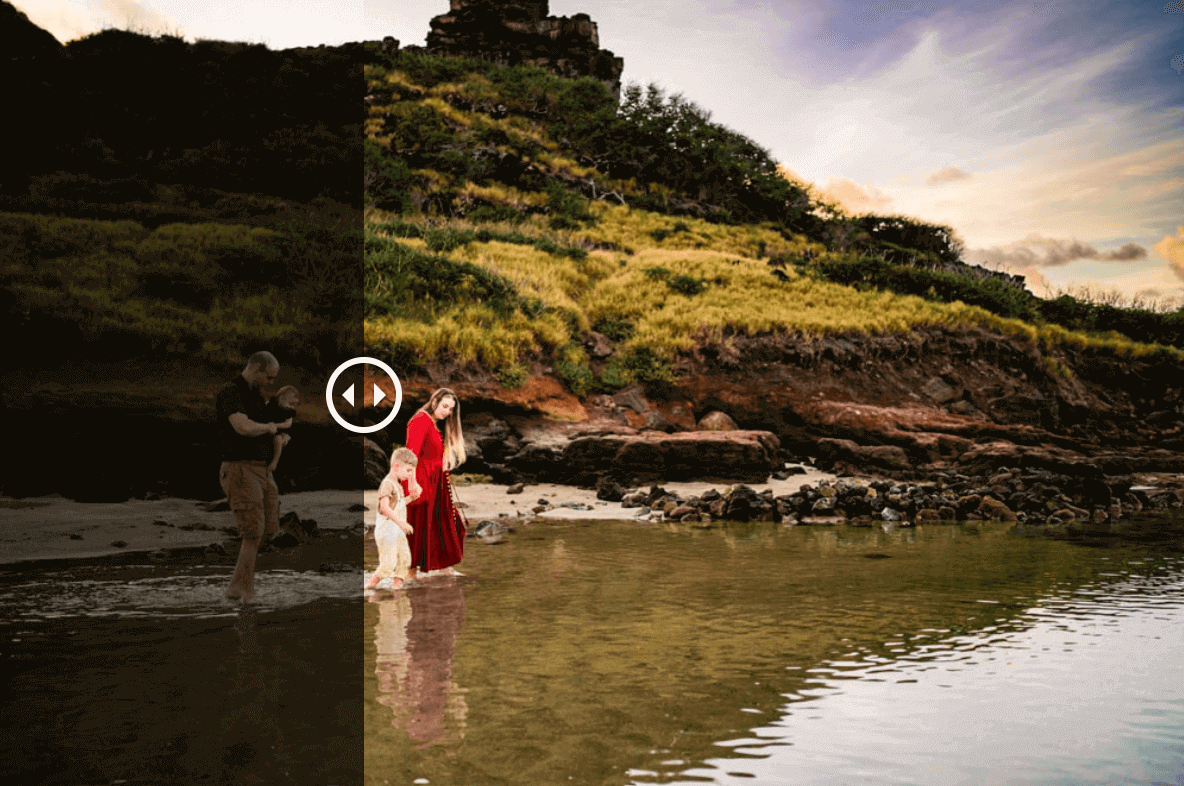
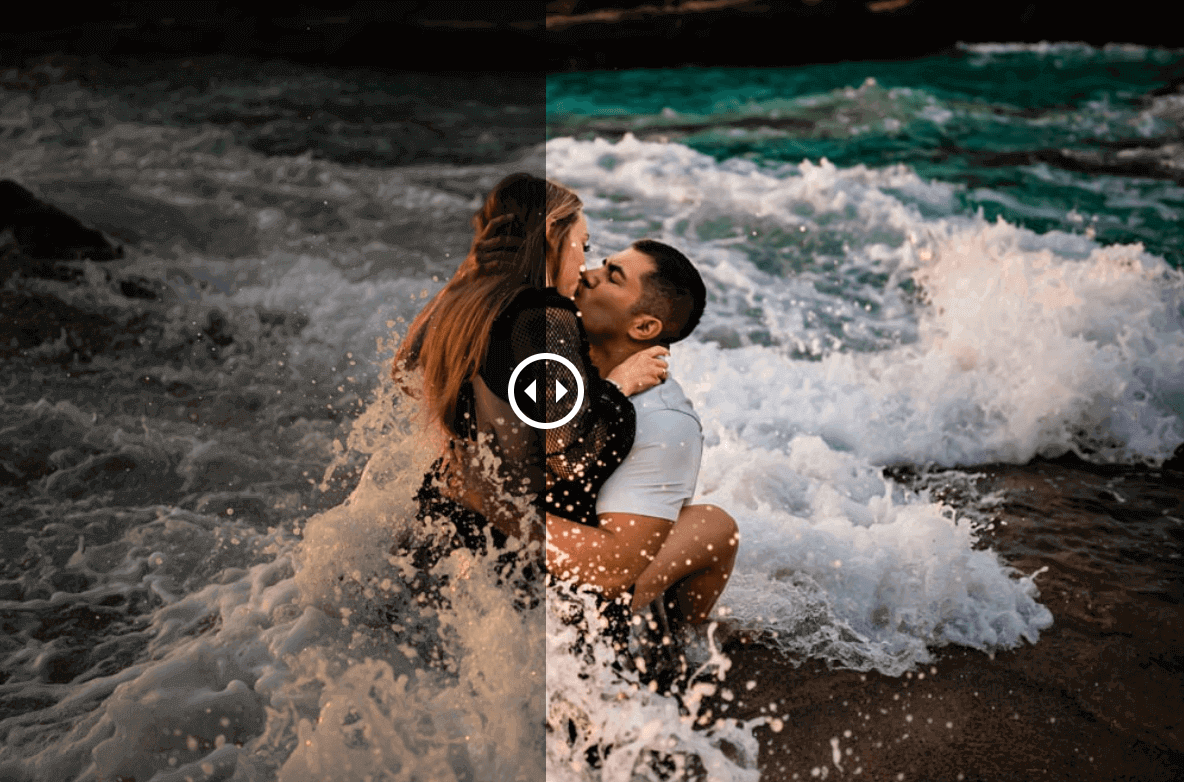
Welcome aboard Salty Sailor Presets, where creativity meets the sea. Their treasure trove of Presets, LUTs, Editing Tools, and Online Courses are tailored for both seasoned sailors and landlubber beginners.
Introducing the star of the show: the Salty AI Preset Pack – specially crafted for outdoor portrait photographers.
It infuses your images with vibrant tones during the blue and golden hours, effortlessly transforming your photos with one-click artificial intelligence edits.
Compatible with Adobe Lightroom, Lightroom Classic, Lightroom Mobile, and Adobe Camera Raw, this versatile pack is a must-have for photographers seeking to unleash their creativity.
With seamless integration with Adobe’s artificial intelligence tools, this Salty AI preset pack gives you advanced editing features to refine and perfect your outdoor portraits effortlessly.
Other Salty Sailor preset packs include:
- Moor AI preset pack
- Storm AI preset pack
- Adrift AI preset pack
- LUTS video preset pack
3. Luxe Lens
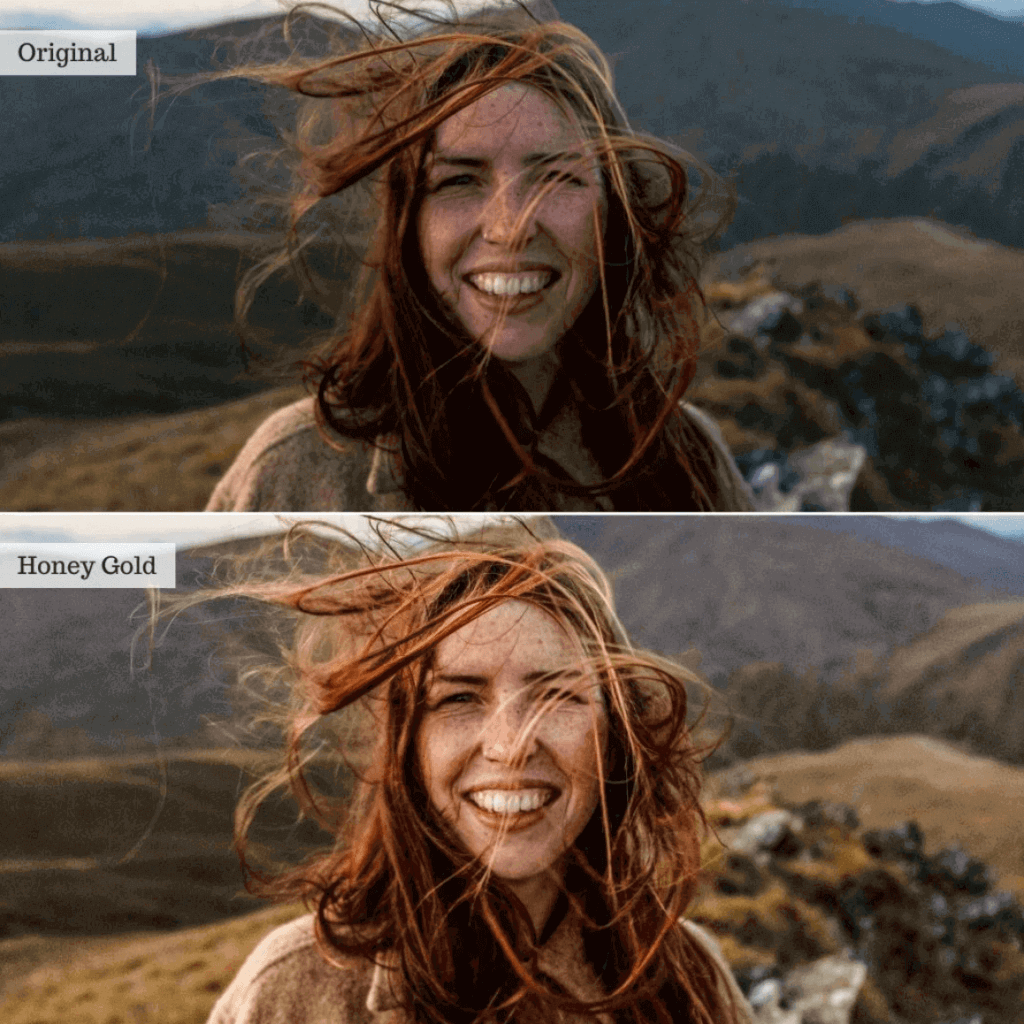
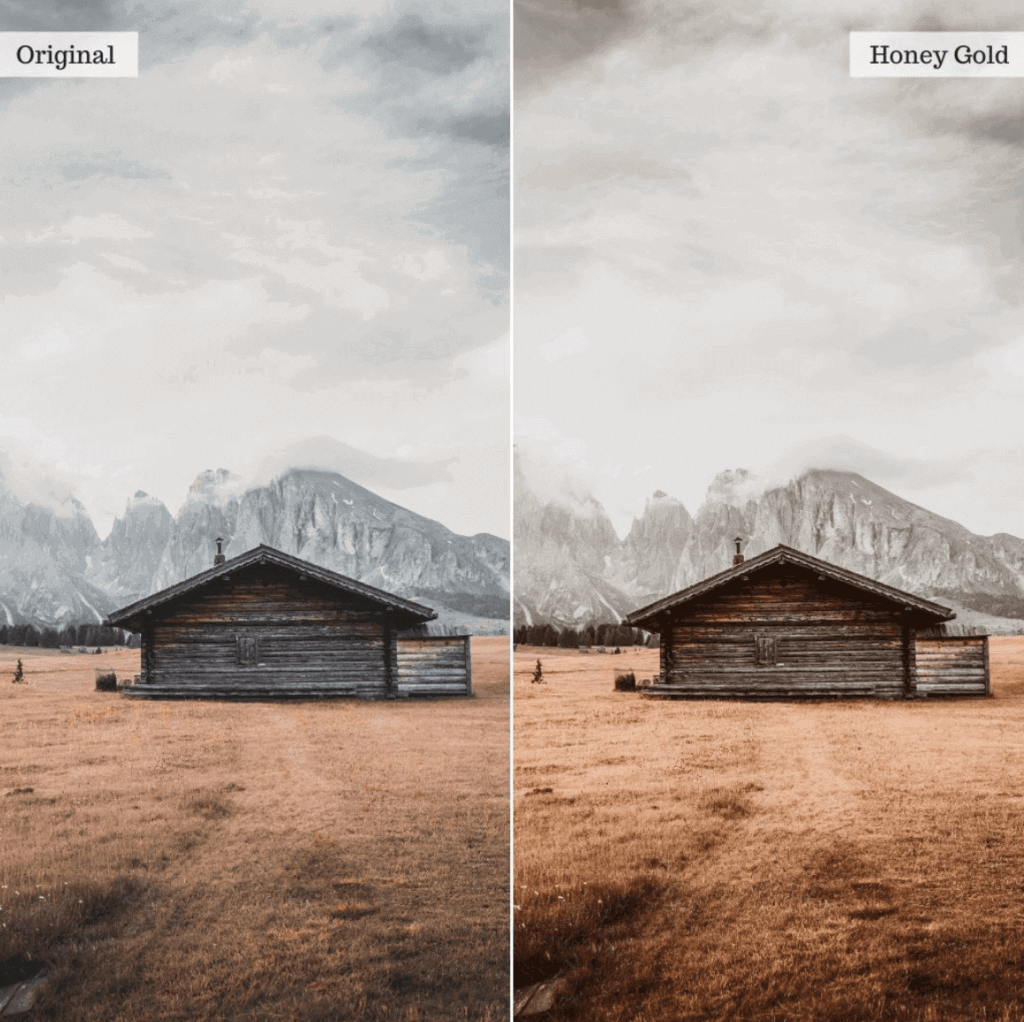
Honey & Gold is a fan favorite in the massive Luxe Lens lineup of presets for Lightroom.
Crafted to infuse warmth and a golden glow into your earthy and organic images, this preset is your ticket to a harmonious, feel-good Instagram feed.
Whether you’re capturing moments with a professional camera or snapping away with your mobile device, such as an iPhone or Android, the Honey & Gold presets deliver a touch of magic to every shot.
Luxe Lens offers a vast selection of LR presets, including those for newborn shoots, portrait photography, food photography, indoor spaces, landscapes, vibrant street photography, and everything in between.
4. DVLOP
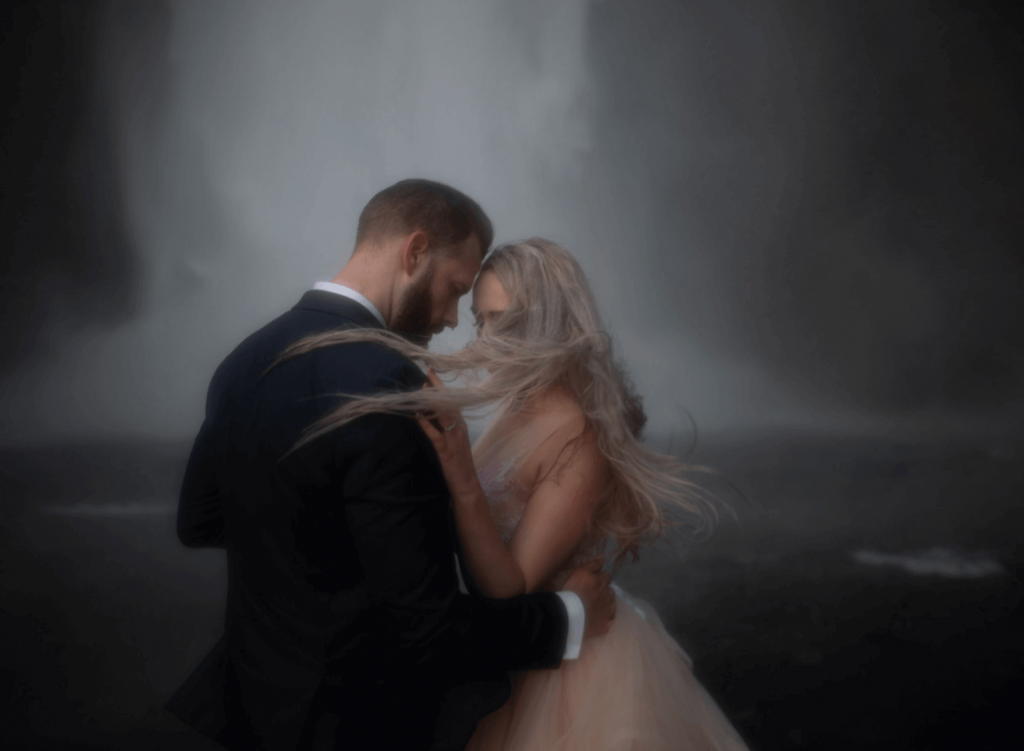
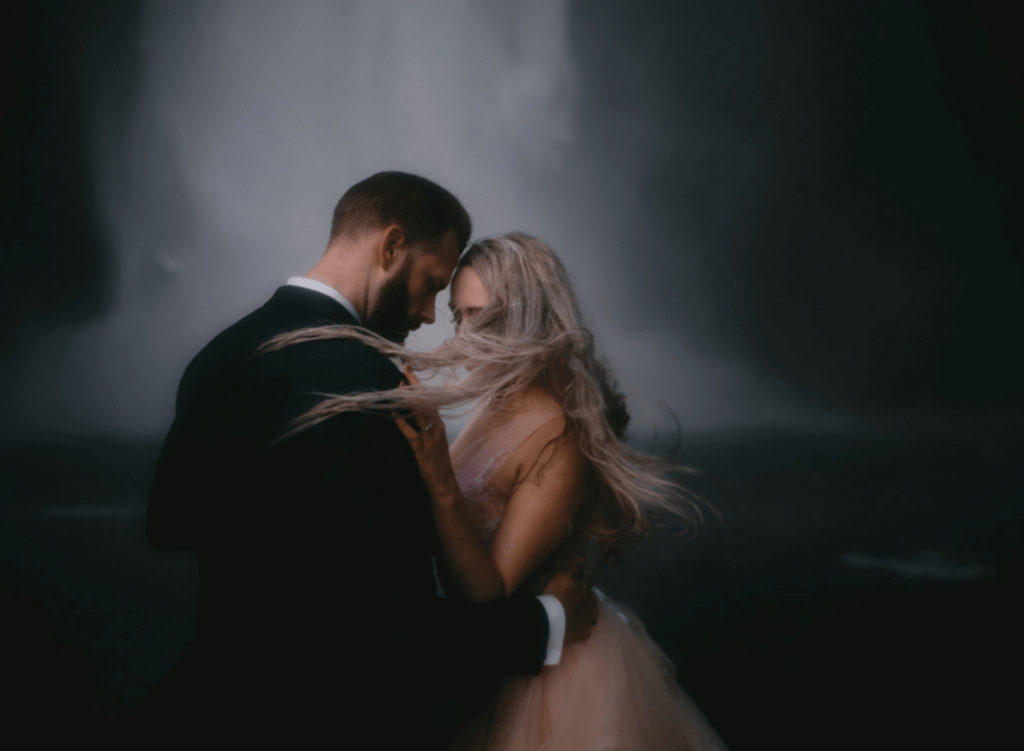
DVLOP presets are unique in that they offer different presets created by a range of photographers.
Kristen Marie Parker, Fer Juaristi, Jose Villa, The Kitcheners, Sam Hurd, and Gabe McClintock (to name a few) are quite literally sharing their secrets here.
Referred to as “a tool that not only speeds up workflows but also that spurs creativity,” there are some really special features that come with DVLOP presets.
They automatically detect your camera model and sync files to achieve the same look, and they also have two separate profiles for each camera (daylight and warmer color temperatures).
Lightroom can detect this and make the appropriate preset adjustments.
And if that isn’t cool enough, the newer version of Lightroom Classic will also adapt to ISO settings for individual images.
The price point and package specs vary from photographer to photographer, so check each collection’s page directly before buying, however, it’s also worth confirming current pricing on the DVLOP site since packs and pricing tiers change as new photographer collaborations are added.
5. Archipelago Presets
Photo Credit: Beth McQueen
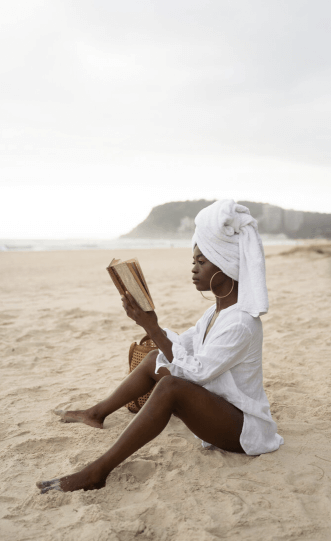
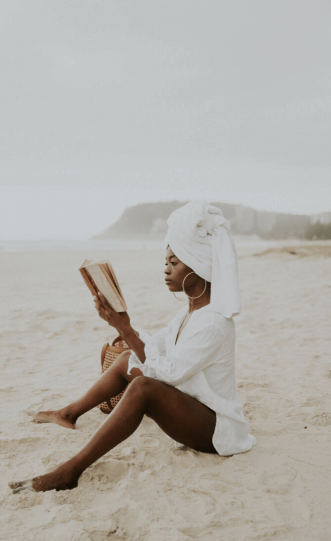
Archipelago (try saying that fast three times) presets originated in the dreamy PNW.
They have paved the way for presets that remain true to rich colors while staying on top of trends.
If the words “Earthy, Filmic, Modern, or Moody” connect with your current or ideal editing style, there is a selection of presets to choose from under each category.
Another way of putting it would be that Archipelago presets enhance what already exists in your RAW images without drastically modifying them.
Beyond one-time preset collections, Archipelago also runs Quest, a monthly subscription that delivers a new preset set every month for as low as $10/month on a 6-month plan (or $12/month month-to-month), a solid option if you’d rather keep your library growing than commit to one set of looks.
Photo Credit: Jovel Fernandes
6. Embrace
Jasmine Jades’ Embrace preset shop quite possibly has the largest selection to choose from.
Some are designed to accommodate different seasonal lighting, and the bestsellers include the Wanderlust Collections, Boudoir Tones, and Wild Lavender.
Similarly to DVLOP, a handful of Embrace presets have been developed to complement Lightroom’s latest AI features.
AI masking presets let you make local adjustments to specific areas on your photos. Some examples of masks in the AI-powered Embrace presets are:
- Darken the background
- Shallow DOF background
- Fog
- Hair so soft
- Magic indoor
- And desaturate/fix skin tone
Each Embrace preset pack includes a number of color variations, along with a few B&W, and can drastically speed up your editing workflow.
7. Roots
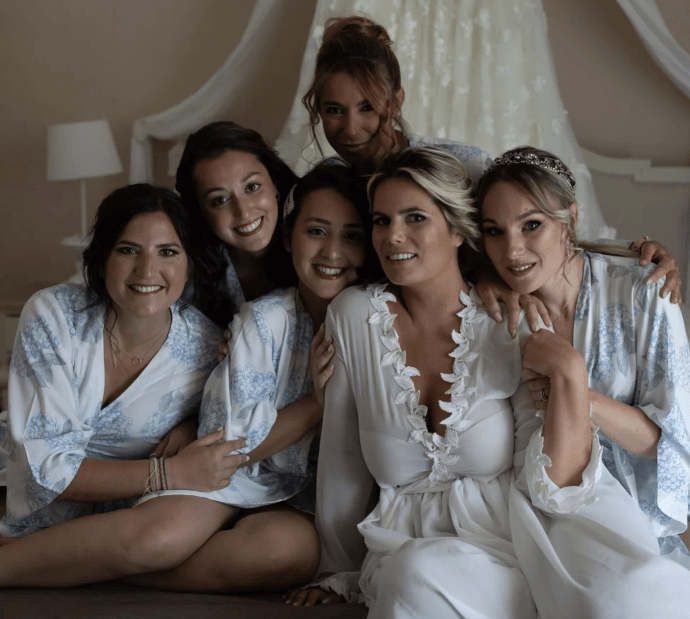
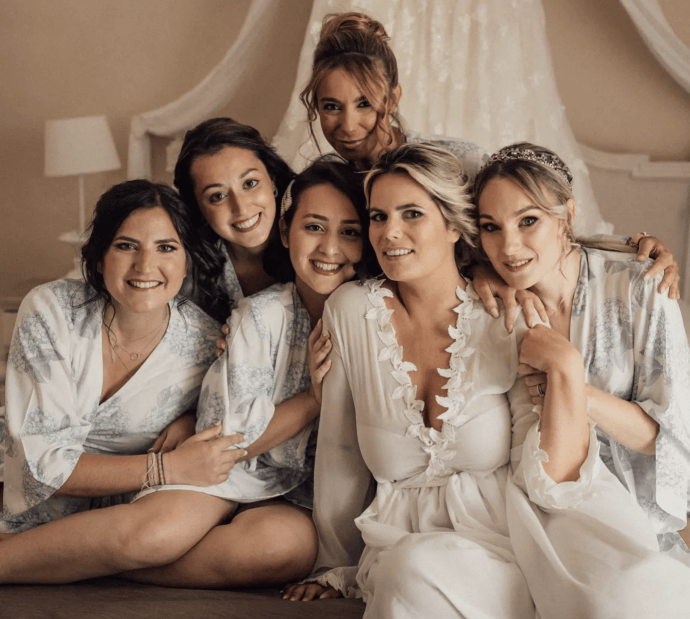
Roots Presets got it right when they described their preset packs as feeling cinematic.
They offer a range of presets from dark and dramatic to editorial and clean. When browsing the shop, it’s easy to identify what each preset will achieve using the descriptor words and icons.
Regardless of the style, it is very evident that Roots presets are going to stand the test of time. They preserve the original colors, creating adjustments that are interesting but also subtle.
Bundles are available alongside individual packs, with each preset including a few different versions of the base plus a selection of additional adjustments and masks.
8. Meridian
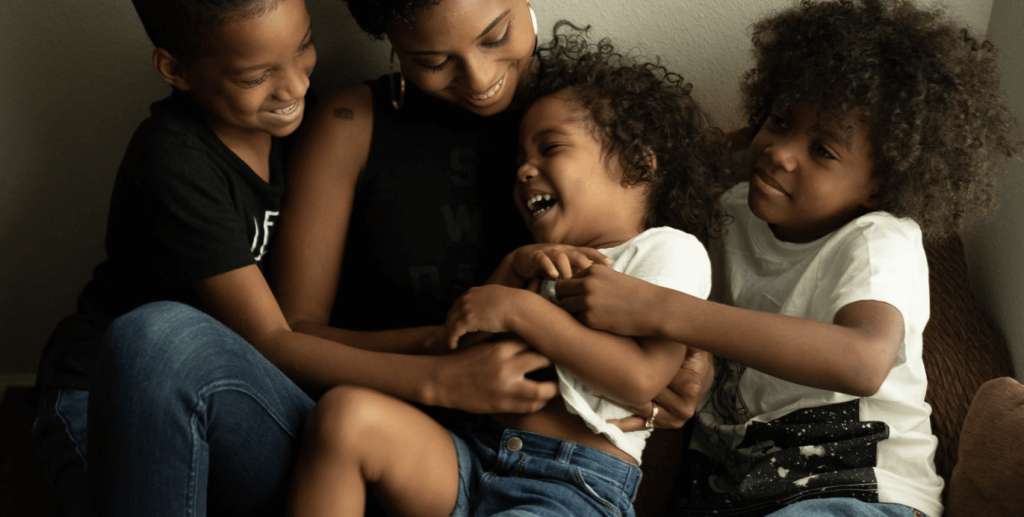
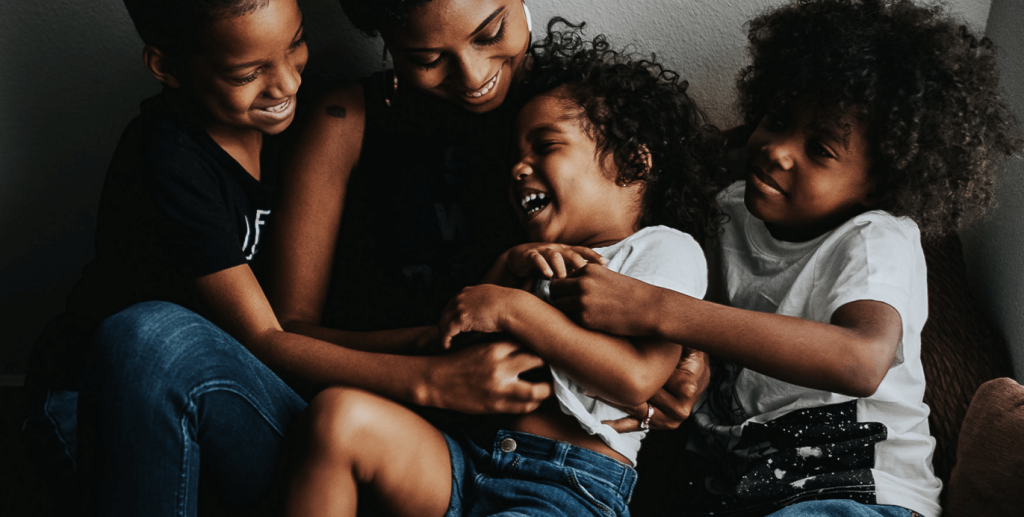
In a similar fashion to DVLOP, Meridian Presets was created by a collective of prominent industry faces from the LOOKSLIKEFILM community. Benj Haisch, Lukas Piatek, Chenille Rojas, and Jennifer Moher, along with a company of others, share wedding and family portrait Lightroom presets and effects.
Each editing preset has been designed with intention and a specific purpose in mind:
- Terra by Jyotsna Bhamidipati is intended to create drama in an image without compromising skin tones.
- Slate & Ivory Decades by Jennifer Moher is infused with elements that evoke nostalgia.
- The Melanated Film by Chenille Rojas was created out of a need to edit more melanated skin tones properly.
- And Solstice by Meg Loeks is centered around the four seasons.
The pricing starts from 79 euros.
9. Honey
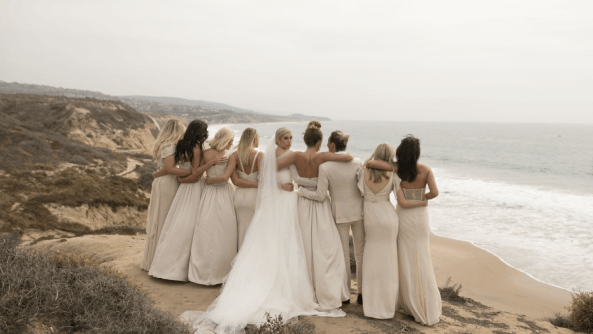
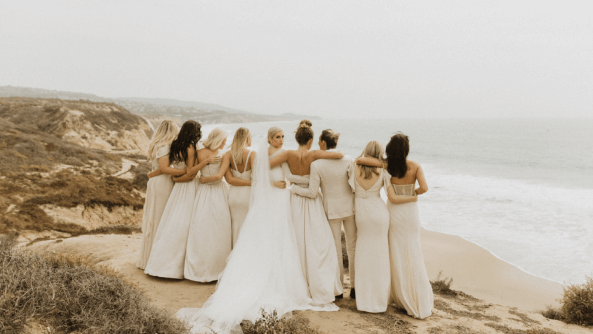
India Earl has been in the photography education game for a very long time.
Her Honey Presets are a hot commodity and for a good reason. She describes them as having golden honey tones, soft milky whites, perfect skin tones, punchy contrast, and natural colors.
While they replicate her own style, Honey Presets are designed to help other photographers find their own while editing wedding photos in Lightroom.
Her preset collections are currently available through DVLOP alongside her Cine collection, with video tutorials and guides included. Check out their website for current pack pricing, since the seller and price point have shifted since this preset pack first launched.
Best black & white presets for photographers
While many packs include both color and B&W presets, it’s important to note that the black-and-white adjustments can vary much more than you might think.
Some are high contrast with stark blacks and bright whites. Others are warmer, verging on sepia. In the same way, you might look through color presets to see what you are drawn to, do the same for B&W.
We’ve put together a list of black-and-white Lightroom presets to show how these adjustments can vary and help you decide whether to use the one included in a color pack or to purchase one individually.
10. Slate & Ivory by Jennifer Moher
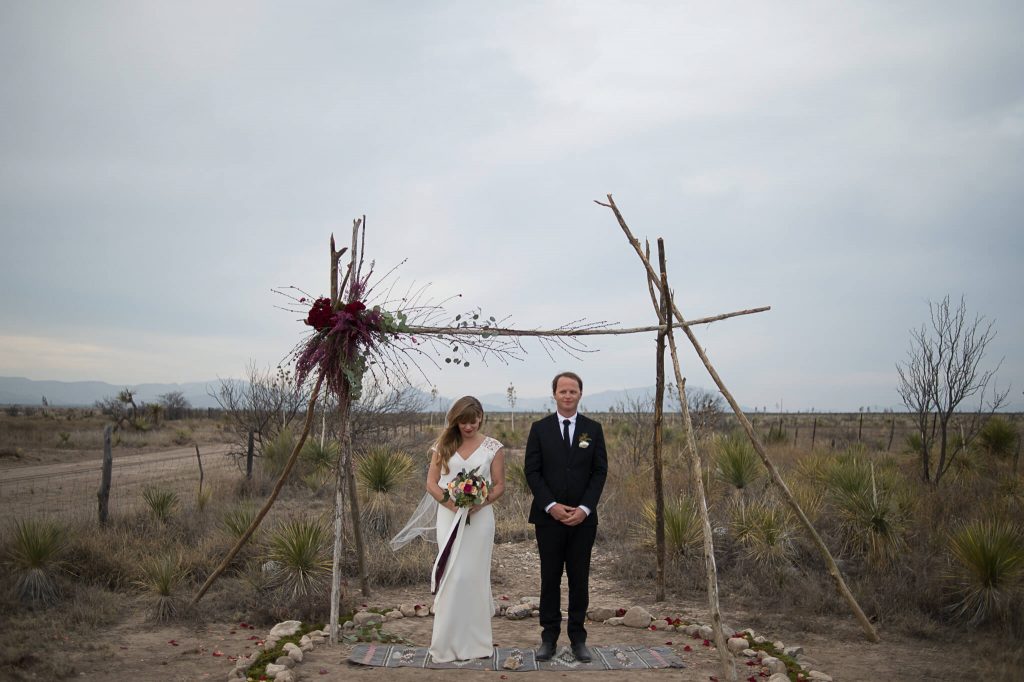
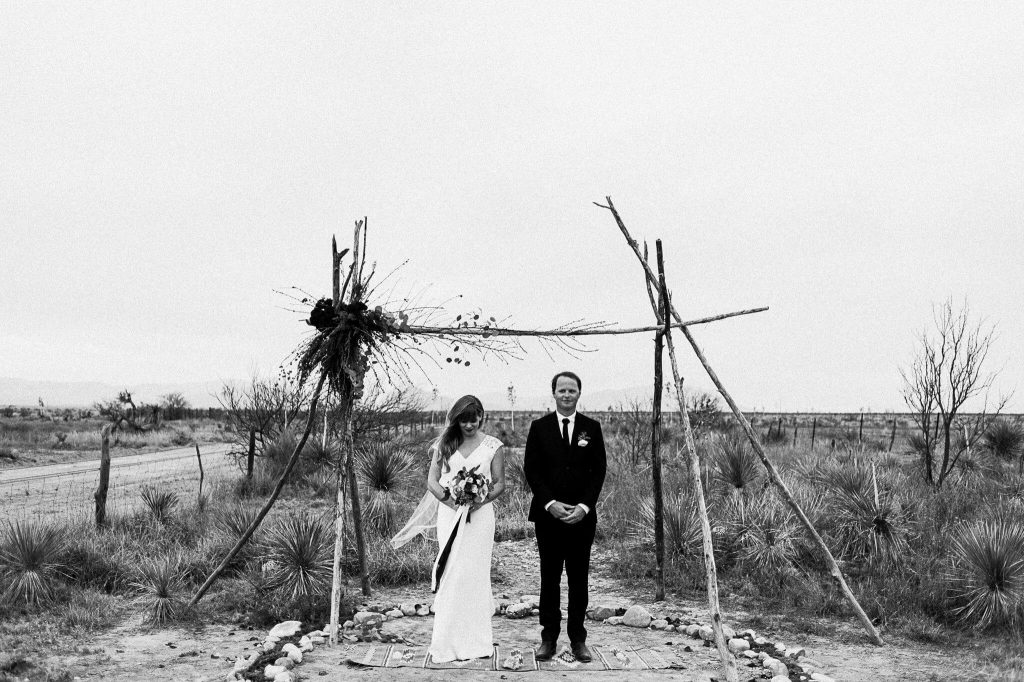
Created by Jennifer Moher, Slate & Ivory is the sole black-and-white-only pack in the Meridian preset collection. It boasts 10 monochrome settings to give you that film look inspired by vintage movies.
11. Lotus BW by Nirav Patel
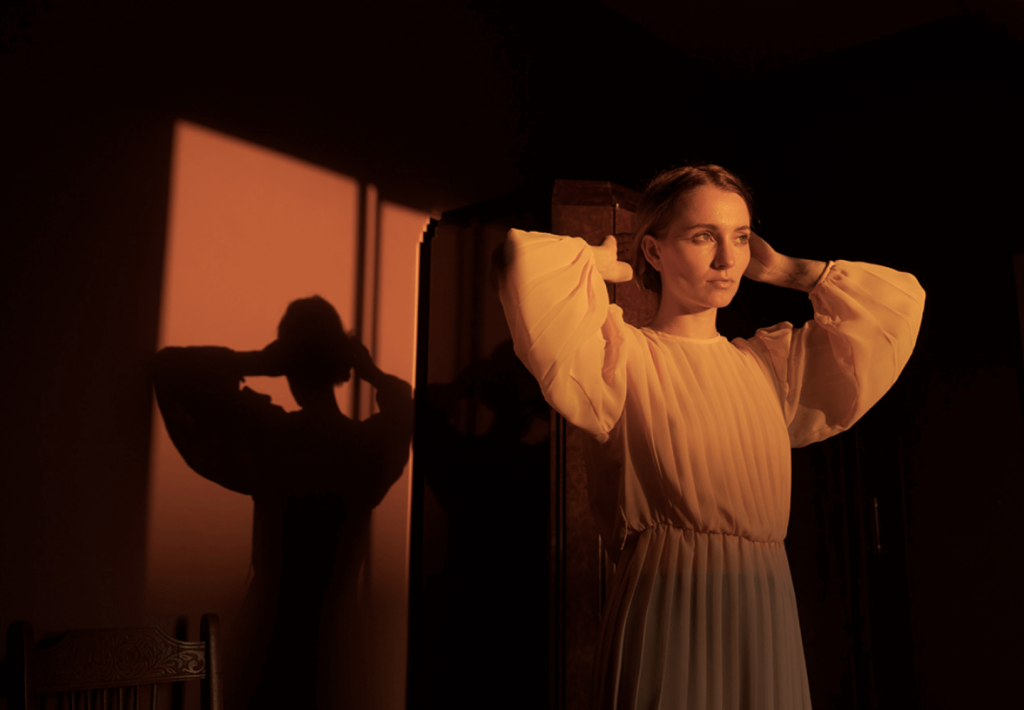
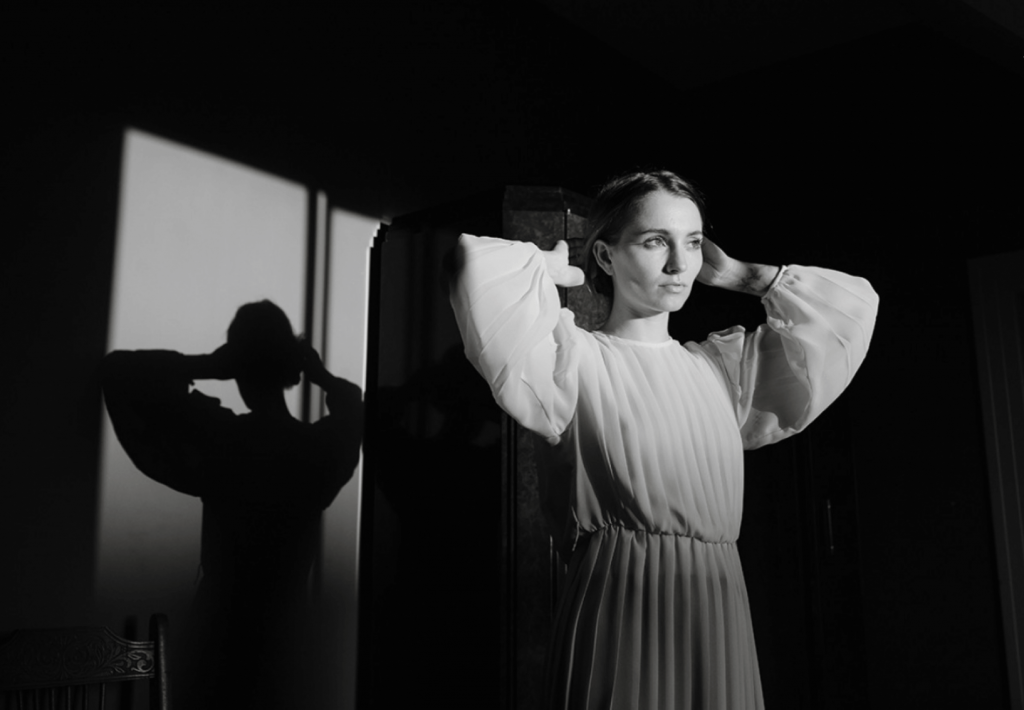
Created by Nirav Patel, and inspired by the work of master photojournalists in the 60s and 70s, the classic look of these black-and-white presets was born.
With simple modifications, they can transition from high contrast to a softer, more elegant feel. Editing portraits in Lightroom is an elevated experience with this stunning preset.
12. North Star B+W by Archipelago Presets
Photo credit: Jenna Knott
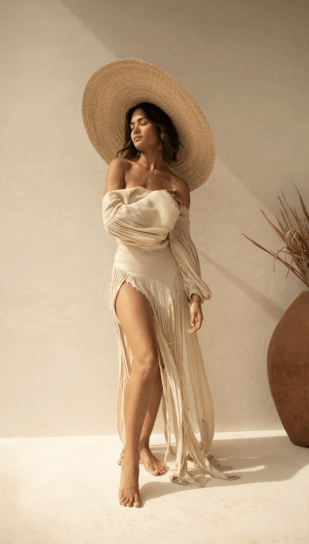
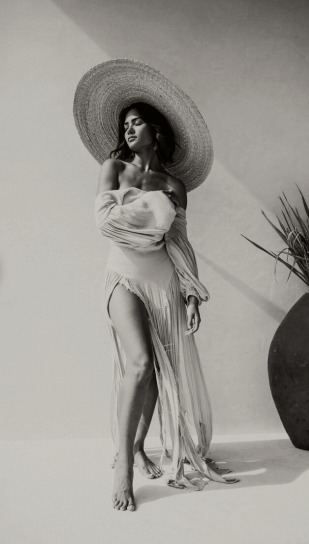
North Star B+W includes a range of black and white presets in one collection designed to complement different styles.
Punchy or subdued, cooler or golden, there’s something for everyone. And it just so happens the proceeds from this pack are given to various non-profits.
13. The Moody Film B+W Preset Collection by Wilde
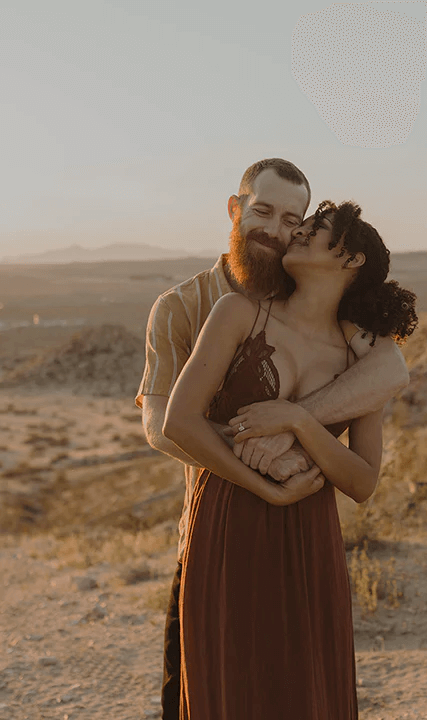
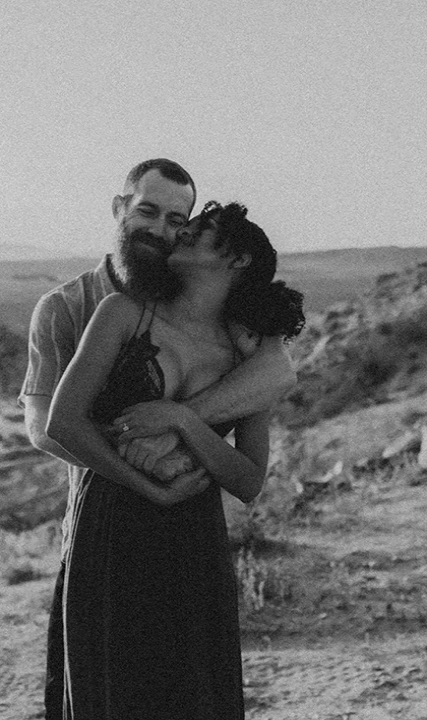
This artistic collection of black-and-white presets is designed to help you achieve a unique film look for your photography for a moody, sensual feel.
It’s a genuinely affordable entry point for a quick, reliable, dark, and moody preset.
14. The Cosmos by Embrace Presets
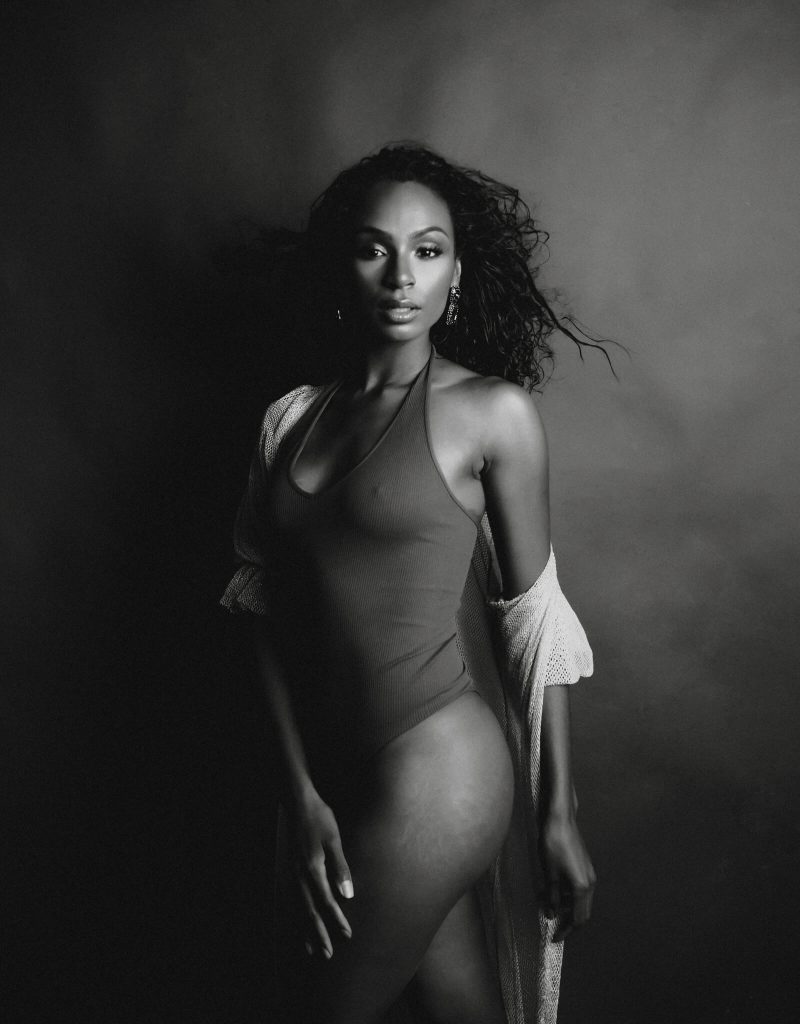
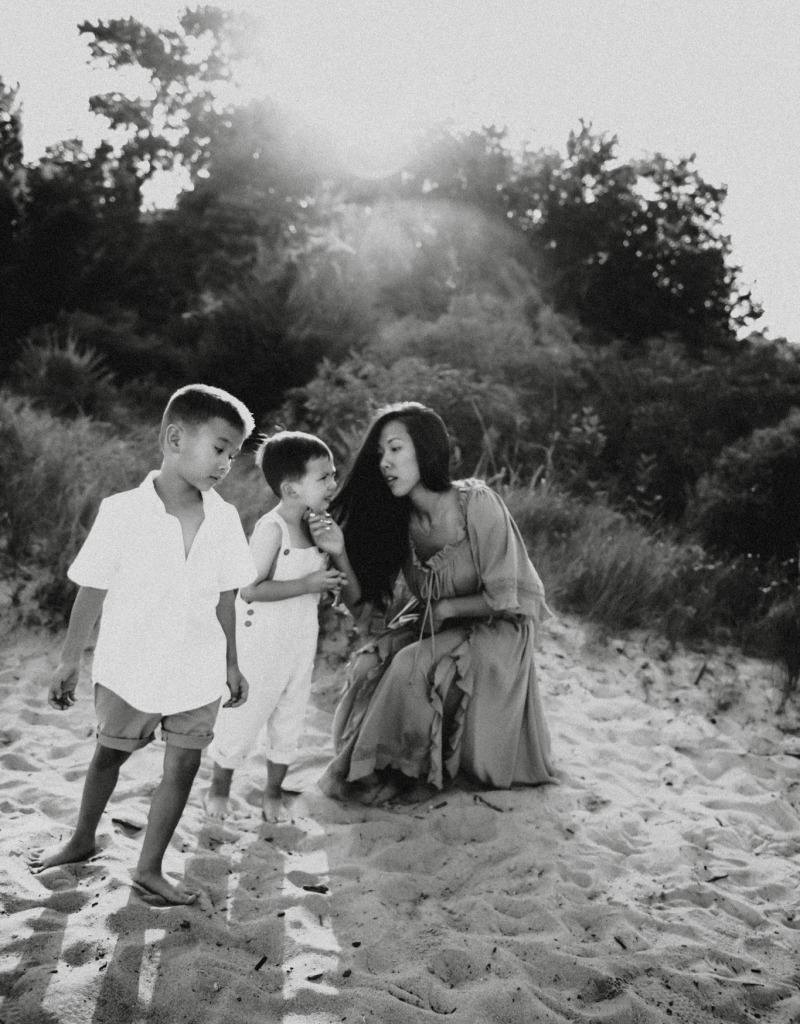
Think vintage-contemporary meets classic-monochrome with an air of professional film photography. Cosmos by Embrace creates a timeless film look to any photo. Turn the mundane into something special with this black-and-white photography preset pack.
15. Wijdefjorden by Roots
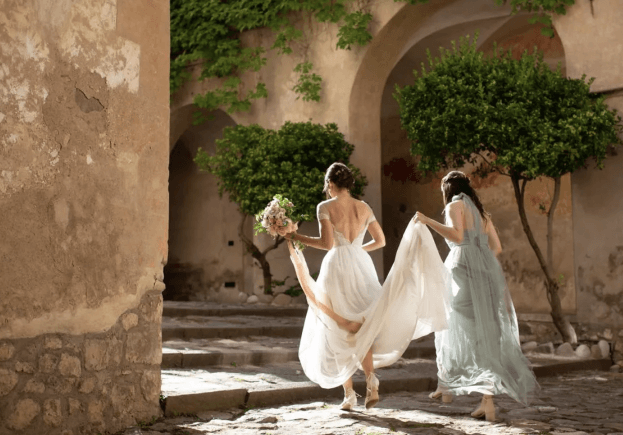
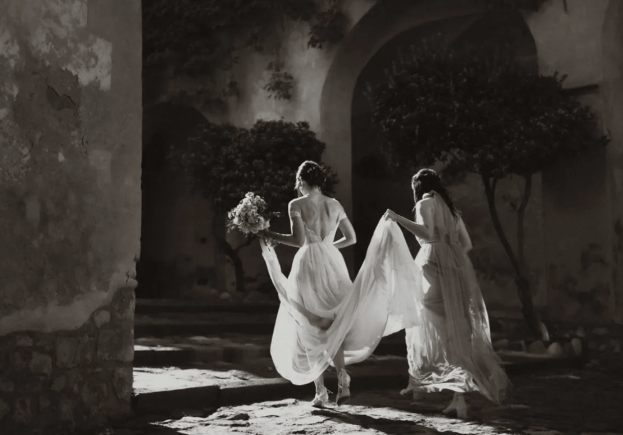
This pack is for the photographer who is drawn to darker, moodier, and more emotional imagery.
With warmer tones, there are definite nostalgic vibes. Another preset pack that offers a cinematic vibe, perfect for those who are in love with cinema and want to highlight emotion.
How to maintain a consistent editing style for your photographs?
Consistency in your photographs is an essential part of defining your style and brand. It’s a key element that your clients consider when choosing a photographer. While presets can serve as a helpful starting point, a professional photographer needs to develop a distinctive style that sets you apart from the competition.
However, maintaining this level of consistency can be challenging without efficient editing tools to streamline the process. With the advancement of technology, it is possible to maintain a consistent editing style using AI.
If you are wondering if presets can do the same job, we beg to differ. That’s why Aftershoot helps photographers like you to create your own AI profiles to achieve consistent edits every time. All you need to do is train the AI and apply.
The key difference between AI styles and Lightroom (LR) presets is in how they apply edits to your photos. While LR presets use predefined settings to adjust things like exposure, contrast, and color, AI Profiles go a step further.
Aftershoot AI Styles: Finding Your Perfect AI Presets
AI Styles and Creator Styles are AI Presets where in the AI learns from your past editing style, analyzes the unique elements of each photo—such as white balance, exposure, and lighting conditions—and then automatically applies adjustments that align with your specific style. This results in a more tailored and consistent look, as the AI adapts the edits based on the individual characteristics of each image rather than applying the same settings across all photos. Learn more about how to build your AI profile on Aftershoot
Here are a few AI Presets available on Aftershoot:
Lemon
Achieve perfect tones with a touch of flair using Lemon. This preset brings a bright, soft, and creamy look that beautifully mirrors the vibrant style of film photography. It enhances skin tones while maintaining a light, airy feel, making your images effortlessly smooth and radiant.
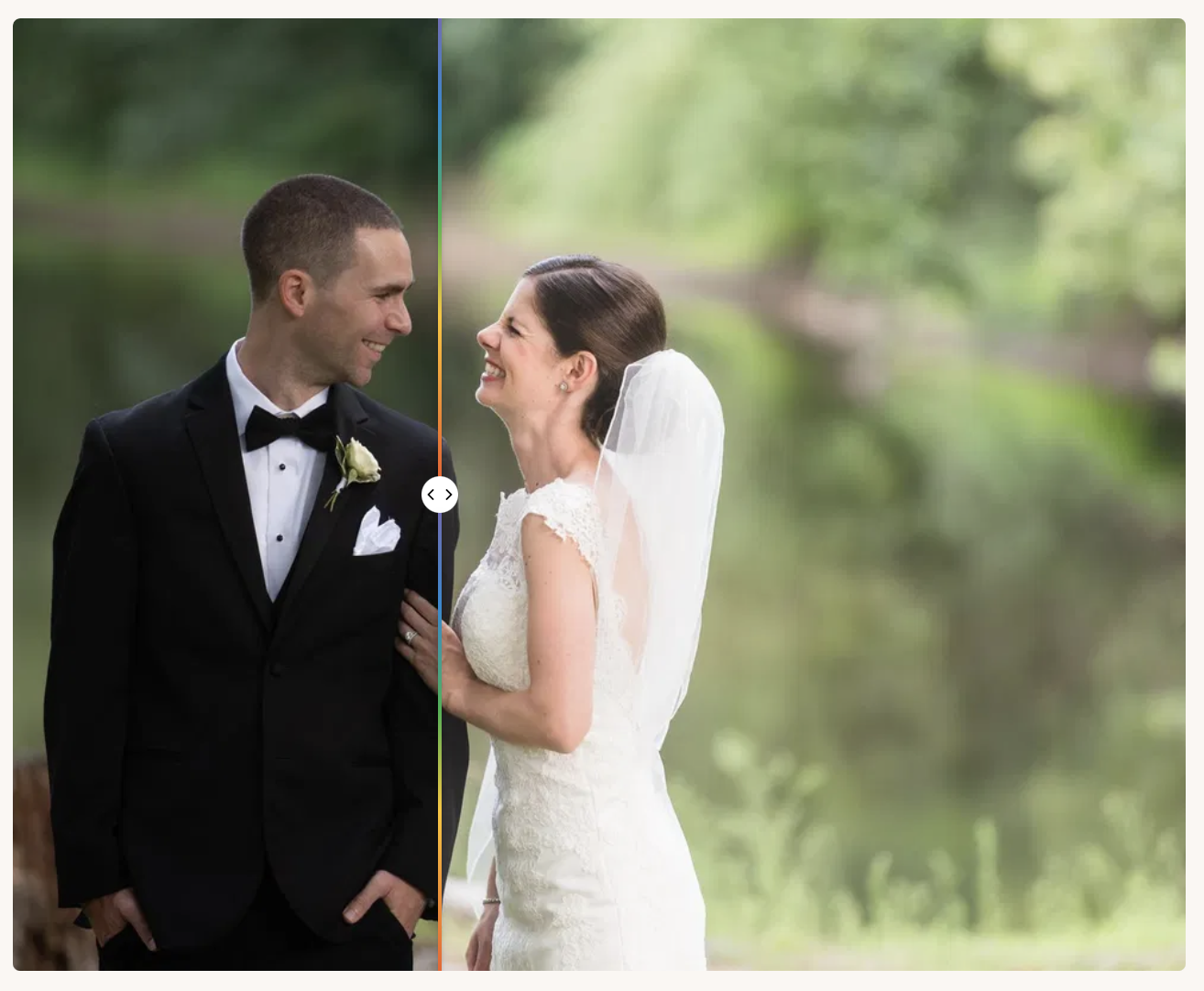
Brownies
With its perfect balance of contrast, warmth, and natural tones, this AI Style enhances your images by restoring highlights and giving shadows the lift they need to stand out beautifully.
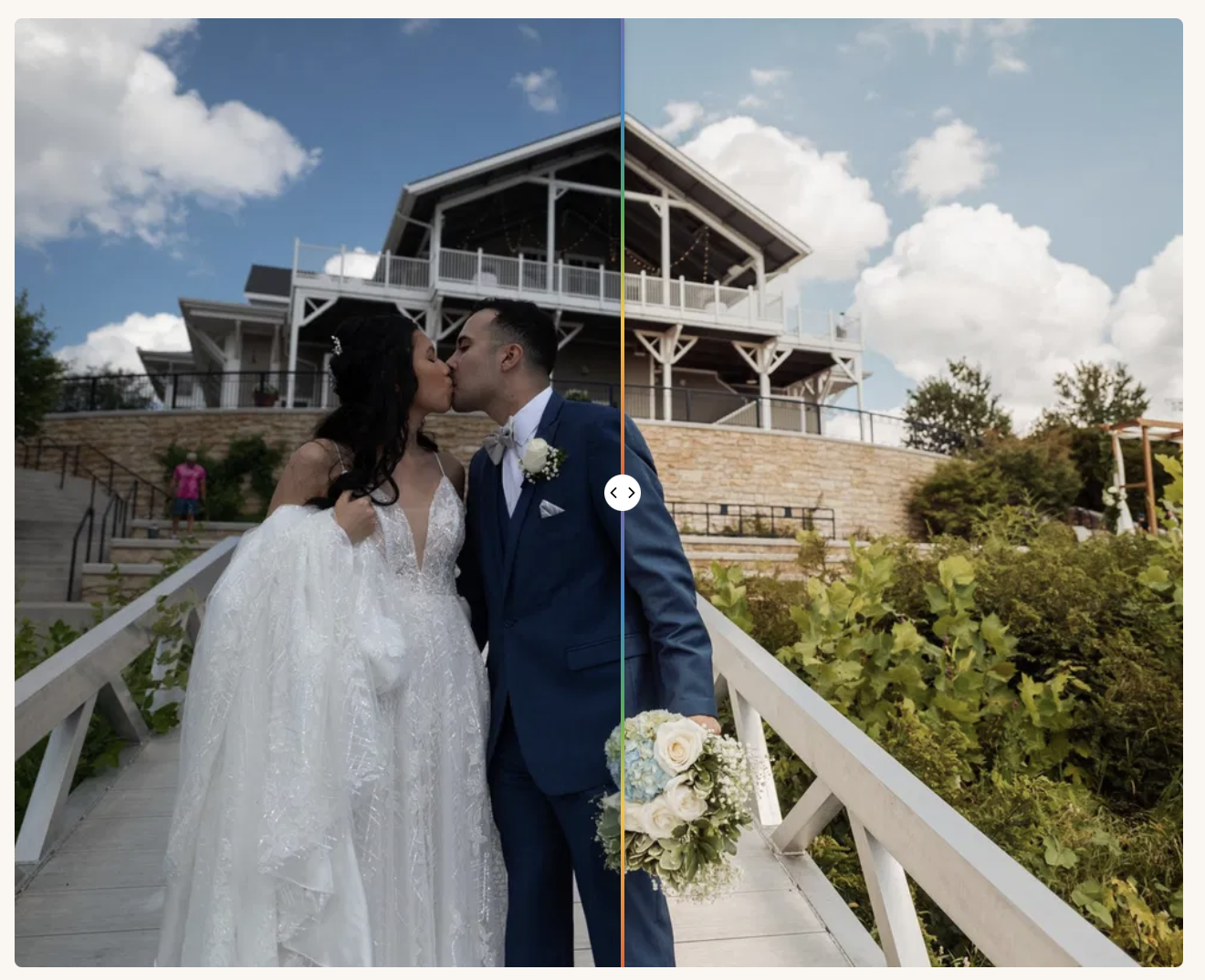
Matcha Glow B&W Style
A textured, film-leaning black-and-white style. Think visible grain and a softness in the midtones rather than the stark, punchy contrast some B&W presets default to. Good fit for editorial or documentary-style wedding coverage.
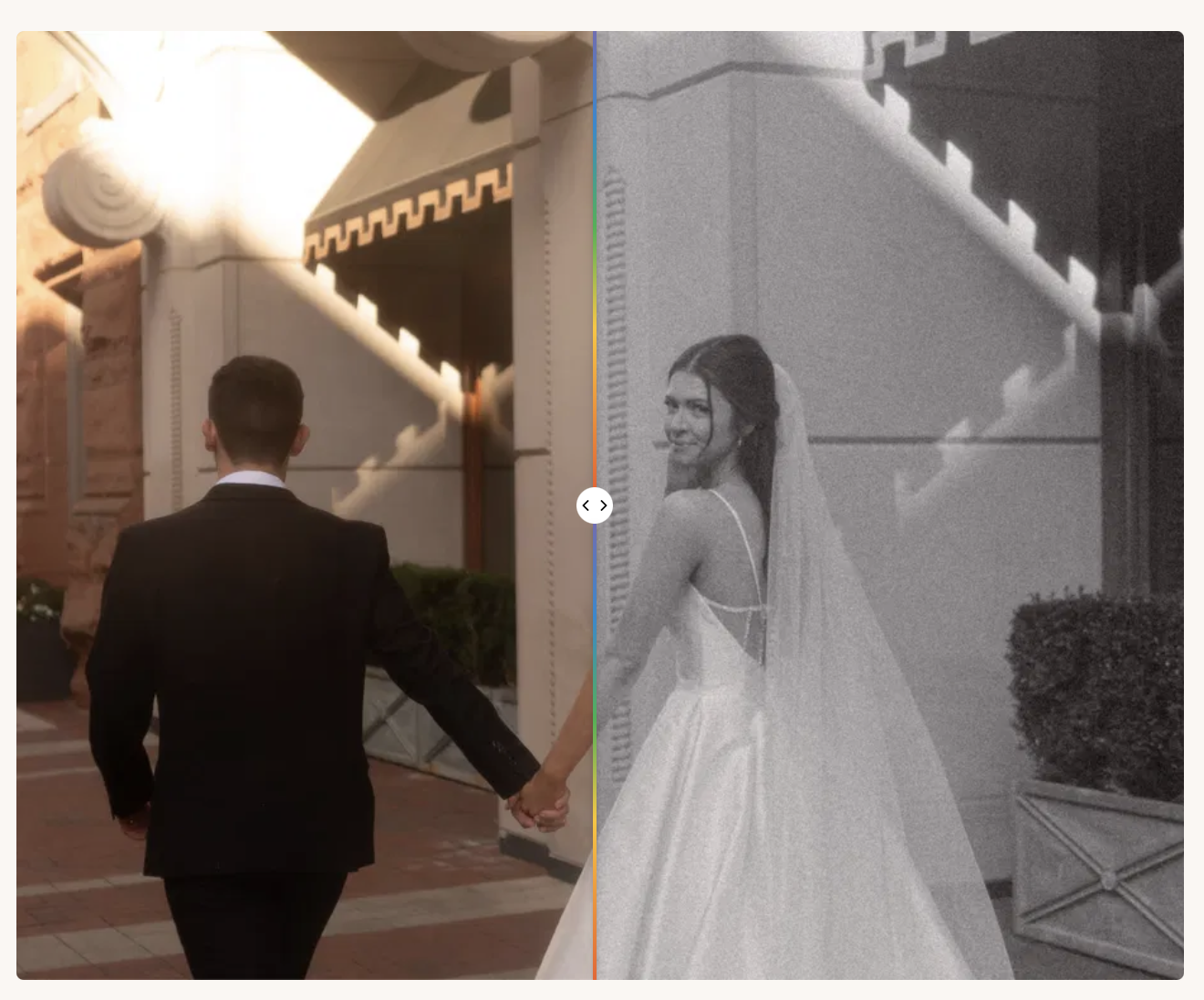
The Hart Style
Hart brings a fine-art feel to every frame, pairing warm, nuanced color with a polished editorial finish. It’s especially well suited to photographers who want their images to feel expressive, dimensional, and far removed from an overly digital look.
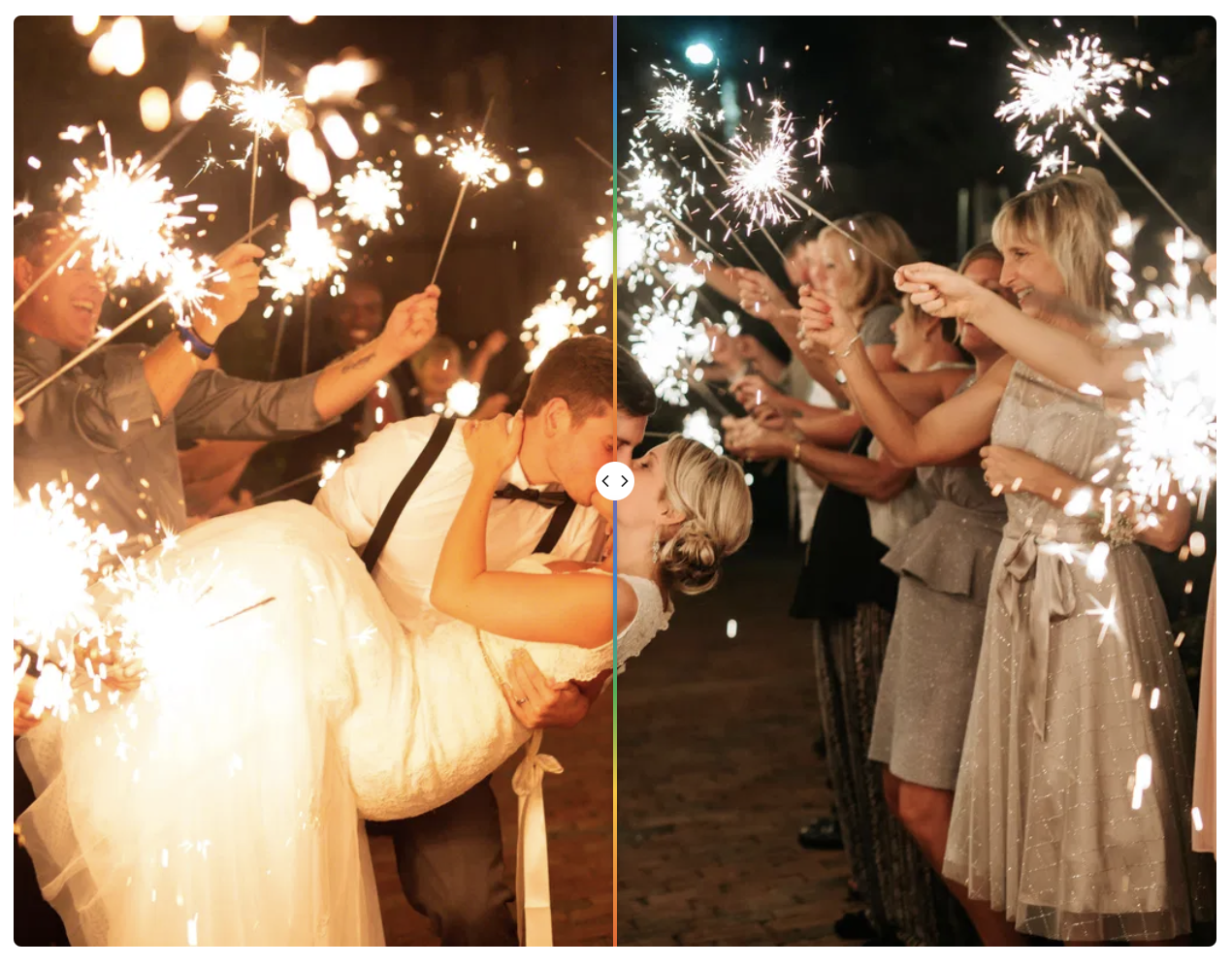
Chérie AI
A restrained, true-to-color style built for photographers who want their images to look accurately edited rather than heavily stylized, a solid default if your brand leans classic and timeless rather than trend-driven.
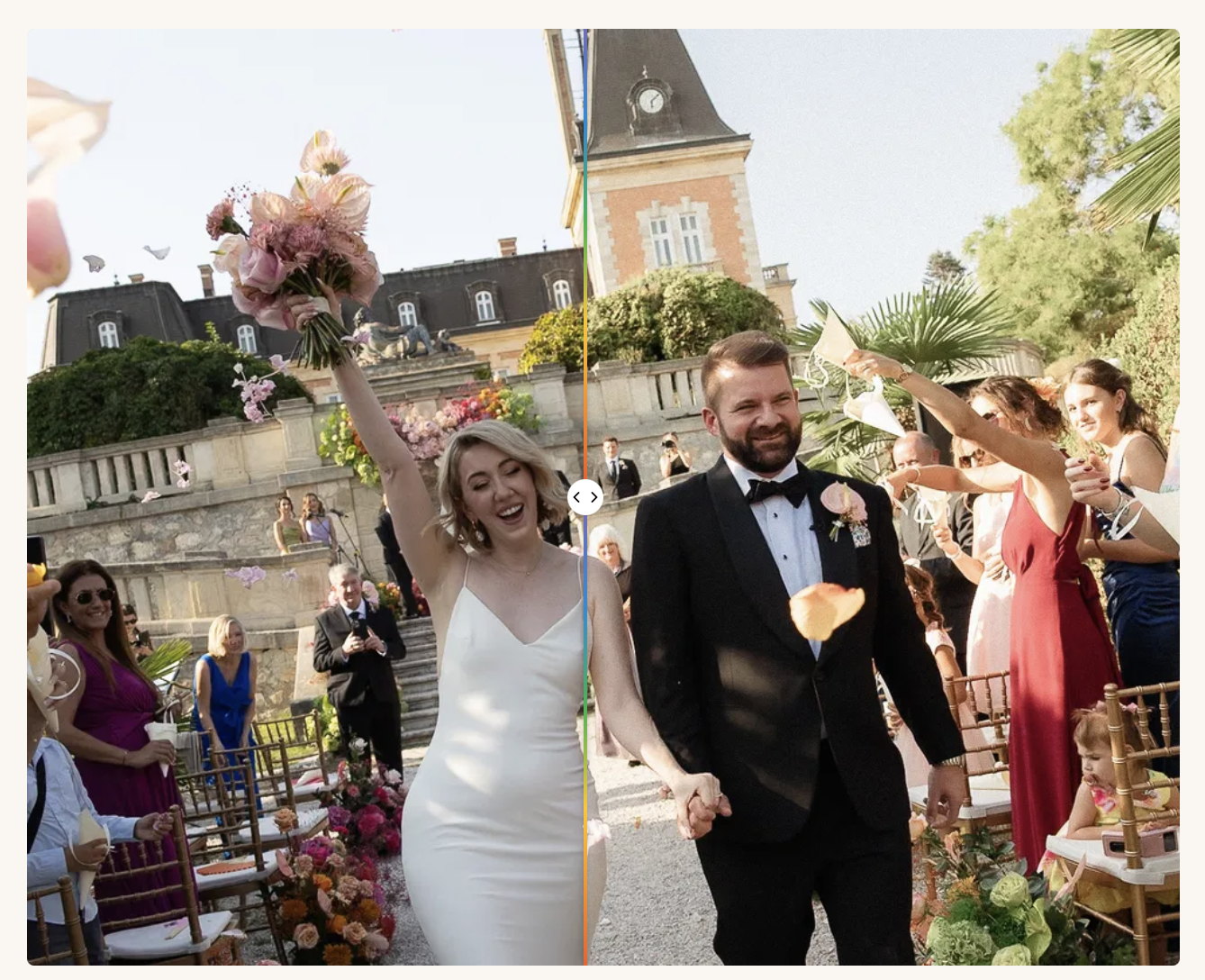
Kreate Naturelle
Katie Munroe’s signature AI style is now available on the Aftershoot marketplace. The Kreate Naturelle Preset is a signature “color film” preset that she has been fine-tuning since 2008.
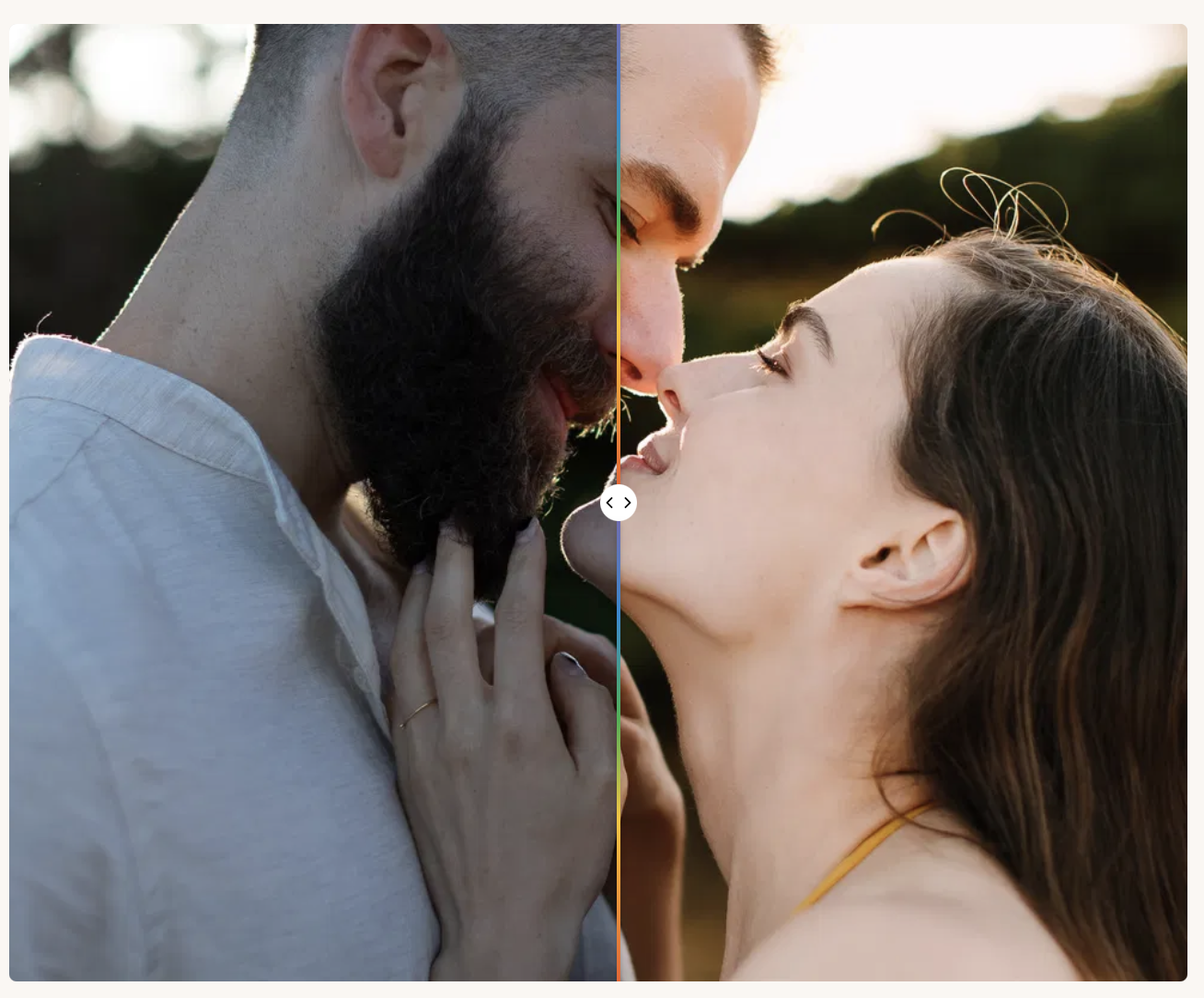
The Esteban Gil Collection – Leo
Esteban Gil’s signature look, built around cool white balance paired with warm, film-like skin rendering. It’s designed to hold up across a range of lighting conditions, which is part of why it’s one of the more popular Creator Styles on the Marketplace.
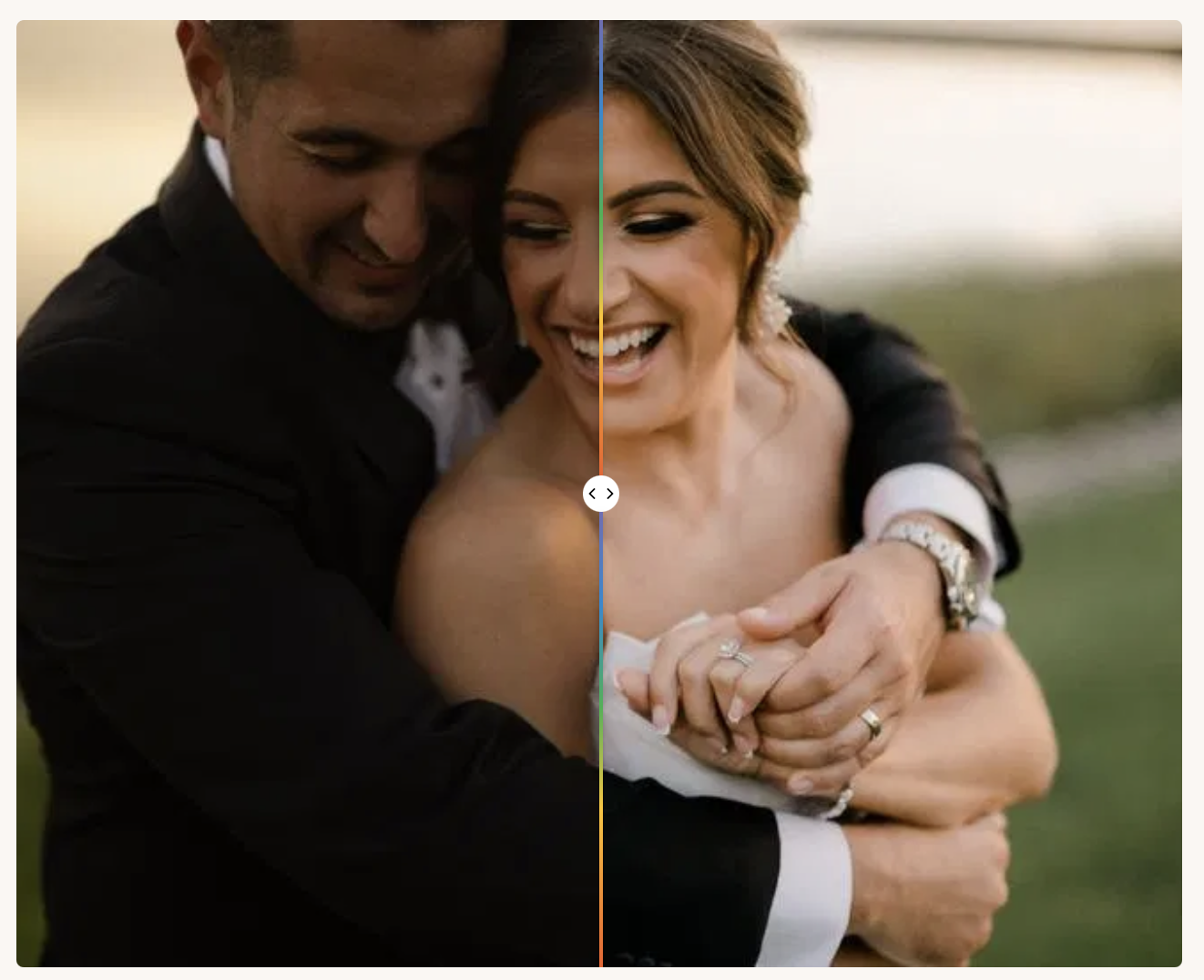
Looking for more AI presets? Check out the Aftershoot Marketplace
Choosing the Best Photography Presets
In the very saturated world of LR presets, we have hardly scratched the surface of what’s out there. We recommend trying not to get caught up in the trends just for the sake of it.
Take the time to browse what’s out there, what work inspires you, and what colors or styles you are drawn to.
Then find reputable sources to purchase from, and remember – while a preset is designed to speed up your photography workflow, there may be some tweaks needed to modify the presets you choose for your images.
Don’t be afraid to make them your own!
Once you’ve fine-tuned the presets to your liking, speed up your workflow even more with Aftershoot. Instead of having to copy and paste or apply the preset to your images, Aftershoot will do it for you!
FAQs about Lightroom Presets
Q1. Are paid Lightroom presets worth it?
For client-facing work, usually yes. Paid presets are typically built and tested by working photographers who’ve already solved for skin tones and mixed lighting across different cameras, which saves you the trial and error. Free presets are a fine way to explore what style you like, but they often need more manual correction per photo.
Q2. Which Lightroom presets are best for wedding photographers?
Mastin Labs, Meridian, and DVLOP are frequently favored for weddings because they’re built to keep skin tones natural and consistent across the mix of indoor, outdoor, and low-light conditions a typical wedding day throws at you.
Q3. Do Lightroom presets work on Lightroom Mobile?
Most premium packs today ship desktop, mobile, and sometimes Capture One versions, but compatibility varies by seller, check each preset pack’s product page for supported platforms before buying.
Q4. What’s the difference between a Lightroom preset and an AI editing style?
A traditional preset applies the same fixed adjustment to every photo it’s used on. An AI Style, like the ones in Aftershoot’s Marketplace, analyzes each image individually and adapts exposure, color, and contrast to that specific photo’s lighting conditions, so the same style can produce different (but consistent-looking) results across a varied gallery.
Q5. Can I create my own Lightroom preset?
Yes, you can save any edit as a preset from Lightroom’s Develop module. This only replicates a single manual edit rather than adapting per photo the way an AI Style does, but it’s a good way to build your own repeatable starting point.