Slow season creates a weird lie photographers tell themselves. There’s nothing to edit, so there’s nothing to improve.
Tools get paused, folders get ignored, and the workflow stays exactly how it is until busy season starts and suddenly everyone is shocked that post-production takes over their life again. Same pattern every year. Same complaints. Same “I’ll figure it out later.”
Later is peak season at 1:30 a.m. with a half-culled wedding, inconsistent skin tones, and a client asking when the gallery will be ready.
When work slows down, the instinct is to cut anything that feels optional.
Post-processing isn’t optional. It’s a system.
Systems either get stronger with reps or they get exposed under pressure.
The status quo is backwards. Slow months are when the work should shift from delivering galleries to building a machine that delivers galleries.
A slow season gives you two unfair advantages.
- More time to make deliberate decisions.
- More freedom to shoot projects that keep money and creativity flowing.
Make slow seasons pay you back. Here’s the math.
Take one wedding with 600 deliverable photos.
If tighter culling and a stronger editing baseline saves 60 seconds per photo in review and cleanup, that’s 600 minutes. That’s 10 hours. Save two minutes per photo and it’s 20 hours!
Now add retouching the sane way, as a finishing pass on the sets where everybody deserves to look their best.
Say retouching saves 30 seconds per image on 300 images. That’s 9,000 seconds or 2.5 hours.
So a very realistic range for one wedding looks like this.
- 10 to 20 hours back from cleaner culling and a stable baseline
- 1.5 to 2.5 hours back from batch retouch finishing
That’s 11.5 to 22.5 hours on one wedding!
Now price your time like a business.
- If your time is worth $50 an hour, that’s $575 to $1,125.
- If it’s $100 an hour, that’s $1,150 to $2,250.
And that’s one wedding.
This is why slow season matters. Not because you need to “stay busy.” Because the workflow either stays warm or it doesn’t. When it stays warm, busy season becomes review and finishing. When it goes cold, busy season becomes fixing the same problems again and again.
The photographers who look calm in peak season usually aren’t faster shooters or better editors. They run a system that behaves.
- Cull in one place so selects stay tight and consistent.
- Set an editing baseline that doesn’t drift when the light changes.
- Use retouching as a finishing standard so faces look consistently polished across the set.
Do that work in slow season, and busy season stops feeling like a restart.
Keep work moving before, during, and after the busy season
If wedding and event work slows, use the gap to add work that keeps cash moving and keeps your post-processing reps going.
Business headshots, branding sessions, family minis, newborn lifestyle sessions, real estate, small product sets for local businesses, studio portrait days. All of it counts.
If you don’t want client work, shoot personal and passion projects on purpose. A personal project still creates galleries. The difference is you get to pick the lighting, the pace, and the creative direction. That’s how photographers walk into peak season sharper.
Whatever you shoot, the goal stays the same. Run real sets through the same pipeline you’ll use when bookings stack up.
Only practice makes post-production workflows perfect too
A lot of photographers judge AI editing like it’s a filter. Apply it once and it should just work.
That’s not how any assistant learns. Not a human. Not an AI.
AI can learn your style only when it sees your decisions repeat in the same kinds of real situations. Not one gallery. Not a cute little test folder. Real work, repeated.
When bookings are light, you can do this without stress.
- Run older galleries that represent your typical work.
- Make sure the set includes the lighting that usually causes rework. Receptions, mixed light, fast movement.
- If you shoot something new, keep it aligned with the work you actually sell.
The goal isn’t “training mode,” but to keep the feedback loop alive so the system keeps learning your preferences and tightens its logic to think like you.
Whether you’re already using Aftershoot during peak seasons, or you’re new here, the biggest mistake is treating slow seasons like a complete pause. AI workflows get good when they are fed your preferences repeatedly across normal shooting conditions, and when you keep the feedback loop alive long enough for the system to lock onto your real decisions.
Keep your normal workflow running through the slow season, and use the slower pace to review more carefully, correct more precisely, and build consistency across different kinds of shoots.
How to refresh your post-processing workflow during slow season
Aftershoot learns your preferences through use.
Every gallery you run, every pick you keep or reject, and every correction you make adds another data point. After enough real galleries, your choices stop looking like one-off opinions and start looking like a repeatable pattern the AI can follow.
Think of it like bringing a second shooter up to speed. They don’t get it after one wedding. They get it after they watch you make the same calls in different light, different moments, different pressures.
Here’s what to do when bookings are low so your workflow has your back when things get busy.
Culling
Photographers struggle with culling because every season shift nudges the workflow into a different tool and a different rhythm. That’s how the same decisions get re-solved over and over.
When things slow down, it’s tempting to switch another tool and do it manually because it feels cheaper and familiar. The problem is what happens when you come back.
You changed the workflow, so you changed the outcome, and you broke continuity.
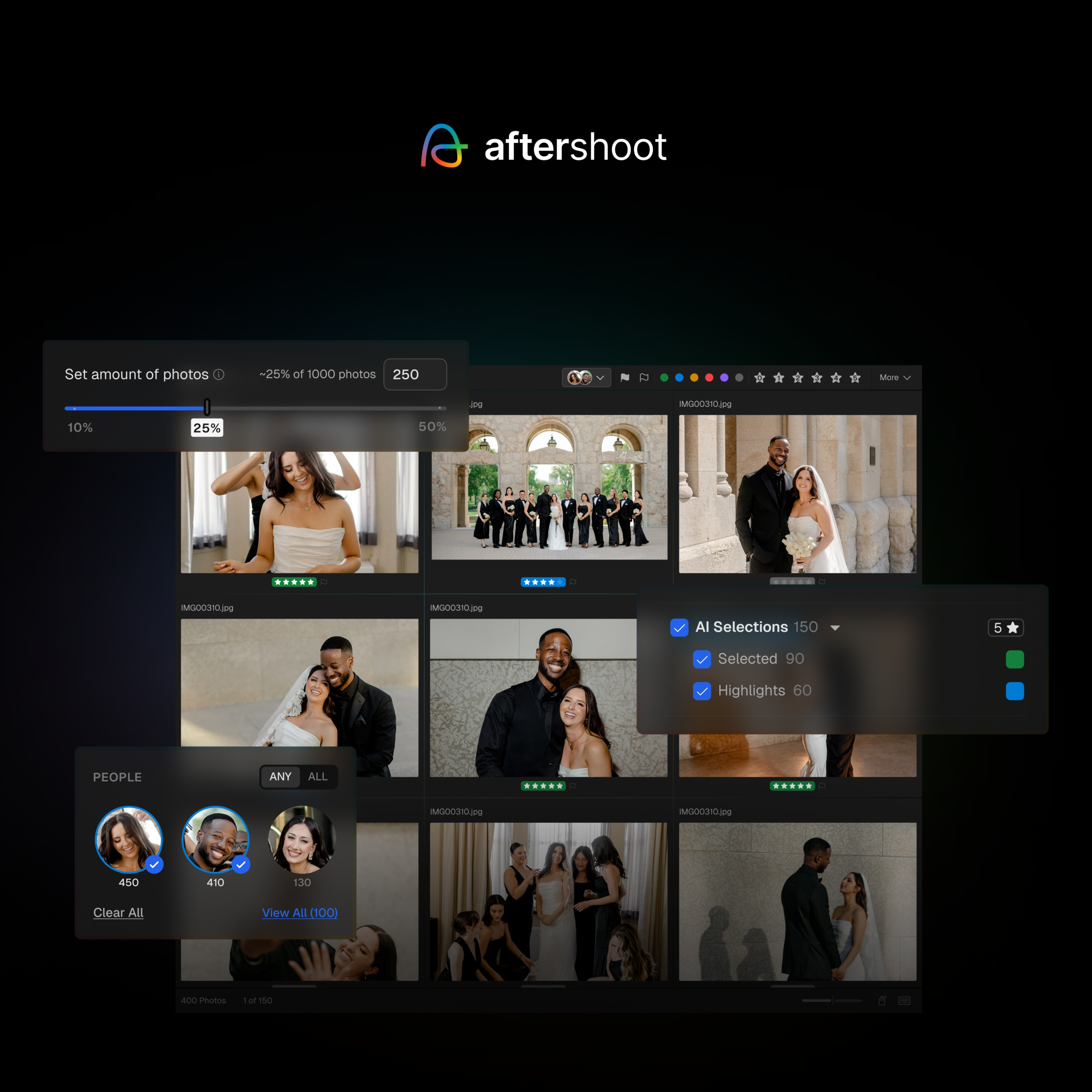
Photographers like culling with Aftershoot because it surfaces sharp frames, closed-eye rejects, and stacks of similars fast. It uses a lot of technical signals, so the first pass looks competent. That turns culling from file-by-file whack-a-mole into a smaller number of real choices.
The moment it starts feeling like your cull is when it sees your decisions repeat across full galleries.
Even if you want to cull manually during slow months, do it inside Aftershoot. You keep full control, and the tool still sees the full set and the final picks. Switching to a different app changes the rhythm and produces a different version of your selects.
Run full galleries and cull like you deliver. Repeat the same calls across multiple galleries.
- Keep the frame with the laugh even when another frame wins on sharpness.
- Deliver tight because clients don’t want 900 near-duplicates.
- Keep context when it adds something specific, then move on.
Aftershoot starts matching those preferences once it sees them repeated. It learns what you tolerate, what you never accept, and how you break ties inside near-duplicate stacks.
Use assisted culling when you want speed. Let Aftershoot line up the best candidates and flag the obvious rejects, then make the final picks yourself.
A tight cull makes editing easier because you stop carrying maybe photos into the next stage.
Editing
Marketplace AI Styles exist for the days you want a strong look fast. Pick a style that matches what you actually deliver and run it across a full gallery. Styles adapt from image to image, so the look doesn’t fall apart the moment the lighting changes.
Now the slow season prep that most people skip.
Train a Professional AI Profile if you haven’t already so it’s ready when volume ramps up. Not because you need more to do. Because busy season doesn’t give you time to babysit consistency across a thousand photos.
Use delivered edits you’d happily send again. Keep the edits consistent within the same lighting situations so the profile learns one clear rule for that situation.
Quick check. Flip through prep, portraits, and reception. If the gallery reads like one job, you’re set. If it reads like three different edits, the baseline needs attention now, not mid-peak.
The advantage of batch consistency for editing whole galleries is massive. Train your AI assistant for it while you have the time, so it has your back during busy season.
Retouching
Most volume photographers, like wedding photographers, don’t retouch because the math feels stupid. Retouching 800 photos by hand turns a wedding into a week-long project.
That’s also why retouching is a huge differentiator.
Almost nobody delivers a wedding gallery where people look consistently polished in every set. They deliver great photos, then they leave “small distractions” everywhere because fixing them at volume feels impossible.
Clients notice those distractions more than photographers want to admit. Blemishes. Flyaways. Glasses glare. Random shiny foreheads under reception lights. It’s not vanity. It’s just the stuff people zoom into when it’s their face.
Batch retouching is how you turn that into a value add without turning it into extra work.
Aftershoot Retouching is built to apply a consistent finish across sets. You dial the retouching once, then sync it across selected images so the whole group gets the same treatment. That’s the difference between “retouching is a luxury” and “retouching is a standard.”
Here’s how to make it client-visible.
Retouch the parts of a wedding gallery people care about most.
- Couple portraits
- Bridal party
- Family formals
- Candid moments where faces are clear and close
Run the same finish across those sets so everyone looks equally polished in every shot, not “perfect in one portrait and rough in the next.” That consistency is what clients read as premium.
And when one person in a group shot needs different handling, you can adjust per subject. You don’t have to accept one-size-fits-all on group photos.
Slow season is where this becomes effortless later. Set your retouch standard now, save it as a preset, and run it on a couple galleries until it matches what you’re comfortable delivering.
When the busy season arrives and you’re just running the finishing pass you already trained.
Wrapping up
Pick a weekly cadence and stick to it until bookings stack up again.
Every week, run a full set through your pipeline in Aftershoot. Cull it, apply your baseline edit, run your retouch finish, and move on. Use real work if you have it. Use older galleries if you don’t. Use headshots, branding, personal projects, anything that keeps the reps real.
Keep the system warm.
Because peak season doesn’t give out extra hours for “getting back into it.” It just shows up, stacks deadlines, and exposes whatever you didn’t practice.
If you’re already using Aftershoot, we highly recommend this off-season refresh. If you’re new here, this is a great time to start, and the first 30 days are on us!