Aftershoot for School Studios: Every shot, top of the class.
Aftershoot’s AI handles batch culling, editing, and retouching, so high-volume school teams deliver picture-day galleries and shots from the sports field in record time without losing creative control.
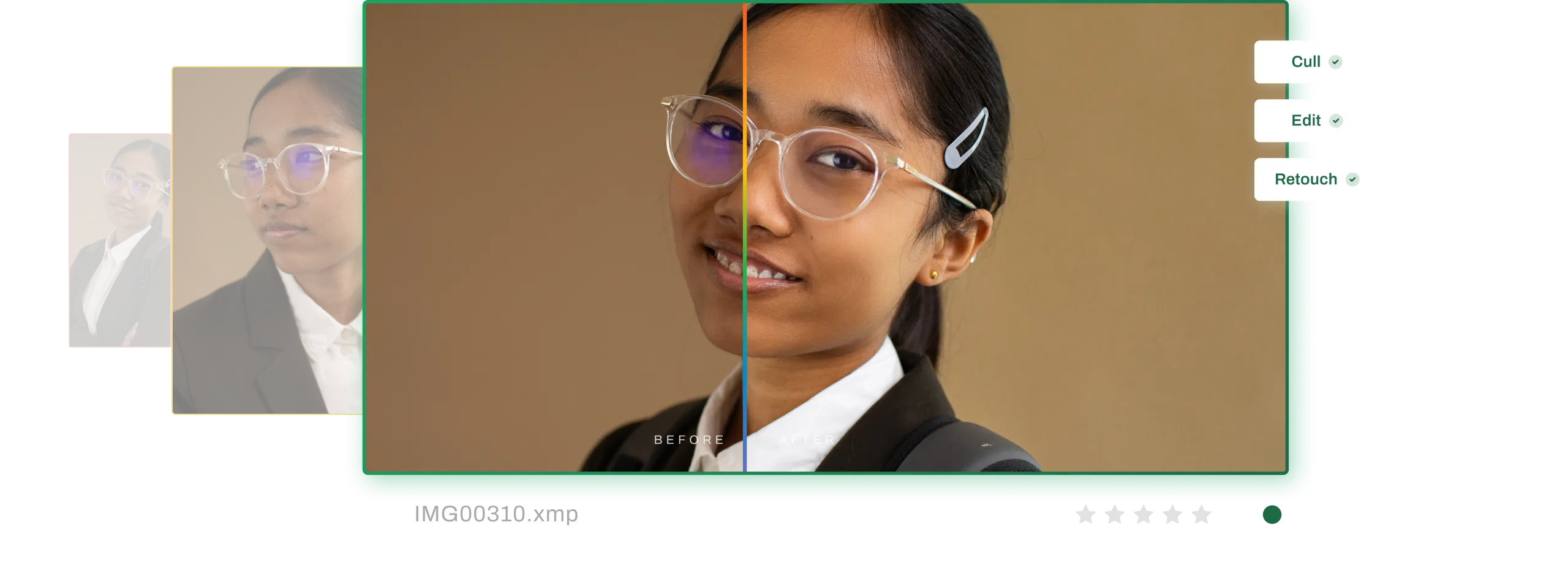

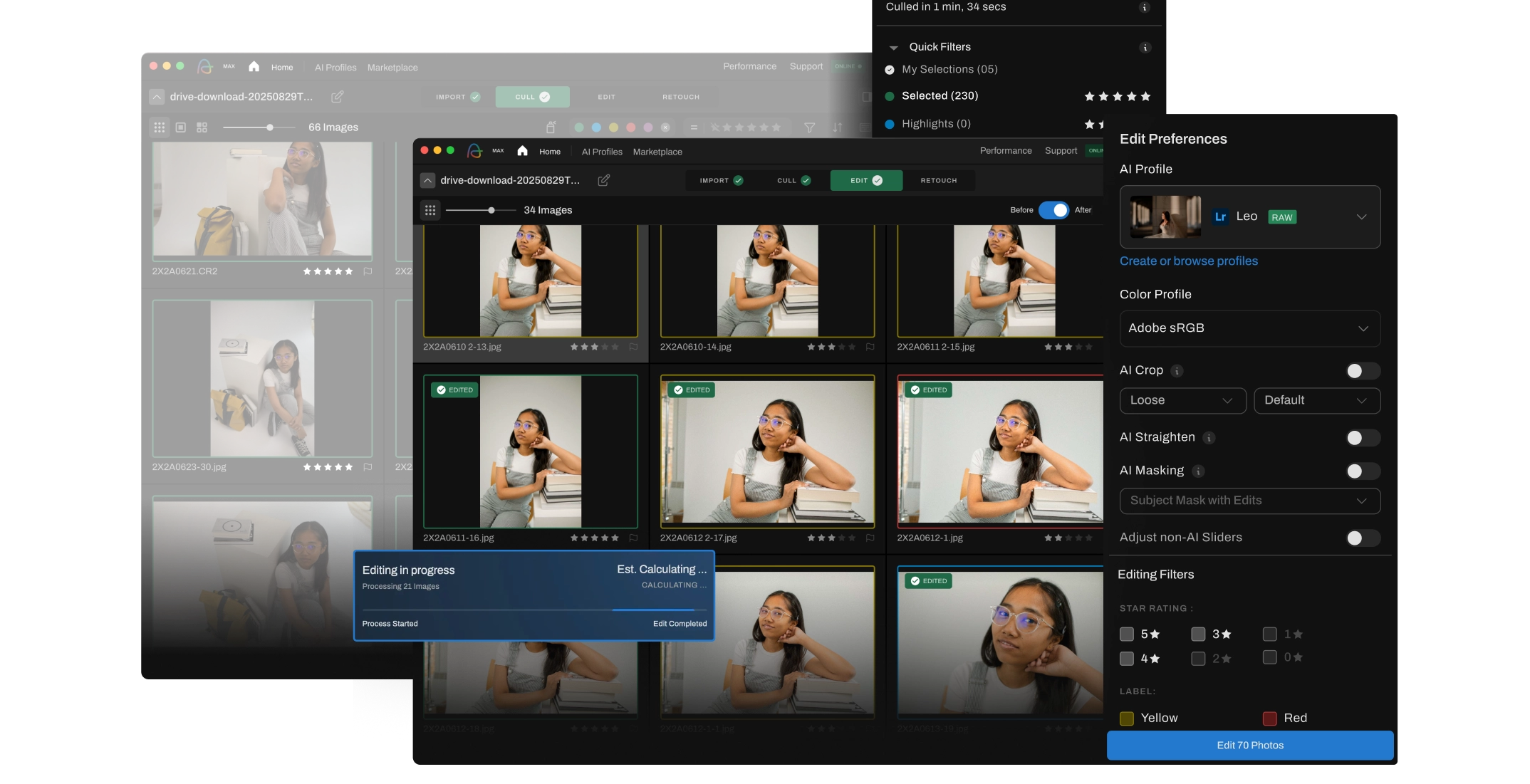


Real Results That Help You Scale Your Business
Apply consistent edits across hundreds or even thousands of images in just a few clicks.
Turnaround from
days to same-day delivery.
Save costs with every post-production job. And enjoy unlimited processing on all plans!
Faster gallery delivery drives higher parent engagement and more school contracts.
Add more schools without increasing admin or editor headcount.
Ready to transform your school studio workflow with AI?
Get Aftershoot for Your Team




How does Aftershoot help photography studios working with schools?
Aftershoot’s user-friendly platform and AI tools streamline the entire post-production workflow in one place. We help studios working with schools by automating time-consuming tasks such as culling, cropping, straightening, adjusting hair, skin, teeth, and a lot more. Our features ensure all photos are consistently polished, allowing you to focus more on capturing the right moment and less on post-production.
Can my whole team use Aftershoot under one plan?
Yes. Our plans tailored for studios are built for teams, with role-based access, shared settings, and support for multiple devices. Whether you have 20 photographers or 5 editors, everyone can work using their own login. And as a studio handling multiple photos across multiple projects, with Aftershoot, you never have to worry about paying per image; you just pay for the number of seats you require.
What kinds of photos can Aftershoot help school studios with?
Aftershoot’s AI photo editing tools can significantly speed up and simplify the post-processing workflows for sporting events and yearbook photos. With options like image straightening, skin smoothing, lens glare removal, color correction, and more, photographers can ensure that senior portraits and moments on the sports field are flattering and ready for sharing.
How consistent are the edits across thousands of student photos?
Very consistent. Aftershoot’s AI learns from you and is designed for batch culling, editing, and retouching at scale, preserving subtle expression differences while applying the same crop, color, and retouching style across every subject. You get clean, uniform results without losing natural variation that parents expect.
As a studio, can I save my preferences to apply them to every other album?
Yes, Aftershoot allows you to save your settings and preferences and use them for any subsequent projects, so you don’t have to manually redo all your edits and spend time on the platform trying to get your settings right every time.
How does using Aftershoot impact the sales of my studio?
By assuring every shot is pixel-perfect, Aftershoot ensures parents and students are delighted, and select and buy multiple photos, which are delivered in record time – if final images are not delivered within 2 weeks, parents lose interest in buying. Aftershoot’s outputs and speed can boost sales for studios working on school contracts, as parents are more likely to buy additional prints and sports photo packages when each image is professionally edited and enhanced.