An online proofing gallery is where a shoot turns into decisions. Clients mark favorites, leave notes, and approve selections, and you get a clean list to edit, print, or design an album from, instead of an email thread full of filenames.
Every platform in this guide handles the basics, but they split sharply after that. Some are built for selecting from RAW files before you edit, some for album approvals, some for selling prints long after delivery, and some wrap contracts and invoices around the client photo gallery. Pricing models differ just as much: gigabytes, photo counts, or gallery counts, with or without a cut of your sales.
We compared 13 online proofing galleries on proofing tools, client experience, delivery and downloads, branding, video support, and what they actually cost once commissions are included.
Quick answer: The best online proofing gallery depends on where proofing sits in your workflow. For selections and delivery connected to your culling and editing, choose Aftershoot Galleries. For polished delivery with a usable free plan, Pixieset. For album proofing and automated print sales, Pic-Time. For contracts and invoices alongside your galleries, ShootProof. For pre-edit RAW proofing with detailed markup, picdrop.

What Is an Online Proofing Gallery?
An online proofing gallery is a private, branded web gallery where clients review images, mark favorites, leave feedback, and approve selections before final delivery or printing. Most platforms then deliver the finished files in the same gallery, with download controls and an optional print store.
“Proofs” are the preliminary images a client chooses from. They can be unedited previews, lightly edited JPEGs, or album spreads awaiting approval.
Your clients need an exceptional post-shoot experience. This is why choosing the best online gallery is important to create exceptional gallery experiences for your clients.
Proofing Gallery vs. Delivery Gallery
A delivery gallery hands over finished work. A proofing gallery collects decisions first: which frames to retouch, which images go in the album, which prints to order. Most platforms do both, but proofing depth varies a lot. Some offer only a heart icon. Others offer color labels, selection limits, comments on individual frames, drawn markup, and selection lists you can paste straight into Lightroom or Capture One. If you mainly need a clean way to hand over finished images, our guide to the best client gallery for photographersfocuses on delivery.
13 Best Online Proofing Galleries at a Glance
| Platform | Best For | Free Plan | Paid From (Billed Annually) | Sales Commission |
|---|---|---|---|---|
| Aftershoot Galleries | Proofing tied to culling/editing; face search | Yes, 10 GB photo + 1 GB video | Launch pricing; see pricing page | 0%* |
| Pixieset | Familiar, polished delivery | Yes, 3 GB | $8/mo | 15% on free, 0% on paid |
| Pic-Time | Album proofing, print automation | Yes, 10 GB (drops to 3 GB) | $7/mo | None on self-collected payments (Professional+) |
| ShootProof | Galleries + contracts + invoices | Yes, 3 GB | $8.33/mo | 0% |
| CloudSpot | Branded client mobile apps | Yes, 5 GB (3 galleries) | $7/mo (Entry) | 15% on Free/Entry, 0% from Lite |
| picdrop | Pre-edit RAW proofing, drawn markup | Yes, 1 GB (3 galleries) | See pricing page (prices ex-VAT) | No store |
| SmugMug | Unlimited storage and archive | No (14-day trial) | $20/mo | 15% of markup |
| Pixpa | Website + galleries on one bill | No (15-day trial) | $4.80/mo | 0% |
| Zenfolio | Website + BookMe scheduling | No (14-day trial) | $9/mo (monthly list price) | 7% commerce fee |
| Picflow | Team and art-director review | Yes, 2 GB | See pricing page | No store |
| Lightfolio | Pre-edit selection + messaging | Yes, 1 GB | See pricing page | 15% on free, 0% on paid |
| Pixellu Galleries | Album-first wedding workflows | 3 galleries, 14 days each | See pricing page | No store |
| PhotoShelter | Archive + RAW delivery | No | See pricing page | Applies; see pricing page |
How We Evaluated These Online Proofing Galleries
We checked every platform’s live pricing page, plan documentation, and help center in September 2026, and cross-checked features against recent photographer reviews. [Only include this next sentence if the team actually did it: “We also set up trial galleries on each platform to test the client side on desktop and mobile.”] We scored each one on six things:
- Proofing tools: favorites, labels, comments, selection limits, drawn markup, and whether selections export to Lightroom or Capture One
- Client experience: how easy the gallery is to browse, search, and use on a phone
- Delivery and downloads: download controls, resolution options, and video support
- Branding: custom domain, logo, watermark, and removal of platform branding
- Sales: store, lab fulfillment, and the commission on the plan you’d actually buy
- Storage model: gigabytes, photo count, or gallery count, and what unlimited really costs
Prices shown are annual billing unless noted. Monthly billing usually costs 15–30% more. We re-check pricing every quarter.
13 Best Online Proofing Galleries for Photographers
Let’s take a look at some of the best online galleries for photographers:
1. Aftershoot Galleries
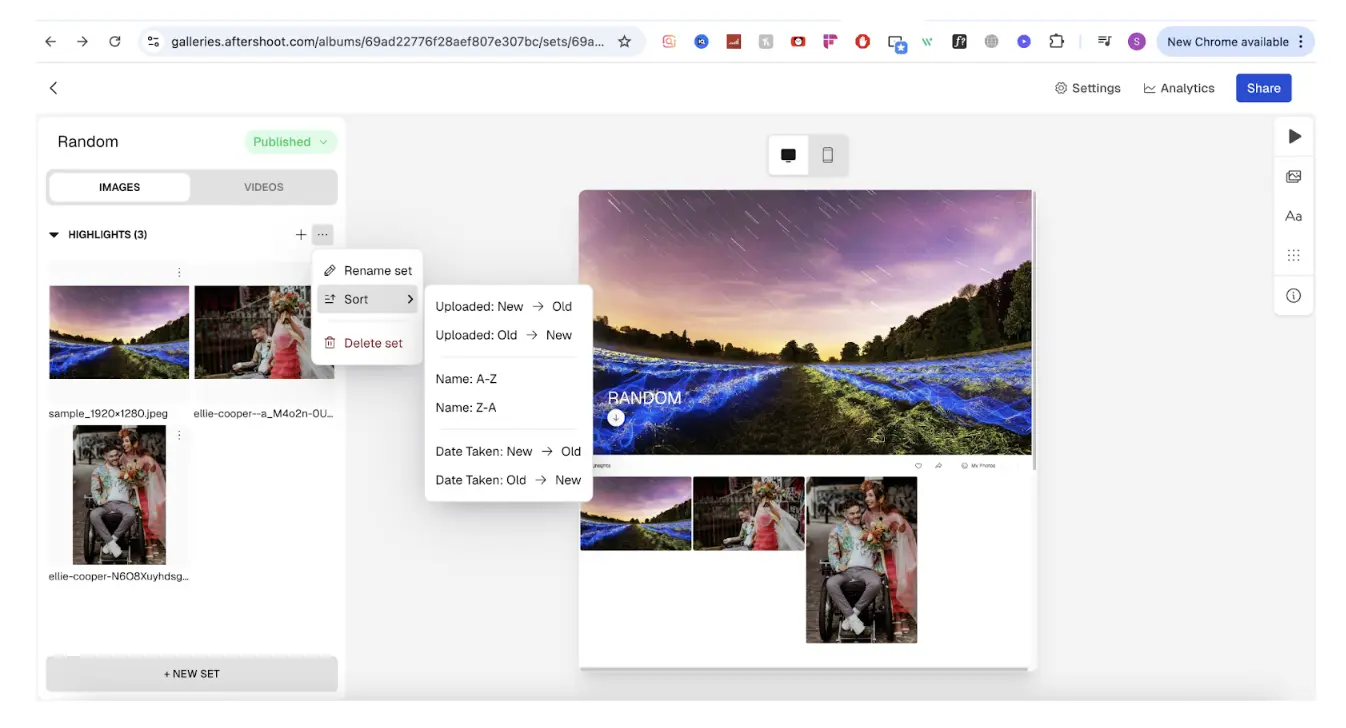
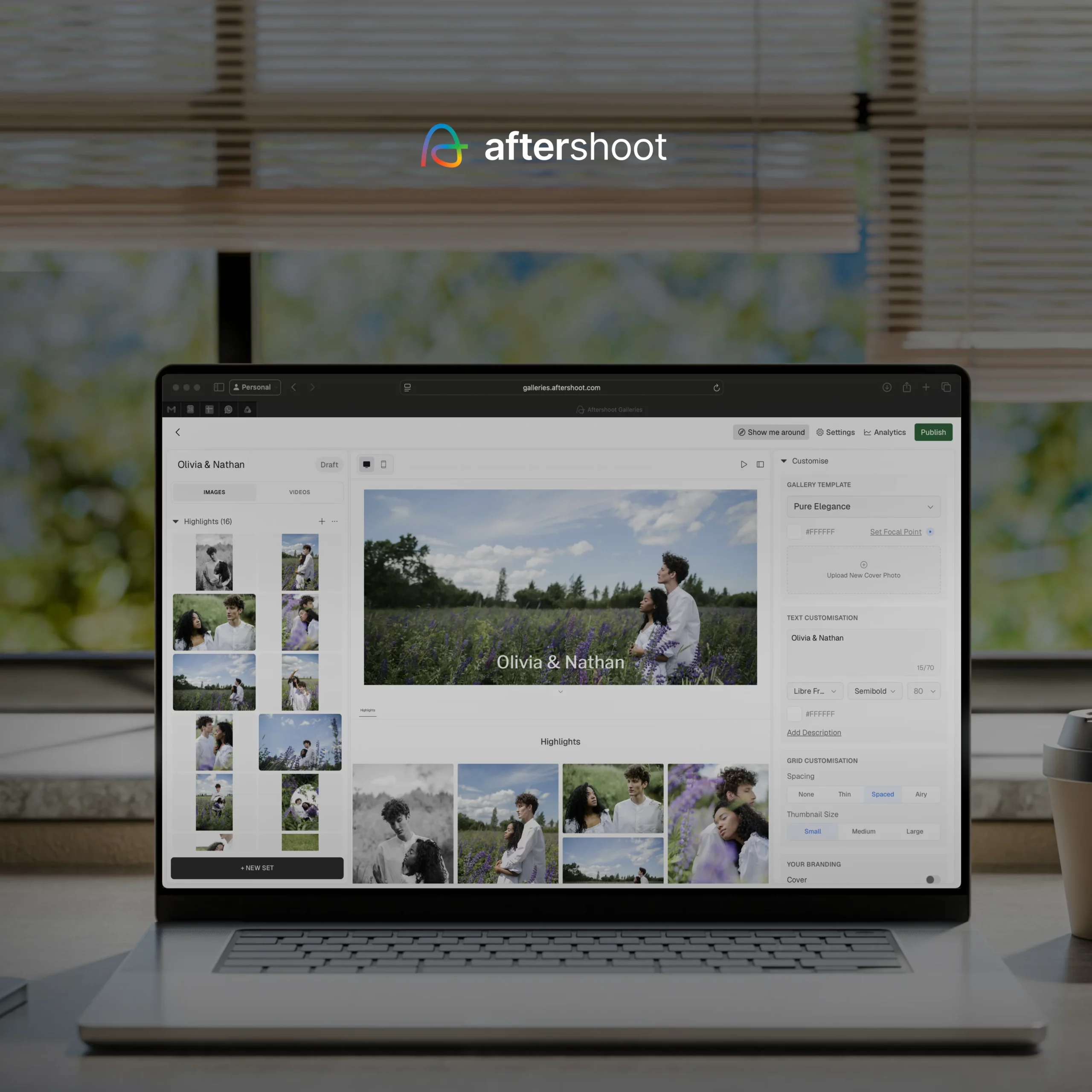
Aftershoot Galleries is the newest platform on this list, and the one most tied to what happens before delivery. If you cull, edit, or retouch in Aftershoot, finished images move straight into a client gallery without exporting and re-uploading. It also works as a standalone gallery if you edit elsewhere.
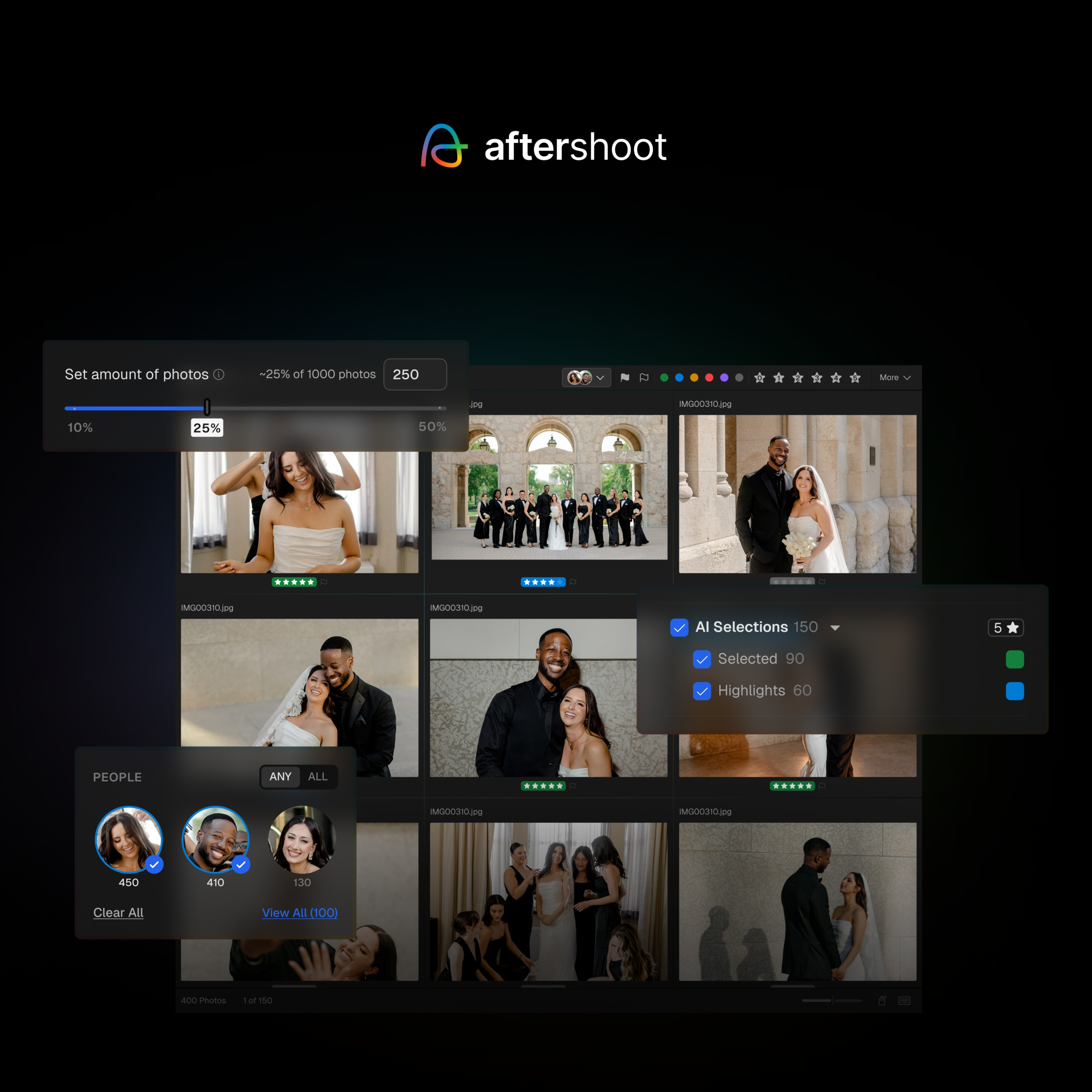
Clients can favorite, comment, and download inside the gallery. Face detection and keyword search let a bride pull up every frame with her grandmother in it, and Face Gating limits guests to the photos they appear in, which makes a 2,000-image wedding gallery far easier to navigate. Photos and video sit in the same gallery, and a built-in store handles print and digital sales with lab fulfillment.
Aftershoot Galleries starts with a free plan that includes 10 GB of photo storage and 1 GB of video. Paid plans are currently on limited-time launch pricing. Free migration is available from Pixieset, Pic-Time, and ShootProof.
“My favorite part? Clients can search for their own face instantly.” (Lori Granquist Day, professional photographer)
Pros
- Face detection, keyword search, and Face Gating for large galleries
- Photos and video in one gallery
- Built-in print and digital store with lab fulfillment
- No export or re-upload step for photographers already editing in Aftershoot
- Free migration from Pixieset, Pic-Time, and ShootProof
- 0% store commissions
Cons
- Newer platform with fewer independent reviews than established players
- No contracts, invoicing, CRM, or album design tools
Best For
Wedding and event photographers who want selections and delivery connected to their culling and editing, and anyone delivering large guest-list galleries.orm with AI-powered search, unlimited galleries, built-in proofing, and a seamless client delivery experience.
2. CloudSpot
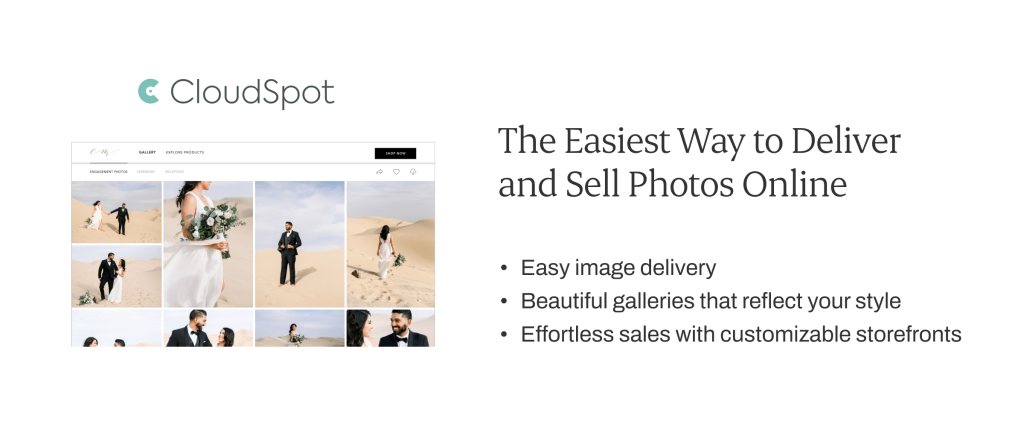
CloudSpot’s standout is the client’s phone. Galleries can install as branded mobile apps, and clients can favorite, download, share, and buy from the app just as they would on the web. The store includes AR previews so clients can see a print on their own wall. Full Suite plans add contracts, invoicing, and a CRM, though invoicing and payments are US-only.
The free plan (5 GB, three galleries) and Entry plan ($7 a month, 15 GB) are gallery-only and JPEG-only, and both take 15% of sales. Full Suite plans remove the commission and accept all file types, including RAW: Lite ($17 a month, or $144 a year, 100 GB), Pro ($34, 500 GB), and Unlimited ($50). Promotions change often, so check the renewal price. Read our full CloudSpot review.
Pros
- Branded client mobile apps
- AR print previews
- RAW support and studio tools on Full Suite plans
Cons
- 15% commission on the two cheapest tiers
- Invoicing and payments only work in the US
Best For
Portrait and family photographers whose clients view, share, and buy mostly on their phones.
Check out our full Cloudspot review, and how Aftershoot compares to Cloudspot so you can choose the right online proofing gallery for your business.
3. ShootProof
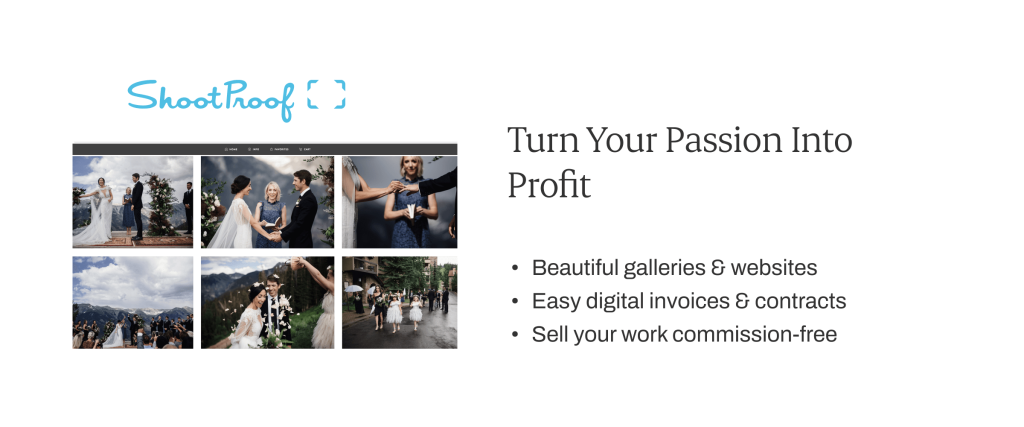
In addition to helping you turn your passion into profit with beautiful online galleries and a store, ShootProof ShootProof pairs galleries with the paperwork most gallery tools leave out. Every paid plan includes e-sign contracts and invoicing, online booking is an add-on, and no plan takes a commission on sales. Clients select with favorites and labels, which works well for in-person sales sessions and hybrid online ordering.
ShootProof has moved new plans from photo counts to storage. The free plan includes 3 GB (photos only). Paid plans billed annually are Starter at $8.33 a month (20 GB), Standard at $16.67 (100 GB), Professional at $26.67 (1 TB photo plus 50 GB video), and Premium at $50 (unlimited photos plus 150 GB video). There’s a 14-day trial with no card required. Compare options in our ShootProof alternatives roundup.
Pros
- Contracts and invoicing on every paid plan
- 0% commission on every plan, including free
- Video delivery up to 4K on paid plans
Cons
- Gallery design is less editorial than Pic-Time or Pixieset
- No AI or face search
- Basic portfolio website
Best For
Portrait, family, and school photographers who want galleries, contracts, and invoices in one subscription.
4. Pixieset
Pixieset is the gallery most clients have already used, and that familiarity is a real advantage: nobody needs instructions to favorite or download. Galleries are minimal and fast, and the store handles prints with lab fulfillment. The Client Gallery is one app in a suite that also includes a website builder, Studio Manager (contracts, invoices, scheduling), a store, and a mobile gallery app. Pixieset has also added culling and editing add-ons.
The free plan includes 3 GB and unlimited galleries but takes 15% of store sales. Paid gallery plans run $8, $16, $24, and $40 a month billed annually, and the $40 plan has unlimited storage. Every paid plan removes the commission. Suite plans bundling all Pixieset apps start at $28 a month. If you’re weighing a switch, see our Pixieset alternatives guide.
Pros
- The most familiar client experience in the category
- Usable free plan with unlimited galleries
- Mobile gallery app included in Client Gallery plans
Cons
- 15% commission on the free plan
- Contracts and invoicing require Studio Manager or a Suite plan
- No face search for clients
Best For
Portrait and family photographers who want polished delivery and print sales with almost no client learning curve.
Discover How Aftershoot Galleries Stands Out From Pixieset
5. Pixpa
Pixpa is a portfolio website builder with client galleries built in, so your website, blog, proofing galleries, and store run on one subscription. Proofing covers favorites and favorite lists, comments, labels, and star ratings. Selections export as filename lists for Lightroom or Capture One, and store sales carry no platform commission.
Standalone Client Gallery plans run from $4.80 a month (20 GB) to $21.60 a month (unlimited), billed annually. Website bundles start at $5.40. There’s no free plan, just a 15-day trial, and discounts are available for students and educators. Pixpa is also a good option if you’re still building a photography portfolio.
Pros
- Website, galleries, and store on one bill
- 0% commission
- Selection export to Lightroom and Capture One
Cons
- No free plan
- No RAW
- No contracts or invoicing
Best For
Photographers who want their portfolio site and proofing galleries under one subscription.
6. SmugMug
SmugMug makes sense when the gallery also needs to be your archive. Every plan includes unlimited photo storage, galleries have granular privacy and password controls, and a Lightroom plugin publishes straight from your catalog.
Two details matter before you buy. RAW storage is a paid add-on, not part of the base plans. And SmugMug keeps 15% of your markup on print and digital sales, on top of the subscription. Plans billed annually are Direct at $20 a month, Portfolio at $23.50, and Pro at $37. Selling starts on Portfolio. There’s a 14-day trial and no free plan.
Pros
- Unlimited photo storage on every plan
- Strong privacy controls
- Lightroom integration
Cons
- 15% fee on your markup
- RAW storage costs extra
- Video capped at 1080p
- Lighter proofing tools than dedicated platforms
Best For
Event, sports, and volume photographers who want unlimited storage and a portfolio site in one place.
See What Sets Aftershoot Galleries Apart From SmugMug
7. Pixellu
Pixellu comes at galleries from the album side: it’s the company behind SmartAlbums. Galleries are minimal and fast, plans are priced by number of active galleries rather than storage, and the All Apps Bundle combines Galleries with SmartAlbums, Cloud Proofing for online album approvals, and SmartSlides.
The free plan allows 3 galleries at a time, each with a 14-day limit. Paid plans scale by gallery count.
Pros
- Tasteful, fast galleries
- Album design and album proofing in one bundle
Cons
- No store
- No face search
- The free plan’s galleries expire after 14 days
Best For
Wedding photographers who design albums in SmartAlbums.
Best for:
Photographers who offer albums in their deliverables.
8. Pic-time
Pic-time is built around what happens after the gallery goes live. Automated campaigns, such as early-bird offers and anniversary or holiday promotions, keep selling against delivered galleries, and the store connects to 30+ labs worldwide. It’s also one of the strongest options for album proofing: on Professional and Advanced, clients can make selections and approve album designs inside the gallery. A Lightroom integration syncs client selections and favorites back to your catalog, so you can edit and republish without re-uploading.
AI search depends on the plan. Photographers get smart image search from Professional up. Client-side search by face, keyword, or selfie is on Advanced only.
Pic-time beginner plan is at $7/mo annually with 20 GB, Professional $21 with 100 GB, Advanced $42 with unlimited storage; the free plan’s 10 GB is reduced to 3 GB after a few months; commission is waived for self-collected payments on Professional and Advanced; face recognition and selfie search for clients are Advanced-only. Multi-brand is on the Advanced plan, at $6 a month for each additional brand.
Pic-Time takes a commission on your markup when it collects payment. On Professional and Advanced there’s no commission if you collect payments yourself. A 30-day trial unlocks Advanced features. See how Pic-Time compares with Pixieset.
Pros
- Album proofing and client selections built into the gallery
- Automated print marketing
- Lightroom sync for client selections
Cons
- Selections, album proofing, and client face search require higher plans
- No website builder, contracts, or invoicing (it integrates with HoneyBook, Studio Ninja, and others instead)
- JPEG-based, with no RAW proofing
Best For
Wedding photographers who sell albums and prints and want the gallery to keep selling after delivery.
Explore The Key Differences Between Aftershoot Galleries and Pic-Time
9. Zenfolio
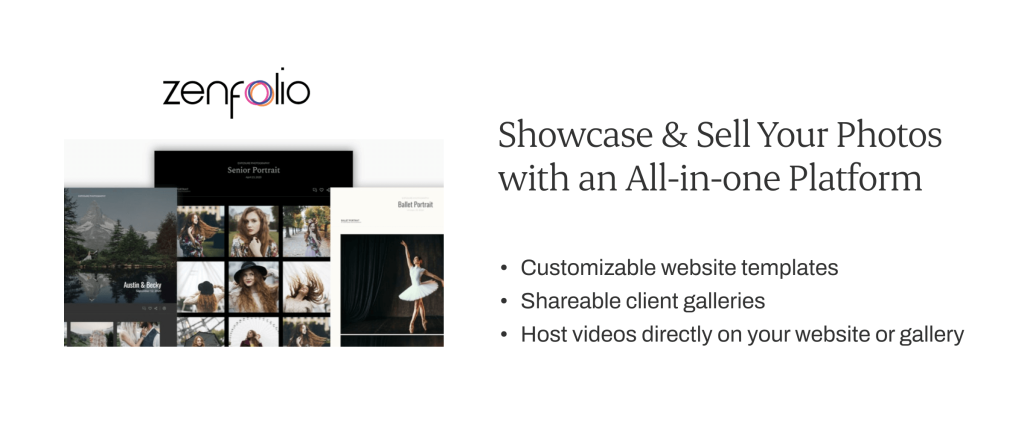
Zenfolio combines a photography website, client galleries, and a store backed by an established lab network. Its plans are now called Basic, Professional, and Advanced. Selling starts on Professional, and Advanced adds unlimited photo storage, 4K video, and BookMe scheduling.
List prices are $9, $23, and $40 a month billed monthly, with discounts for annual billing. Every order carries a 7% commerce fee plus payment processing. There’s a 14-day trial and no free plan. See our Zenfolio alternatives for zero-commission options.
Pros
- Website, galleries, and booking from one vendor
- Video hosting
Cons
- 7% commerce fee on every order
- Basic can’t sell
- Reviewers report slow galleries
Best For
Photographers who want a website, galleries, and scheduling in one tool.
10. PhotoShelter
PhotoShelter is closer to a digital asset manager than a consumer gallery. It supports RAW files, has strong organization and search, and offers Lightroom and Photo Mechanic plugins. That makes it a fit for sports, editorial, and commercial photographers delivering to organizations rather than couples. There’s no free plan.
Pros
- RAW support
- Archive-grade organization and search
- Import plugins for Lightroom and Photo Mechanic
Cons
- No free plan
- Built for organizations more than consumer clients
Best For
Photographers who need a searchable archive that also delivers to editors and brand teams.
11. Lightfolio
Lightfolio is designed for selection before editing. Clients make picks, save them across devices, and message you inside the gallery. An optional studio manager bundle adds projects, contracts, invoices, questionnaires, and client portals.
The free plan includes 1 GB and takes 15% of sales. Paid plans remove the commission and scale from 30 GB to unlimited.
Pros
- Built for collaborative, pre-edit selection
- In-app messaging with clients
- Optional CRM bundle
Cons
- Very small free plan
- Smaller user base than the bigger platforms
Best For
Photographers who run a client selection round before editing.
12. picdrop
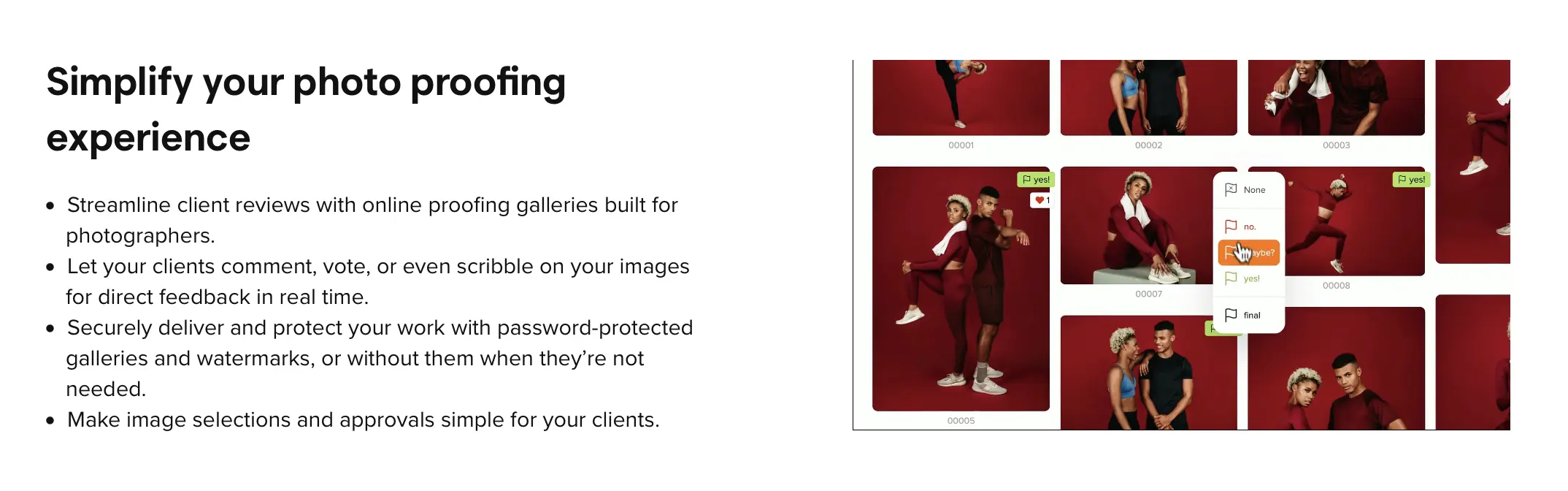
picdrop offers online proofing galleries built for photographers by photographers and focuses on the demands picdrop has the deepest feedback tools on this list. Clients can select with color markers, vote, comment, and draw directly on an image to show exactly what they want retouched. It accepts practically every file type, including RAW and video, so clients can proof before you edit. Collaboration mode runs the feedback rounds, and Presentation mode handles the final delivery.
picdrop restructured its plans in May 2026. Lite was retired, Pro became the entry paid plan, and a new Advanced tier sits between Pro and Business. The free plan remains, with 1 GB and three galleries. Prices are listed before VAT, so check the pricing page for your region.
Pros
- Drawn markup, color markers, and voting
- RAW and video proofing
- Based in Europe, a plus for clients who care where their data is hosted
Cons
- No store or print sales
- No website builder
Best For
Commercial, editorial, and portrait photographers who need precise retouching feedback or pre-edit RAW proofing.
13. Picflow
Picflow is an online proofing gallery platform for professional creatives that aims to balance the presentation and the ease of collaborating with clients.
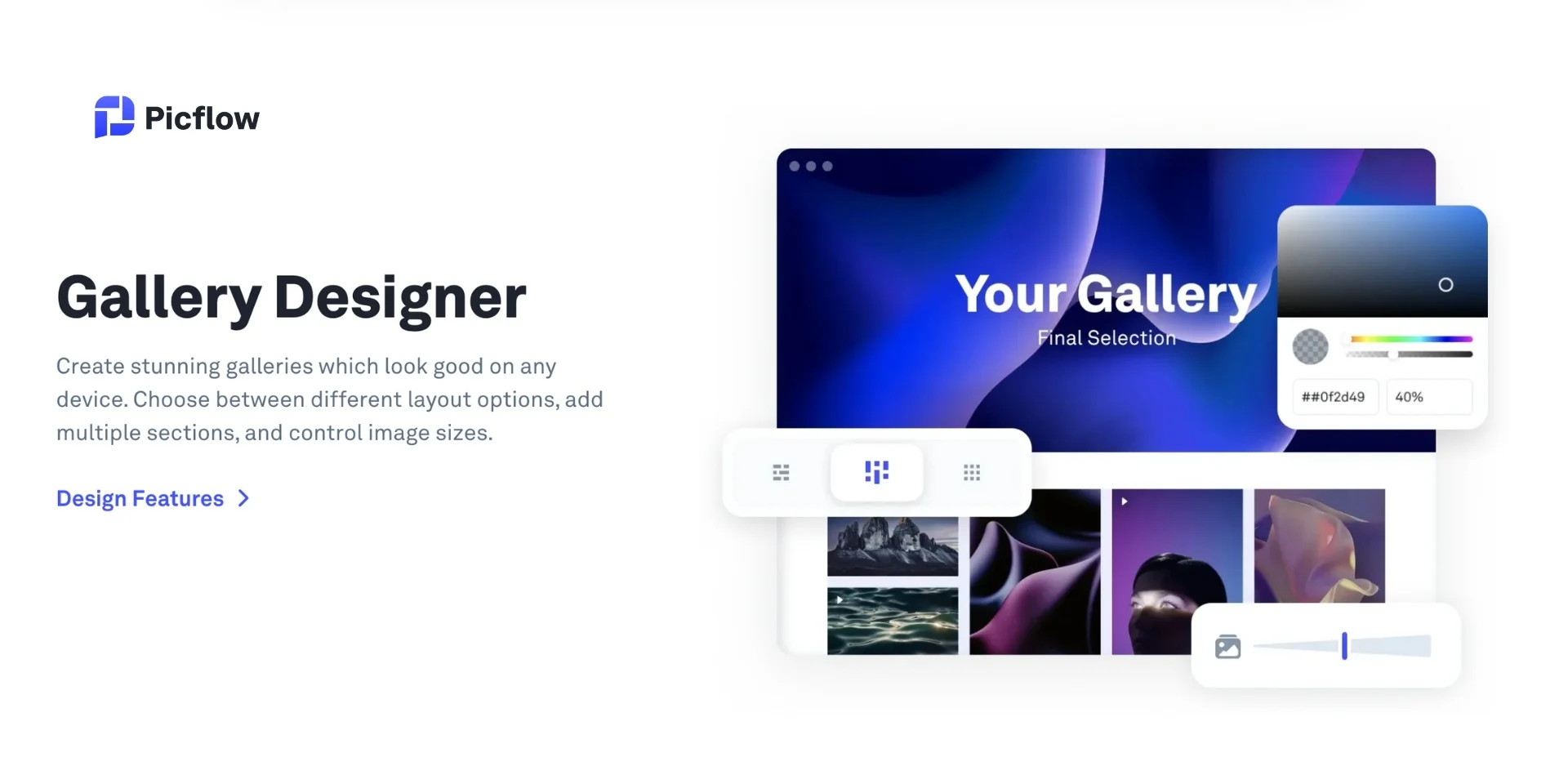
Picflow is built for review rounds rather than print sales. Clients and collaborators can flag, comment on, and approve images, with activity tracked per gallery. That’s useful when an art director, a client, and a retoucher all weigh in on the same set. Galleries can be password-protected, watermarked, and set to expire.
The free plan includes 2 GB with no time limit. Paid plans come with a 14-day trial and 20% off annual billing. Picflow has changed its tiers several times, so check its pricing page for current numbers.
Pros:
- Advanced client review tools with flags, and activity tracking
- Customizable, mobile-friendly galleries with multiple layout options
- Allows password protection, build expiring links, and watermark images
- Workflow tools, including bulk editing and over 25 keyboard shortcuts
- Free plan available with 2 GB storage and unlimited galleries
- Strong review and approval tools
- Activity tracking per gallery
Cons:
- Free plan has limited review options.
- No built-in invoicing or studio management features.
- No integrated print sales feature.
- No store or print sales
- No store or print sales
Best for:
Commercial and editorial photographers proofing with teams.
Online Proofing Gallery Pricing Compared
| Platform | Free Plan | Starting Price | Unlimited Storage | Transaction Fee |
|---|---|---|---|---|
| Aftershoot Galleries | 10 GB photo + 1 GB video | Launch pricing (limited time) | Yes (fair use) | 0%* |
| Pixieset | 3 GB | $8/mo | $40/mo | 15% free, 0% paid |
| Pic-Time | 10 GB (drops to 3 GB) | $7/mo | $42/mo | On markup; 0% self-collected (Professional+) |
| ShootProof | 3 GB | $8.33/mo | $50/mo | 0% |
| CloudSpot | 5 GB | $7/mo (monthly) | $50/mo (monthly) | 15% Free/Entry, 0% Lite+ |
| SmugMug | None | $20/mo | Included on all plans | 15% of markup |
| Pixpa | None | $4.80/mo | $21.60/mo | 0% |
| Zenfolio | None | $9/mo (monthly) | $40/mo (monthly) | 7% |
| picdrop | 1 GB | See pricing page | No | No store |
Commission matters more than the subscription once you sell. On $3,000 of print markup in a season, a 15% fee is $450, more than a year on most mid-tier plans.
Best Online Proofing Gallery by Photographer Type
| Photographer Type | Best Pick | Why |
|---|---|---|
| Wedding, large guest lists | Aftershoot Galleries or Pic-Time (Advanced) | Face search helps guests find their own photos |
| Wedding, album-first | Pic-Time or Pixellu | Album proofing inside the gallery, or via SmartAlbums |
| Portrait and family (IPS or print) | ShootProof or Pixieset | Favorites and labels for sales sessions; strong stores |
| Commercial and editorial | picdrop or Picflow | Drawn markup, approvals, team review |
| Pre-edit RAW proofing | picdrop or CloudSpot (Full Suite) | RAW uploads without a paid add-on |
| Sports, school, and volume events | SmugMug or ShootProof | Unlimited storage and volume-friendly plans |
| Want website + galleries together | Pixpa or Zenfolio | One subscription covers both |
Which Online Proofing Gallery Should You Choose?
Do Clients Select Before or After You Edit?
If before, you need RAW support or fast preview exports. picdrop takes RAWs on every plan, and CloudSpot does on Full Suite plans. SmugMug needs a paid RAW add-on. On JPEG-only platforms, export quick previews for selection.
Do You Sell Prints or Albums?
For albums, prioritize album proofing (Pic-Time, Pixellu). For prints, compare the commission on the exact plan you’d buy, not the headline rate.
Do You Need Contracts and Invoices in the Same Tool?
ShootProof includes them on every paid plan. CloudSpot’s Full Suite does too, if you’re in the US. Otherwise, pair your gallery with a photography CRM.
How Big Are Your Galleries?
Hundreds of guests means face search is worth paying for. A 40-image headshot session doesn’t need it.
Where Do You Edit?
If you already cull and edit in Aftershoot, Galleries skips the export step. If you’re in Lightroom, look for selection sync (Pic-Time) or filename export (Pixpa, picdrop).
Common Mistakes When Choosing a Client Proofing Gallery
- Comparing subscriptions without the commission. A cheap plan with a 15% cut costs more once you sell.
- Buying the wrong storage model. Photo-count, gigabyte, and gallery-count plans reward different shooting styles. Check last year’s deliveries before you choose.
- Treating a free plan as a plan. Free tiers can shrink storage, expire galleries, or take commission.
- Uploading RAWs to a JPEG-only platform. Decide whether proofing happens before or after editing first.
- Ignoring the phone. Most clients open the gallery on mobile, so test favoriting and downloading there before committing.
- Forgetting the exit. Check bulk export and migration support before you have 300 galleries on a platform. For setup tips, see how to set up online galleries for your clients.
Other Dedicated Album Proofing Tools
If your deliverable is an album, you need approval on spreads, not just favorites. These tools handle that step.
1. Album Parrot
Album Parrot is a user-friendly online proofing software designed to simplify client collaboration while offering powerful marketing tools. It is a tool designed specifically for wedding photographers.
A standout feature is the ability to share completed albums as a shareable app, making it easy for clients to showcase your work to their friends and family. Clients can leave precise feedback by adding comments directly on the design, streamlining the revision process. Plus, custom domain support ensures a fully branded experience.
Best for:
Photographers looking for a simple, all-in-one album proofing solution with built-in client-sharing and marketing features.
2. Banti
Banti is an easy-to-use album-proofing platform that provides smooth integration with your website so that it looks and feels like a native tool on your own domain. This makes it a great option for photographers who need a pro, branded proofing experience.
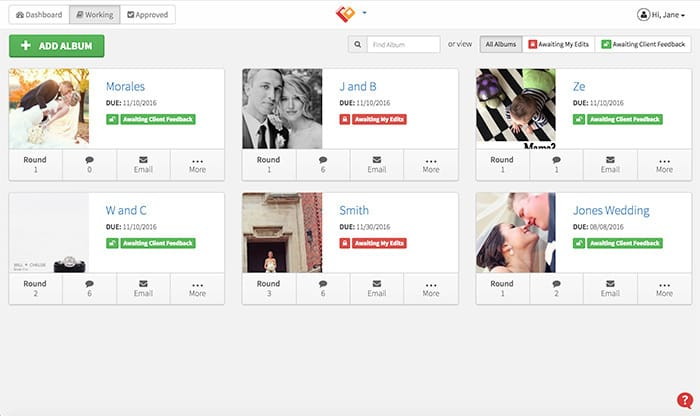
One of its major features is Banti’s Adobe extension which enables you to directly reply to client remarks from within InDesign, ideal for photographers who use the Adobe software to design their albums. The platform offers adjustable view options, such as flip-book mode and overviews in full spreads to offer your clients an easy means of reviewing and approving designs.
Best for:
Photographers who want a streamlined, Adobe-integrated album proofing solution with the ability to host proofing directly on their website.
3. Pass
Pass Gallery is similar to Smugmug, an online gallery that allows you to share, deliver, and sell your work online. It has a simple interface, print ordering, and branding options available too.
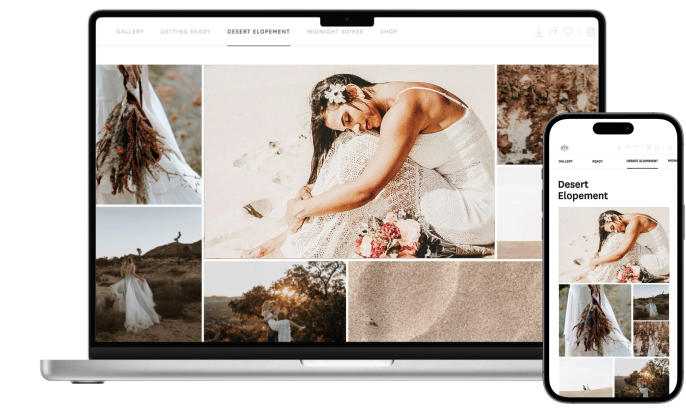
“Over the years, Pass has helped me with amazing features like an organized and aesthetic gallery, high-res and web-sized photo downloads, and selling prints to clients”, explains Georgia, wedding photographer. Check out her review here
Pass Gallery streamlines the client experience with robust tools for photographers, such as branded layouts, effortless client engagement, embedded print sales, no gallery expirations, and detailed stats to monitor engagement.
Best for:
Photographers who want a simple, customizable gallery platform that makes client proofing and print sales effortless.
4. Photonesto
Photonesto has a unique approach to their plans, but we’ll do our best to break it down.
They offer two types of client galleries for photographers. One refers to each gallery as an album and is for showcasing, sharing, and delivering your images online.
The other is the actual “proofing gallery” for proofing, selling, and delivering images with watermarks.
There aren’t subscriptions in either case. Instead, you pay for each gallery you want to publish – with the price varying depending on the number of images and for how long it needs to be available.
For example, if you want to publish a proofing gallery with over 300 photos online for 3 months, it will cost $4. 6 months will cost $4.50, and one year will cost $6.
Best for:
The photographer who only needs to upload a limited number of sessions or images in an allocated period of time.
Choosing the Right Online Proofing Gallery
There are many photography gallery websites or proofing galleries to choose from, but we’ve searched far and Every gallery here handles favorites and downloads. The real differences are where proofing happens (before or after editing), what you sell (prints, albums, or nothing), and what each platform takes from those sales. Decide those three things first and the shortlist gets short fast.
If your gallery is the final step of a workflow that already runs through Aftershoot, Galleries removes the export-and-upload step and gives clients face search on large sets. You can try it on a real client gallery with the free 10 GB plan.
FAQ on Online Proofing Gallery
Q1. What are proofs in photography?
Proofs in photography are a selection of preliminary images that a photographer provides to clients for review before finalizing the prints or digital files.
These proofs allow clients to choose their preferred photos for printing or further editing, ensuring they are satisfied with the final outcome.
Q2. What’s the difference between online proofing gallery software and online proofing galleries?
Online proofing gallery software are platform or tool that provides photographers with the ability to create, manage, and deliver online proofing galleries. It typically includes features like image organization, custom branding and client specific galleries, watermarking and downloading permissions etc.
Online proofing galleries are individual proofing galleries that photographers create using proofing software. Each gallery is usually customized for a specific client or project, allowing them to view, select, and provide feedback on photos before final delivery.
Q3. What is a private online photo gallery?
A private online gallery is a secure, invitation-only gallery where photographers share images with specific clients. Unlike public galleries, which anyone can view, private galleries require a password, unique link, or client login to access.
Q4. How do photographers share photos with clients?
Photographers can share photos in several ways – via email, client portals, physical media like USBs, cloud storage platforms, and online proofing galleries.
Email: For smaller batches of photos, photographers may email them directly to clients.
Client portals: Photography studios may have dedicated client portals on their websites where clients can log in to access their photos and manage their orders.
Physical media: In some cases, photographers provide clients with a USB drive or a DVD containing the image files.
Cloud storage: They may use cloud storage services like Dropbox or Google Drive to share high-resolution image files securely with clients.
Photography Online galleries: Photographers often create online photo galleries where clients can view and download their photos conveniently from anywhere with internet access.
Q5. Why should photographers use photo proofing galleries?
Proofing galleries/apps or photography gallery websites enable photographers to upload images for their clients to view without needing a USB or file-sharing system (like Dropbox or iCloud).
Online proofing galleries shift the responsibility over to the client, allowing them to decide what they want to download, share, or purchase.
Q6. What is the best online proofing gallery for photographers?
It depends on your workflow. Aftershoot Galleries suits photographers who want proofing connected to culling and editing. Pixieset suits simple, polished delivery. Pic-Time is best for album proofing and print sales, ShootProof for built-in contracts, and picdrop for pre-edit RAW proofing.
Q7. Which online proofing galleries are free?
Aftershoot Galleries (10 GB photo + 1 GB video), Pixieset (3 GB), ShootProof (3 GB), CloudSpot (5 GB), Pic-Time (10 GB, reduced to 3 GB later), picdrop (1 GB), and Picflow (2 GB) all have free plans. Check commission and gallery limits before relying on one for paid work.
Q8. Can clients proof RAW files before I edit?
Yes, on platforms that accept RAW files: picdrop on all plans, CloudSpot on Full Suite plans, SmugMug with its RAW add-on, and PhotoShelter. On JPEG-only platforms, export low-resolution previews for selection instead.
Q9. How do client selections get back into Lightroom?
Most platforms export selected filenames you can paste into a Lightroom filter. Pic-Time syncs selections and favorites directly to Lightroom through its integration.
Q10. Which photo proofing galleries have face recognition?
Aftershoot Galleries includes face detection and Face Gating. Pic-Time offers client-side face and selfie search on its Advanced plan.
Q11. What is online album proofing?
It’s a review step where clients approve the images and spread layouts for a printed album inside an online gallery. Pic-Time (Professional and up), Pixellu’s Cloud Proofing, Banti, and Album Parrot support it.