TL;DR: Aftershoot Edit is the best professional photo editing software in 2026 for photographers who want AI editing connected to a full workflow – culling, retouching, and delivery included – starting at $30/mo. Adobe Lightroom Classic remains the top choice for deep editing controls and catalog organization, Photoshop leads for pixel-level retouching and compositing, Capture One wins on color science and tethering, DxO PhotoLab is unmatched for noise reduction, Luminar Neo offers strong AI creative effects with no subscription, and ON1 Photo RAW is the best Adobe-free all-in-one alternative.
Most photographers are one overwhelming editing queue away from wishing they’d rethought their workflow sooner.
Here’s a pattern that plays out constantly in photography communities. A wedding photographer wraps a 10-hour day, comes home to 3,000 RAW files, and spends the next two evenings culling before they’ve even opened Lightroom. A portrait photographer finishes back-to-back sessions all week and faces a 72-hour editing backlog before client galleries can go out. An event photographer misses a new booking inquiry because they’re buried in post-processing from the last job.
In almost every case, the bottleneck isn’t their shooting ability. It’s their software stack.
The best professional photo editing software in 2026 fits into a real workflow, handles volume without sacrificing quality, and gives you back the time you’re losing to repetitive manual work. We tested and evaluated every major option – here’s what actually holds up.
Best Professional Photo Editing Software at a Glance
| Software | Best For | Starting Price |
| Aftershoot Edit | AI editing that learns your style | $30/mo |
| Aftershoot Complete | AI editing + full workflow (Cull + Edit + Retouch + Gallery) | $55/mo |
| Adobe Lightroom Classic | Editing + organization | $11.99/mo |
| Adobe Photoshop | Retouching + compositing | $22.99/mo |
| Capture One | Color science + tethering | $18/mo |
| DxO PhotoLab | Noise reduction | $239.99 one-time |
| Luminar Neo | Creative AI effects | $119 one-time |
| ON1 Photo RAW | Adobe-free alternative | $99.99 one-time |
How We Built This List
Every tool on this list was evaluated against the same set of criteria – the things that actually matter when you’re delivering 500 images to a client, not just editing one hero shot for a portfolio.
- RAW file support – Full compatibility with every major camera manufacturer. No compromise on color depth or file integrity.
- Batch processing at volume – You’re not editing one photo. You’re editing hundreds per session, often hundreds of sessions per year.
- Consistent output – Clients hire you for your style. Your software needs to reproduce it reliably across every image in a gallery.
- Workflow integration – A tool that creates friction between culling, editing, and delivery costs you more time than it saves.
- AI that actually works – In 2026, manually pushing sliders at scale isn’t a workflow. It’s a liability. AI assistance isn’t a bonus feature anymore – it’s the baseline.
The Best Professional Photo Editing Software in 2026
1. 🏆 Aftershoot Complete – Best End-to-End Workflow for Professional Photographers
Best for: Photographers who want AI-powered editing at the core, with culling, retouching, and delivery all in one place.
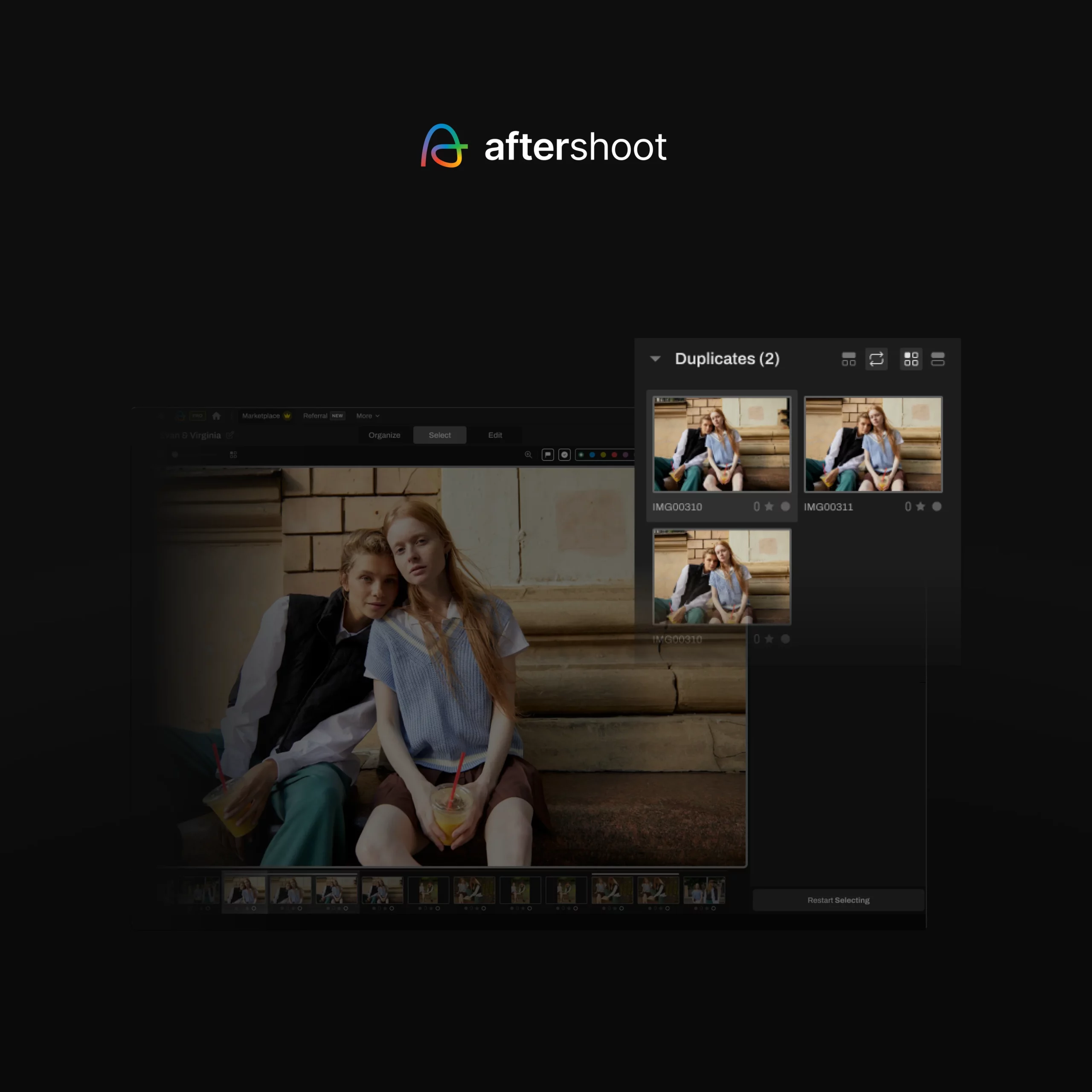
Aftershoot Complete is built around how professional photographers actually work. At its center is an AI editing engine that learns your personal style from your past work, not generic presets, and applies it consistently across full galleries. Recent updates bring improved white balance consistency across entire albums and a new Aggressive Cropping mode that automatically removes distractions and tightens compositions without manual input.
The standout addition is Aftershoot Develop – full in-app RAW editing with manual sliders for white balance, light, HSL, color grading, detail, crop, and straighten. It supports both AI edit → manual refinement and fully manual workflows, with sync across images, Lightroom preset import, and direct export.
Editing connects seamlessly to AI culling, retouching, and branded gallery delivery – so nothing leaves the platform until it’s ready for the client.
Pricing (modular – pay only for what you need):
| Plan | Monthly | Billed Annually |
| Editing only | $35/mo | $30/mo |
| Complete (Select + Edit + Retouch) | $55/mo | $45/mo (saves 25%) |
| Culling + Editing | $50/mo | $40/mo |
| Editing + Retouching | $60/mo | $50/mo |
Why it’s #1: It’s the only tool on this list where professional AI editing is natively connected to every other stage of your post-production workflow – with no tool-switching required.
2. Adobe Lightroom Classic – Best for Editing Controls and Catalog Management
Best for: Photographers who want deep, precise editing tools and a robust system for organizing large catalogs.
Pricing: $11.99/mo (annual plan, Photography Plan). $22.99/mo for Creative Cloud All Apps.
Lightroom Classic remains the most widely used professional editing tool in the industry, and with good reason. Its non-destructive workflow, powerful color grading suite, and virtually unlimited preset ecosystem have made it the backbone of most photographers’ post-production stacks for over a decade. If you know Lightroom, you know your way around most professional workflows.
The 2026 version continues to build on that foundation. Generative AI tools, including AI-powered object removal and enhanced masking, have made individual image cleanup faster than it used to be. Catalog management remains unmatched: smart collections, metadata tagging, and face recognition give photographers real control over large archives.
Where Lightroom fits well in a modern workflow is as the finishing layer – the place where AI-processed images get reviewed, refined, and exported. Paired with Aftershoot for culling and AI editing, Lightroom becomes significantly faster and more focused than it is as a standalone solution.
What it covers:
- Advanced color grading: HSL, tone curves, color wheels, and color grading panel
- Robust metadata management and catalog organization
- Non-destructive editing with full history panel
- Extensive plugin and preset ecosystem
- AI-powered masking, denoise, and object removal
- Tethered shooting support
Where it falls short: Lightroom doesn’t automate culling, doesn’t learn your editing style, and doesn’t handle gallery delivery. At volume, it still requires you to do the heavy lifting on either side of the editing step. The ongoing subscription cost also adds up – there’s no perpetual license option.
3. Adobe Photoshop – Best for Advanced Retouching and Compositing
Best for: Commercial, fashion, and portrait photographers who need pixel-level control over individual images.
Pricing: $22.99/mo (standalone). Included in most Creative Cloud plans.
Photoshop is the professional standard for anything that goes beyond standard editing. It’s where complex skin retouching, background compositing, and creative manipulation live. In 2026, AI tools like Generative Fill, Generative Expand, and Remove have made those tasks significantly faster than they were even two years ago.
The Generative Fill tool in particular has changed the way commercial photographers handle background issues and creative composites. What used to require careful manual selection and painting can now be handled in seconds, with results that are often immediately usable.
That said, Photoshop is fundamentally built for individual images. It’s not a batch editing tool, not a gallery organizer, and not a delivery platform. If you’re editing 600 wedding images, it’s the wrong application. It belongs at the end of a workflow – for the images that need that level of individual attention – not at the center of one.
What it covers:
- Industry-leading retouching: healing, cloning, frequency separation
- AI Generative Fill and Expand for seamless background and scene editing
- AI-powered Remove tool for object elimination
- Unlimited layers and blending modes for compositing
- Full Adobe Creative Cloud integration
Where it falls short: No batch workflow, no catalog management, no gallery delivery. Photoshop is a precision finishing tool, not a volume editing solution.
4. Capture One – Best for Color Science and Studio Tethering
Best for: Commercial and studio photographers who prioritize color accuracy above everything else.
Pricing: $17/mo (annual, Pro Desktop). $26/mo (monthly). Perpetual license available.
Capture One has earned its reputation among high-end commercial photographers through sheer consistency of output. Its RAW processing engine handles color science with more precision than Lightroom – skin tones in particular render more naturally, and complex color grading work stays truer to intent. For photographers shooting in controlled studio environments where color accuracy is non-negotiable, the difference is real.
Tethering is where Capture One is genuinely without equal. Live view, real-time adjustments, and near-instantaneous image transfer make it the go-to for fashion, commercial, and product shoots where a client or art director is reviewing images on set. The new AI “Match Look” feature – drop in a reference image and Capture One applies its tone and style to your edit – is one of the more useful recent additions for photographers who work across consistent visual briefs.
What it covers:
- Best-in-class RAW rendering and color science
- Precise local adjustments with layers, masks, and linear gradients
- Session-based workflows for studio and commercial shooting
- Industry-leading tethered shooting performance
- AI “Match Look” style matching from reference images
Where it falls short: No AI-powered culling, no gallery delivery, and a steeper learning curve than Lightroom. The perpetual license is significantly more expensive than competitors. For high-volume event or wedding photographers, the workflow gaps are real.
5. DxO PhotoLab – Best for Noise Reduction and Optical Corrections
Best for: Landscape, wildlife, and low-light photographers who regularly push high-ISO limits.
Pricing: ~$229 (one-time, PhotoLab 8 Elite). Annual subscription option also available.
DxO PhotoLab is built on decades of optical science research, and the output quality reflects it. DeepPRIME XD remains the best noise reduction engine available in any editing software – the difference between DxO and other denoise tools at ISO 12800 and above is not subtle. Alongside that, DxO’s proprietary optics database delivers automatic lens corrections calibrated to the specific combination of camera body and lens, not generic algorithmic approximations.
For photographers who regularly shoot in challenging light – wildlife at dawn, events with mixed indoor lighting, weddings in dimly lit venues – DxO PhotoLab is the tool that makes high-ISO RAW files actually usable. The one-time purchase model is also a meaningful differentiator when most professional software has moved to subscriptions.
What it covers:
- DeepPRIME XD AI noise reduction – best-in-class for high-ISO RAW files
- Automatic, lens-specific optical corrections from DxO’s measured database
- Smart Lighting and local adjustment tools
- High-quality RAW processing and output
Where it falls short: No culling, no gallery delivery, limited organizational tools. DxO PhotoLab is a processing specialist used as part of a broader stack, not a standalone workflow solution.
6. Luminar Neo – Best for AI-Powered Creative Effects
Best for: Photographers who want quick, creative edits with minimal manual effort – or those exploring AI-driven looks without a steep learning curve.
Pricing: $119 (Perpetual Desktop). $159 (Cross-device). No subscription required.
Luminar Neo is Skylum’s AI-first editor, and its creative toolkit genuinely stands apart from the rest of this list. Sky replacement, Light Depth for redirecting where light lands in a frame, portrait relighting, and a new text-to-edit AI assistant make dramatic creative changes accessible in a handful of clicks. The shift to the Luminar Ecosystem now also provides cloud sync between desktop and mobile, which is a meaningful workflow improvement for photographers who move between devices.
The one-time purchase model is increasingly attractive in a market full of subscriptions. For photographers who want to add a creative layer to their workflow without committing to another monthly fee, Luminar Neo covers that ground efficiently.
What it covers:
- AI Sky Replacement and Atmosphere tools
- Light Depth for creative relighting
- Portrait AI: skin, eyes, body, and background tools
- Text-to-edit AI assistant
- Cloud sync across desktop and mobile
- Perpetual license – no subscription required
Where it falls short: Not designed for batch processing at professional volume. Better as a selective creative finishing tool than a primary workflow application.
7. ON1 Photo RAW – Best Adobe-Free All-in-One Alternative
Best for: Photographers who want to exit the Adobe subscription ecosystem without sacrificing editing power.
Pricing: $49.99/yr (subscription, includes future upgrades + 200GB storage). Perpetual license also available.
ON1 Photo RAW is the closest thing to a full Adobe alternative available as a single desktop application – asset management, RAW processing, masking, layers, and effects, all without needing Lightroom and Photoshop separately. AI-powered noise reduction, sky replacement, and masking have improved meaningfully in recent versions, and the new Depth Lighting tool adds creative control over where light appears to fall in a frame.
The perpetual license option is a significant draw for photographers who resent recurring subscription costs. The tradeoff is a layout that takes more time to learn than Lightroom, and AI capabilities that haven’t yet reached the level of tools built specifically around AI workflow automation.
What it covers:
- Non-destructive RAW editing with layers and masking
- Built-in asset management – no separate catalog application required
- AI noise reduction, sky replacement, masking, and portrait tools
- Depth Lighting for creative scene control
- Perpetual and subscription pricing options
Where it falls short: AI automation is improving but doesn’t match dedicated AI workflow tools. No culling automation, no client gallery delivery.
Matching Software to Your Workflow
| Your priority | Best tool |
| Full workflow: cull → edit → retouch → deliver | Aftershoot Complete |
| Best editing controls + catalog management | Adobe Lightroom Classic |
| Complex retouching and compositing | Adobe Photoshop |
| Maximum color accuracy, studio tethering | Capture One |
| Best noise reduction for high-ISO files | DxO PhotoLab |
| Creative AI effects, no subscription | Luminar Neo |
| Adobe-free all-in-one desktop solution | ON1 Photo RAW |
The Real Cost of a Fragmented Workflow
Most photographers have quietly accepted a version of post-production that involves three or four different tools: one for culling, one for editing, one for retouching, and another for client delivery. Each handoff between tools costs time. Each additional subscription adds cost. Each login adds friction.
Aftershoot Complete is the only platform that eliminates that fragmentation entirely. Culling, AI editing, RAW development, retouching, and branded gallery delivery – all in one place, at a price point that’s less than most photographers spend across two separate subscriptions.
The best professional photo editing software in 2026 fits into a real workflow, handles volume without sacrificing quality, and gives you back the time you’re losing to repetitive manual work. If you’re comparing Aftershoot with other professional editing tools, it’s also worth looking at how the platforms differ in workflow, features, and overall value.
Frequently Asked Questions
What is the best professional photo editing software overall?
For professional photographers managing real client workloads, Aftershoot Complete is the strongest overall option in 2026. It’s the only tool that connects AI editing, culling, retouching, and gallery delivery in one platform – which is what most working photographers actually need, not just a powerful editor in isolation.
Is Adobe Lightroom still worth it in 2026?
Yes – Lightroom Classic remains one of the most capable editing and catalog management tools available, and its integration with Aftershoot makes it even stronger as part of an AI-assisted workflow. The subscription cost is the main sticking point for photographers who want perpetual licensing.
What’s the best professional photo editing software without a subscription?
DxO PhotoLab, Luminar Neo, and ON1 Photo RAW all offer one-time purchase options. For photographers specifically trying to avoid subscriptions, Luminar Neo’s perpetual license at $119 offers strong value for the feature set.
What photo editing software do professional wedding photographers use?
Most working wedding photographers use a combination of tools: Aftershoot Complete for culling and AI editing, Lightroom Classic for finishing and color review, and Aftershoot Galleries for client delivery. The shift toward AI-assisted workflows has been significant among high-volume shooters over the past two years.
Do I need Lightroom if I use Aftershoot?
Not necessarily. Aftershoot Develop now supports full in-app RAW editing with manual controls, which covers the fine-tuning that used to require a Lightroom round-trip. Photographers who want Lightroom for catalog management or plugin access can still integrate both – but it’s no longer a dependency.