Lead generation simply refers the different methods people employ to find new customers for their business.
Most photographers are sole proprietors, and that means they’re the marketing, leads, sales, customer success, business, and sometimes maintenance units too.
This guide is helpful for studios too but more so for those of you running one-man-shows.
TL;DR: What “lead generation” really means for photographers
Beneath all the techniques and hacks you see for lead generation online, there are 3 simple jobs to be done. And when you keep these jobs in mind and learn to do them well, you can curate your own bag of tricks and campaigns tailored uniquely for your business, and of course, convert to $$$ downstream – consistently, and forever.
- Be easy to find (so the right people see you when they look).
- Be easy to choose (so they understand you and feel safe saying yes).
- Be easy to contact (so they can act now, not “later”).
The minimum viable plan to tick those 3 boxes, or basics to set up lead generation process from online sources for your photography is:
- Be discoverable: Complete your Google Business Profile with services + short descriptions, weekly posts, and fresh photos. Add niche + city across your site.
- Capture cleanly: Add a “Check availability” button above the fold on your homepage, a single, short form, and one lead magnet (we’ll talk more about these later) that answers a real planning question (venue guide, outfit guide, timeline PDF).
- Nurture automatically: Instant email/SMS reply, 3-email welcome, seasonal re-engagement. No incentives for reviews. Keep reviews those separate and organic as offering incentives for reviews might get your site penalized by Google.
That’s it. That’s the foundation.
In this guide, we’ll clarify all the basics and must haves, and also discuss ideas on different tactics you could employ to keep the marketing flywheel running and fueling your bookings.
Everything below fits into one of those three. When you keep this frame in mind, every new tactic has a place.
Step 1: Be easy to find (set up and complete your google business profile)
Most clients begin with searches like “photographer near me, top wedding photographers in LA” or something like that, and not by name.
Exactly the same way you’d look for “pharmacies near me” or “best coffee shops in downtown chicago.”
On the results page, you see results on the map pack (probably after a bunch of paid ads), then website links and blogs, roundups on “The 10 BEST Coffee Shops You Should Visit In Downtown Chicago” and some other stuff.
You probably scroll on the map pack to see photos, reviews, distance, and websites/socials before shortlisting options, yes? Your clients are looking for you in the same way.
They’re performing “local searches” and checking out businesses Google thinks are best in the area. And how does Google decide who’s best?
- Visibility in the map pack, which leans on your Business Profile being complete and active; industry analyses and Google’s own guidance that emphasize up-to-date info, photos, and Posts that drive actions like calls, clicks, and directions (because these searches are location based).
- If or not you’ve clearly mentioned both in your business’ name and the description that you’re a photography business, what you shoot, your city/area served, hours, and a reliable contact method (including a dedicated business phone number), this helps Google and people understand if your business is a good fit for them.
- How recent your reviews and posts are (you will see less places with reviews from 3 years ago last, or places that are permanently closed being surfaced in top results, right? Freshness is a factor!)
That’s the basic foundation. Your Google Business Profile and how you set it up and maintain it defines how popular your business gets online.
PS: In 2024 the FTC banned fake/paid reviews and empowered fines per violation. Google’s policies likewise prohibit incentivized reviews. Ask, link, and thank, but don’t attach rewards. Keep any referral perk separate and tied to a booked job, not to leaving a review.
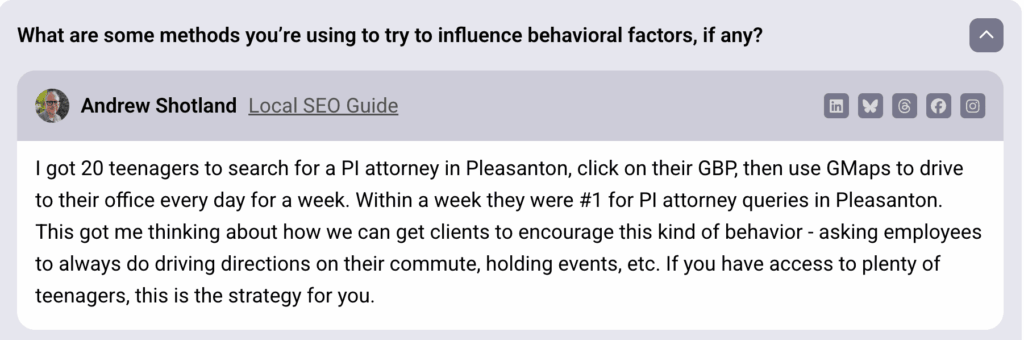
Marketers usually have a love-HATE relationship with Google. We love untangling the puzzles and mysteries Google comes up with ever so often, but don’t love what those findings imply at times. But to clarify the importance of maps presence, freshness, and reviews, I have a very curious case study to show you.
Source: Whitespark
Not that we recommend this as a strategy for lead generation, but think about what this means.
You have to fill out your GBP the best you can, and keep your profile fresh and bustling.
A business with 5 new reviews or visits every month could easily beat another with over 10,000+ older reviews. It means, you can’t just set-it-and-forget-it with your GBP profile. It WILL decay. This is an active effort.
So make it easy to find you. And stay top of mind with fresh activity every now and then.
Step 2: Make choosing you effortless (make your homepage functional)
People land on your site with three questions in mind: do you shoot what I need, are you in my area, and is this roughly my budget? Put those answers at the top so no one has to hunt.
When people try to get too creative with their homepages in order to stand out, often, the results feel somewhat like the objects Katerina Kamprani creates in her series, “The Uncomfortable”





Creative, sure. But the UX is just.. well, awkward.
Your homepage just needs to answer three questions for people who land on it:
- What + where in one line: “Natural newborn photography in Austin.”
- One primary action: Check availability (visible on first screen, mobile and desktop).
- Starting price: “Collections from $…”.
For the Check availability button, embed a short form: name, email, date/season, venue/city, and (optional) notes. That’s enough to start a real conversation.
With websites, speed matters a lot more than you might think. If tapping your button hesitates, people drop. Keep the page responsive with compressed images, lazy-load galleries, and trim heavy scripts so the first tap responds immediately.
If that’s not your thing, hire a developer for a small setup pass. If you don’t have any referrals for one, freelancer platforms like upwork might be worth a shot, or simply find people in your network on LinkedIn and ask!
On modern builders like Webflow or with WordPress themes, many performance basics are automatically handled, but still run a quick check with a professional developer.
Now, what does a simple homepage look like? Arguably, the most important real estate on your homepage is the first fold, the hero section. It should do all of those 3 jobs we discussed.
Let me show you some examples of what that looks like in reality.
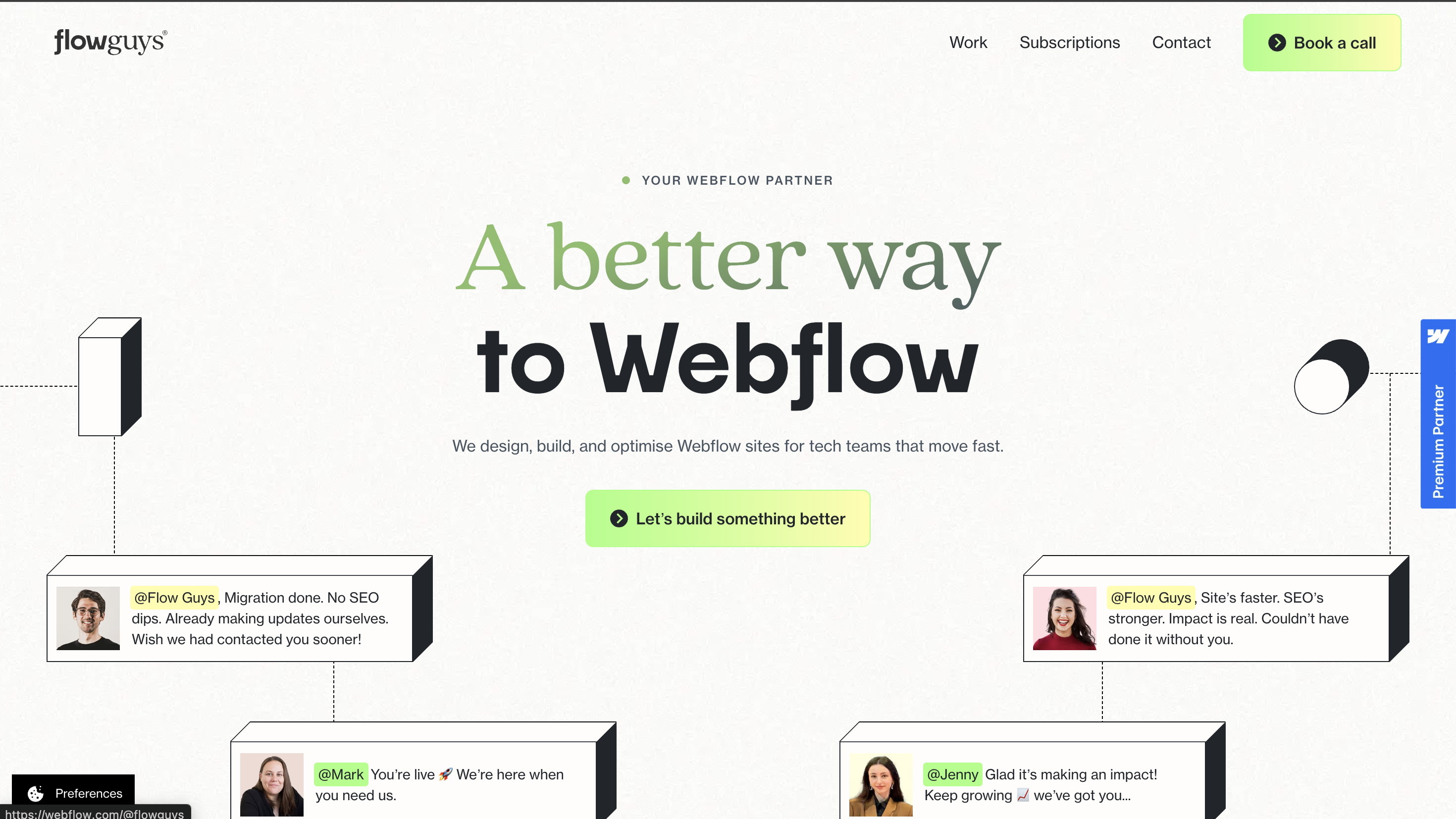
Flow guys is a webflow development partner, and their homepage hero is an absolute winner.
- The tiny tag over their headline states immediately that they’re “Your webflow partner,” and the headline clearly communicates the value they bring with “A better way to Webflow”
- The subtext explains what that means in super simple words stating exactly what they do and for whom.
- The CTA is super clear and catches attention immediately.
In barely 2 lines, they’ve conveyed who they are, what they do, and for whom. That’s enough to get started.
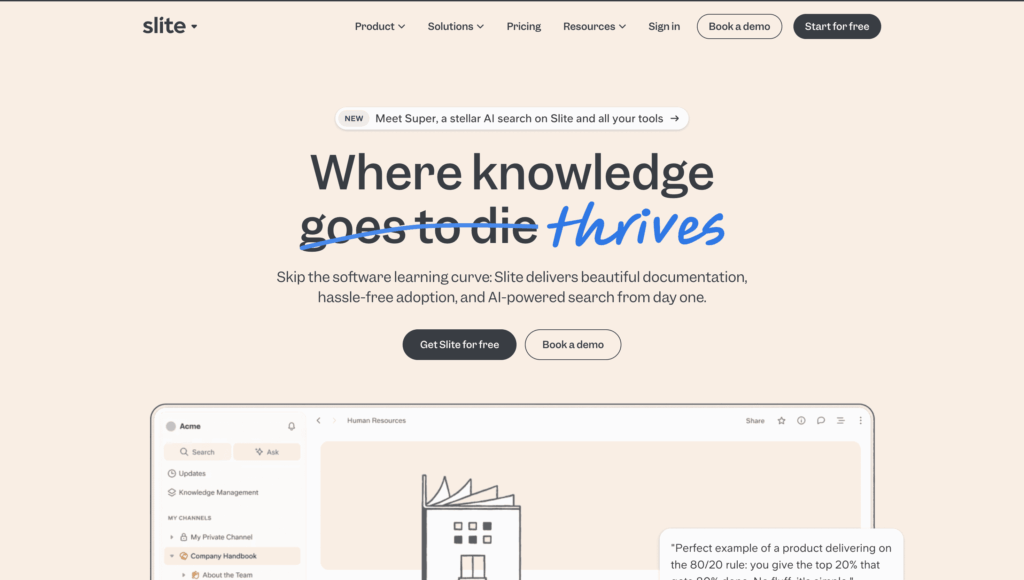
Slite is another very good example of what a good homepage hero section looks like. When we say “functional,” we mean where personality goes to die thrives too, long as your readers still instantly understand what your business is, where it is, and how to contact you.
Not impressed? Hold my coffee.
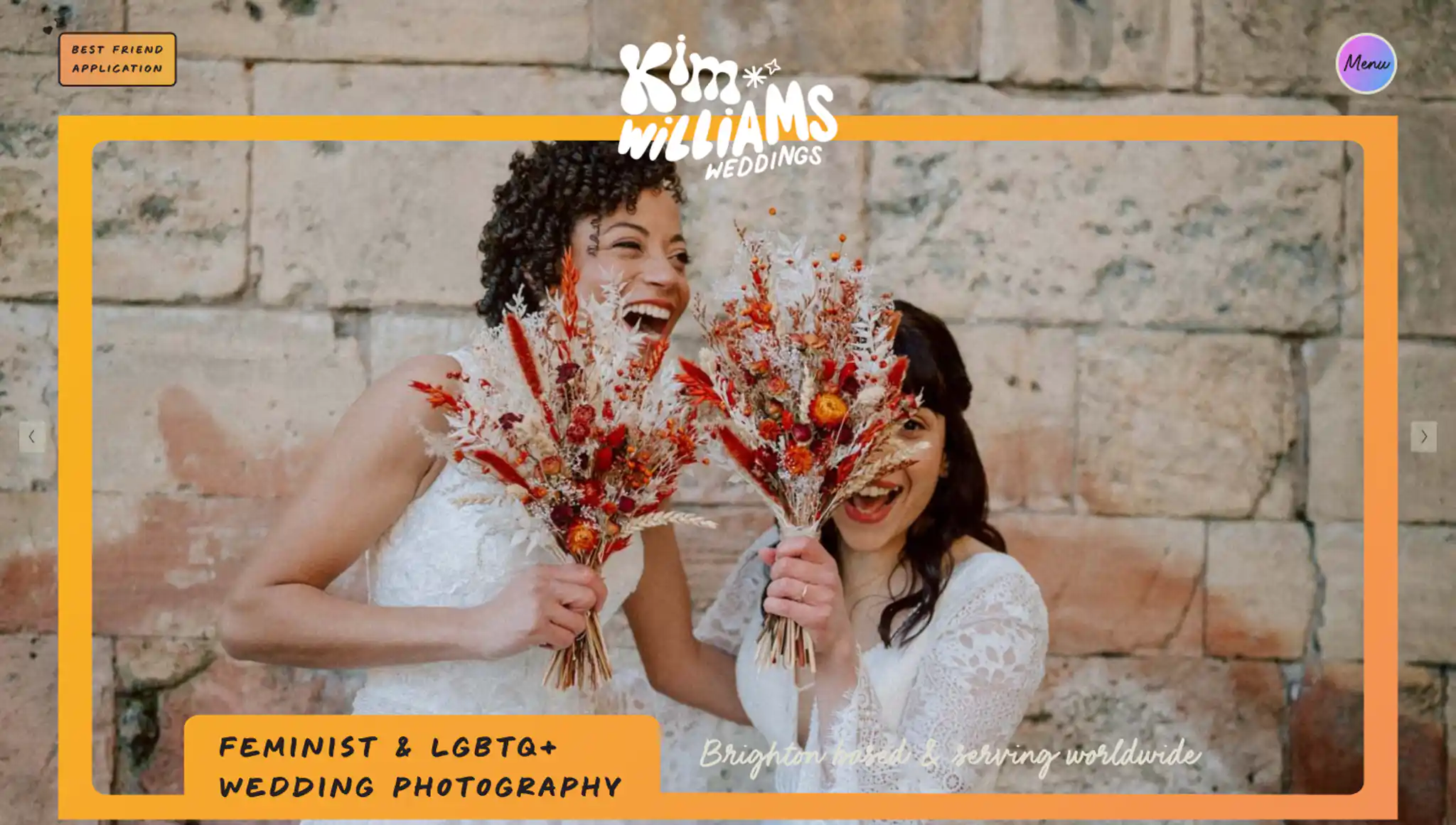
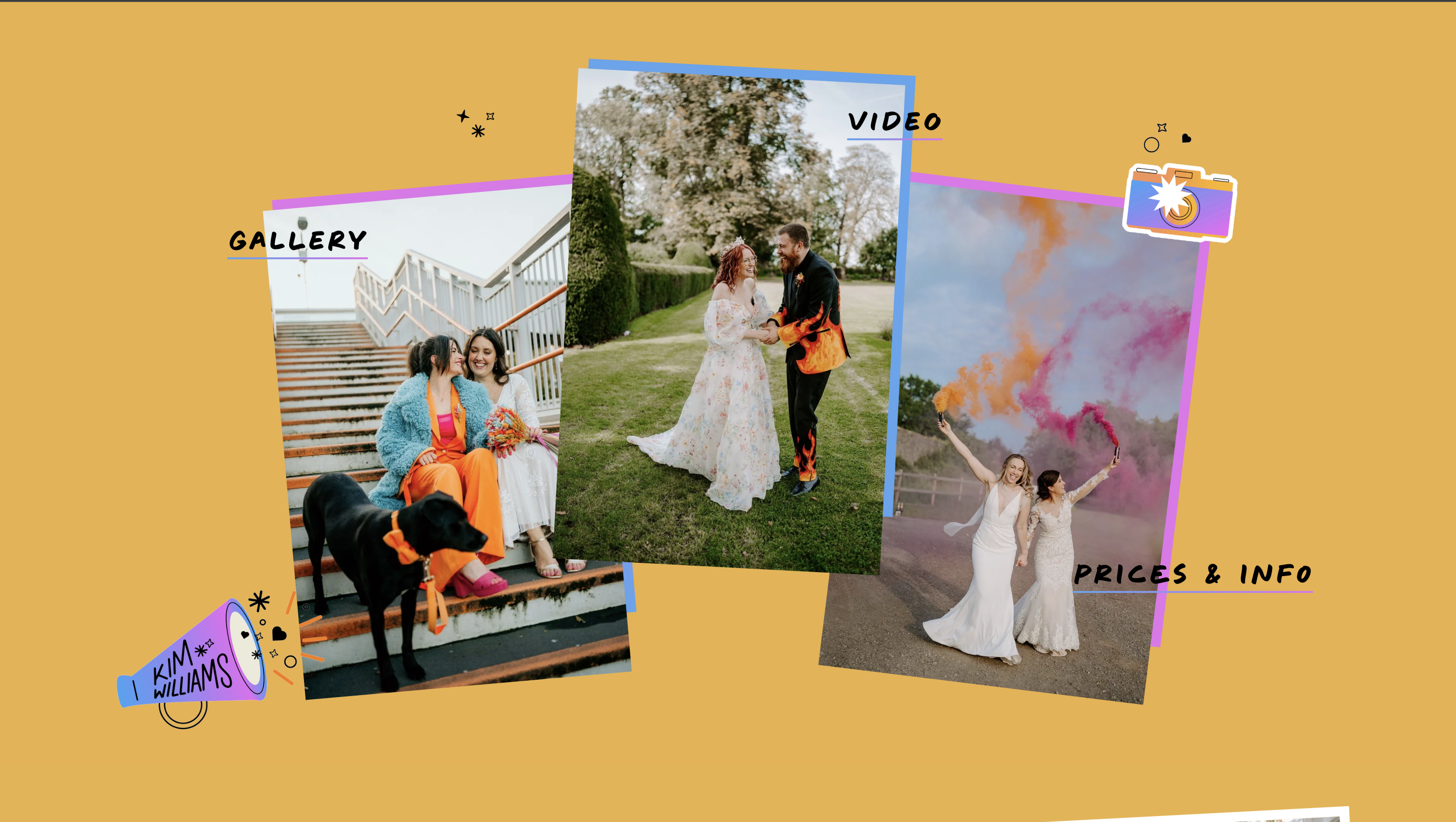
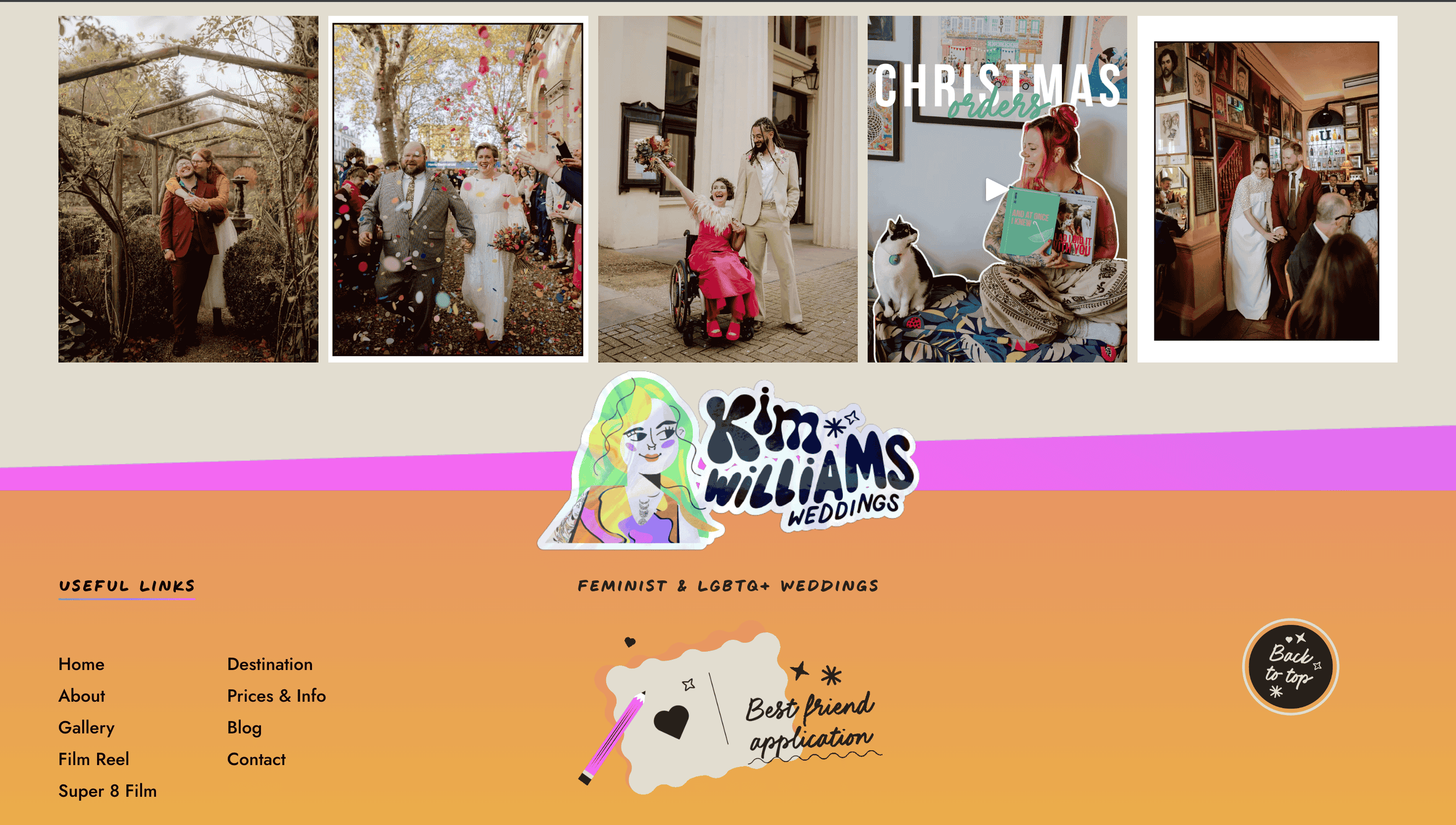
Look at this super peppy website Kim Williams created for her wedding photography business, based in Brighton, but also serves worldwide. Also, she calls her contact form a best friend application which I think is totally on-brand for her personality and aesthetic!
I got all that from the hero fold on her website, so it does those 3 important jobs we have been talking about.
Her website is a masterclass in blending strong personalities and great UX.
Let’s look at another winner and break down what’s working well.
Andrew Heeley’s homepage is a prime example of a clean, SEO-optimized wedding photography homepage that clearly communicates everything a client would want to learn before they hit that contact button.
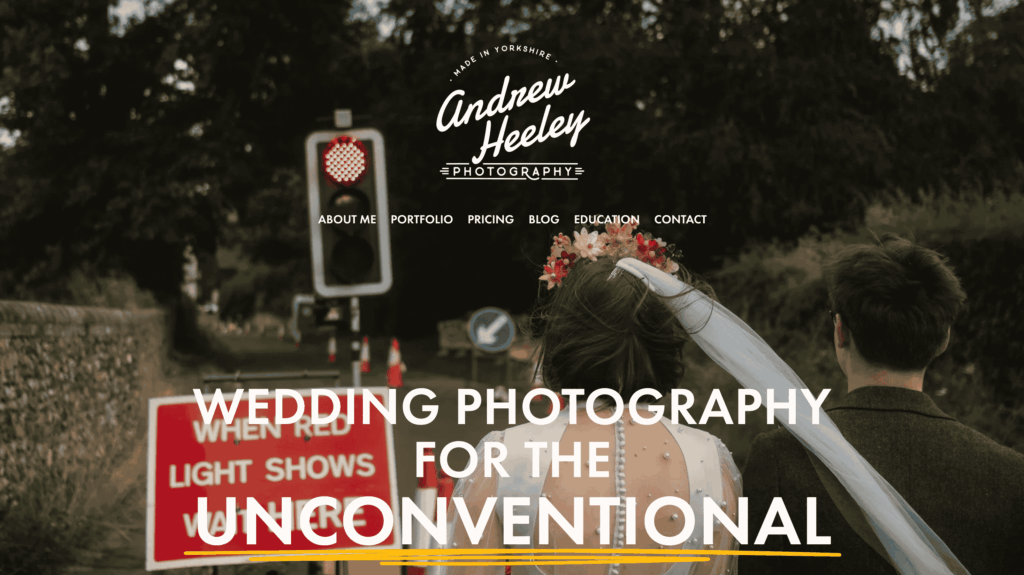
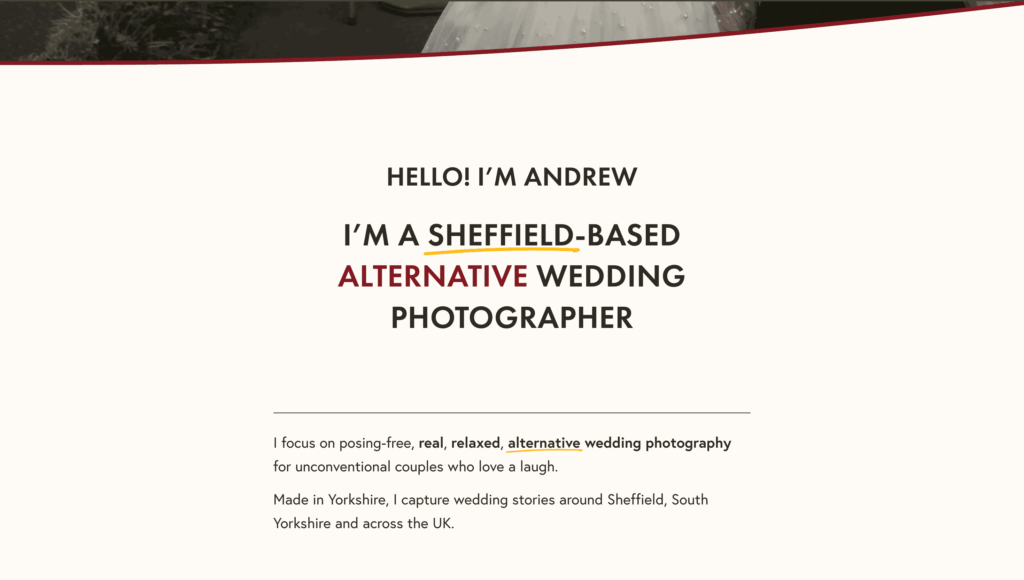
He makes his niche, ideal clients, and the locations he serves in unmistakably clear. That’s good SEO.
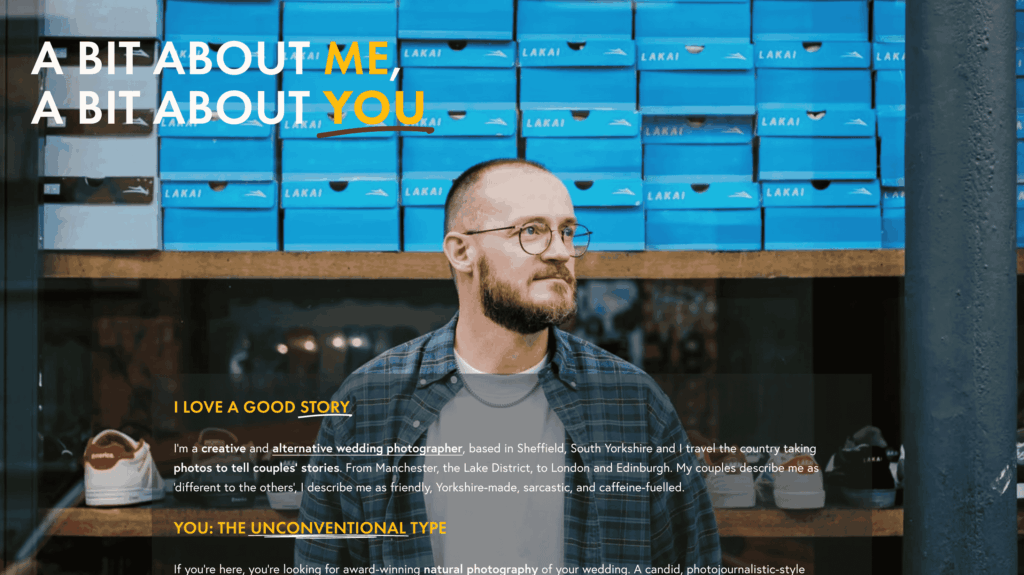
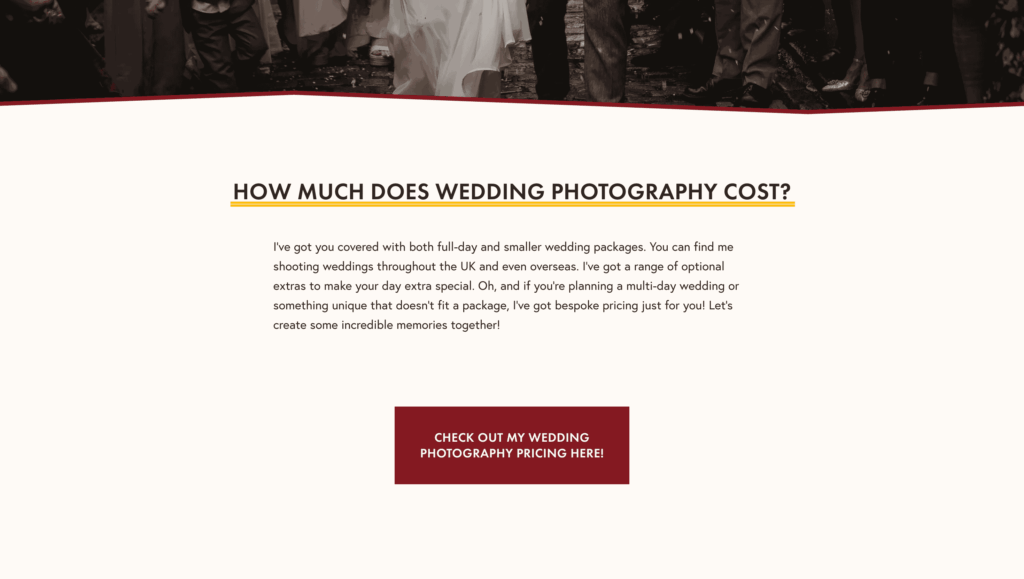
Once he has established what he does, for whom, and where, he also folds in a clear section for how pricing works.
If you don’t want to put pricing right on top, this show-tell-sell format works brilliantly too.
We could publish a separate e-book on stunning websites photographers have created, but for now, we’ll just list a few in case you were looking for inspiration for SEO-optimized websites that get you found and make it easy to contact you.
In no particular order, here’s some photography business homepages we loved! (2026 update)
- Brian Minear
- Amy Lombard
- Brad and Jen
- Mac Eveland
- Jovana Rikalo
- Taylor Pendleton
- Oshane Howard (super creative but only if you have big budgets for your website)
Summing up,
Once your homepage is up and running, perform this quick self-assessment (do this on your phone, because mobile optimization is most important for local searches):
- Open your homepage and count to three.
- Can you read the what/where line, see the button, and spot a starting price before scrolling?
- Tap the call the action button and check if it does something right away?
If any answer is “no,” fix those before adding new content.
3) Be easy to contact (and make fit obvious)
When someone clicks Enquire, they’ve already said “yes” to your work. Now they’re asking, “Are we the right match, and what happens next?” The enquiry page should answer that before they type their name.
What to say above the contact form (two short lines that set the frame):
This example from Brad & Jen’s Wedding Photography website lands just right.
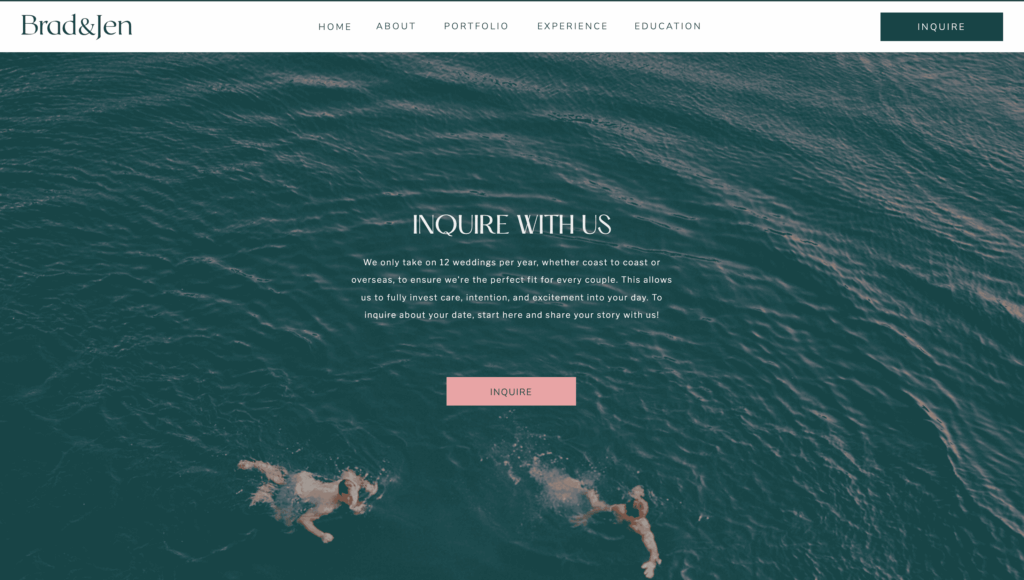
This context helps the right clients picture themselves in your process, and it quietly tells everyone else what you don’t do without a lecture or a price list. It reads as care and intention, not mindless sales.
In our 2025 state of photography survey, 60% of photographers who responded said they planned to focus on personalized service and premium in-person experiences as their main strategy for winning clients in 2026 and beyond.
That starts from the very first touch point.
By the way, if you haven’t read the report yet, you should. It delves into how early 81% of AI-adopting photographers actually reclaimed work-life balance, their hybrid workflow secrets, actionable playbooks, outlook for 2026 and much more. And its free.
Now, back to that contact form.
Add one line that hints at investment and process too:
Most clients choose a collection that covers prep to dancing and an album. Travel and multi-day plans are quoted once I know the details.
A small note like this says “this isn’t a mini-session,” anchors value, and keeps the next message about their day, instead of prompting them to haggle.
Keep the form short (so no one hesitates):
- Name
- City / Venue
- Shoot type (wedding, newborn, family, branding, etc.)
- Notes (optional)
The simplicity lowers the first step to something anyone can do from their phone, and it gives you enough context to reply with something that feels personal and useful.
Send an honest auto-acknowledgement response that buys time and moves the ball:
Subject: Got your enquiry. Thank you! | [Name of your business/your name]
Body:
Thanks!
This is an automated note to confirm I’ve got your enquiry. Do you already have a month or date in mind? If you’ve chosen a venue or have a rough plan (timeline, access needs, permits, privacy), share anything you have here.
I’m often shooting in the afternoons, so I’ll reply by tomorrow with availability and a gallery that matches your plan.
Cheers,
People don’t need “instant,” they just need predictable. This tells them you’re organized, invites the details you actually need, and sets a reply window you can keep. Realistic expectations and mini-yeses keep the right leads warm.
What this does for lead gen (in plain terms):
It filters for you. The enquiry page shows care and capacity, frames the kind of work you take, and makes the next step simple. You get fewer “just looking” messages, more right-fit enquiries, and replies that move straight to dates because you answered the silent questions up front.
Pro-tip: If they DM’d on Instagram, keep it in DMs. If they called from Google, finish the next step on that call and send a brief confirming text so the plan doesn’t disappear when you hang up. Channel-hopping is where leads leak.
You are now all set to start running lead generation campaigns
Now you’ve handled the basics: you’re easy to find (Google knows who you are and where you work), easy to choose (your homepage answers the three questions in seconds), and easy to contact (short form, honest auto-ack, clear next steps). That’s your runway. Campaigns are just deliberate ways to put more of the right people on that runway—for a focused window of time—so more of them end up on your calendar.
Think of channels as places your clients already are, and tactics as how you show up there without breaking the mood:
- Search/Maps: people who are actively looking; we’ll point them to pages that match the place or moment they’re planning.
- Social: people who just discovered you; we’ll hand them from a post or story straight to a page that keeps the same energy and lets them check dates.
- Partners: venues and vendors already talking to your clients; we’ll make sharing your work effortless so you’re the name that comes up first.
- Past clients: people who trust you; we’ll give them a timely reason to come back (and to bring a friend).
That’s all “lead gen” is at this stage: short, focused pushes that respect how people actually book photographers—place first, timing second, proof always—and that land on a site that’s ready. Next, we’ll pick one lane for the next 30 days and run it properly.

What are sales-qualified leads (SQL)?
The best way to generate more leads will always be through referrals from past customers and those who have seen your work. These leads are known as sales-qualified leads since these referrals are more likely to convert because a past customer recommended your services.
There are many ways to get new photography clients but referrals work like magic because they come with a built-in level of trust and credibility.
Prospective lead generation should be an ongoing process because finding new customers can be a challenge, but there are some things you can do to help ease the pain.
The “feast or famine” problem is common for professional photographers and can affect more than your bottom line. It can feel very defeating if you go from one crazy busy season to worrying about how you will pay your bills.
What you really don’t want to happen is to suddenly look up and realize that you have no potential clients on the horizon.
When you implement strategies and lead generation tools, you’ll be less likely to worry about where your next client comes from.

Generating leads your way
Lead generation works best when it feels natural to you, so it may take a while to tweak what works to create a sales funnel that feels good for you and your photography business.
Learn how to see what’s working and what’s not in your photography business.
How can I grow my business through lead generation?
Today customers have the power and knowledge to access blogs and reviews.
Because of these details, most buyers know how much money to spend before buying anything they want.
Growing the company requires reaching out to customers who do not have an informed opinion.
Marketing leads and sales effectiveness can help measure lead generation success. According to the sixth Salesforce State of Market report, 32% of new customers come from lead generation.
Marketing to qualified leads
Whether you want to hire more employees, invest in new equipment, or find ways of adding value to your existing services, lead generation is the answer to making it all happen.
We want to share some ways to do lead generation that you might not have thought of!
#1 Ask for testimonials from past clients as part of a lead generation strategy
People trust other people who have been where they are.
If you’re a portrait photographer and you get a referral to a family who heard about you from friends of theirs who worked with you and loved you, that’s a great referral (also called a “warm lead”), and your chances are good that you will book that client.
The couple is already coming in with an understanding of how you work, what your photo editing style is, and maybe even an approximate price point.
From there, it’s just finding out if you are a good match for each other. Happy clients are like a secret sales team you can tap into to help you with lead generation for your photography business!
By gathering testimonials that you can use from clients who love you, you’ll be able to show potential clients what it was like to work with you.
Even better, the words come straight from happy clients!
But first, Do these on your Google Business Profile
- Reviews (compliant): ask by email/SMS with your review link; no incentives. Reply to every review. (Google treats incentivized reviews as fake engagement.)
- Services + descriptions: list “Wedding photography,” “Engagement sessions,” “Newborn studio,” etc., with short, plain-English blurbs (and optional prices). Google Help
- Weekly Posts: Updates/Offers/Events; attach a photo and a booking link. Google Help
- Photos: add new galleries and behind-the-scenes regularly.
Make a list of clients you have worked with within the past few years and contact them to ask if they will write a review for you. Here’s a template you can use:
SWIPE THIS FOLLOW-UP EMAIL
Hi (client name),
I hope this email finds you both well! I’m stopping by your inbox because you are exactly the kind of clients I LOVED working with, and I’m hoping you can help me find more fun people like you to work with by reviewing my services.
Don’t worry about the review being long or short… that really doesn’t matter. All that matters is that the words come from your heart.
Answer one, answer a few, or answer them all. I appreciate any of your feedback so much.
- What was it about me or the photography that drew you to me?
- How did I make the process of working with you easy?
- What were some of your favorite photographs, and why?
- What did your friends and family say about your photos?
Once you’ve written these amazing words for me, all you need to do is post them on (link your Google, Facebook Page, or anywhere else you want them to post). Copy/pasting the same review is just fine!
I appreciate you SO much, and thanks for your help!
After you get some reviews back, use some of those words of love to create graphics to use on social media.
At its best, this is lead generation because you can use these graphics as part of your content marketing and your photography blog efforts.
#2 Keep in touch with past clients
Many photographers get referrals from current and past clients, but they completely drop the ball when it comes to staying in touch with them.
First of all, you should always collect email addresses and social media handles from your clients.
While we can’t address client privacy concerns or what is best for the client in terms of their contact information, we can tell you that if you don’t have their email addresses and social media handles, then there’s no way for you to put them into your CRM system and begin nurturing them as part of a sales funnel.
So, whether it’s a monthly newsletter about what is going on in your studio or a promotion you have coming up, make sure they are kept in the loop by contacting them regularly and making sure you are posting regularly on social media.
Pick one lead magnet per niche
- Weddings: “Venue Guide: Best photo spots & rain plans at [Venue/City]”
- Newborn: “What to wear + what to bring for studio newborns (checklist)”
- Branding: “30-minute session planner: Locations, outfits, and shot list”
Gate it with a simple form and deliver instantly. Then your welcome flow does the rest.
Also, don’t forget to make discovery posts bookable. Reels with venue/local keywords, carousels clients save (checklists), and stories that drive replies. Your bio link points to one page with “Check availability” and your lead magnet. Use UTM tags so you know which posts produce inquiries.
#3 Lead capture pages as part of the lead generation process
Make your site do one job. Get the inquiry.
- Give people one obvious next step. Put a button up top that says Check availability. Repeat the same button once in the middle of the page so no one has to hunt for it.
- Keep the form short. Ask for just what you need to reply quickly: Name, Email, Date/Season, Venue/City.
That’s enough to confirm you’re free and send a useful reply. - Show a starting price. On your Services page, write “Collections from $___.” It saves back-and-forth and attracts the right fits.
- Make contact details impossible to miss. On your Contact/Location page, list your business name, city/area, phone, email, and hours, and add a “View on Google” link to your Google Business Profile. That’s all “local signals” really means.
- Make the site feel fast. Big pictures are great—just keep them light. A quick rule of thumb:
– Export web images around 1500–2000px on the long side.
– Don’t stack lots of heavy sliders on one page.
– If something loads slowly, remove it.
Visitors should feel like every tap/click responds right away. - Answer the question first. On key pages, start with a plain answer your client is searching for:
“How to plan photos at [Venue]” → give the 3–5 things they need to know before you tell the story.
“What’s included in my [niche] sessions” → say it in the first lines, then add examples.
This helps Google pull your answer and show it high in results.
That’s it. Clear button, short form, real starting price, easy contact details, snappy pages, and answers up top. More people will reach out, and the right people at that.
How this type of lead generation works to convert leads
A “lead magnet” is something of value that you give away free in exchange for getting an email address.
Lead magnets can be anything from a short ebook, or guide containing information about your area of expertise, to something more specific that targets the individual visiting your page.
For instance, check out this lead generation form:
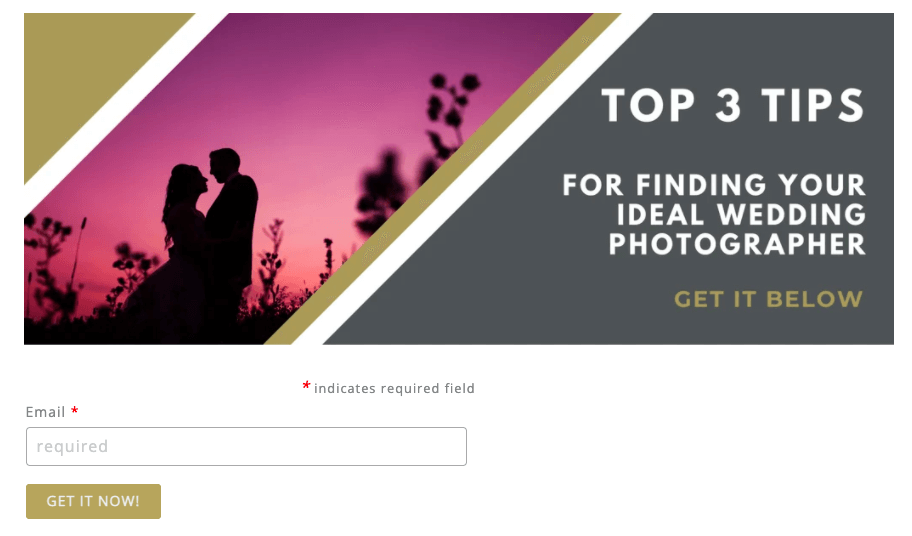
It’s a clear way to show what the visitor will get in exchange for their email.
This relevant content needs to be of value to your clients, giving them insight into a product or service you provide.
If you run ads on Facebook or Google, these pages can also be instrumental in helping you determine where your ad spend is best directed.
Your ads are more likely to have a higher click rate if shown to people who have already expressed an interest in your type of photography.
You will have to do some search engine optimization to determine which ads will work best and direct you to prospective leads.
The landing page should include contact information, links to any available social media profiles, and detailed information about the services you offer.
Lead capture pages can be used on their own or can be combined with Lead Magnets.
Lead gen metrics (what to watch weekly)
GBP: website clicks, calls, direction requests; 1 Post/week.
Website: conversion rate on “Check availability”; Core Web Vitals status (INP/LCP/CLS).
Email: welcome-flow click-through and replies.
Social: profile visits → link clicks; saves/shares.
Pipeline: inquiry → booked close rate; % of bookings from vendors/reviews.
Time: hours lost to post-processing (move cull/edit/retouch to Aftershoot if it creeps up).
#4 Outsource non-income-generating tasks
As a business owner, your best efforts will always be doing the things in your business that make you the most money. And for most photographers, that also means doing what they love to do – taking photos!
The problem is that it can be challenging to complete all of the various tasks you need to do in a day, especially if you have a full-time job outside of your business.
Lead generation shouldn’t fall by the wayside just because there aren’t enough hours in the day!
This was why we created Aftershoot, to do the repetitive (let’s just say it… boring) task of culling photographs.
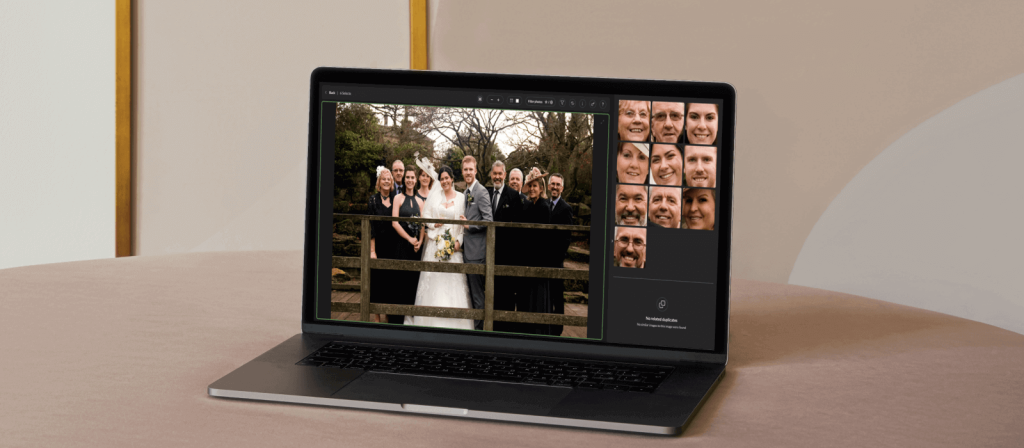
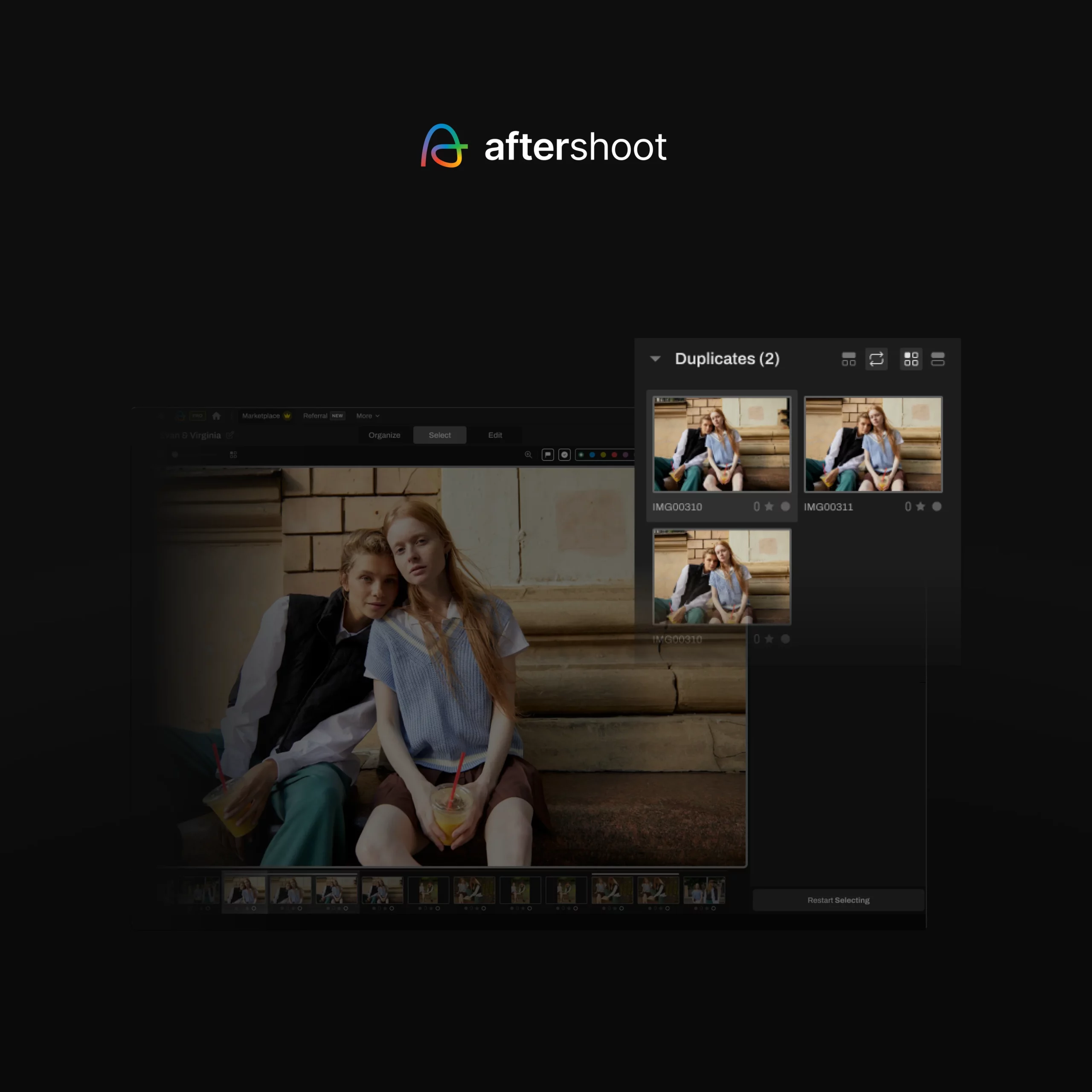
Aftershoot SELECTS is a software that helps photographers select the best images from a grouping of photos. Using AI technology, Aftershoot will remove duplicate images, blinks, blurred photos, or photos with poor composition to a separate folder.
Many photographers take hundreds or even thousands of photos in a day’s work, and Aftershoot saves them many hours of painstakingly selecting photos one-by-one to find the best of the series.
Aftershoot gets “smarter” the more the photographer uses it. Because the photographer sets the parameters of what they want to be selected and what to pull out, Aftershoot learns incrementally what images are acceptable and not when you review the outtakes.
Besides automating your culling process, Aftershoot EDITS (the AI photo editing app) does the same for your editing workflow, saving you hundreds of hours per year!
The AI software can edit thousands of photos in your unique editing style within minutes.
Aftershoot also provides top-notch customer service and support with this fantastic, time-saving software.
You’re welcome to join the Aftershoot Facebook community for additional support and to connect with over 13.8K+ professional photographers.
#5 Work with businesses in your niche
If you’re a wedding photographer, team up with other local wedding vendors, such as florists and cake bakers.
Not only does this show that you know your stuff, but it gives you access to their customers and might even help them out by sending people their way (a win-win situation).
The benefits of partnering with other businesses go beyond simply sharing your existing customer base and qualified leads.
It can be a great way to expand your knowledge, learn about new techniques, and experiment with different styles outside your comfort zone.
Working together, you can create packages that are more attractive than what either business is offering on its own.
This is a great way to increase the value of your services and make them more appealing to new customers.
How do you find people in your niche?
Look for networking opportunities in your area. Reach out to other businesses to see if they are interested in teaming up. You can also post on Facebook or Instagram with hashtags that include your target market.
Lead generation for your photography business doesn’t have to be a chore
Generating new leads is an essential part of marketing for photographers. How can you expect to grow if you’re not constantly putting your services in front of potential customers?
In a nutshell, we’ve uncovered the following:
How to get more photography clients: Leverage your past clients by getting referrals from them and showcasing good reviews and past work on social media.
How to find photography clients: Partnering with businesses in your niche, such as wedding venues and vendors, will expose your business to potential clients.
Lead generation doesn’t need to feel like a chore. Instead, it can be the excuse you need to get out there and have some fun while growing your business!
FAQs
What’s the fastest way to get more photography leads this month?
Complete your Google Business Profile, post weekly, publish one local guide per week, and put Check availability at the top of your site with a short form.
Do lead magnets work for photographers?
Yes, if they solve a real planning problem. Venue guides, outfit checklists, and timeline planners convert well because clients need them now.
Are incentives for Google reviews allowed?
No. Incentivized reviews can trigger restrictions or warnings. Ask; don’t reward. Keep referrals separate and tied to booked work.
How do I show up in Google’s AI features?
Answer first on each page, use clear structure and helpful details, and keep page experience strong. SEO best practices still apply to AI Overviews.