
A good wedding preset isn’t the one that looks best on a single golden-hour portrait. It’s the one that still holds up at the reception, under tungsten bulbs, DJ uplighting and on-camera flash. Wedding galleries -presun to hundreds or thousands of frames across very different light, so the presets worth paying for are the ones that keep skin tones believable and whites clean from getting ready to the last dance.
This guide compares 15 wedding Lightroom presets for photographers, from film emulation (Mastin Labs, Noble) to true-to-color editorial packs (Kindred, Refined Co.) and a free option. For each one we cover the look, who it suits, current pricing and how it handles tricky wedding light. After the list, you’ll find how to choose, how to install and how to keep a gallery consistent once the light changes.
Quick Comparison: Best Wedding Lightroom Presets
| Sr. No. | Preset Pack | Best For | Look | Price |
|---|---|---|---|---|
| 1 | Mastin Labs (Portra Original, Fuji Original) | Photographers who want an authentic film look | Kodak Portra and Fujicolor film emulation | $99 per pack (often on sale) |
| 2 | Noble Presets (Noble Signature) | Fine-art and light-and-airy weddings | Luminous skin, rich pastels, cooler greens | On sale from $99 (regular $200) |
| 3 | Archipelago (Quest Membership and LXC Family) | Photographers who like to experiment with new looks | Creamy, matte, moody to filmic | $36 per 3 months or $60 per 6 months |
| 4 | Kindred Presets | Documentary and true-to-life galleries | Natural color with skin-tone priority | From $175 (Essential), $299 (Package) |
| 5 | Refined Co. (Refined IV) | Editorial, true-to-color weddings | Muted colors, radiant skin, natural greens | Check Refined Co. for current pricing |
| 6 | G-Presets | Warm, vibrant, high-contrast work | Portra-inspired warmth, deep contrast | Check G-Presets for current pricing |
| 7 | India Earl Cine (DVLOP) | Mixed-light venues | Warm, filmic, cinematic | Check DVLOP for current pricing |
| 8 | Phil Chester Presets | Photojournalistic storytelling | Earthy, desaturated film | Check Phil Chester Presets for current pricing |
| 9 | Roots Presets (Chérie) | Luxury and editorial weddings | Soft blue highlights, natural skin | Check Roots Presets for current pricing |
| 10 | Ratta Studio | Bold, colorful editorial weddings | Vibrant, editorial color | Check Ratta Studio for current pricing |
| 11 | Greater Than Gatsby Wedding Collection | Variety on a budget | Light and airy to golden and B&W | $49 per collection, $249 for all 13 collections |
| 12 | Signature Edits (Natural Wedding Collection) | Photographers newer to presets | Natural, timeless | $59 |
| 13 | Kevin Mullins Film Edition | Documentary and black-and-white work | Filmic color and deep monochrome | Check Kevin Mullins Photography for current pricing |
| 14 | Sam Docker Presets | Modern editorial looks | Bold tones, editorial feel | Check The Complete Wedding Photographer for current pricing |
| 15 | ON1 Signature Collection Vol. 1 | Testing a style before you pay | Varied wedding looks | Free |
If you only have a minute, use this table to shortlist. Prices are in the creator’s currency and were checked in November 2026. Preset sellers run frequent sales, so check the creator’s site before you buy.
Best Wedding Lightroom Presets for Photographers
These packs are grouped roughly by look: film emulation first, then true-to-color and editorial packs, then bolder styles, value bundles and a free option. Most are one-time purchases you keep forever. Archipelago’s Quest Membership is the exception: it’s a subscription that adds new presets every month.
Whichever pack you choose, treat it as a starting point. Every preset in this list will still need white balance and exposure adjustments when the light changes between the ceremony and the reception.
1. Mastin Labs (Portra Original and Fuji Original)
Mastin Labs builds its presets from scans of real film rather than imitating it with sliders. Portra Original is based on Kodak Portra 160, 400 and 800 and gives clean, warm, deep tones with glowing skin. Fuji Original draws on Fujicolor 160NS, 400H, 400H Blue and 800Z for the light, pastel look many wedding photographers associate with medium-format film.
Each pack ships with Mastin’s own toolkit for problem images, and desktop presets sync to Lightroom Mobile through Creative Cloud.
- Best for: Photographers who want an authentic film look without shooting film
- Price: $99 per pack, frequently discounted
- Wedding tip: Use the Portra 800 preset for receptions and dark venues. It’s built for low light, so you won’t need to fight the 400 preset’s contrast in dim rooms.
Mastin Labs’ Portra 400 and Fuji 400H looks are also available as AI Styles in the Aftershoot Marketplace.
2. Noble Presets (by Noble Signatures)
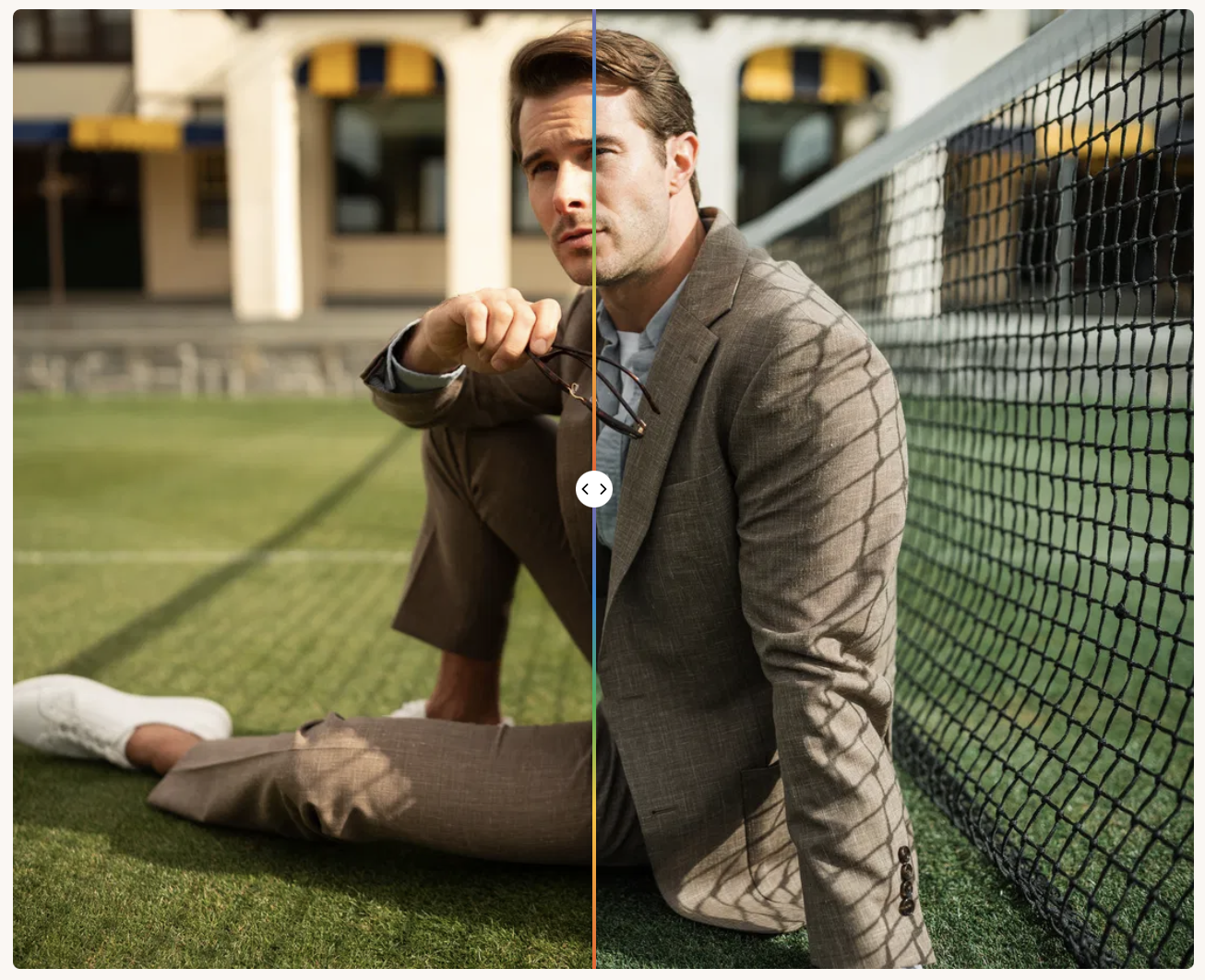
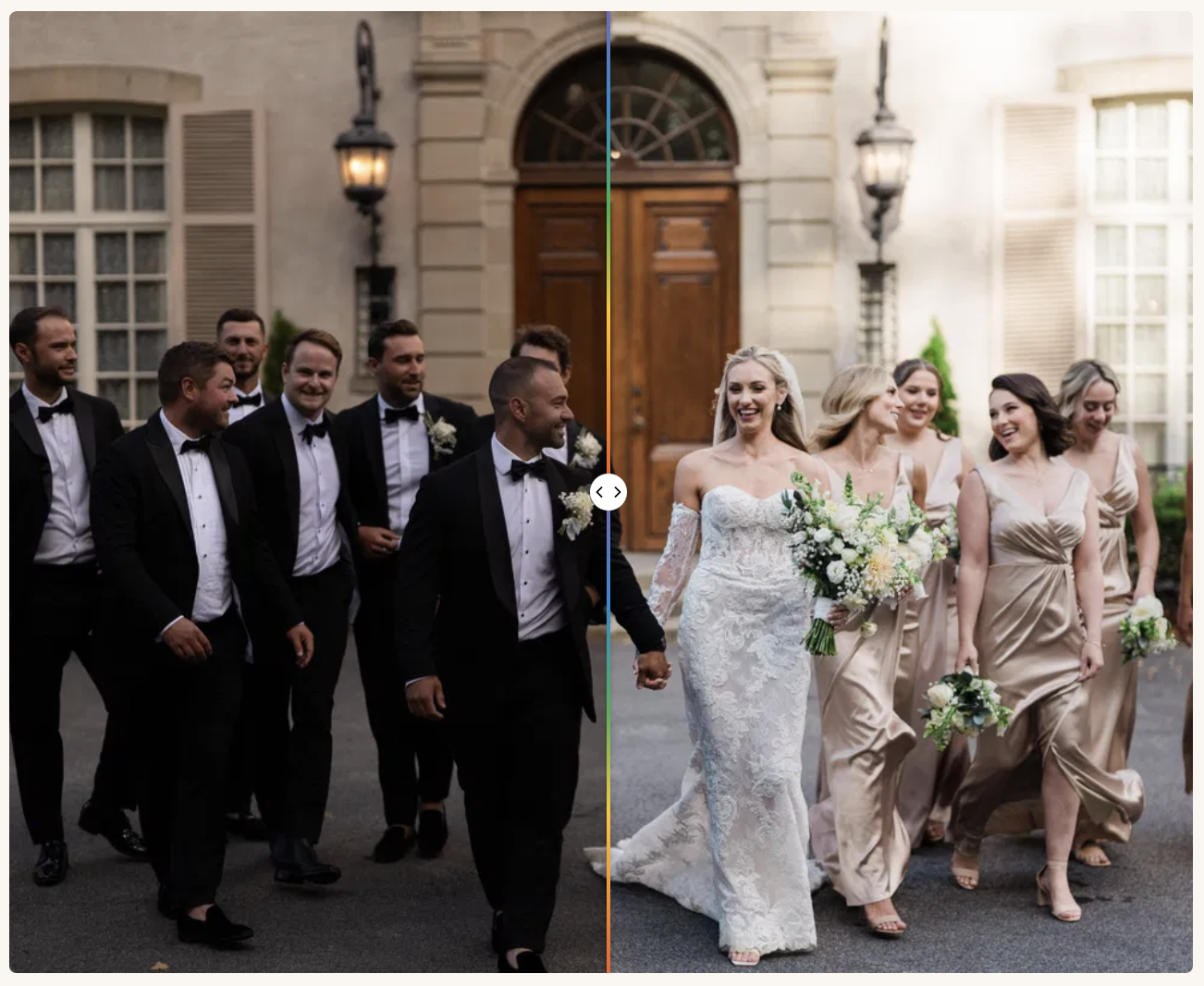
Noble Signature is one of the most recognizable fine-art film looks in wedding photography. It’s designed to apply balanced, rich color, cooler greens, subtle contrast, fine grain and luminous skin tones, a palette that suits outdoor ceremonies and soft romantic portraits.
The pack includes more than 20 Enhancers and a Creative Profile edition of the Signature preset with an opacity slider, so you can dial the look back on images that already have strong color.
- Best for: Fine-art and light-and-airy wedding photographers
- Works with: Lightroom Classic, Lightroom and Adobe Camera Raw (the Creative Profile edition needs Lightroom 7.3 or later)
- Price: Noble Signature with Enhancers was on sale for $99 when we checked (regular price $200)
- Wedding tip: Noble’s own workflow is to apply the preset first, then adjust exposure and white balance. In overcast or open-shade light, warm the white balance a few hundred Kelvin before reaching for other sliders, otherwise the cooler greens can make skin look flat.

3. Archipelago (Quest Membership and LXC Family)
Archipelago is the collective behind both the Quest series and the long-running LXC family. The Quest Preset Membership adds a new preset collection every month and unlocks member pricing on past Quest sets. It suits photographers who like moody, dramatic tones and want to keep experimenting.
If you want a calmer, timeless look, start with the LXC family: creamy highlights and shadows, subtle matte tones, muted greens, amber-tinted browns and rich skin tones. The original LXC has been retired. The current sets are LXCV (Quest 48) and LXCQ (Quest 12).
- Best for: Elopements, outdoor weddings and photographers who change their look often
- Price: Quest Preset Membership costs $36 every 3 months or $60 every 6 months
- Wedding tip: Archipelago presets are built to leave exposure and white balance alone, so set both before you apply the look. That makes them easier to sync across a full ceremony sequence.


4. Kindred Presets
Kindred builds its presets around skin tones first and color second, which makes it a dependable choice for documentary photographers who need true-to-life results across very different skin tones and light. The full Kindred Preset Package bundles the Essential and Technical sets, a black-and-white set, the Kindred Base Profile and 24 quick-fix buttons for common problems.
- Best for: Documentary and true-to-life wedding galleries
- Works with: Lightroom Classic 7 or later, Lightroom and Adobe Camera Raw
- Price: Kindred Essential costs $175. The full Kindred Preset Package costs $299

5. Refined Co. (Refined IV)
Refined Co.’s Refined IV collection gives a true-to-life, editorial look. It gently mutes bold colors while keeping skin radiant and greens natural. If you prefer a filmic twist, the Refined x Tec Petaja collection adds Portra-inspired color presets and black-and-white looks inspired by Ilford HP5 400 and Delta 3200.
- Best for: Editorial and true-to-color wedding photographers
- Works with: Lightroom Classic, Lightroom, Lightroom Mobile and Adobe Camera Raw
- Price: Check Refined Co. for current pricing


6. G-Presets (by Greg Petersen)
G-Presets are made by Northern California wedding and portrait photographer Greg Petersen. They’re known for rich, warm color that recalls Kodak Portra 400, with deeper contrast than most film-style packs. Pack 05 is the one wedding photographers usually mention, because it handles both bright daylight and dim indoor scenes, which makes it useful for receptions and dance floors.
- Wedding tip: High-contrast presets can crush detail in dark suits and black dresses. After applying, lift the Shadows slider until fabric texture comes back.
- Best for: Photographers who want warm, vibrant color with punch
- Price: Packs are sold individually. Check G-Presets for current pricing

7. India Earl Cine (DVLOP)
India Earl is one of the best-known names in adventurous, film-inspired wedding photography, and her Cine pack is sold through DVLOP. DVLOP presets detect your camera model so the look stays consistent whether you shoot Canon, Nikon, Sony or Fujifilm. Each camera gets two profiles, one for daylight and one for warmer color temperatures, which Lightroom blends automatically.
That dual-profile approach is useful at weddings, where a single gallery can move between daylight, tungsten and mixed light within minutes.
- Best for: Second shooters and teams using different camera brands, and venues with mixed light
- Price: Check DVLOP for current pricing
8. Phil Chester Presets
Phil Chester’s presets give images an earthy, desaturated film look with warm, slightly muted color. They suit photojournalistic photographers who care more about the story than a polished, glossy finish. The Editorial Pack leans toward a clean analog look, while the Signature Pack pulls saturation down further to keep attention on skin.
- Best for: Candid, documentary-leaning wedding coverage
- Works with: Lightroom Classic, Lightroom, Lightroom Mobile and Photoshop
- Price: Check Phil Chester Presets for current pack pricing
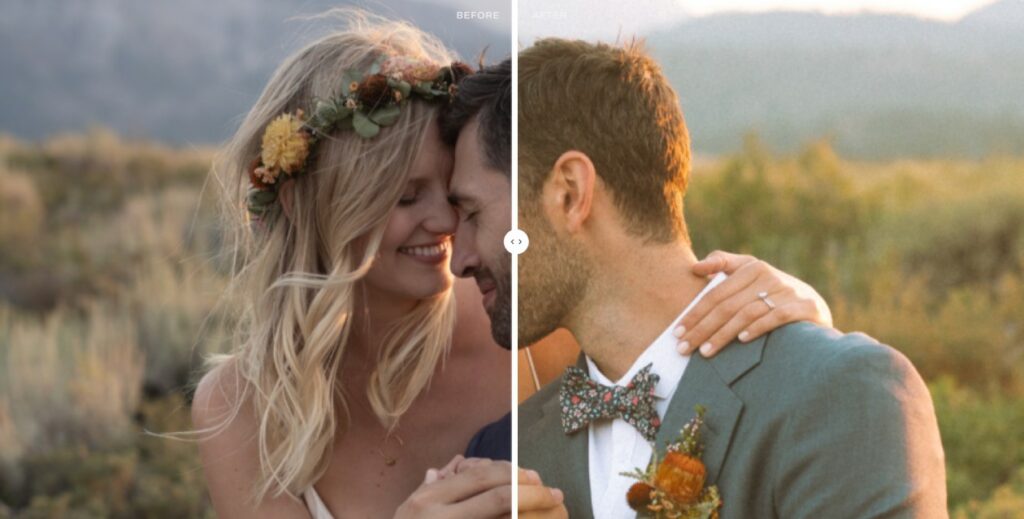
9. Roots Presets (Chérie)
Chérie, from Germany-based Roots Presets, is an editorial palette with soft blue tones in the highlights, natural skin and balanced greens. It brings a quiet, luxury feel to a gallery without pushing color too far, which makes it popular for high-end and editorial weddings.
- Best for: Luxury and editorial weddings
- Price: Check Roots Presets for current pricing
Chérie is also available as Chérie AI in the Aftershoot Marketplace.

10. Ratta Studio
Ratta Studio is the duo of international wedding photographers Anna Roussos and Thanos Asfis, known for editorial flair and bold use of color. They’ve been building wedding presets for seven years, and their looks work both as a finished style and as a base for your own.
- Best for: Colorful, editorial and destination weddings
- Price: Check Ratta Studio for current pricing
Ratta Studio’s looks are also available as AI Styles in the Aftershoot Marketplace if you’d rather have the style adapt to each photo.

11. Greater Than Gatsby Wedding Collection
Greater Than Gatsby’s Wedding Collection holds 136 presets split into five sets of 27 to 29 presets each, which gives you a lot of range for the money:
- Light & Airy: clean whites, soft mint greens and blush skin tones
- Garden Party: cool greens and warm, peachy skin
- Painted Desert: earthy golden browns, olive greens and bronzed skin
- Sundrenched: warm, backlit oranges and yellows for golden hour
- Black & White: monochrome conversions for the whole set
- Best for: Photographers who want variety on a budget
- Price: Individual collections cost $49. The Complete Presets Bundle, with all 13 Greater Than Gatsby collections, costs $249. A free sample collection is available if you want to test before buying


12. Signature Edits (The Natural Wedding Collection)
Signature Edits’ Natural Wedding Lightroom Preset Collection aims for natural, timeless color that stays consistent across mixed lighting conditions. It’s one of the more affordable packs on this list and a sensible first purchase if you’re still working out your own editing style.
- Best for: Photographers newer to presets or building a first wedding portfolio
- Price: $59. The full Signature Edits library, which includes this collection, is available as a $97 bundle, and purchases come with a 7-day money-back guarantee

13. Kevin Mullins Presets
UK documentary wedding photographer Kevin Mullins builds his presets on custom LUT-based color profiles rather than slider changes alone, so the film look starts deeper in the edit. His packs come in colour and monochrome editions. The black-and-white work is the main draw: Film Edition 4 Monochrome includes 65 black-and-white presets and 15 monochrome base profiles.
- Best for: Documentary wedding photographers who deliver a lot of black and white
- Works with: Lightroom Classic, Lightroom, Lightroom Mobile and Adobe Camera Raw
- Price: Check Kevin Mullins Photography for current pricing. His store regularly runs a buy-two-get-one-free offer on preset packs
- Wedding tip: For harsh midday ceremonies, pair any of these presets with a Linear Gradient mask over the sky to bring back blown highlights without darkening faces.

14. Sam Docker Presets
Sam Docker’s presets are known for bold tones and an editorial feel. They’re a good fit for photographers who want a modern, dynamic look rather than a soft, airy one, and they hold up well both at golden hour and in darker reception rooms.
- Best for: Modern, editorial wedding photographers
- Price: Check The Complete Wedding Photographer for current pricing

15. ON1 Signature Collection Vol. 1 (Free)
If you’re not ready to spend money, ON1’s Signature Collection Vol. 1 is a free set you can use to test which direction suits your weddings before buying a premium pack. ON1 also offers Nicolesy’s Matte presets for free, for a faded, vintage look. Greater Than Gatsby has a free sample collection too.
- Best for: Trying wedding looks before you commit to a paid pack
- Price: Free
Free presets are a good way to find your direction, but they’re rarely tuned for difficult wedding light. Expect to do more white balance and skin-tone correction than with the paid packs above.
How to Choose the Right Wedding Lightroom Presets
The right pack depends less on what looks best on Instagram and more on how you shoot. Before buying, check these five things:
- Your delivered style. Light and airy, film, true to color, moody or editorial. Pick the pack closest to the look clients already book you for, not one you’d like to try.
- Skin tones in your real light. Look at the creator’s before-and-afters for indoor, tungsten and flash shots, not just golden-hour portraits. Skin is where a weak preset shows first.
- Range across the day. A good wedding pack includes variations for bright sun, shade and low light, plus a black-and-white conversion, so getting ready, ceremony and reception images still look like one gallery.
- Presets vs profiles. Packs built on custom profiles (Mastin Labs, Kevin Mullins, DVLOP, Noble’s Creative Profile edition) change how Lightroom interprets color and leave your sliders free. Slider-only presets are easier to read and tweak.
- Compatibility. Check that the pack supports your version of Lightroom Classic or Lightroom, and Lightroom Mobile if you edit on the go.
Most creators also share free sample presets or RAW files. Run them on a full wedding you’ve already edited before you commit.
How to Keep Wedding Presets Consistent Across the Whole Day
Presets fail at weddings for one reason: the light changes more than the preset expects. Here’s where it usually goes wrong and what to fix first.
| Moment | Typical Light | What Usually Goes Wrong | Fix First |
|---|---|---|---|
| Getting ready | Window light mixed with warm room lamps | Green or yellow cast on skin and white dresses | White balance on the dress, then the Yellow and Green HSL sliders |
| Ceremony (outdoors) | Harsh midday sun | Blown skies, hard contrast on faces | Highlights down, Linear Gradient mask on the sky |
| Ceremony (church or indoors) | Tungsten or fluorescent | Orange skin, muddy whites | Cool the white balance, lower Orange saturation |
| Portraits | Golden hour or open shade | Shade turns skin flat and blue | Warm the white balance before touching color sliders |
| Reception | DJ uplighting, flash, candles | Neon skin, crushed blacks in suits | Lower Saturation for the uplight color, lift Shadows |
Edit by scene, not by image. Apply your preset, correct one image from each lighting scenario, then sync those settings to the rest of that scene. It’s faster and keeps the gallery consistent. For more techniques, see our guide to wedding photography editing.
How to Install Wedding Lightroom Presets
Lightroom Classic
- Open the Develop module.
- In the Presets panel, click the + icon and choose Import Presets.
- Select the .zip or .xmp files you downloaded and click Import.
Lightroom (desktop)
- Open any photo and click Edit, then Presets.
- Click the three-dot menu and choose Import Presets.
- Select the files and click Import.
Lightroom Mobile
Presets you import into Lightroom desktop sync to Lightroom Mobile automatically through Creative Cloud. Some creators also include separate .dng mobile presets for use without a subscription.
AI Styles vs Lightroom Presets: Why Photographers Should Upgrade to AI Styles?
Every preset above applies the same slider values to every photo. That works when the light is consistent, but a wedding day rarely is. A preset tuned for window light in the bridal suite will usually push skin orange under reception tungsten, so you end up correcting image by image.
AI Styles take a different approach. They’re AI presets that read each photo’s light, exposure and color before applying the look, so a ceremony frame and a dance-floor frame start closer to each other. You still review and adjust every image; the AI just handles the first pass.
| Wedding Lightroom Presets | Aftershoot AI Styles | |
|---|---|---|
| How the look is applied | Same adjustments on every image | Adjusted per image for light, exposure and color |
| Mixed reception light | Manual white balance and HSL fixes per scene | Starts closer; review and fine-tune |
| Cost | One-time purchase per pack (or a subscription for some) | 30+ pre-built styles included with an Aftershoot Edit plan; some Creator Styles are sold separately |
| Using a preset you already own | Works only in Lightroom or Camera Raw | Can be turned into an Instant AI Profile |
| Editing control | Full control in Lightroom | Edits stay adjustable in Aftershoot, Lightroom or Capture One |
For a deeper breakdown of how the two compare, read our guide to Aftershoot AI Styles vs Lightroom presets.
Wedding AI Presets on Aftershoot
Creator Styles are AI Styles built by working wedding photographers and preset makers, available in the Aftershoot Marketplace. Several of the creators on this list now offer their looks this way, so you can keep a style you like without hand-correcting every scene.
1. Kreate Naturelle AI Style
A color-film-style look from US wedding photographer Katie Monroe. It feels refined and elegant while staying bold, vibrant and true to life.

2. Chérie AI Style
The AI version of the Roots palette from this list, with soft, natural color, a focus on skin tones and balanced greens.

3. Matcha Glow and Matcha Glow B&W by Cassidy Lynne
Documentary wedding photographer and educator Cassidy Lynne’s styles. Matcha Glow is bold and true to color with rich greens and deep contrast. Matcha Glow B&W is its textured black-and-white partner for mixed galleries.

4. Mastin Labs Portra 400 and Fuji 400H
The film looks behind Mastin Labs’ best-selling Lightroom packs, available as AI Styles. Choose Portra 400 for warm, soft contrast and Fuji 400H for a lighter, airier palette.
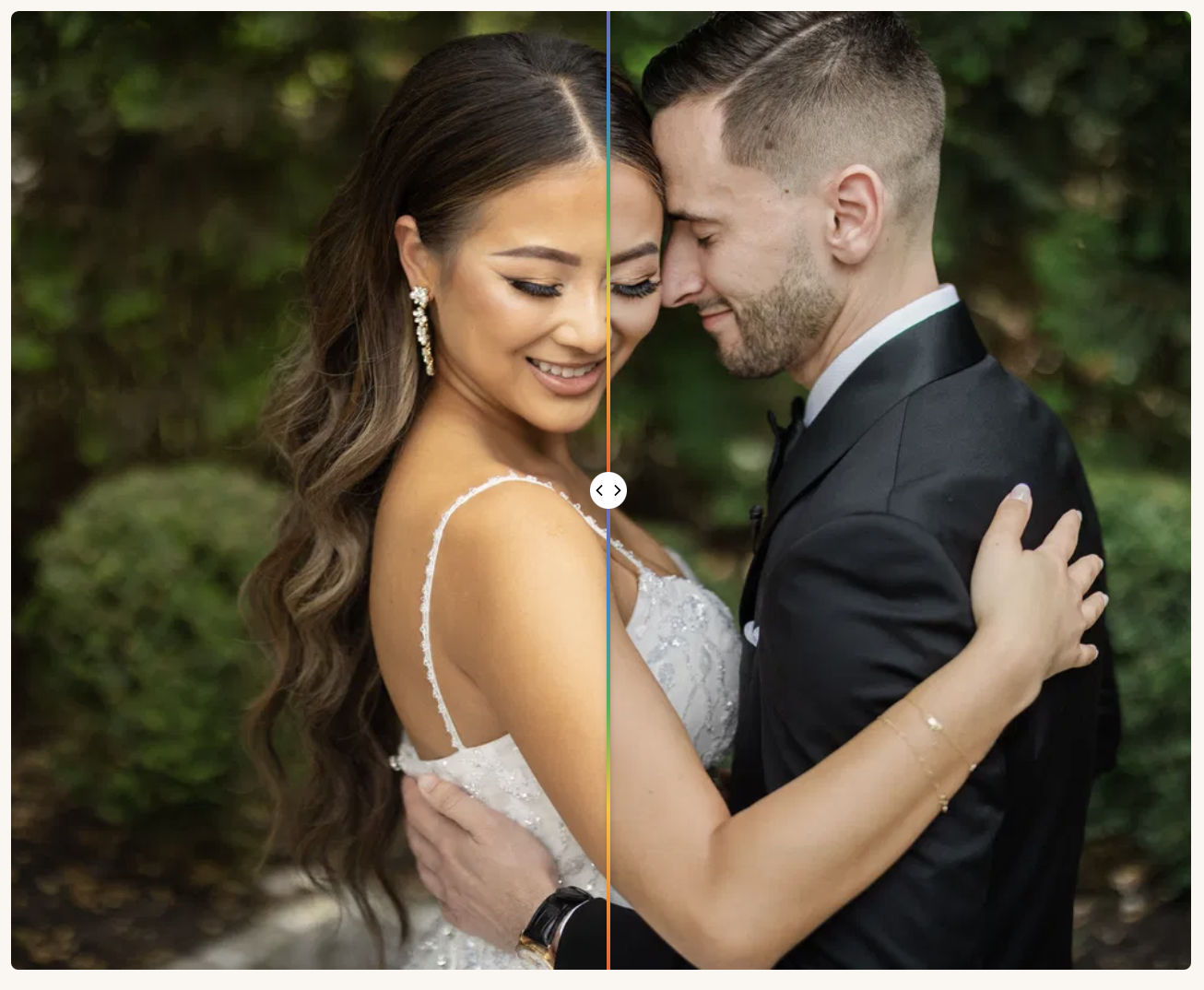
Using Wedding Lightroom Presets with AI Editing Technology
You don’t have to choose between the presets you’ve bought and AI editing. Aftershoot’s Instant AI Profiles turn a Lightroom preset you already own into an AI profile, so your purchased look is applied per image across a full wedding. Once you have 2,500 or more edited images, you can also train a Personalized AI Profile on your own edits.
A typical wedding workflow looks like this:
- Cull the gallery in Aftershoot Select so you only edit keepers.
- Edit with your Instant AI Profile, a Personalized AI Profile or an AI Style.
- Review the results and fine-tune in Aftershoot, Lightroom Classic or Capture One.
Aftershoot Edit costs $30 a month billed annually ($360 a year) or $35 billed monthly, with unlimited edits. Every plan starts with a 30-day free trial, no credit card required.
FAQs for Wedding Lightroom Presets
Do professional wedding photographers use Lightroom presets?
Yes. Most professional wedding photographers use presets as a starting point for consistency and then adjust exposure, white balance and skin tones image by image or scene by scene. Many build their own presets over time, or train an AI profile on their edits once they have a settled style.
Are free wedding Lightroom presets good enough for client work?
They can be, but free presets are rarely tuned for mixed indoor light, flash or a wide range of skin tones. They’re best for working out which style you like before buying a premium pack built for full wedding galleries.
Why do skin tones look orange after applying a wedding preset?
Most presets are designed around daylight. Under tungsten or warm venue lighting, the preset’s warmth stacks on top of the existing color cast. Correct white balance first, then lower Orange saturation and adjust Orange luminance in the HSL panel.
Do wedding Lightroom presets work in Lightroom mobile?
Usually, yes. Desktop presets sync to Lightroom Mobile through Creative Cloud, and many creators include separate mobile .dng presets. Check each pack’s compatibility notes, as profile-based presets may need a recent version of Lightroom.
What’s the difference between a Lightroom preset and a profile?
A preset moves Lightroom’s sliders to fixed values. A profile changes how Lightroom renders color and tone underneath the sliders, without moving them. Many premium wedding packs combine both: a profile for the base look and presets for finishing adjustments.
Can I turn my Lightroom preset into an AI style?
Yes. Aftershoot’s Instant AI Profiles turn a Lightroom preset you already own into an AI profile, so your look adapts to each image instead of applying the same settings everywhere. You review and adjust every edit before export.